.png)
Build a Lead Generating Website with This Web Development Tutorial
Most small business sites act like digital brochures: attractive but ineffective at generating leads, with only about 2% of traffic converting. This guide expla...


Introduction: Stop Wasting Money on a Pretty Brochure Website
Does your small business website feel like a digital brochure? You are not alone. Most SMB websites look nice but do almost nothing to bring in new customers.

In fact, research shows that on average only 2% of your website traffic actually converts into a lead. The other 98%? They just leave without a trace. Meanwhile, 90.7% of marketers say their website is the main place they use to generate leads and sales.
Here is the hard truth: a static, brochure style website is a wasted investment. It costs you money every month but fails to work as a real sales tool.
The good news? You do not need a huge budget or a fancy agency to fix this. A smart web development tutorial that focuses on lead generation can help you build a site that actively attracts visitors and turns them into paying customers.
Think of this guide as your step by step roadmap. We will cover everything from planning your site structure to launching a conversion focused design. And we will keep it simple, practical, and affordable.
If you want to see how a properly built site can become a lead machine, check out our guide on how to make your small business website convert visitors to customers. It is a great next step after reading this tutorial.
For business owners who prefer a done for you solution, Weblish offers expert web design and ongoing growth services with no upfront fees. They build sites that are built to convert, not just to look good.
Why Your SMB Needs a Lead-Generating Website (Not Just a Brochure)
A brochure website shows your info. A lead-generating website collects visitor data and turns strangers into customers. The difference? One sits there. The other works for you.
Here’s the reality for 2026. On average, only 2% of your website traffic converts into a lead. The other 98% leaves without a trace. Meanwhile, 90.7% of marketers say their website is their main lead generation tool. And get this: 97% of buyers check out a vendor’s website before making a purchase.
So if your site is just a pretty brochure, you are losing 98 cents of every dollar you spend on traffic.
The fix is a mindset shift. Stop asking "Does it look good?" Start asking "Does it capture emails, book calls, and drive sales?" That means adding clear calls to action, simple forms, and real analytics. Without those, you are throwing money away.
If you want to learn exactly how to build a site that converts, check out our guide on how to make your small business website convert visitors to customers. It walks you through the steps.
And if you prefer a done-for-you solution that handles everything from design to SEO, Weblish builds lead-generating websites with no upfront fees. They focus on results, not just looks.
The Cost of a ‘Pretty Brochure’ Website
A pretty brochure website looks nice but comes with hidden costs that hurt your bottom line. The biggest one? Lost opportunities. When 98% of your traffic leaves without converting, you are paying for visitors who do nothing Leadinfo 2026. That high bounce rate means your marketing dollars are wasted.
Traditional agencies often charge $5,000 to $15,000 for a brochure site with no lead generation support. Then you pay extra for updates, SEO, and maintenance, inflating the total cost Martal 2026. You end up with a static page that needs constant cash just to stay relevant.
The fix is a site built for results, not looks. If you want to learn how to create a website step-by-step that actually captures leads, our guide on making your small business website convert visitors to customers shows you exactly how.
And if you prefer a done-for-you solution that handles design, SEO, and ongoing optimization, Weblish builds lead-generating websites with no upfront fees and predictable monthly pricing. They focus on turning your site into a lead machine, not a pretty placeholder.
How a Well-Built Website Fuels Consistent Customer Acquisition
A website built for lead generation does more than look good. It uses SEO, content marketing, and email capture to pull in a steady stream of prospects.

In fact, 90.7% of marketers use their website to generate leads and sales Email Vendor Selection. That is a huge number, and it shows the power of a site that works for you, not one that just sits there.
The trick is automation. When someone lands on your site and signs up, an automated follow-up email can keep that lead warm without you lifting a finger. This turns casual visitors into real opportunities over time.
A well‑built site also ranks better in search, which brings in free traffic month after month. While you could take a web design course to learn the basics, the real edge comes from a site that is built to capture leads from day one. Services like Weblish focus on this long‑term ROI, not just a one‑time build. If you want to see exactly how to set up these systems, our tutorial on making your small business website convert visitors to customers walks you through each step.
Planning Your Web Development Tutorial: Align Your Site with Your ICP
Before you write a single line of code, take a step back. Most web development tutorials jump straight into tags and templates, but they skip the most important part: knowing exactly who you’re building for.
Start by defining your Ideal Customer Profile (ICP). Think about the people you want to reach: their job, their problems, and how they search for solutions.

When you map their journey to a buying decision, your design, copy, and features will speak directly to them. That’s how you turn a generic site into a lead‑generating machine.
You also need to document your business goals upfront. Write down numbers like how many leads you want each month, your target conversion rate, and your budget. These numbers will guide every decision later.
If the idea of defining an ICP feels overwhelming, you’re not alone. Many small business owners skip this step and end up with a site that doesn’t work. Read our guide on why your business website is useless and how to fix it to see the common mistakes.
Once you have a clear plan, you can follow a real web development tutorial that shows you exactly how to create a website step‑by‑step. And if you’d rather have experts handle the whole process, you can get started with Weblish by signing up and claiming your free trial to build a site aligned with your ICP from day one.
Aligning Your Website with Your ICP’s Pain Points
Now that you know who your ICP is, it’s time to turn their struggles into your website’s strengths. Think about the biggest frustrations they face: inconsistent leads, high agency costs, or a website that just sits there. Use those exact pain points as headlines and hooks. For example, if 97% of buyers check out a vendor’s website before deciding (source), your homepage should immediately address the problem your ICP feels most.
Create messaging that positions your solution as the affordable, transparent alternative they’ve been looking for. Don’t just list features. Talk about how you fix their specific headache. Then map each page to a stage of the buyer’s journey: awareness pages explain the problem, consideration pages compare options, and decision pages make it easy to say yes.
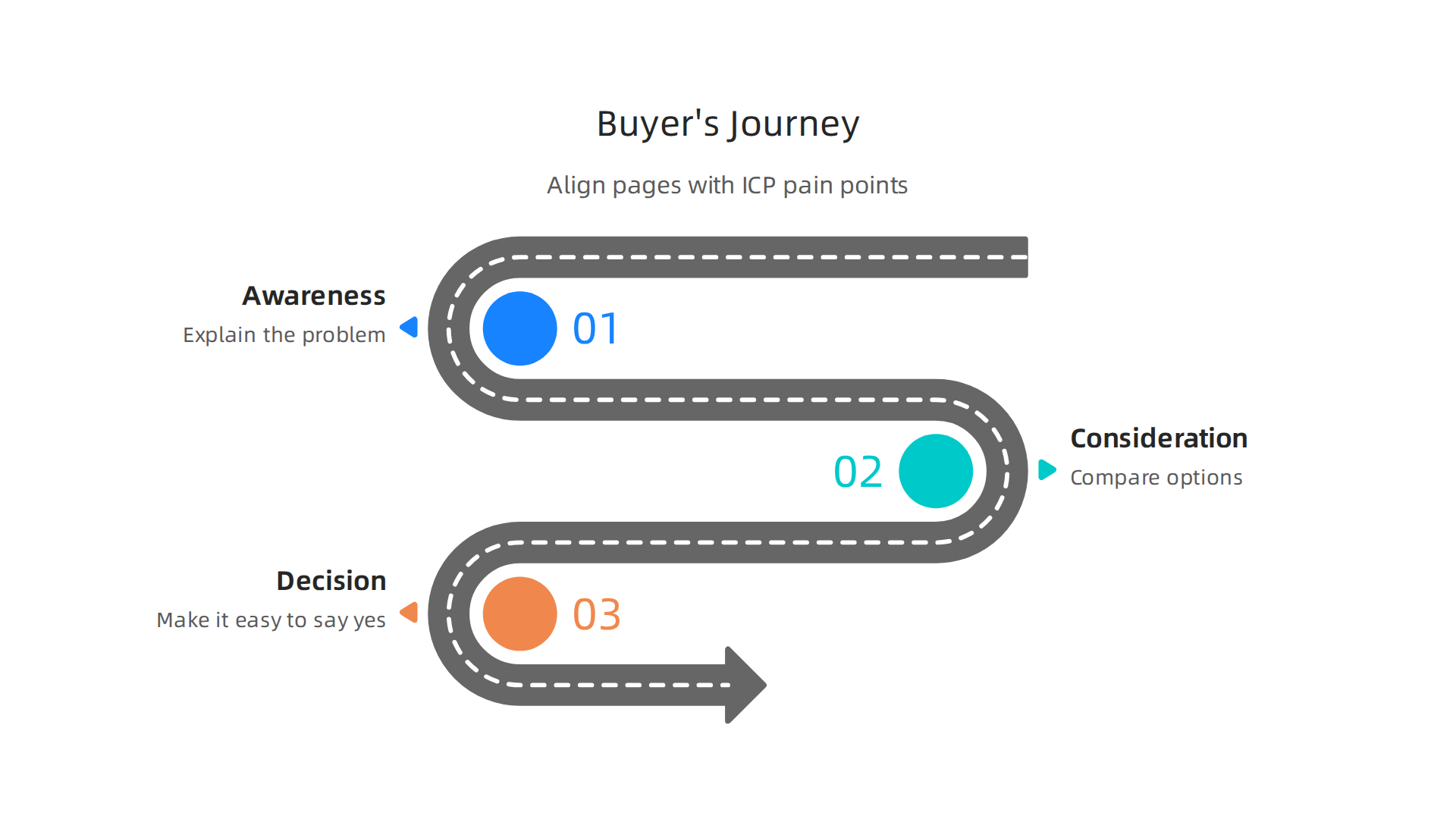
This approach turns a generic site into a lead machine. For a deeper look, read our guide on how to make your small business website convert visitors into customers.
And if you want a site built from the ground up around your ICP’s pain points, you can get started with Weblish by signing up and claiming your free trial and let experts handle the alignment for you.
Setting SMART Goals for Your Web Project
After you align your site with your ideal customer’s needs, the next step in any good web development tutorial is setting clear goals. Instead of a vague wish like "get more leads," set a specific target. For example, aim for 50 qualified leads per month from organic traffic within 6 months of launch.
Then break that big goal into smaller pieces you can measure every week. Focus on actionable metrics like page views, conversion rate, and cost per lead. Running simple tests on these numbers can make a huge difference over time. Check out these conversion rate optimization best practices to learn how to turn visitors into leads.
Here is the thing most people forget: you also need a budget for ongoing optimization, not just the initial build. A website is a living tool that needs regular care. That is why services like Weblish offer a subscription model that covers continuous improvement and expert support.
If you want to learn more about creating an effective site step by step, our guide on how to make your small business website convert visitors into customers is a great next read.
Choosing the Right Tech Stack for SMBs (Low-Cost, High-Performance)
Picking the wrong platform can slow you down and waste your budget. The best choice for a small business is one that gives you built-in SEO tools, easy lead capture forms, and simple content management without needing custom coding.
Three popular options are WordPress, Webflow, and Squarespace. Each has trade-offs. WordPress offers the most flexibility but often needs extra plugins and technical know-how. Webflow gives you great design control, and its plans start at $14 per month, offering a free starter option too. Squarespace is the easiest to use, with plans starting at $16 per month, and includes a free domain for the first year.
Your hosting choice matters just as much. A fast, reliable host keeps your page speed high and uptime strong. Both of these directly affect your conversion rates and SEO rankings. A slow site will cost you leads.
If you want a setup that balances cost and performance without the headache, a service like Weblish can build and manage your site on these platforms for a predictable monthly fee. They handle the tech stack so you can focus on your business.
For more details on turning your site into a lead machine, check out our guide on how to make your small business website convert visitors into customers.
Evaluating CMS Options: WordPress, Webflow, or Squarespace?
Picking the right CMS is like picking the right foundation for your house. Each of the three big options works well, but they serve different skill levels and budgets.
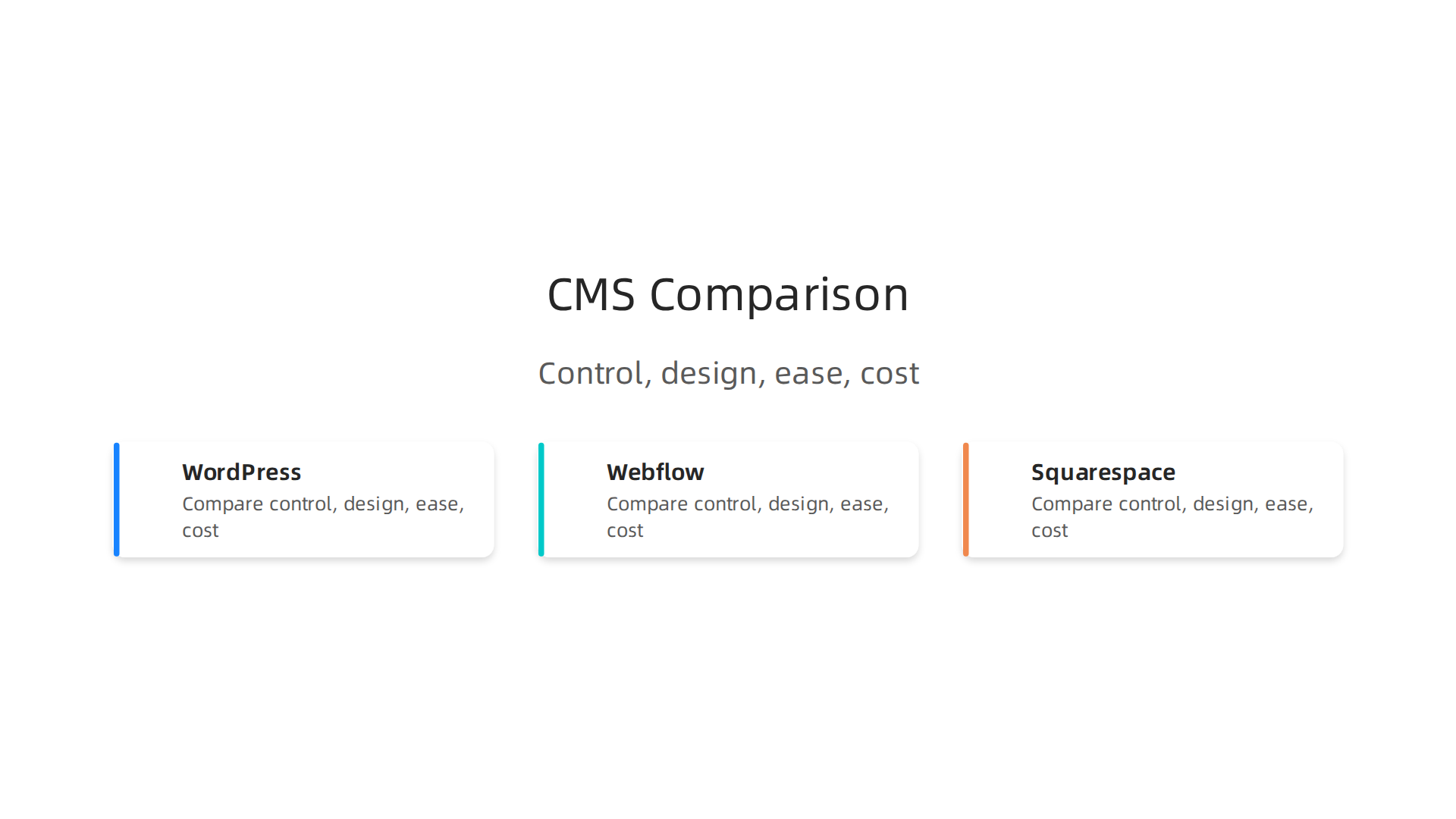
WordPress gives you the most control. It powers millions of sites and has endless plugins for SEO, lead capture, and automation. But you’ll need some technical know-how to set it up and keep it secure. If you are following a web development tutorial to learn how to create website step-by-step, WordPress is a great place to start.
Webflow offers a visual drag-and-drop builder with stunning design capabilities. Business plans start at $14 per month according to their official pricing page. It is popular in web design courses because you can see results instantly. However, costs can climb fast if you need advanced CMS features or more than a few pages. Many marketing teams love it, but for a small business on a strict budget, it might feel expensive.
Squarespace is the easiest to use right out of the box. Plans start at $16 per month and include a free domain for the first year. It is perfect if you want a beautiful site without touching code. The trade-off is limited lead-gen automation and fewer plugin choices compared to WordPress.
The wrong CMS can leave you with a site that looks good but brings in no business. That is why it helps to see why your business website might be useless and how to fix it.
If you would rather skip the learning curve entirely and let experts build a high-performance site for you, consider a service like Weblish. They handle the CMS decision, setup, and ongoing management so you can focus on growing your business.
Selecting Hosting and Domain for Speed and Reliability
You have picked your CMS. Now comes the part that can make or break your site: hosting and domain. Even the best WordPress site will lose visitors if it loads slowly. In 2026, site speed is a big ranking factor for Google, and it affects how many people actually convert into customers. According to recent data, pages that rank number one are 10% more likely to pass Google’s Core Web Vitals thresholds. That means a fast site helps you show up higher in search results.
Cheap shared hosting might save you a few dollars, but it often means slow load times and lower reliability. Instead, go for managed WordPress hosting or cloud hosting. These options give you better uptime and often include a CDN (content delivery network) to serve your content quickly to users around the world. Also, make sure your host provides a free SSL certificate. SSL is mandatory now, and it keeps your visitors’ data safe.
If you would rather skip the technical decisions and let experts handle everything from hosting to ongoing optimization, services like Weblish can build and manage a fast, secure site for you so you can focus on growing your business.
Designing for Lead Generation: UX and Conversion Best Practices
You have a fast, reliable site. But does it actually get visitors to take action? Every page on your site should have one clear goal: capture an email, schedule a call, or download a resource. If your page tries to do everything, it usually does nothing.
To make this work, minimize distractions. That means simple navigation, prominent CTAs above the fold, and fast load times. Keep your design clean so the eye goes straight to the action you want.
Trust signals also matter a lot. According to recent research, adding testimonials, case studies, or trust badges can increase conversion rates by up to 34%. People need to feel safe before they hand over their contact info.
If you are not sure how to design pages that actually convert, you can learn more in our guide on how to make your small business website convert visitors to customers. And if you want a team to handle the design and optimization for you, Weblish can build a lead-generating site that works, without the guesswork.
Structuring Navigation and Calls-to-Action
Have you ever landed on a website with a confusing menu? You probably bounced fast. Good navigation is like a roadmap. It should guide visitors straight to the action you want them to take. In any web development tutorial, this is one of the first things to learn.
Start with a sticky header that follows users as they scroll. Place your primary CTA there, like "Get Your Free Consultation." This keeps the most important action always visible.
Next, keep your menu simple. Stick to 5 to 7 options. Too many choices cause decision fatigue and hurt conversions. As noted in the Conversion Rate Optimization: The Complete Guide (2026), reducing distractions helps users stay focused on your goals.
Finally, place contextual CTAs throughout your content, not just at the bottom. When someone reads a useful tip, that is the perfect moment to ask for the next step. If you want professional help structuring your site, Weblish can build a seamless navigation and CTA strategy for your business.
For more on turning visitors into customers, check out our guide on why your business website is useless and how to fix it.
Mobile Optimization and Page Speed as Conversion Drivers
Your navigation might be perfect. But here is the thing. If your site is slow or hard to use on a phone, visitors will still leave. In 2026, every good web development tutorial stresses this point.
Over 60% of all web traffic now comes from mobile devices. If your site is not optimized for mobile, you lose more than half of your potential leads.

The Conversion Rate Optimization: The Complete Guide (2026) confirms that reducing friction on mobile is a top conversion driver.
Speed also matters for search rankings. Google uses Core Web Vitals (LCP, FID, CLS) to decide where your site appears. A slow site loses traffic.
Here are three quick fixes:
- Compress your images.
- Use lazy loading.
- Leverage browser caching.
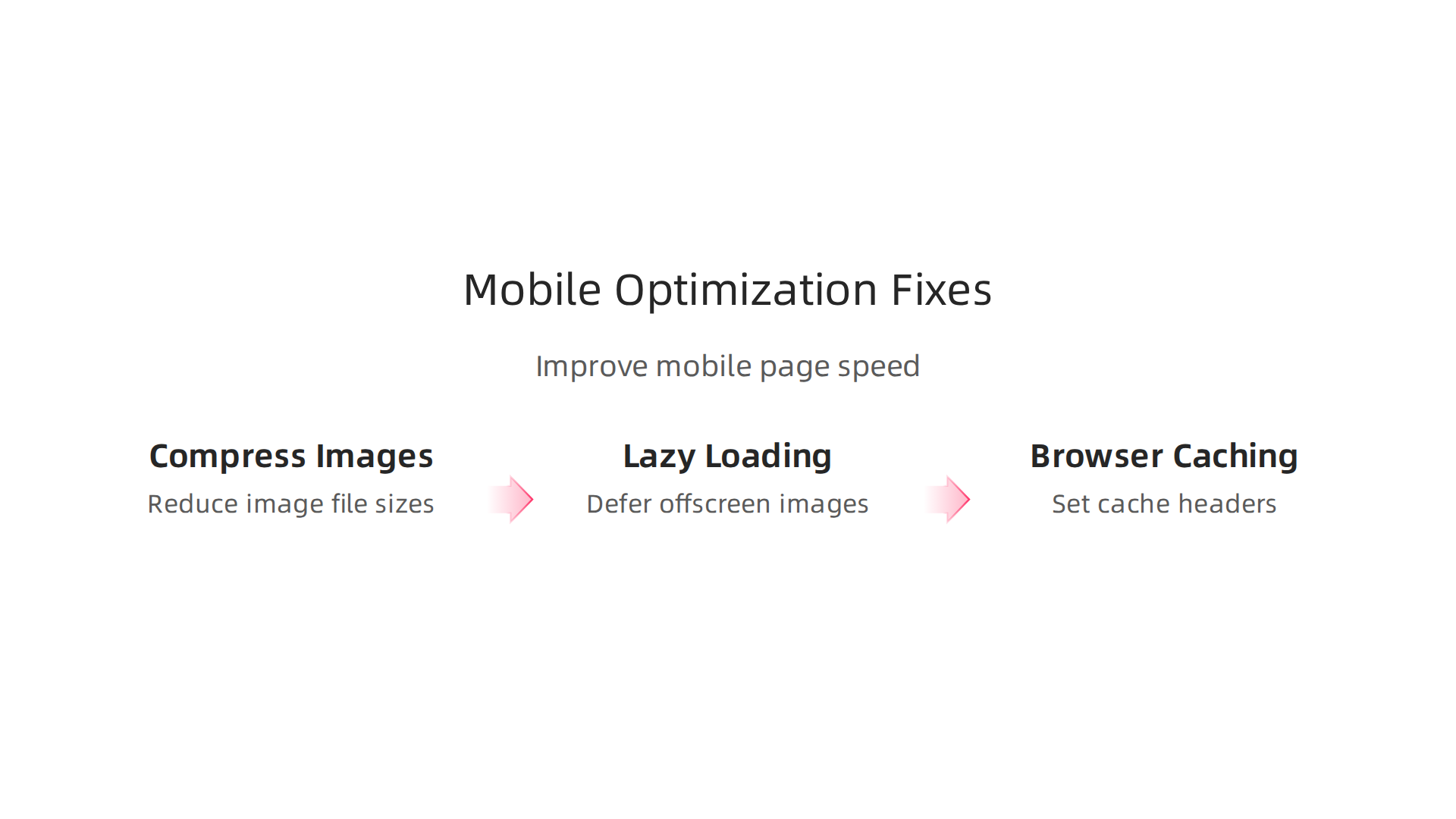
These simple changes make a huge difference. Many businesses skip them and wonder why their site underperforms. You can learn more in our guide on what nobody tells you about your website experience.
Want a fast, mobile-first site built for you? Get started with Weblish and claim your free trial today.
Content Strategy and SEO for Your Web Development Tutorial
So your site loads fast and looks great on mobile. Now what? You need content that answers the real questions your visitors are asking. A smart content strategy turns casual browsers into loyal customers.
Start with blog posts that solve specific problems. For example, a web development tutorial that shows exactly how to create website step-by-step can attract beginners searching for guidance. Add landing pages for your core services and resource downloads like checklists or templates. If you offer web design courses or promote web development certificate programs, dedicated pages can capture signups and build authority.
This approach does two things. First, it helps people find you through search engines. Second, it builds trust. When a visitor reads your guide on why your business website is useless and how to fix it, they see you understand their pain.
Internal linking is key. Link related pages together so visitors can keep learning. A clear content hierarchy also helps search engines understand your site structure. That means better rankings over time.
If you want a hand building content that actually converts, get started with Weblish and let our team handle the strategy for you.
Incorporating the ‘Web Development Tutorial’ Keyword Naturally
You want your web development tutorial to show up when people search for help. But you cannot just repeat the same phrase over and over. Google sees right through that.
Focus on using the keyword in your H1, within the first 100 words, and in your meta description. That is enough for search engines. Then, write naturally for humans. Use terms like web development guide, build a website for small business, and step-by-step web design throughout your post. These synonyms help you cover semantic search without feeling forced.
Remember that search rankings in 2026 also depend on page speed. According to recent data, pages ranking at position 1 are 10% more likely to pass Core Web Vitals thresholds. So make sure your tutorial pages load fast. For practical tips, check out how to make your small business website convert visitors to customers.
The key is simple. Use the keyword where it matters. Then give readers real value. That is what earns trust and clicks.
If you need help building a site that ranks and converts, get started with Weblish and let our team handle the heavy lifting.
Creating High-Value Landing Pages and Blog Content
Now that you know how to use your target keyword, let’s talk about where to put it. You should create a dedicated landing page for each service or product. Optimize each page for one specific keyword. And make sure those pages load fast. According to recent data, top ranking pages are 10% more likely to pass Core Web Vitals checks. Speed matters for conversions too. For help, check out this guide on how to make your small business website convert visitors to customers.
Your blog posts should target long-tail questions your ideal customers ask. For example, "how to get more leads from my website." Within those articles, include a lead magnet like a free guide or template. This captures emails and builds your list.
If you want professional landing pages and content that actually works, get started with Weblish and let our team build them for you.
Building Essential Features: Forms, Analytics, and Integrations
Once your landing pages and blog content are ready, the next step in this web development tutorial is adding the features that capture results. You need the right forms, analytics, and integrations to turn passive visitors into active leads. Here is how to create a website step-by-step that actually works for your business.
Forms that convert
Keep your contact forms simple. Ask for just a name, email, and a short message. And never forget to tell visitors exactly why they should fill it out. A clear reason can boost your conversion rate. According to conversion rate optimization best practices, you should also run A/B tests on your forms to see what works best.
Integrate your CRM
Every form submission should go straight into a customer management system. You can use a tool like HubSpot or Salesforce. Or use a simple spreadsheet. The goal is to never lose a single lead. Many business owners take web design courses and still miss this step. But it is one of the most important parts of your setup.
Set up analytics from day one
Install Google Analytics 4 and Google Search Console before you launch. You need data to know where your traffic comes from. Some web development certificate programs teach this, but it is easy to forget when you are in a hurry. Do not skip it. Data helps you make smarter decisions later.
Let us handle the setup for you
If this sounds like a lot of work, you don’t have to do it alone. Weblish builds these features into every site we create. We handle the technical setup so you can focus on running your business. Get started with Weblish today and get a site that generates leads on autopilot. For more practical tips, check out our guide to make your small business website convert visitors to customers.
Setting Up Contact Forms and CRM Integration
Your contact form is where visitors become leads. In this web development tutorial, use built-in form tools like those in Webflow or plugins like Gravity Forms and WPForms for WordPress. Webflow plans start at $14/month and include native form builders. That makes lead capture accessible for almost any budget.
But the form is just the start. Every submission must automatically enter your CRM. Many web design courses skip this step, but it is critical. Use webhooks or native integrations to send leads straight to your system without manual work.
And never skip spam protection. Add a hidden honeypot field and turn on reCAPTCHA. This keeps your CRM clean from bots and fake entries.
For a simpler path, Weblish builds these connections for you. And for more tips on turning form submissions into real customers, check out our guide on internal site search for SMBs. The goal is the same: capture every lead, every time.
Installing Analytics and Tracking for Continuous Improvement
Your contact forms are live and leads are flowing. But how do you know what is working? You need data to make smart decisions. That is where analytics comes into this web development tutorial.
Start with Google Analytics 4. It is free and shows you user behavior, traffic sources, and conversions. Set up custom goals like form submissions or CTA clicks so you can measure success right away. Without goals, you are flying blind.
Next, add a session recording tool like Hotjar or Microsoft Clarity. These let you watch real visitor sessions and spot friction points. Maybe users struggle to find your pricing page or abandon a form halfway through. Recordings show you exactly where to improve.
Regularly checking this data is part of a solid website maintenance checklist for 2026. Review your analytics weekly and tweak your site based on real behavior.
For expert help turning those insights into growth, check out how to make your small business website convert visitors to customers. And if you want a team to handle the tracking and optimization for you, Weblish provides done-for-you analytics support as part of their subscription service.
Launching and Maintaining Your Site: Ongoing Optimization
You did it. Your site is live. But this web development tutorial does not end at launch. A website needs regular care to keep driving results.
Before pushing new pages live, use a pre-launch checklist. Test speed, check for broken links, and verify SEO tags. This prevents launch day mistakes. You can find a solid example in this website maintenance checklist for 2026.
After launch, let your analytics guide you. Watch where users drop off. If a page has high traffic but low conversions, try a different headline or move your CTA. Small data-based tweaks can improve conversion rates.
This testing cycle is part of learning how to create a website step-by-step. If managing ongoing optimization feels overwhelming, a done-for-you service like Weblish can handle the updates, speed checks, and data analysis for you.
Pre-Launch Checklist: SEO, Speed, and Functionality
Before you hit publish on any page, run through a quick checklist. This step in your web development tutorial saves you from embarrassing mistakes.
First, scan every page for 404 errors, broken links, and bad redirects. Nothing frustrates visitors faster than clicking a dead link. Second, test your page speed with Google PageSpeed Insights. In 2026, Google considers load times under 800 ms as good, according to speed benchmarks. Slow pages hurt your rankings and drive people away. Your Core Web Vitals (LCP, INP, CLS) matter more than ever, so check this complete speed guide for practical fixes.
Third, make sure every contact form submits correctly and your CRM integration works end to end. A broken form means lost leads. Test it on mobile too.
Still learning how to create website step-by-step? A done for you service like Weblish can handle all this pre launch testing and optimization for you.
Post-Launch Monitoring and Periodic Updates
Hitting publish is just the start. A website that sits still slowly falls apart. To keep your site working hard for you, schedule three simple routines.
First, add fresh content every month. Write a blog post, share a case study, or update an old page. Google loves new content, and your visitors will too. Second, run a quarterly speed test and update your CMS, plugins, and themes. According to a good website maintenance checklist, regular security and speed checks stop small problems from becoming big ones. Third, review your conversion funnel and run A/B tests on your CTAs and landing pages. Small tweaks can boost leads without any extra traffic.
Need help with the whole process? A done for you service like Weblish can handle all your ongoing updates, speed checks, and conversion testing so you never fall behind. For more on turning visitors into customers, check out this guide on internal site search to learn another way to capture leads.
Summary
Most small business sites act like digital brochures: attractive but ineffective at generating leads, with only about 2% of traffic converting. This guide explains how to flip that script by planning around your Ideal Customer Profile, setting SMART goals, and choosing the right CMS, hosting, and tooling for speed and reliability. You’ll learn practical conversion-focused design principles—clear CTAs, simple forms, trust signals—and the essential integrations (CRM, analytics, session recordings) that capture and nurture leads. The article also covers content and SEO strategies, a pre-launch checklist, and a post-launch optimization routine so your website becomes a predictable lead engine rather than a static expense. If you prefer a done-for-you option, the guide points to services that handle build and ongoing growth for predictable monthly pricing.