Turn Your Website into an Epic User Web Portal That Drives Revenue
This article explains how to move beyond a static


Turning a Digital Brochure into a Revenue Engine
You spent good money on a gorgeous website. It has smooth animations, professional photography, and all the right branding. But here is the hard truth: it is not making you any money. Most visitors land on your site, look around, and leave without taking action. Your website has become a digital brochure that looks great but does nothing.

What you actually need is an epic user web portal.
Unlike a static site, a portal is a private, secure area where users log in to access personalized content and tools just for them. As the WeWeb user portal guide explains, a user portal provides personalized content and functionality specific to each logged-in user. That is a huge difference from a one-size-fits-all website.
Think of an epic user web portal like a web restaurant that remembers what you like to eat. Just as a thingiverse website shows you relevant 3D designs based on your past searches, or the remini web app restores your photos based on your needs, a business portal learns what each visitor wants. It turns passive browsing into an active, helpful relationship that keeps people coming back.
If you are ready to turn your site into a real lead generator, read our guide on how to make your small business website convert visitors to customers. It covers the exact steps to go from static page to revenue engine. And if you want expert help making it happen without the high upfront cost, Weblish provides affordable web design and growth services that deliver real results.
This article gives you a complete framework. You will learn exactly how to build, maintain, and optimize a portal that drives consistent growth for your business. Let us get started.
1. What Is an Epic User Web Portal and Why Your SMB Needs One
So you want an epic user web portal. But what does that actually mean?
An epic user web portal is a secure platform that people log into. Instead of showing everyone the same generic page, it gives each user a personalized experience. Think of it as a command center. Users can access their own dashboards, files, and tools all in one spot. As the WeWeb user portal guide explains, it is a private area that provides content just for that user. The Liferay guide adds that a portal brings together information from different sources into a single view.
This is very different from a normal business website. A regular site is like a store window. You can look, but you cannot get personalized help. A portal is like a VIP lounge. It knows who you are. It offers secure file sharing, event scheduling, and real-time messaging, as shown by Osuria’s breakdown of web portals.
You might think this is only for big companies with huge IT budgets. That is the old way of thinking. In 2026, small and mid-sized businesses can build epic user web portals without breaking the bank. A well-designed portal levels the playing field. It helps you compete with larger competitors by offering a premium, helpful experience. It builds trust and keeps people coming back.
It turns your site into the "web restaurant" we talked about earlier. It remembers what people want and guides them to take action. To learn more about making these experiences flow, dive into our guide on graphic design principles that turn your website into a lead generator.
Building an epic user web portal used to be expensive and complex. Now, you can get started with Weblish by signing up for a service that handles the design and strategy without the high upfront cost.
3. The Anatomy of a High-Performing Portal
So you want an epic user web portal. But what makes one actually work? It is not just about having a login page. A high-performing portal needs three specific parts to turn visitors into loyal customers.
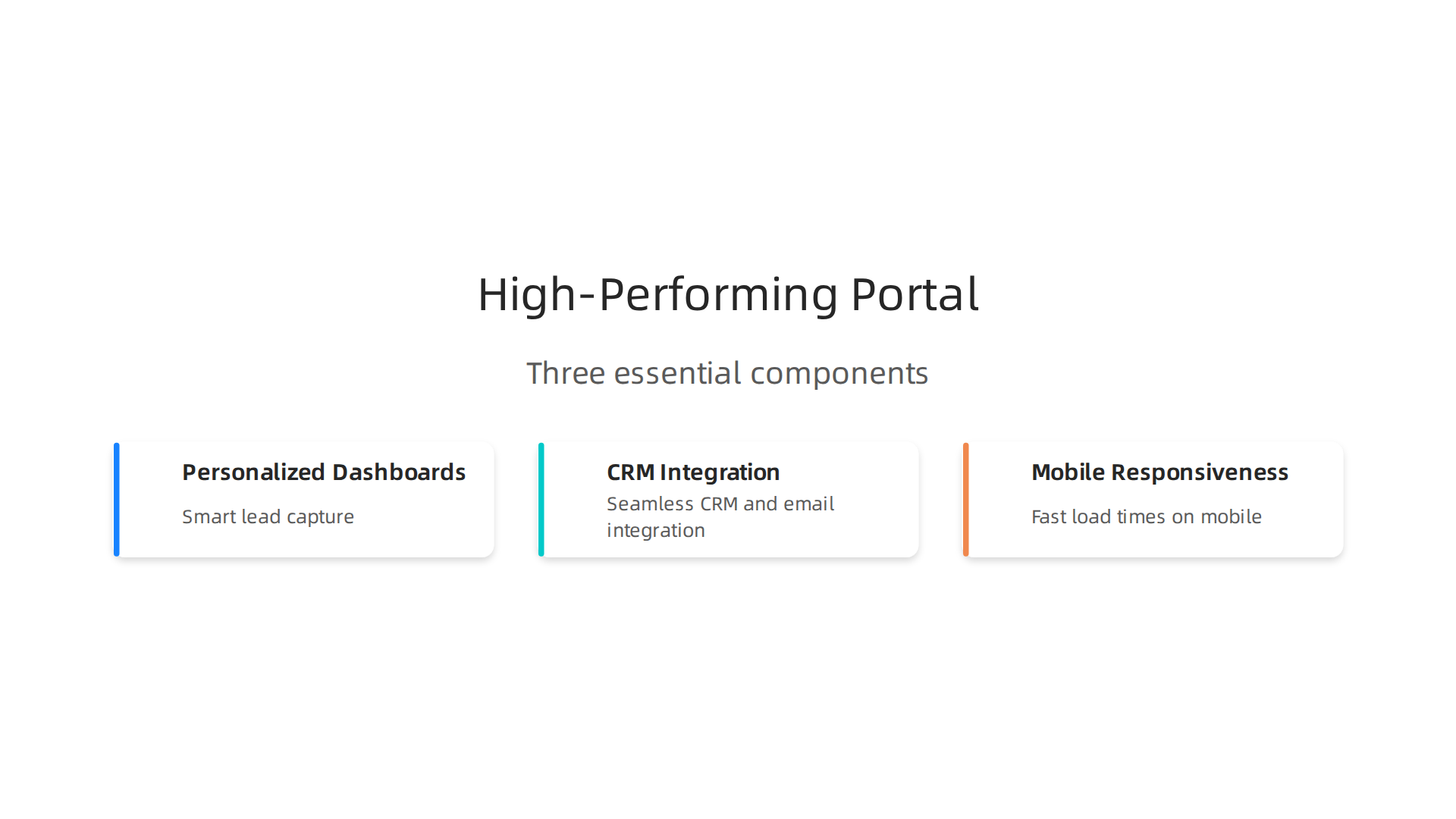
Personalized dashboards and smart lead capture. When a user logs in, they should see data that matters to them. This might be their order history, project status, or custom recommendations. Dashboards that adapt to each user make people feel understood. And you need lead capture forms that pop up at the right moment. A user-centric design focuses on exactly what each visitor needs. You can automate calls to action based on their behavior. If someone keeps looking at a service page, a CTA for a free consultation should appear automatically.
Seamless CRM and email integration. Here is where most portals fail. They capture a lead but then forget about them. Your portal must talk to your CRM and email tools. When someone fills out a form, your system should send a follow-up email right away. This makes the follow-up feel smooth and personal. The whole point of a web portal is to bring everything together into one experience. For more on creating those flows, check out our guide on how to internal site search for SMBs.
Mobile responsiveness and fast load times. This is non negotiable in 2026. More than half your users will visit from their phones. If your portal loads slowly or looks broken on mobile, they will leave. Features like secure file sharing and real-time messaging need to work perfectly on every device. A slow portal kills trust fast.
Building all of this from scratch sounds like a headache. That is why many SMBs choose a done for you service. You can get started with Weblish by signing up for a service that designs and builds these features without the technical stress. They handle the dashboards, integrations, and mobile optimization so you can focus on running your business. Learn more about how to make your small business website convert visitors to customers.
4. Why SMBs Struggle Without a Portal Strategy
You know what an epic user web portal should look like after the last section. But here is the hard truth. Most small businesses never get there. Why? It is not because they lack ambition. It is because three big walls keep them stuck.
First, you lack in-house expertise. SEO, content marketing, and lead nurturing are full time jobs. Your team is already stretched thin. You might know you need better organic traffic, but you do not have a specialist to make it happen. Many SMBs in 2026 are turning to AI tools to help fill this gap, but using those tools well still takes skill. As one analysis of the 2026 digital landscape shows, AI and cloud are reshaping growth for SMBs, but only if you know how to use them.
Second, custom development costs too much. Traditional agencies often quote five figure prices just to start. That is a non starter for most small businesses. You cannot afford to gamble that kind of money on a portal that might not work. The economic pressure in 2026 makes this even harder. The shift toward largely unpaid strategies in 2026 shows that businesses are looking for cheaper ways to grow.
Third, you cannot measure the ROI. You spend money on your website, but you do not know what is working. Without clear data on what drives leads, you are guessing. And guessing is expensive.
These struggles are real. But they are also solvable. Many SMBs find success by letting a done for you service handle the hard parts. You can get started with Weblish to build a portal that handles SEO, lead capture, and ongoing management without the upfront cost. And if you want a simpler starting point, check out how to turn your website into a lead machine with better search.
2. Key Features That Make a User Portal ‘Epic’
So how do you overcome the struggles we just covered? You build an epic user web portal with three must have features.
These are the parts that turn a basic website into a real lead generation machine.
Feature 1: Personalization at scale. Your portal should show each visitor content that fits them. Think of it like a web restaurant. Every guest gets a menu made just for them. This is not a thingiverse website where everyone sees the same page. You use data like what pages they viewed or what they searched for. According to recent data, businesses using AI driven personalization see 82% higher conversion rates. That is huge. Even simple personalization like showing a relevant case study based on their industry can make a difference. And with remini web features, your portal can remember what your visitors liked before and serve them better content next time.
Feature 2: Integrated lead magnets. Your portal needs valuable content that visitors actually want to download. Things like eBooks, webinars, checklists, or self assessments. These lead magnets capture quality leads because people trade their email for something useful. Companies that use content marketing as a lead generation channel see 6 times the conversion rates of those that do not. Make sure your lead magnets match your audience’s biggest problems. A plumbing business might offer a "Home Water Leak Checklist" while a law firm offers a "Free Contract Review Guide." This is a core part of turning your website into a lead machine.
Feature 3: Automated drip campaigns and follow up sequencing. Once someone downloads a lead magnet, your portal should automatically send follow up emails. No manual work needed. The data shows that automated drip campaigns can improve open rates by 30% and click through rates by 50% when using AI driven nurturing. That means you stay in front of your leads without lifting a finger. The system sends relevant content, reminds them about your services, and moves them toward a booking or purchase.
A service like Weblish can build all three of these features into your portal without the high upfront cost. That way you get a true epic user web that captures leads and nurtures them automatically.
Analytics and Insight Dashboards
You have personalization, lead magnets, and automated emails running. But how do you know if any of it works? That is where analytics and insight dashboards come in. Think of this as the control room for your epic user web. You get real time visibility into what your visitors actually do on your site.

Here is what a good dashboard shows you:
- Visitor behavior. Which pages do they visit? How long do they stay? Where do they click? You can see which content grabs their attention.
- Popular content. Your best performing blog posts, case studies, and lead magnets light up. You know exactly what your audience wants more of.
- Conversion funnels. You see where people drop off and where they convert. Maybe your signup form has a leak. Maybe your pricing page confuses people. The data tells you.
With this information, you can segment your users by what they do. A visitor who reads three blog posts about SEO is different from someone who downloads a pricing guide. You tailor their experience based on real actions, not guesses. According to recent benchmarks for 2026, businesses that use data driven personalization see much higher conversion rates compared to those that do not source: crobenchmark.com.
This is not a thingiverse website where you just throw content at the wall. You make smart decisions backed by numbers. You test, tweak, and improve over time. A platform like Weblish builds these analytics features right into your portal so you always know what is working. For more on turning your site into a real lead machine, check out our guide on how to make your small business website convert visitors to customers.
The key is simple: stop guessing and start tracking. Your remini web features let you remember visitor preferences and serve better content. But you need the dashboard to see which preferences matter most. That is how you build an epic user web that gets better every single month.
Integration with Existing Tools (CRM, Email, Social)
You already have customer data flowing in from your analytics dashboard. But if it sits in a silo, it is not doing much for you. That is why integration with your existing tools matters so much.
Imagine this: someone downloads a lead magnet from your site. Without integration, you have to manually export that contact and import them into your email platform. Maybe you forget. Maybe you miss a follow up. That is a wasted opportunity.
When your epic user web syncs seamlessly with platforms like HubSpot, Mailchimp, and Salesforce, everything changes.

New leads flow automatically into your CRM. Email sequences trigger instantly based on specific actions. Your social media campaigns can target the exact same segments that performed well on your site.
This reduces manual data entry dramatically. Your team spends less time copying and pasting and more time closing deals. Lead handoff becomes smooth because sales sees the full customer history right away.
Multi-channel attribution also gets easier. You can see that a visitor first clicked a Facebook ad, then read three blog posts, then signed up for your newsletter, and finally made a purchase. Without integration, you would never connect those dots. According to 2026 research, SMBs that connect their tools effectively see faster ROI and smarter buying decisions source: IDC.
Your web restaurant should not feel like a thingiverse website where nothing talks to anything else. Instead, build a system where your CRM, email platform, social accounts, and analytics all share data smoothly. For more on turning your site into a real lead machine, check out our guide on how to make your small business website convert visitors to customers.
A platform like Weblish handles these integrations for you, so your remini web features plus all your favorite tools work together. That is how your epic user web becomes a truly connected growth engine.
3. Step-by-Step Implementation Plan for Your Portal
So you have your tools integrated and you understand your epic user web vision. But how do you actually build it without getting lost in the weeds? Let me walk you through a simple three-phase plan that works for SMBs in 2026.
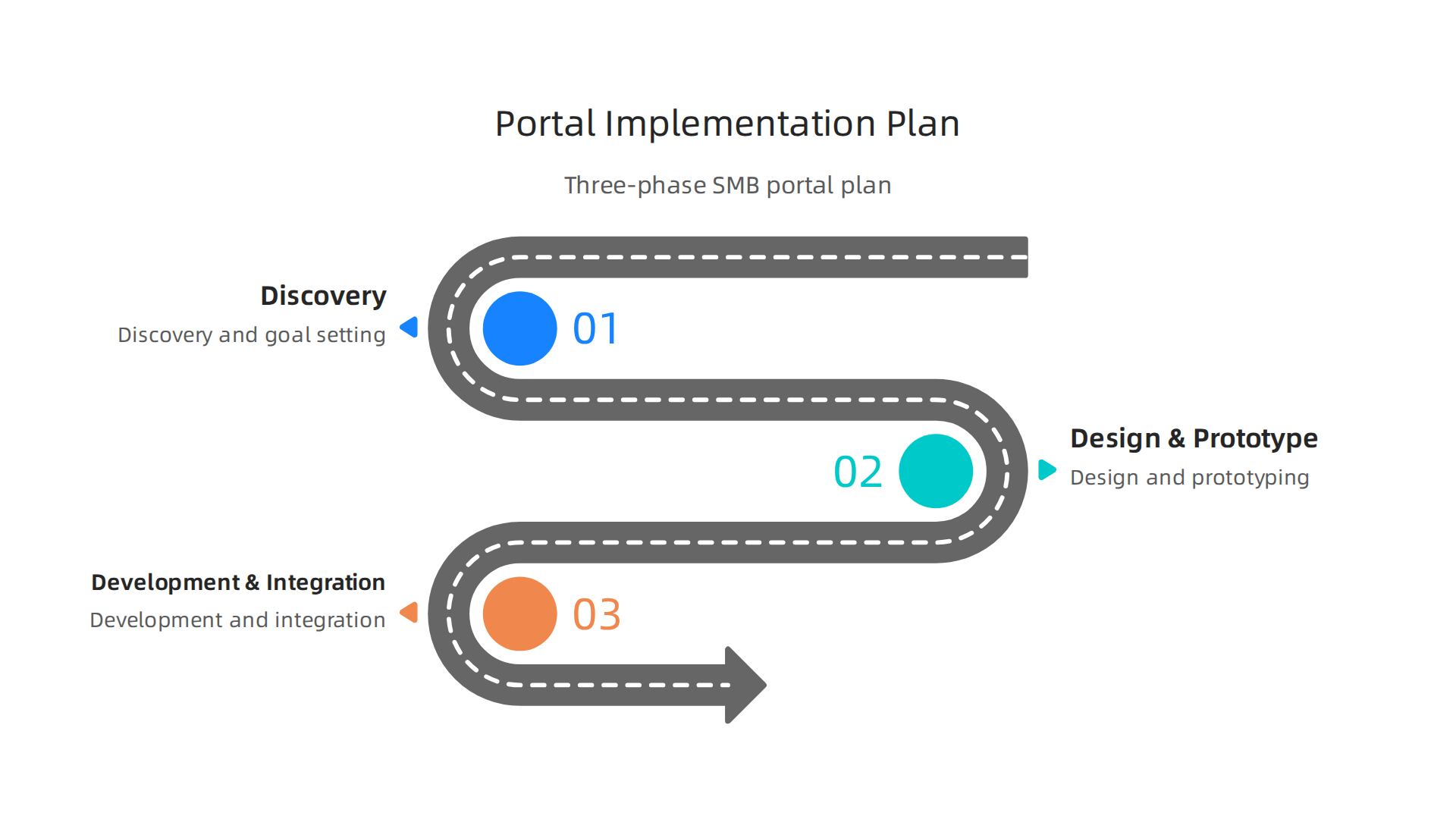
Phase 1: Discovery and Goal Setting
Start by getting crystal clear on who you are building for. Define your Ideal Customer Profile (ICP) and map out your conversion funnel. Ask yourself: What actions do you want people to take on your web restaurant? Is it booking a demo, downloading a guide, or making a purchase?
This is also the time to budget realistically. Industry data shows portal implementations can range from $20,000 for basic setups to over $100,000 for enterprise deployments [source: clinked.com/blog/sharepoint-costs]. For most SMBs, you want to stay on the lower end by using smart, modular tools. Our guide on how to make your small business website convert visitors to customers can help you clarify these goals.
Phase 2: Design and Prototyping
Now you sketch it out. Create wireframes that show every user journey from landing page to conversion. Do not overcomplicate this. A simple flowchart on paper works wonders.
Focus on removing friction. Ask yourself:
- How many clicks does it take to complete a key action?
- Where do users get stuck?
- What information do they need at each step?
Your remini web features should feel intuitive, not like a thingiverse website where everything is scattered. The goal here is to design an experience that guides visitors naturally toward your business goals.
Phase 3: Development and Integration
This is where the rubber meets the road. Use agile sprints to build your portal in small, testable chunks. Do not try to launch everything at once. Start with the core features that matter most to your users.
Integrate one tool at a time. Connect your CRM first, then your email platform, then your analytics. This way, if something breaks, you know exactly where the problem is. Testing after every integration saves you headaches later.
Many SMBs find this phase overwhelming because it requires both technical skill and strategic thinking. That is where a service like Weblish steps in. They handle the development, integration, and ongoing management so you do not have to become a developer overnight. Their team builds on platforms like Shopify and WordPress, then connects everything to your existing tools.
Follow this plan step by step, and your epic user web will go from concept to reality without the chaos.
Phase 1: Discovery & Strategy
Every great epic user web starts with one thing: knowing exactly who you are building for. Skip this phase, and you end up with a thingiverse website that serves nobody well.
Here is what you need to nail down first.
Define your target audience and their primary needs. Do not guess. Talk to your best customers. Look at your support tickets. Find out what makes them frustrated or excited. Your web restaurant only works if the menu matches what people are hungry for.
Map out the ideal user journey from visitor to loyal customer. Draw every step someone takes when they land on your site. Where do they click? What questions do they have? What stops them from moving forward? Understanding this journey is how you stop creating a remini web experience that feels fuzzy and start building one that feels intentional.
Set measurable KPIs. Pick numbers you can track every week. Lead volume tells you if people are interested. Conversion rate tells you if your portal actually works. Time to close tells you if the journey is smooth. Without these numbers, you are flying blind.
Budgeting matters here too. SMB technology spending in 2026 is shifting toward smarter investments [source: digital-origin.co.uk/insights/blog/smb-technology-spend-in-2026]. A clear strategy helps you spend money where it counts, not on features nobody uses.
If this phase feels overwhelming, that is normal. Many SMBs do not have the internal time or expertise to define audiences and map journeys properly. That is exactly where a service like Weblish helps. They handle the discovery work and build your portal on platforms like Shopify or WordPress so you get a strategy that actually works, not just a pretty site.
Phase 2: Design & Development
Once your strategy is clear, it is time to build. But do not jump straight into coding. That is how you end up with a thingiverse website that looks nice but does not work.
Wireframe and test before you write a single line of code. A wireframe is a simple sketch of each page. It shows where buttons go, how menus work, and what people see first. Show these sketches to real users before you build anything. Fix problems on paper. It is much cheaper than fixing them after launch. This step alone can save you thousands.
Pick your tech stack carefully. Your stack includes your CMS, analytics tools, and maybe a personalization engine. The platform you choose affects everything from speed to maintenance costs. For SMBs in 2026, workflow automation platforms vary a lot in pricing and features [source: ustechautomations.com/resources/blog/general-smb-task-workflow-management-comparison-2026]. Pick tools that talk to each other and scale with you.
Make mobile-first and accessibility your standards, not afterthoughts. Most visitors come from phones now. If your site is slow or broken on mobile, they leave. Accessibility means every person can use your site, including those with disabilities. This is not just good ethics. It is good business. A site that works for everyone converts better.
Test everything with real users. Watch people try to complete tasks on your site. See where they get stuck. Then fix those spots. This is how you build a remini web experience that actually guides visitors where you want them to go.
If the design and development phase feels like a lot, that is okay. Many SMBs find that working with experts saves time and money. Services like Weblish handle the wireframing, tech selection, and build process for you. You get a professional site without hiring a full agency.
Need more help improving your site’s user experience? Check out our guide on UX design principles that turn your website into a lead generator.
4. Content and SEO Strategies to Fuel Your Portal
You built a fast, mobile-friendly site. Great. But if nobody finds it, it is just a pretty thingiverse website sitting in the dark. In 2026, getting discovered means playing a smart content and SEO game. Here is how to turn your epic user web into a traffic magnet.
Start with pillar content and topic clusters. Pick one big topic your audience cares about. Write a complete guide on that topic. That is your pillar. Then write smaller articles that link back to it. Google loves this structure. It shows you are an expert. For a web restaurant portal, your pillar could be "The Ultimate Guide to Online Ordering." Then write cluster articles like "How to Reduce Food Delivery Times" or "5 Menu Design Mistakes." This method helps you rank for many keywords at once. According to the 2026 SMB Website Trends Report, small businesses that use topic clusters see better organic traffic than those who do not.
Lead magnets: give value, get emails. People are careful about sharing their info in 2026. So you need to offer something good. Think of an eBook, a checklist, or a template that solves a real problem. Gate it behind a simple form. Now you have a lead. And you can follow up with them. For example, if you run a remini web that helps people restore old photos, offer a free "Photo Restoration Checklist." This is a low-cost way to grow your email list.
Blog regularly and refresh old posts. Blogging is not dead. In fact, SEO tactics for small businesses in 2026 still rely on fresh, high-quality content. But do not just write and walk away. Go back to your old articles once a year. Update statistics, add new tips, and fix broken links. This tells Google your site is alive. It also helps you keep ranking for keywords like "epic user web" or "best web restaurant tips." A consistent update schedule is a secret weapon.
If managing all this content work feels overwhelming, you are not alone. Many SMBs use a service like Weblish to handle SEO strategy, blog writing, and ongoing content updates. You get expert help without hiring a full-time team. Check out our guide on how to make your small business website convert visitors to customers for more practical tips.
Optimizing for Search Intent
Not all search traffic is the same. Some people want information. Others want to compare. And some are ready to buy. Those are bottom-of-funnel queries. If you match your content to what people actually want, your epic user web pulls in real customers.
Match content to bottom-of-funnel intent. When someone searches for "best web restaurant system" or "affordable remini web plan," they want to pick a provider. Write pages that answer these queries directly. Compare features. Show pricing. Make it easy to decide. The 2026 SEO tactics guide says focusing on search intent helps you rank for terms that actually convert.
Use long-tail keywords and question-based headings. Real people type full questions. "How does a thingiverse website make money?" or "How fast can I set up a web restaurant menu?" Use these exact phrases as your H2 and H3 headings. It helps Google match your page. It also keeps your content scannable.
Add structured data for rich snippets. This is code that helps Google understand your content. It can earn you star ratings, pricing, or how-to steps in search results. The SMB Website Trends Report shows that structured data helps sites stand out in 2026. If this feels technical, a service like Weblish can handle structured data setup for you. For more ways to capture buyer intent, read our guide on turning your website into a lead machine with internal site search.
Automated Content Personalization
Once you match search intent and draw visitors in, the real work begins. Not all visitors want the same thing. A first time browser is different from a returning buyer. Automated content personalization helps you treat them differently.
Start by grouping visitors based on behavior. Look at pages visited, time on site, and traffic source. Maybe someone came from a thingiverse website review or searched for remini web pricing. Those actions tell you their intent.
Then serve dynamic content. Show relevant blog posts, CTAs, and offers. A new visitor gets an educational intro. A returning visitor who looked at pricing gets a strong case study and a demo offer. This turns your epic user web for your web restaurant into a smart selling tool. It works. Reports show AI personalization can boost conversion rates by 82% or more, and 25% of marketers say segmentation is the most effective way to personalize.
You also need to test. Try different headlines, images, or offers for each segment. See what works best. Then adjust. A/B testing turns guesswork into a system.
This level of automation sounds complex, but it does not have to be. A service like Weblish can set up the tracking, build the segments, and run the tests for you. To see how internal searches can feed into this personalization engine, read our guide on turning your website into a lead machine with internal site search.
5. Maintenance and Continuous Optimization
Building your website is just the start. In 2026, the sites that win are the ones that keep getting better. Think of it like running a successful web restaurant. You cannot just open the doors and walk away. You have to maintain the kitchen, update the menu, and listen to your customers.
Let us look at what continuous optimization looks like in practice.
Keep your site fast, secure, and up to date.
Search engines in 2026 reward sites that load quickly and work well on mobile. According to the 2026 SEO Checklist for Small Businesses, your page needs an LCP under 2.5 seconds and a CLS under 0.1. If your site is slow, visitors leave. Page speed statistics in 2026 show a direct link between speed and revenue. Regular plugin updates and security checks protect your hard work and keep your epic user web running smoothly.
Review and test your conversions every quarter.
Set a reminder to look at your analytics. Which pages bring in leads? Which ones have high bounce rates? Run A/B tests on your headlines and calls to action. This is how you refine your strategy. A small change can lead to a big jump in results. The 2026 SMB Website Trends Report shows that businesses focused on continuous improvement see the best long-term growth. Treat your site like a living project, not a finished product.
Build feedback loops into your process.
Numbers only tell part of the story. You also need to understand your users. Tools like heatmaps and session recordings show you exactly how people interact with your site. Where do they click? Where do they get stuck? Pair this with quick surveys to ask visitors what they want. This turns a generic thingiverse website experience into a targeted, helpful one. If you are running a remini web promotion, user feedback can tell you if the message is clear.
This level of care makes all the difference. Instead of guessing, you build a system that learns and improves over time. If managing this sounds like a lot of work, you are right. It takes time and focus. A growth service like Weblish can handle the updates, speed optimization, testing, and user analysis for you. For more practical steps on fine-tuning your approach, read our guide on graphic design principles that turn your website into a lead generator.
Monitoring Uptime and Speed
Your site can have the best design in the world, but if it goes down or loads too slowly, your epic user web falls apart. Think of it like your web restaurant. You cannot serve customers if the kitchen door is locked, and you will lose them if they wait too long.
The first step is to use reliable monitoring tools. Services like Pingdom and Google PageSpeed Insights help you track your site’s health. They check your server uptime and measure how fast your pages load. In 2026, the target is an LCP under 2.5 seconds and a CLS under 0.1. Anything slower than 800 ms signals a need for improvement.
Set clear performance baselines and alerts. Establish a starting speed for your homepage and key landing pages. Then configure alerts so you know the moment your site goes down or gets slow. This turns a chaotic thingiverse website into a managed, professional one. The 2026 SMB Website Trends Report shows that businesses who track these metrics consistently see better results.
Here is the real payoff. Page speed has a direct impact on conversion rates. Faster sites keep visitors engaged and lead to more sales. According to the latest page speed statistics, even a one-second delay can cut your conversions significantly.
If managing all this monitoring sounds overwhelming, you do not have to do it alone. A done-for-you service like Weblish can handle uptime checks, speed optimization, and performance alerts for you. For a deeper look at how design decisions affect load times, read our guide on graphic design principles that turn your website into a lead generator. Keep your site healthy, and your remini web promotion will actually have a chance to convert.
Iterating Based on Analytics
Monitoring tells you what is happening. But to build an epic user web, you need to understand why it is happening and then fix the issues. Data without action is just noise.
The first step is to review your conversion funnel. Look at where visitors leave your site. Are they dropping off on the pricing page? Or right after they land? The 2026 SMB Website Trends Report shows that businesses that act on this data see real growth.
Next, use session replays. Tools like Hotjar or Clarity let you watch real user sessions. You can see exactly where they get confused or stuck. This turns a chaotic thingiverse website into a clear path for your visitors. You might spot a button that nobody clicks or a form that causes frustration.
Finally, implement changes in weekly sprints. Instead of making random fixes, pick one problem and test a solution. Measure the result. Then move to the next issue. This keeps your remini web promotion data improving each week.
For a deeper look at hidden user behavior, read what nobody tells you about your website experience in 2026. If managing this analysis feels overwhelming, Weblish can handle the iteration for you, turning your analytics into a real lead machine.
6. Measuring Success: KPIs and ROI of Your Portal
You have built your epic user web and you are iterating on it. But how do you know if it is actually working? The answer is simple: you measure the numbers that matter.

Without tracking, you are just guessing. And in 2026, guessing is expensive.
Many small businesses face common SMB challenges like limited budgets and tight time. That is why you need to focus on the right KPIs. The three most important ones are:
- Lead conversion rate. This tells you what percentage of visitors take a desired action. A high rate means your thingiverse website is working well.
- Cost per lead. How much do you spend to get one new lead? Lower is better, but quality matters too.
- Customer lifetime value. How much total revenue does one customer bring over time? This is the big picture number.
To track these, you need an attribution model. This connects the dots between a visitor clicking on your remini web content and later becoming a paying customer. Simple first-touch or last-touch models are fine for beginners. As you grow, use multi-touch attribution to see the full journey. The right model helps you credit your portal interactions properly.
Once you have data, calculating ROI is straightforward. Compare your total portal costs (design, hosting, tools) to the revenue generated. If you spend $1,000 and earn $5,000, your ROI is 400%. That is a win.
For deeper insights, check out how to make your small business website convert visitors to customers. This article walks through real examples.
Managing all this measurement alone can feel overwhelming. That is where a partner like Weblish helps. Their subscription service handles the tracking and optimization for you, turning your web restaurant analytics into real growth. Try their free trial and see the difference.
In 2026, the businesses that measure wisely grow faster. Start tracking today.
Setting Up Proper Tracking
You already know the KPIs from the last section. Now let’s talk about how to actually capture that data. Setting up proper tracking is not hard, but it does require a few deliberate steps.
First, use UTM parameters on every link you share across your web restaurant content, email campaigns, and social posts. These small tags tell Google Analytics exactly where a visitor came from. Pair that with goal tracking in Analytics, like form submissions or button clicks. This gives you clear visibility into what is working. The IDC report on the 2026 digital landscape shows how SMBs are using AI and better tracking to drive faster ROI.
Second, connect your CRM to your portal. This closes the loop. When a lead fills out a form on your thingiverse website, the CRM captures it and tracks it through to a closed sale. Without this connection, you lose sight of your real conversion path.
Third, build custom dashboards for stakeholders. Do not overwhelm them with raw data. Show the few numbers that matter most. This makes reporting easy and keeps everyone aligned.
For a deeper look at turning your data into real results, read our guide on how to make your small business website convert visitors to customers.
Setting this up yourself can take time. That is why many business owners choose a partner like Weblish to handle the tracking and reporting for them. Their subscription includes expert setup and ongoing optimization, so you can focus on growing your epic user web. Claim your free trial and start measuring what matters.
Benchmarking Against Competitors
You now have tracking in place. But how do you know if your numbers are good? That is where benchmarking comes in. Start by using a tool like SimilarWeb to estimate how your competitors’ portals perform. For example, if your thingiverse website gets 500 visitors a month and a direct competitor gets 5,000, you have spotted a clear gap.
Look at where their traffic comes from. Are they relying on paid ads, organic search, or social media? According to the 2026 SMB trends report from LocaliQ, many small businesses are turning to unpaid strategies to save money. If your competitors lean on organic content, that might be your best bet too.
Use industry averages to set realistic targets. Do not aim to beat the market leader overnight. Instead, set a goal like a 10% increase in monthly traffic for your epic user web. Then focus on the tactics that will get you there. This turns a big challenge into a step-by-step plan.
If you need help analyzing your competition and setting smart goals, a partner like Weblish can do the heavy lifting. Sign up for a free trial and let their team build your strategy. For a deeper dive, read our guide on how to make your small business website convert visitors to customers.
Summary
This article explains how to move beyond a static