What Nobody Tells You About Your Website Experience in 2026
This article explains why a modern website must be more than a static brochure and how a fun, easy-to-navigate site becomes a business growth engine. It compare...
The Critical Role of Website Experience in Business Growth
Does your business website feel like a digital brochure? You know, the kind you made years ago, paid for once, and now mostly forget about. For many small businesses, that’s the reality. Their site is just a placeholder. It doesn’t generate leads. It doesn’t spark conversations. It just sits there.
Here’s the thing. In 2026, your website isn’t just an online business card. It’s your most important salesperson, open 24/7. Most of your potential customers are looking for you online first. In fact, 71% of business buyers start their research with a search engine. If they land on a site that’s confusing, slow, or just plain boring, they’ll leave.

They’ll go to your competitor. That’s a problem when 68% of SMBs are planning to increase their marketing spend to find new customers.
The gap is huge. A static, brochure-style website does nothing. But a fun, easy-to-use website that people love to explore? That can transform your business. It builds trust. It answers questions. It makes people want to stick around and, eventually, buy from you.
We can learn a lot from platforms that have mastered this. Think about a site like the Thingiverse website. It’s a hub for 3D printing creators. Why do people spend so much time there? It’s not just about downloading files. It’s about the community, the easy search, the ability to share and remix projects. The experience keeps users engaged and coming back. That’s the power of a great website experience.
Your business needs that same energy. Not to be a file-sharing site, but to be a place where your potential customers feel understood and helped. They shouldn’t have to dig through a Dogpile website of messy links or wonder if your website is down. Their visit should feel effortless, maybe even a little web awesome.
The goal is clear: move your website from a cost center to your best growth engine.

This starts by understanding the difference between just having a website and having a strategic marketing asset. If you’re unsure where to begin, our guide on marketing vs advertising can help clarify the foundational strategy.
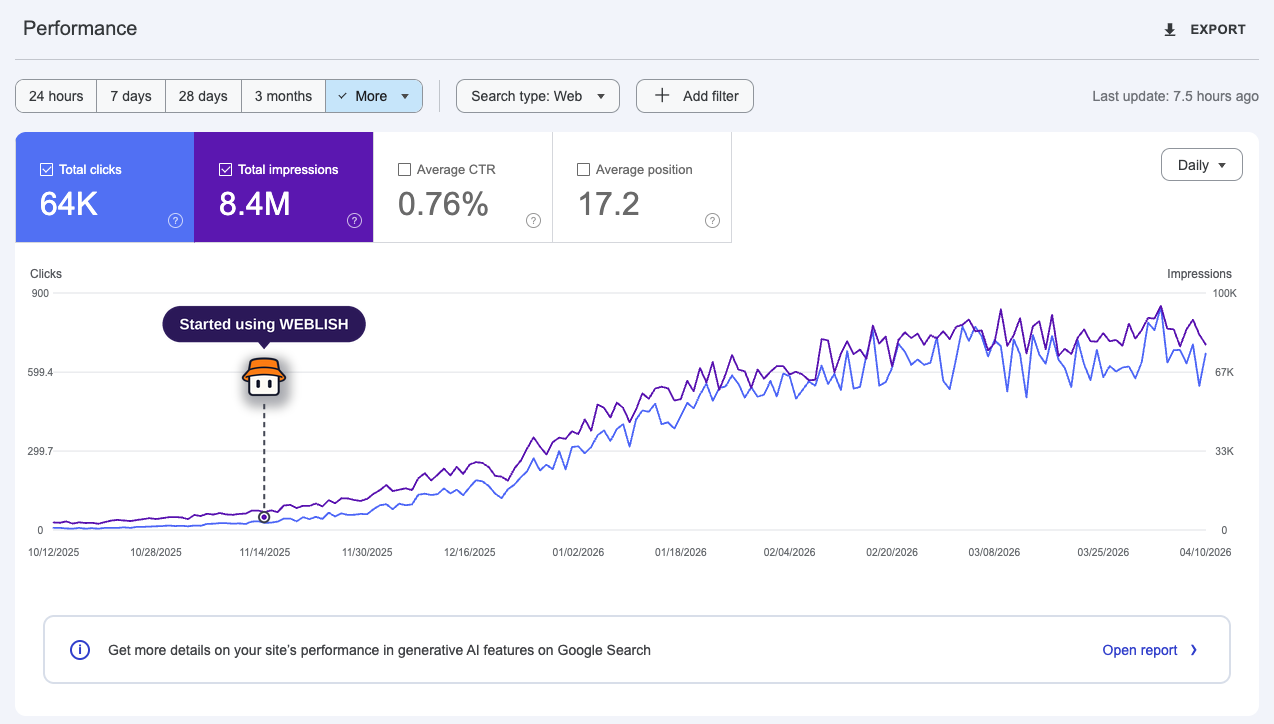
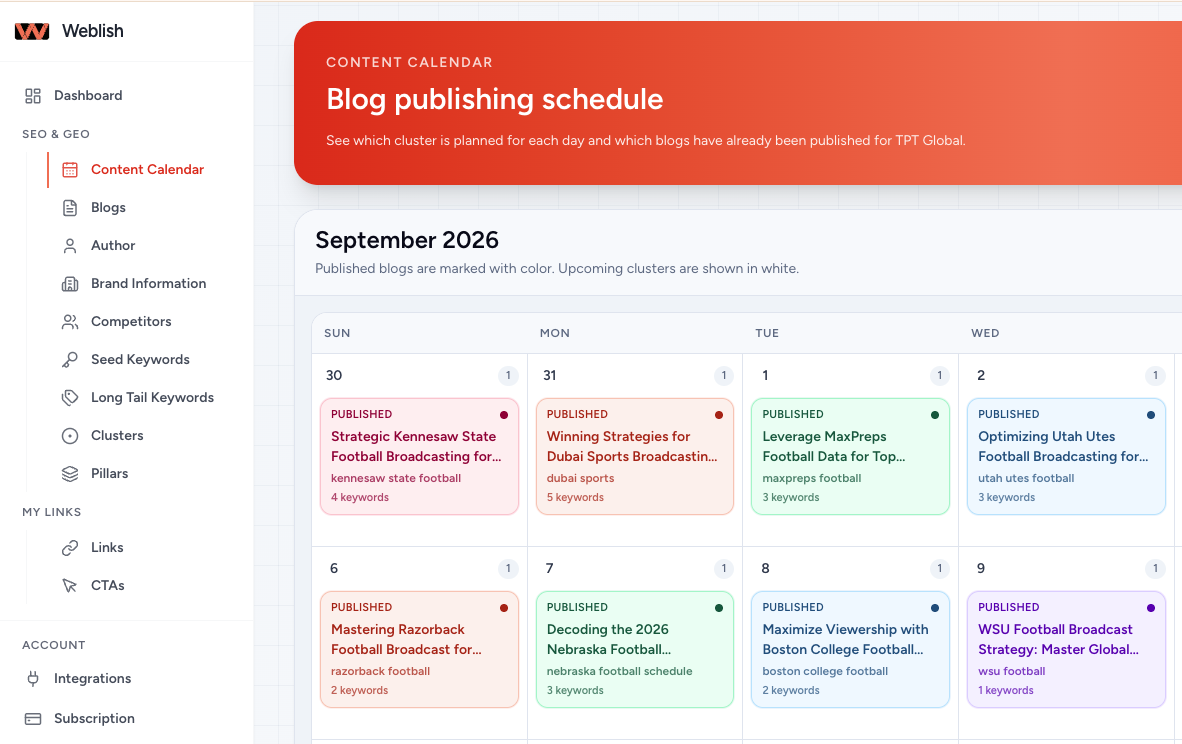
For many business owners, building this alone is overwhelming. That’s where a service like Weblish comes in. They focus on transforming static sites into active lead-generation tools, handling everything from design to SEO on a clear, subscription basis. It’s a practical step toward ensuring your website does its job.
Understanding the Power of Fun & Navigational Websites
So, how do you make a website that people actually want to use? It comes down to two powerful ideas: fun and flawless navigation. This isn’t about turning your site into a video game. It’s about creating an experience that feels good, keeps people interested, and makes it incredibly easy for them to find what they need.

Think back to the Thingiverse website. Its power isn’t just in the files it hosts. It’s in the experience. Users can easily browse, search, and discover new 3D models. They can see what others have made, share their own creations, and feel part of a community. These small, engaging elements are what experts call "fun." In 2026, this means using subtle animations, interactive feedback, and human-centered design that responds to user actions. As noted in the latest 2026 web design trends, these interactive elements are key to driving conversions and creating memorable experiences. They make users feel seen and valued, which dramatically increases the time they spend on your site.
On the other side of the coin is navigation. Imagine the opposite of the Thingiverse experience: a site that feels like a Dogpile website from the early web, with links everywhere and no clear path forward. When visitors can’t find what they’re looking for in three clicks, they leave. That’s a bounce. Effective navigation is like a friendly guide. It uses clear menus, a logical layout, and smart search to lead visitors smoothly from "I’m interested" to "I’m buying" or "I’m contacting you." This reduces frustration and directly improves your chances of making a sale.
Combine these two forces, and magic happens. A site that is both enjoyable to explore and effortless to use creates a web awesome moment.

It builds trust and loyalty. People remember how your site made them feel, competent and catered to, not confused. They are more likely to return, recommend you, and choose you over a competitor. This loyalty is the ultimate growth engine.
Of course, none of this works if your website is down or painfully slow. Reliability is the non-negotiable foundation. But assuming your site is up, the strategic focus must be on the experience you deliver once visitors arrive. Crafting this experience often requires specialized skills. If you’re curious about the professionals behind these principles, you can learn more about whether a UX designer degree is worth it in our 2026 career guide.
For most business owners, building this alone is a massive challenge. This is where a dedicated service makes all the difference. A partner like Weblish focuses on building websites that master this balance. They handle the strategy, design, and technical execution to ensure your site is not only reliable but actively engaging and easy to navigate, transforming it into your best marketing asset.
Case Study: What Makes Thingiverse So Engaging?
Let’s look closer at the Thingiverse website. Even with its ups and downs, it offers a masterclass in user engagement. Its power doesn’t come from just having files. It comes from how it makes users feel. They feel like creators, not just consumers. This is a key lesson for any business website in 2026.
1. A Community That Builds Together
At its heart, Thingiverse is a community-driven platform. Users don’t just download files, they upload their own designs, comment on others’ work, and share photos of their prints. This creates a powerful loop. People contribute because they see others contributing. Features like the "Color Your World" design challenges encourage this participation, turning the site into a living, creative hub. This sense of belonging is a big part of what makes exploring it fun. It’s the opposite of a static, textfree web page. It’s a conversation.
2. Navigation That Just Works
Finding a specific 3D model among millions could be a nightmare. Thingiverse avoids this by using clear categories, tags, and a robust search function. You can filter by type, popularity, or when it was made. This intuitive structure prevents the site from feeling like an old Dogpile website, where links are thrown at you with no order. The team also maintains a public changelog, showing they listen to users and constantly tweak the experience. When your website is down or hard to navigate, people leave. Thingiverse’s focus on findability keeps them exploring.
3. Visuals and Interaction That Delight
The site uses visual previews for every model. You can often spin a 3D preview, see multiple images, and read detailed instructions. These small, interactive elements provide immediate feedback and make browsing feel more like discovery than a chore. It adds that "fun" layer we talked about, creating what feels like a web awesome moment for makers. It proves utility and enjoyment can work together.
However, it’s important to note that as of 2026, the landscape is shifting. Some experts argue that newer sites have surpassed Thingiverse in certain areas, and its acquisition by MyMiniFactory has led to big changes. This actually reinforces our point. Building a deeply engaging website isn’t a "set it and forget it" task. It requires ongoing strategy, design thinking, and adaptation to user needs, much like the principles explored in a modern UX designer career path.
The core lesson remains. Thingiverse succeeds by combining community, clear navigation, and interactive visuals. For a business, this translates to building a site where visitors can easily find value, see themselves in your story, and enjoy the process. Doing this well often needs a dedicated partner.
Building a website with this level of thoughtful engagement is complex. It requires a blend of community strategy, technical skill, and consistent updates. This is exactly the kind of comprehensive, ongoing support a service like Weblish provides. They focus on creating websites that are not just online brochures, but active, engaging hubs for your business.
Key Elements of a High-Performing Navigational Design
Good navigation is invisible when it works. You find what you need without thinking. When it fails, you feel lost and frustrated, and you might just leave. That feeling is what separates a useful Thingiverse website from a chaotic Dogpile website.

Here are the three non-negotiable elements of navigation that keep users engaged and exploring in 2026.

1. Clear Information Architecture: Your Website’s Blueprint
Think of information architecture as the blueprint for your site. It’s the logical structure that organizes your content so people can find it without a map. A clear hierarchy reduces cognitive load. That means your visitors don’t have to work hard to understand where they are or where to go next.
The Thingiverse website demonstrates this well. With millions of files, they use broad categories (like "Art," "Gadgets," "Home"), detailed tags, and a powerful search. You aren’t just thrown into a pile of links. This thoughtful structure is a major reason it remains a key destination, even as experts discuss how newer sites have surpassed it in some areas. For any business, this means grouping your services, products, and information in a way that feels instantly familiar to your visitor.
2. Interactive Features That Guide Exploration
Modern navigation isn’t just menus. It’s about interactive elements that help users explore. This includes smart filters, "recommended for you" sections, and predictive search. These tools transform a static, textfree web page into a dynamic experience.
On Thingiverse, you can filter models by printer type, difficulty, or license. This interactivity empowers users and makes browsing fun, creating those small web awesome moments. As 2026 trends show, this shift towards immersive and interactive design is key for user retention. Adding these layers of interaction turns passive viewers into active participants.
3. Mobile-Responsive Design: Accessibility Everywhere
In 2026, your website must work flawlessly on every device. Mobile-responsive design isn’t an extra feature. It’s the baseline. If your site is hard to use on a phone, you are turning away most of your potential audience. A bad mobile experience is a fast track to having a website down in the eyes of your users.
The best navigation adapts. Menus become hamburger icons. Buttons are sized for thumbs. Layouts shift to fit smaller screens without sacrificing clarity. Leading design experts emphasize that 2026 trends are heavily focused on clarity, speed, and accessibility across all devices. This ensures that whether someone finds you on a desktop at work or a phone on the bus, their journey is smooth and frustration-free.
Pulling these three elements together requires strategy and skill. It’s more than just setting up a menu. It’s about architecting a seamless journey for every visitor. This is where professional expertise makes all the difference. For businesses ready to move beyond a basic online presence, a service like Weblish builds this intelligent navigation directly into your site, ensuring it performs beautifully on every device from day one.
Integrating Fun Without Sacrificing Professionalism
Think fun means silly? Think again. In 2026, the best websites prove you can be engaging and credible at the same time. The trap many fall into is thinking "fun" design equals cartoons and confetti. That can make a serious business look like a Dogpile website—cluttered and confusing.
The real goal is to create a web awesome experience that feels human and enjoyable, without ever making your visitor question your expertise. It’s about thoughtful delight, not distraction.
1. Align Fun with Your Brand Identity
Fun elements must feel like a natural extension of your brand. For a children’s toy company, playful animations make sense. For a law firm, "fun" might mean a more conversational tone and approachable imagery, not games.
Look at the Thingiverse website. For a community of creators, their fun comes from interactive features like the "Customizer" tool. It’s a practical, engaging feature that aligns perfectly with their brand of hands-on creation. The fun serves the function. As noted in reviews of leading 2026 tech website designs, the most effective sites use personality strategically to connect with their specific audience, not generically.
2. Use Subtle Gamification Techniques
Gamification doesn’t mean turning your site into an arcade. It means using game-like elements to encourage desired actions. This could be:
- A progress bar that fills as a user completes their profile.
- Badges or rewards for community engagement (like uploading a model on Thingiverse).
- A simple, satisfying animation when someone submits a contact form.
These small interactions create positive feedback without appearing unprofessional. They transform a static, textfree web experience into something more dynamic and rewarding. Leading UX experts highlight that these micro-interactions are a key trend for building modern, user-friendly sites.
3. Balance Aesthetics with Core Functionality
This is the most critical rule. Your beautiful, fun design must never break the site’s primary job. If a stunning animation causes slow loading, you risk a website down experience on mobile. If a clever menu is hard to use, you’ve sacrificed credibility for creativity.
The balance is clear: functionality first, enhanced by engaging aesthetics. Your contact form must work flawlessly, but it can have a pleasing, modern design. Your blog should be easy to read, but it can use engaging visuals. Inspirational examples of the best website designs in 2026 consistently show that the most credible sites marry striking visuals with impeccable usability.
Striking this balance is a professional skill. It requires understanding both design psychology and technical performance.

For businesses that want a site that engages visitors and builds trust from the first click, partnering with experts is the smart path. A service like Weblish specializes in building professional websites that integrate these engaging, modern elements without ever compromising on speed, clarity, or your brand’s credibility. They handle the complex balance so you can focus on your business, knowing your site is both a powerful tool and a welcoming experience.
Technical SEO and Performance for Navigational Sites
You can have the most fun, engaging site in the world, but if it’s slow or search engines can’t find it, you might as well have a website down message. A beautiful, interactive site built on a weak technical foundation is like a sports car with no engine. It looks great but won’t get you anywhere.
For content-rich, navigational sites like the Thingiverse website, technical SEO and performance are what transform a fun experience into a powerful tool that actually brings in visitors and keeps them happy. Here’s what matters in 2026.
Speed Is Not a Feature, It’s a Requirement
Think about the last time you left a site because it loaded too slowly. That’s your users, right now. Fast loading times are the absolute baseline for keeping people on fun, media-heavy sites. Every second of delay increases the chance they’ll leave.
This is especially critical when you add interactive elements, high-resolution images, or 3D models. Optimizing these assets ensures the fun doesn’t create a frustrating textfree web waiting game. According to the latest 2026 checklist for SEO-friendly web design, page speed remains one of the top factors for both user retention and search rankings. A slow site hurts your credibility and your traffic.
Build Navigation for Both Humans and Robots
Your site’s navigation is the roadmap. If it’s confusing for visitors, it’s also confusing for Google. An SEO-friendly navigation structure uses clear, logical menus and a flat site architecture. This means important pages are only a few clicks away from the homepage.
Use descriptive link text in your menus. Instead of "Products," try "3D Printing Filaments." This simple practice helps users know what to expect and tells search engines exactly what the page is about. Following modern website navigation best practices that focus on clarity directly improves your site’s visibility in organic search results. It turns your navigation into a silent SEO powerhouse, guiding both your audience and search engine crawlers to your best content.
Optimize Everything Interactive
That awesome animation, the high-quality product gallery, the embedded video—they all need to be performance-friendly. Large, unoptimized files are the most common cause of slow sites.
- Compress Images: Use modern formats like WebP and tools to reduce file size without losing quality.
- Lazy Load Media: Make images and videos load only when a user scrolls them into view. This speeds up the initial page load dramatically.
- Minify Code: Clean up your website’s CSS and JavaScript files to remove unnecessary characters.
The goal is a web awesome experience that feels seamless. When technical performance is solid, the fun elements shine instead of causing frustration. This balance is a key principle in modern web design best practices for 2026 that make sites rank and convert.
Getting this technical balance right—where speed, clean navigation, and optimized assets all work together—requires specific expertise. It’s why many successful businesses partner with experts who understand this intricate dance. A service like Weblish specializes in building sites that are not only visually engaging but are also engineered for speed and search visibility from the ground up, ensuring your great ideas aren’t held back by technical limitations.
From Inspiration to Implementation: A Step-by-Step Guide
You understand the principles. You’ve seen the inspiration from sites like the Thingiverse website. Now, how do you actually make it happen without getting overwhelmed or wasting resources? Turning that vision into reality is a process, not a single event. Here’s a simple, actionable guide for 2026.

Step 1: The Honest Audit (Find Your Gaps)
Before you change anything, you need to see what you’re working with. Think of this as a health check for your website. You’re looking for two main things: where the fun falls flat, and where the navigation gets fuzzy.
Grab a notepad and visit your own site like a new customer would. Ask yourself:
- Is it slow to load? Use a free tool like Google PageSpeed Insights.
- Is the main menu confusing? Can you find important info in three clicks or less?
- Does the design feel fresh, or does it look like a dogpile website from ten years ago?
- Are there clear calls to action, or do visitors get lost?
A structured approach helps. Following a modern 2026 checklist for SEO-friendly web design can guide your audit to cover speed, structure, and usability all at once. This isn’t about being overly critical. It’s about finding the exact spots where a small change can make a big difference. For a deeper dive into strategic planning, our guide on marketing vs. advertising can help frame your goals.
Step 2: Smart Prioritization (What to Fix First)
You can’t do everything at once, especially with a small team. The key is to tackle changes based on impact and effort. A slow, broken site is an urgent "website down" level problem. A slightly outdated color scheme can wait.
For most small businesses in 2026, the priority list often looks like this:
- Fix Critical Errors: Broken links, security issues, or mobile display problems that drive people away.
- Boost Core Performance: Speed up your site. This directly affects user happiness and search rankings.
- Clarify Navigation: Simplify your menu so people (and Google) can find your best content.
- Add Strategic Fun: Once the foundation is solid, introduce one interactive element or visual upgrade.
Recent small business trends data shows that focusing your limited budget on high-impact technical and usability fixes often delivers a better return than chasing every new design trend. It’s about being strategic with your resources.
Step 3: Launch, Learn, and Iterate (The Cycle Never Stops)
Your website is never "done." The best sites evolve based on real user feedback and data. After you make a change, you need to measure its effect.
- Watch Your Analytics: Are people staying on pages longer? Are they using the new menu you built?
- Ask for Feedback: Use a simple survey or listen to comments from customers.
- Make Small Tweaks: Change a button color, rewrite a confusing headline, or simplify a form.
This build-measure-learn loop turns your site into a living tool that grows with your business. According to the 2026 State of Marketing Report, the most successful teams are those that use data to make continuous, incremental improvements.
Going from inspiration to a live, effective website requires a clear plan and the right support. For many busy business owners, partnering with a dedicated service is the fastest path to results. Weblish specializes in this exact process, taking the blueprint of what makes sites like Thingiverse engaging and building it on a rock-solid technical foundation for SMBs. They handle the audit, prioritization, and ongoing iteration, so you can focus on your business while your site becomes a consistent growth engine.
Measuring Success: Analytics and KPIs for Fun Websites
You have built a fun, interactive site. Maybe it has cool features like the Thingiverse website. But how do you know it’s actually working? Is the fun leading to sales, or are people just playing and leaving?
In 2026, guessing is not a strategy. You need to measure. The good news is, you don’t need to be a data scientist. You just need to watch a few key numbers.
The Three Numbers That Tell You Everything
For a website that balances fun and function, focus on these three areas.
1. Are People Engaged? (User Happiness)
This tells you if your fun elements are hitting the mark. Look beyond just page views.
- Time on Page: Are people sticking around to explore? A big jump here after you add an interactive tool is a great sign.
- Interaction Rates: How many people click your interactive buttons, use calculators, or watch your videos? This is a direct measure of engagement.
- Scroll Depth: Are visitors scrolling all the way to the bottom of your page, or leaving halfway?
These metrics show if your site is a web awesome experience or if it feels like a static dogpile website. According to a major 2026 report on small business website trends, engaged visitors are 70% more likely to return and convert.
2. Is It Driving Business? (Real-World Impact)
Fun is great, but it must support your goals. This is where you connect dots to dollars.
- Conversion Rate: This is your most important number. What percentage of visitors take your desired action? This could be buying a product, filling out a contact form, or calling your business.
- Lead Quality: Are the contact forms you get filled with serious questions? Track which pages people are on when they convert. If they use your fun configurator and then buy, you know it works.
- Goal Completions: Set up specific goals in your analytics for key actions, like downloading a guide or viewing a pricing page.
Remember, a temporary website down error hurts all these numbers. But a site that’s up and engaging, according to 2026 marketing data, can see conversion rates improve by 200% or more with the right optimizations.
3. What Can We Improve? (The Power of A/B Testing)
Your first design is a starting point. Use A/B testing to make it better.
- Test Fun vs. Simple: Try two versions of a page. One with a big interactive graphic and one with a simple image. Which one gets more people to click "Buy Now"?
- Optimize Navigation: Test two different menu styles. Is a bold, unconventional menu helping people find things faster, or is a classic layout clearer?
- Try Different CTAs: Test button colors, text, and placement on your most fun pages. Small tweaks can lead to big gains.
This process of test, measure, and improve turns your site into a living growth engine. For more on crafting the user experiences that drive these metrics, see our guide on whether a UX designer degree is worth it in 2026.
Making It Simple: Your 2026 Measurement Checklist
You don’t need to track 100 things. Start here:
- Weekly: Check your top pages for engagement (time on page, interactions).
- Monthly: Review conversion rates and lead sources.
- Quarterly: Run one A/B test on a key page, like your homepage or a top product page.
The goal is to make data-driven decisions, not get lost in spreadsheets. For many businesses, the complexity of connecting analytics to real action is a major hurdle. This is where a partner can transform numbers into a clear plan.
If interpreting this data feels overwhelming, you’re not alone. The right partner can handle the tracking and optimization for you. Weblish builds sites with measurable fun and then provides the ongoing analytics and testing to ensure they keep performing, turning your website into a consistent source of growth.
Summary
This article explains why a modern website must be more than a static brochure and how a fun, easy-to-navigate site becomes a business growth engine. It compares successful patterns from platforms like Thingiverse—community, clear navigation, and interactive previews—and translates those lessons into practical rules for small businesses: prioritize speed and reliability, design intuitive information architecture, and add subtle interactive features that align with your brand. The guide covers technical SEO and performance tactics (image compression, lazy loading, minification), a three-step implementation process (audit, prioritize, iterate), and the key metrics to watch for engagement and conversions. It also explains how to balance playful design with professionalism and when to bring in specialists or subscription services like Weblish to handle strategy, execution, and ongoing optimization. After reading, you’ll know what to check on your site, what to fix first, and how to measure whether your changes are growing leads and revenue.