.png)
How to Build a Portfolio UI UX Designer That Wins Clients in 2026
This article shows UI/UX designers how to stop treating portfolios as galleries and start using them as lead-generation tools that prove business impact. It exp...

Introduction
You spent weeks making your portfolio look beautiful. The colors match perfectly. Every pixel is in the right place. But the calls from potential clients? They never came.
Here is the hard truth. Most portfolios for a portfolio ui ux designer fail because they focus on how things look instead of what they accomplish. Pretty screenshots do not win clients. Results do.
According to the latest 11 UX Portfolio Examples + How to Build Yours in 2026, around 90% of hiring managers consider portfolios critical when evaluating designers. That means your portfolio is literally your foot in the door. But here is the catch. If that door opens and all the decision maker sees is beautiful visuals with no business impact, they will close it just as fast.
For small and mid sized business owners who need steady lead generation, this gap is a huge missed opportunity. Your portfolio should not just be a gallery of past work. It should be a growth tool that proves you can solve real business problems like increasing conversions, reducing user drop off, and driving revenue.
That is exactly what this article covers. You will learn how to build a UI UX designer portfolio that attracts high quality clients, speaks to business outcomes, and generates measurable results. No fluff. No generic templates. Just a practical playbook that works in 2026.
And once your portfolio starts bringing in traffic, you need a way to keep that momentum going. Grow Your Traffic on Autopilot by connecting your website with Weblish so your lead generation runs smoothly without constant manual effort.

Why Your UI/UX Designer Portfolio Needs to Be More Than a Showcase
Picture this. A hiring manager opens your portfolio. They glance at the first project. Beautiful mockups, clean screens, nice gradients. Then they scroll down. More mockups. Still no context. They close the tab in under thirty seconds.

Why? Because that manager was not looking for eye candy. They were asking one question: "Can this person solve my business problem?"
That question is the difference between a portfolio that collects dust and one that lands paid work. Most portfolio ui ux designer submissions fail because they treat the portfolio as a display case instead of a sales tool. But here is what actually matters in 2026.
First, understand the new landscape. According to the UX Portfolio Guide 2026: Get Hired Faster, nearly 80% of portfolios are now parsed by AI screening tools before a human ever sees them.
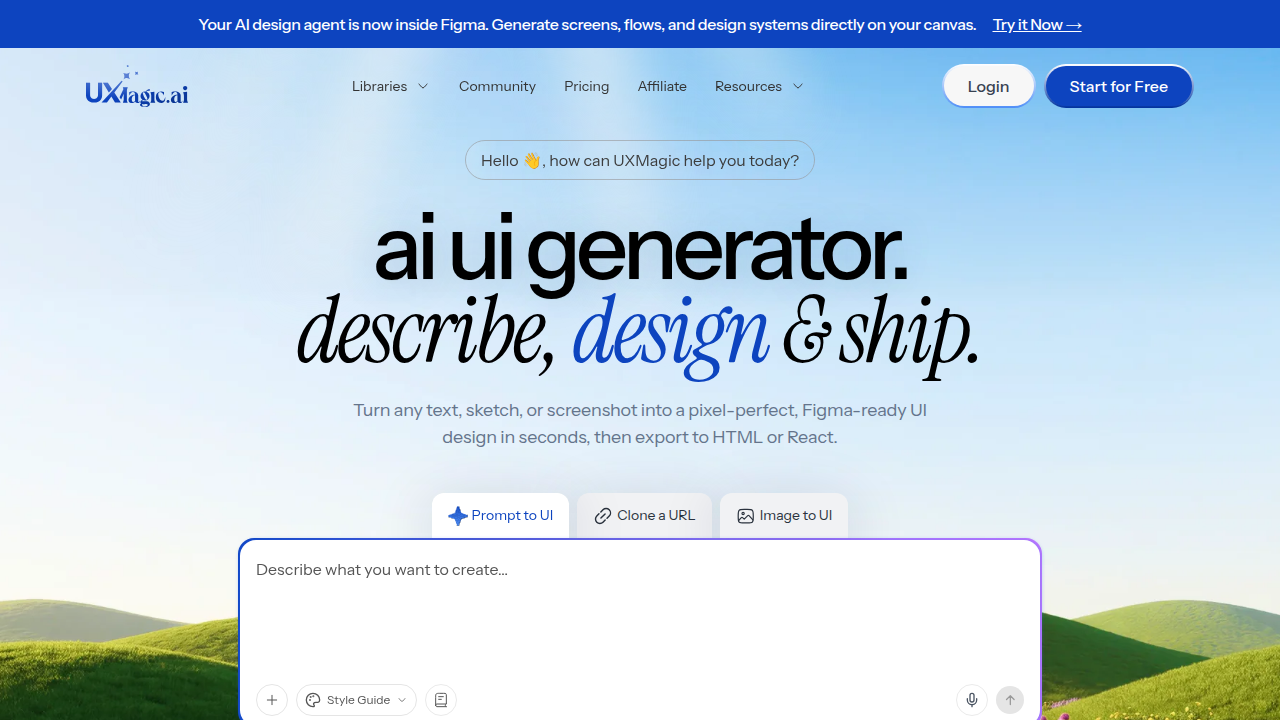
If your portfolio is just a sequence of images with no structured story, those AIs cannot extract the information they need. You get filtered out before anyone reads a word.
So what do hiring managers and business owners actually want? Evidence. Real evidence of return on investment. Hard numbers like "increased sign-ups by 34%" or "reduced checkout drop-off by 50%." They want to see your process: how you identified the problem, tested solutions, and landed on the final design. They want proof you are reliable and easy to work with.
The UX Portfolio Playbook: What Recruiters Actually Look For in 2026 makes this clear. Recruiters prefer three to five deep case studies over a pile of shallow projects. Each case study should explain the challenge, your role, the steps you took, and the measurable outcome.

That combination of storytelling and data turns a passive gallery into a persuasive argument.
This shift changes how you should think about your best portfolio websites. The best ones are not the prettiest. They are the ones that answer the client’s core question immediately. They show that you understand business goals, not just design principles.
If your current portfolio only shows finished screens, it is time to rebuild. Start by adding context to every project. Include the "why" behind each decision. Add metrics wherever you can. And make sure the first thing a visitor sees is a clear statement of the results you deliver.
For more guidance, check out this detailed guide on how to build a ui ux designer portfolio that wins clients in 2026. It walks through exactly how to structure your projects and choose the right examples for your target audience.
Your portfolio is not a museum. It is a lead generation machine. Treat it like one, and the calls will start coming in.
Core Components of a Portfolio That Attracts Clients
So what does that lead generation machine actually look like on the page? Let’s break down the pieces that make clients stop scrolling and pick up the phone. These are the non-negotiable parts of any effective portfolio ui ux designer needs in 2026.

A Story That Makes People Trust You
Your "About" section is not a resume dump. It is a bridge between you and the client. Tell them who you work with best, what problems you solve, and why you care. Keep it short. One or two paragraphs. Then list your specific service offerings in plain language. "I design mobile apps for health tech startups" beats "I create user-centric digital experiences" every time.
The best portfolios also show your process inside each case study. According to the inspiring UX portfolio examples in 2026 from IxDF, powerful storytelling and data-driven case studies are what separate memorable portfolios from forgettable ones.

Do not just show the final design. Show the discovery phase, the sketches, the user tests, and the iteration. This proves you are a thinker, not just a stylist.
Social Proof That Closes the Deal
Clients are nervous. They have been burned before. So give them reasons to relax. Add testimonials from past clients, logos of companies you have worked with, and hard metrics like "increased conversion rate by 40%." This kind of ux portfolio examples section builds trust without you having to say a word.
Place this proof near the top of your portfolio or sprinkle it between case studies. A single credible testimonial can remove more doubt than ten follow-up calls. If you have results, shout them clearly. Numbers are the fastest shortcut to credibility.
A Navigation That Leads to the Next Step
Here is the part most designers forget. Your portfolio must guide the visitor toward action. That means a prominent contact button, a clear "work with me" page, or a simple booking link. Do not make them hunt for how to hire you.
A streamlined navigation removes friction. Keep your menu simple: Portfolio, About, Services, Contact. That is it. Fancy animations and hidden menus only frustrate people in a hurry. If you want to see a real-world example of a portfolio designed to convert visitors into leads, check out this guide on portfolio website design that generates leads for small businesses. It shows how layout and flow directly affect whether a visitor takes action.
The same principle applies to your ui ux portfolio examples. Each case study should end with a small call to action like "Interested in similar results? Let’s talk." This turns passive viewing into an active conversation.
Pulling It All Together
Build your portfolio around these three pillars: a trust-building story, visible social proof, and an obvious path to hire. When you combine them, you create a site that does not just show work. It generates leads. And that is the only measure of the best portfolio websites that really matters.
Structuring Your Portfolio for Lead Generation
Let’s get specific about the layout choices that turn a pretty gallery into a steady source of new clients.
The work matters most. But the structure around it decides whether a visitor actually reaches out or quietly leaves.
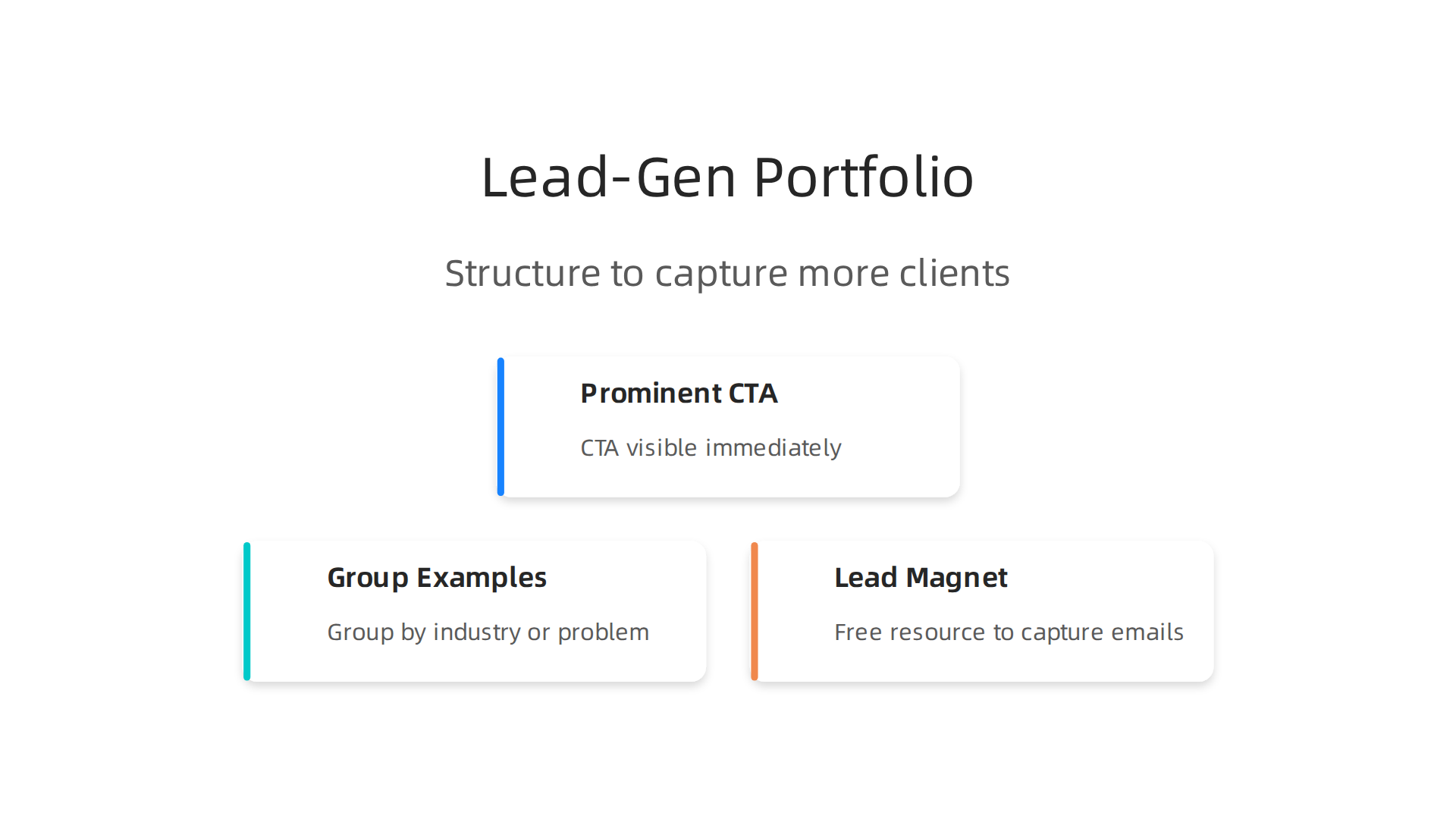
Put your call to action where people see it right away. On your homepage, below your name and a short intro, place a button. "Book a free strategy call" or "Start your project". Do not make people hunt for how to reach you. Every single page on your site should offer one clear next step. This simple shift helps any portfolio ui ux designer turn passive viewers into active leads.
Now look at how you arrange your ui ux portfolio examples. Group them by the industry you served or the problem you solved. Create clear categories like "Fintech", "Healthcare", or "Ecommerce". Or try "Improved Conversions", "Redesigned Dashboards", or "Mobile Apps". This small organizational change helps a visitor find their mirror immediately. They see themselves in your work and trust you faster. According to recent advice on how to get hired faster with a smart portfolio structure, hiring managers scan for relevance in seconds. If they cannot find their industry or problem type fast, they move on to the next candidate. Make it impossible for them to miss your fit.
Here is another tactic the best portfolio websites use consistently. Add a lead magnet. This is a free resource that captures email addresses in exchange for value. Create a simple "UX Audit Checklist" or "Landing Page Scorecard". Offer it in a small banner or a timed popup on your site. Not everyone who visits is ready to hire. In fact, most are just researching. But if they download your free resource, you now have permission to follow up. Send a short email a few days later asking if they need help implementing the checklist. This simple system turns anonymous visitors into a warm list of potential clients who already trust your expertise.
A smart structure does the selling for you behind the scenes. It guides the visitor naturally from "This is interesting" to "I need this person’s help".

You can turn your freelance designer website into a client-getting machine by following these layout principles.
Building the structure is step one. Getting the right eyes on it is step two. You can Grow Your Traffic on Autopilot by connecting your portfolio to a done-for-you growth service that handles SEO and promotion. That way your site works around the clock to bring in new opportunities.
Best Tools and Platforms to Build Your Portfolio Online
Now that you know how to structure your portfolio for leads, let’s talk about where to build it. The platform you choose makes a big difference in how your work looks, how easy it is to update, and how well it attracts clients.
For a portfolio ui ux designer, there are two main routes. The first is a full website builder like Webflow or Squarespace. These give you complete control over design, SEO, and custom forms. They also let you add analytics to see which case studies get the most views. The trade-off is a steeper learning curve and often a monthly cost.
The second route is a portfolio-specific platform like Behance, Dribbble, or Carbonmade. These are quicker to set up and come with built-in communities where recruiters browse ux portfolio examples.
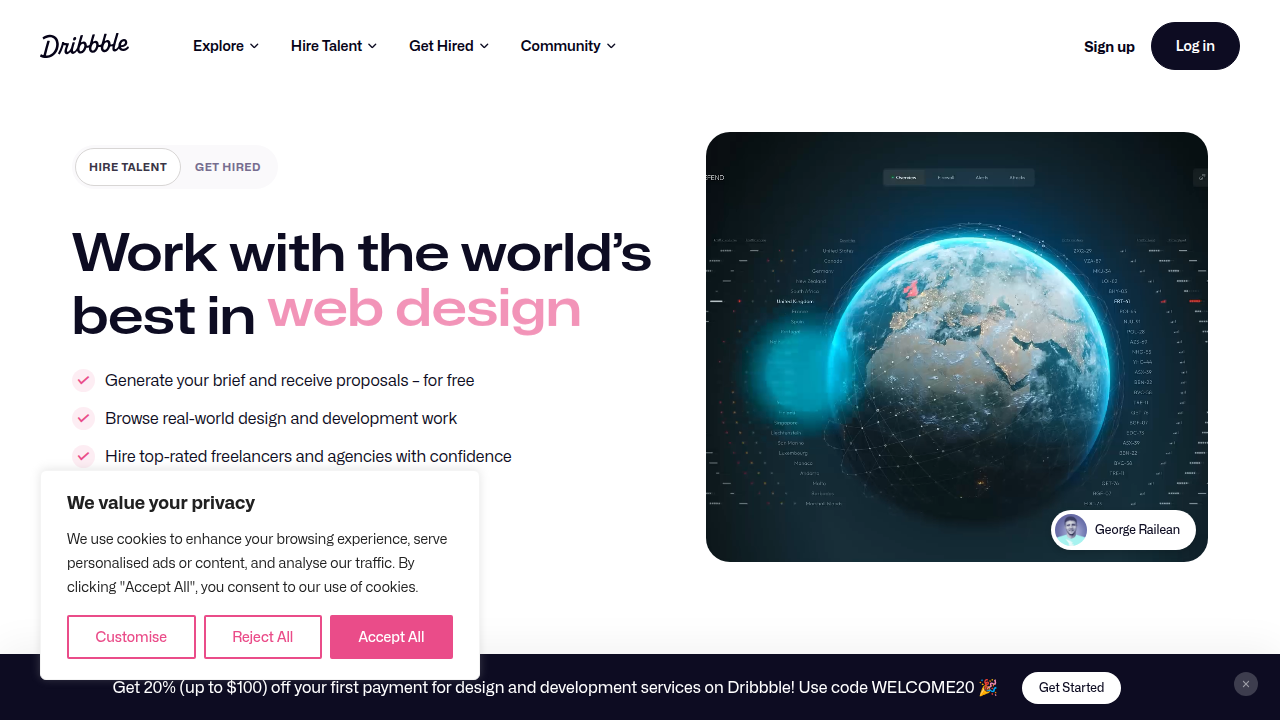
But you get less control over your site’s layout and SEO. You also rely on the platform’s search to get found. For many designers, using both a custom site and a community profile works best.
A smart approach is to build an integrated stack. Connect your portfolio site to a simple CRM to capture leads, and link it to Google Analytics to track visitor behavior. This lets you see which projects attract the most interest and follow up automatically. As one designer shared in a discussion on the fast way to build a UX portfolio in 2026, the best platforms now offer AI help for writing case studies and analyzing your portfolio’s performance.
No matter which builder you choose, prioritize features that support lead generation. Look for platforms with custom forms, blog integration, and easy analytics setup. If you want to dive deeper into how to set up your portfolio for client attraction, check out this guide on how to build a ui ux designer portfolio that wins clients.
And if you prefer to skip the technical setup entirely, you can Get started with weblish by signing up and claiming your free trial. Their team builds and manages your portfolio site on top builders like Webflow and WordPress, so you focus on designing while they handle the tech and SEO. It is a simple way to turn your best portfolio websites into consistent lead generators without learning new tools.
Common Portfolio Mistakes That Hurt Your Credibility
Even with the best platform and a solid structure, a few common missteps can undo all your hard work.
As a portfolio ui ux designer, your portfolio is often the first impression a potential client or employer gets. If it feels off, they move on fast.
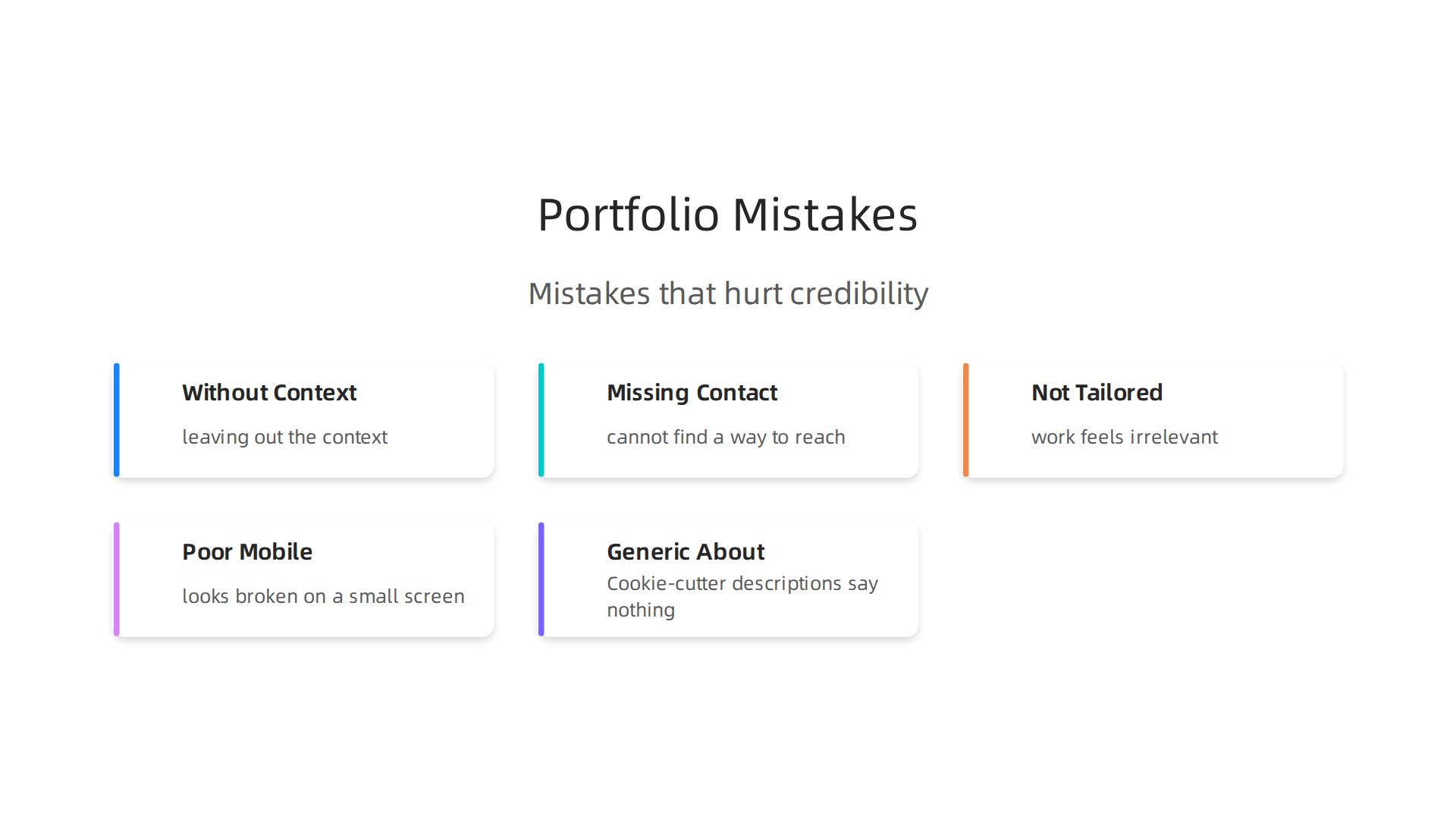
The biggest mistake is overloading your pages with pretty visuals but leaving out the context. Recruiters and clients want to understand your thinking, not just admire the final screen. They need to see the problem, your process, and the result. Without that story, your work feels shallow. According to experts at Designlab, many designers fall into this trap by showing too much or too little information, and it leads to common UX portfolio mistakes that hurt career success.
Another credibility killer is missing or hidden contact information. If someone loves your ux portfolio examples but cannot find a way to reach you within seconds, you may lose that lead. Place your email, a contact form, and links to your LinkedIn or Dribbble in an obvious spot like the header or footer.
A third mistake is failing to tailor your work to the industry you want to serve. If you are targeting healthcare startups but every project in your portfolio is for ecommerce shops or mobile games, your work feels irrelevant. Clients want to see that you understand their specific users and problems. This is why many great designers create multiple versions of their ui ux portfolio examples for different niches.
Do not ignore mobile optimization and page speed either. More than half of portfolio visitors browse on their phones. If your site takes too long to load or looks broken on a small screen, you lose trust instantly. A slow, poorly formatted site signals that you do not care about the user experience. This is a core red flag that common design portfolio mistakes to avoid highlight as a top reason for rejection.
Finally, avoid generic, boring about sections. Cookie-cutter descriptions say nothing about your voice or personality. Instead, share a bit of your unique perspective. As highlighted in a review of UX portfolio red flags, bland corporate-speak is a sure way to get skipped. Review this list of 11 UX portfolio red flags and how to fix them to check your own site.
If your current portfolio feels outdated or slow, it might be time for a refresh. You can also check out this guide on how to fix your boring website to stop losing visitors before they even see your case studies.
How to Measure and Improve Portfolio Performance
You have your portfolio live. You avoided the common mistakes. Now what? The work does not stop after hitting publish. To keep getting better results as a portfolio ui ux designer, you need to track what works and fix what does not.
Think of your portfolio like a product. You build it, launch it, then study how people use it. Then you improve it based on real data.

This is how you turn a static site into a tool that actually brings in clients or job offers.
Key Metrics to Watch
Start by looking at a few simple numbers. Page visits tell you how many people land on your site. Time on page shows if they actually read your case studies or just glance and leave. CTA click-through rate measures how many visitors click your "Hire Me" or "Contact" button. And the inquiry-to-proposal ratio tells you how many of those inquiries turn into real conversations.
These numbers give you a clear picture of where your portfolio is working and where it is falling flat. If you have lots of visitors but almost no one reaches out, something in your presentation or call to action needs a change.
Tools to Track Behavior
You do not need to guess. Free and low-cost analytics tools give you the answers. Google Analytics shows you traffic sources, page views, and user flow. Hotjar adds heatmaps and session recordings so you can literally watch how a recruiter scrolls through your ux portfolio examples. This helps you spot drop-off points.
Many portfolio builders now include built-in analytics. For example, the UX Portfolio Playbook for 2026 recommends connecting your Google Analytics account directly to your portfolio platform. This makes it easy to see which case studies get the most attention and which ones people skip. Check out what recruiters actually look for in the UX Portfolio Playbook 2026 to learn more.
Test and Tweak
Once you have data, start experimenting. A/B test different layouts. Try moving your best case study to the top. Test two different CTA buttons. Maybe one says "View My Work" and another says "Book a Free Call". See which one gets more clicks.
You can also test different formats for your ui ux portfolio examples. Some visitors prefer short summaries with key numbers. Others want full story-driven case studies. Run a test for a few weeks and see which version keeps people on the page longer.
These small changes add up. Over time, your portfolio becomes a finely tuned machine. And if you want more help turning your website into a lead generator, check out these 8 ways to turn website visitors into leads. The same principles apply to your portfolio.
Keep measuring, keep testing, and keep improving. That is how you build one of the best portfolio websites in your field.
Summary
This article shows UI/UX designers how to stop treating portfolios as galleries and start using them as lead-generation tools that prove business impact. It explains why hiring managers and AI screeners look for evidence—clear problems, your role, process, and measurable results—rather than pretty screenshots. You’ll learn the three core pillars of an effective portfolio: a trust-building story, visible social proof, and obvious calls to hire, plus practical structure tips like industry-based grouping, lead magnets, and prominent CTAs. The guide compares builders and community platforms, recommends analytics and A/B testing, and lists common mistakes that kill credibility (missing context, slow pages, hidden contact info). By following the playbook here you’ll be able to reorganize projects, add metrics, choose the right platform stack, and continuously improve through data so your site attracts better clients. It also points to tools and services (like Weblish) to automate growth and handle the technical setup if you prefer to focus on design.