.png)
The Graphic Design Definition You Need to Understand for Business Growth
This article explains what graphic design really is and why it matters for small and mid-sized businesses in 2026, framing design as strategic visual communicat...
Introduction: Why Understanding Graphic Design Matters for Your Business
Think about the last brand you trusted. What did their logo look like? How about their website or social media posts? Every interaction you had was shaped by graphic design.
But here is the thing. Many small business owners treat graphic design like decoration. They think it is just about making things look pretty. That is a costly mistake.
When you treat design as an afterthought, your marketing materials blend in. They do not build trust.

They do not generate leads. And they definitely do not grow your business. In 2026, your audience decides in seconds whether to stay on your site or leave.
So what is this powerful tool exactly? Let us start with a clear graphic design definition. According to the Interaction Design Foundation, graphic design is a craft where professionals create visual content to communicate messages. It is the art of combining typography, colors, images, and shapes to inform or persuade an audience. It is visual communication, plain and simple.
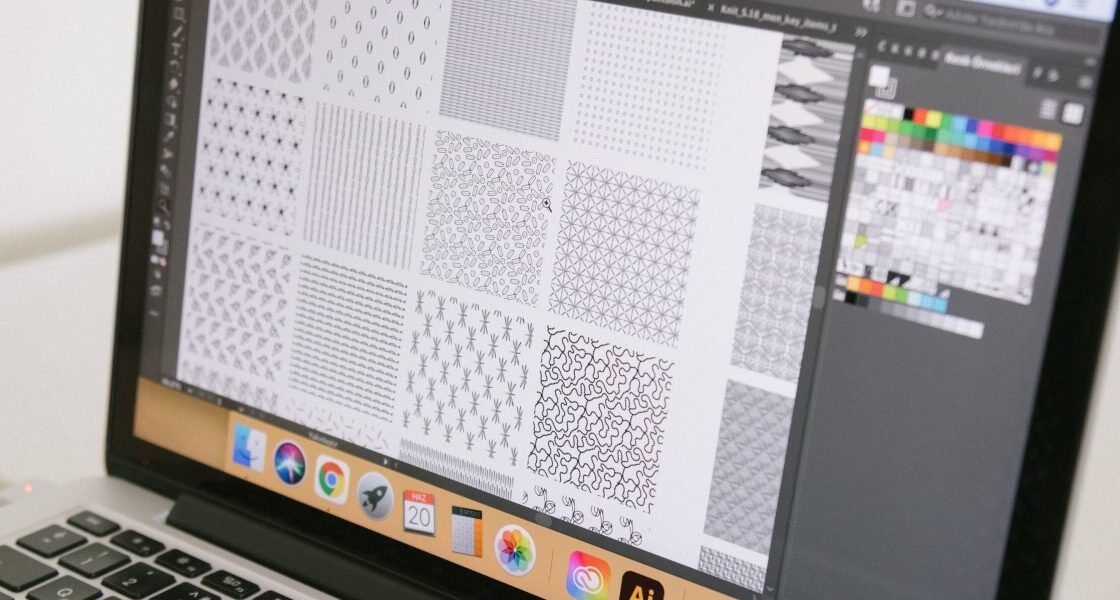
It goes far beyond just a logo. Graphic design examples are everywhere: your business card, your email newsletter, the layout of your website. As Webflow explains, it combines visual elements to convey information. When done right, it shapes how people feel about your brand before you even say a word. A consistent look across your website, social media, and ads builds recognition. And recognition builds trust.
This is why smart business owners pay attention to design principles. Strong design builds credibility. It guides the eye to your call to action. It tells your story faster than text ever could. If you want to turn your website into a real lead generation tool, you need to understand the basics. For example, understanding how to use contrast or hierarchy can directly impact your sales. We have a complete guide on graphic design principles that turn your website into a lead generator that walks you through exactly how to do this.
You do not need to become a professional designer overnight. But you do need to take design seriously. This article will demystify the graphic design definition, explore core concepts, and show you exactly how to leverage design for business growth. And if you want to skip the learning curve and just get results, grow your traffic on autopilot with AI.
What is Graphic Design? The Essential Definition
So what exactly is graphic design? Let us pin down the graphic design definition so we are all on the same page.
At its simplest, graphic design is the art of visual communication. The Interaction Design Foundation defines it as a craft where professionals create visual content to communicate messages.
They use visual hierarchy and page layout techniques to guide your eye and tell a story.
The EU’s data visualisation guide calls it "the art or profession of using design elements (such as typography and images) to convey information or create an effect." That last part is important. It is not just about sharing facts. It is about creating a feeling, a reaction, a decision.
Graphic design blends artistic creativity with problem solving. According to Coursera, working in graphic design means "blending together artistic creativity with" the practical goal of reaching an audience. It is not random decoration. It is intentional strategy.
The core elements are always the same. Typography, images, colors, shapes, and layout. Webflow describes graphic design as composing these visual elements to communicate information or convey a message. Think of it like writing a sentence. Each element is a word. The way you arrange them changes the meaning.
And here is where things get interesting in 2026. Modern graphic design has grown far beyond print. It now covers digital interfaces, motion graphics, interactive media, and even augmented reality. The RMCAD blog notes that graphic design "transforms strong ideas into compelling visuals, shaping our perception and even our purchasing behavior." Your website, your social media ads, your email newsletters. They all use graphic design to influence how people feel about your business.
So what is a graphic designer? A graphic designer is a visual problem solver. They take a messy idea and turn it into a clear, compelling image or layout. They ask questions like: What do you want people to feel? What action do you want them to take? Then they use design to make that happen.
A strong example. A restaurant menu that is cluttered and hard to read makes customers frustrated. A menu with clear headings, simple fonts, and appealing food photos makes ordering easy and enjoyable.

That is graphic design in action.
You do not need to become a professional designer yourself. But understanding this graphic design definition helps you see why your website matters. It also helps you know when to invest in professional help.
If you want to apply these ideas without the learning curve, you can get expert design and marketing that works for you. Grow your traffic on autopilot with AI and let a team handle the visuals while you focus on your business.
Now that we have the graphic design definition clear, let us peek under the hood. Graphic design is not just one skill. It is built on two pillars: visual elements and design principles. Think of elements as your raw ingredients. Principles are the recipe that tells you how to mix them.
The Raw Ingredients: Visual Elements
Visual elements are the things you actually see in a design. According to the Schwittek teaching resource, these elements are "the things seen and/or heard in art and design" that together form the artwork [schwittek.com/teaching/resources/gdep]. The main elements include:
- Line – A path that guides the eye
- Shape – Two-dimensional areas (circles, squares, triangles)
- Color – Hue, saturation, and value that set the mood
- Texture – The feel or look of a surface
- Space – The area around and between things
- Type – The style and arrangement of text
These are your building blocks. Without them, there is no design.
The Recipe: Design Principles
Principles are the rules that help you arrange those elements so the design is clear, balanced, and effective. The Interaction Design Foundation explains that learning how to achieve unity, hierarchy, balance, contrast, and scale will reward you again and again [ixdf.org/literature/article/the-building-blocks-of-visual-design]. The 2026 Idaho Graphic Design curriculum also includes principles like harmony, emphasis, and rhythm [cte.idaho.gov/wp-content/uploads/2026/01/fy26-ps-pq-ete-standards-graphic-design-formatted-1.pdf].
Here are a few core principles to know:
- Balance – Spreading visual weight evenly, either symmetrically or asymmetrically
- Contrast – Making differences stand out (dark vs light, big vs small)
- Hierarchy – Showing what matters most first through size or placement
- Repetition – Reusing styles to create consistency
- White space – Giving elements room to breathe
The Toptal guide lists twelve principles of design, including proportion, movement, and variety [toptal.com/designers/ui/principles-of-design]. All these rules work together to make a design easy to understand and pleasing to look at.
Why This Matters for Your Business
When you understand these building blocks, you see why some websites feel professional and others feel messy. A balanced layout with clear hierarchy makes visitors trust you faster. Contrast draws attention to your call-to-action buttons. White space keeps readers from feeling overwhelmed.
If you want to apply these principles without learning them from scratch, our article on graphic design principles that turn your website into a lead generator walks you through the most important ones for conversions.
And if you are ready to let experts handle the visuals while you focus on growth, Grow your traffic on autopilot with AI and get a professional design team working for your business.
The 7 Fundamental Elements of Graphic Design
Let us zoom in on the first three elements from the list above. Understanding them will help you spot what makes a design work.
Lines do more than connect dots. They create direction, mood, and division. A horizontal line feels calm. A diagonal line adds energy. A thick line can show importance. The Schwittek teaching resource calls lines a basic building block [schwittek.com/teaching/resources/gdep]. In your website, lines guide the visitor’s eye from your logo to your call-to-action button.
Shapes define forms and objects. There are three types: geometric (circles, squares), organic (curvy, natural), and abstract (simplified versions of real things). Shapes give structure to your layout. They create buttons, icons, and image frames. When you combine shapes with lines, you start building a visual language.
Color is the most emotional element. It evokes feelings and conveys brand identity. Blue suggests trust. Red signals urgency. Green feels natural. The Interaction Design Foundation explains that color helps create hierarchy and unity in a design [ixdf.org/literature/article/the-building-blocks-of-visual-design]. For your business, choosing a consistent color palette makes your brand recognizable instantly.
The other four elements (texture, space, value, and type) are just as important. Texture adds depth. Space gives breathing room. Value creates contrast. Type makes words readable. Together, these seven elements form the foundation of every design you see.
When you understand these elements, you can spot why a professional website feels polished. You can also ask your design team for better results. If you want to learn how to apply these elements to build a site that actually generates leads, check out our guide on 9 graphic design ideas for small business websites that generate leads.
And if you prefer to let experts handle the visuals while you focus on growth, Grow your traffic on autopilot with AI and get a professional team building your brand identity from these fundamentals.
The 8 Core Principles of Effective Graphic Design
Knowing the elements is like owning a good toolbox. But to build something that actually works, you need a plan. That plan is built on the principles of design. These principles are the rules that help you arrange the elements into something clear and effective. Let’s dig into three of the most important ones.
Balance is all about visual stability. It stops your design from feeling heavy on one side. You can use symmetrical balance, where one side mirrors the other. Or you can use asymmetrical balance, where different shapes or colors balance each other out. A balanced page feels calm and professional. The experts at LCCA list balance as one of the seven basic principles of graphic design [lcca.ac.uk/blog/careers/7-basic-principles-of-graphic-design/]. Without it, your layout will feel chaotic and untrustworthy.
Contrast creates excitement and focus. It is the difference between light and dark, big and small, or thick and thin. If everything looks the same, the viewer gets bored and leaves. Contrast says, "Look here first!" It helps create a clear hierarchy of information. The Nielsen Norman Group explains that contrast is a key principle for making designs easier to use [nngroup.com/articles/principles-visual-design/]. If you want to see exactly how contrast can boost your sales, read our guide on how to use design principle contrast to convert more website visitors into leads.
Alignment and Proximity bring order to the page. Alignment connects every element with an invisible line. It makes a layout look clean and polished. Proximity means putting related items close together. A heading right above its paragraph tells the reader they belong together. Figma calls alignment the first and most core principle of design [figma.com/resource-library/graphic-design-principles/]. These two simple rules alone can turn a messy layout into a clear one.
When you apply these principles, your designs stop being just decoration. They start communicating clearly and guiding the viewer. This is exactly what a good business website does. It leads the visitor toward a goal.
If balancing all these rules while running your business feels like too much, let a professional team handle it. Grow your traffic on autopilot with AI and get a site built on solid design principles that actually generates leads.
Different Types of Graphic Design for Business
You might think the graphic design definition is limited to making logos or social media posts. But in 2026, it covers a much wider range of skills. Understanding the different types helps you hire the right people and use the right visuals for each business goal. Let’s look at three of the most important categories.
Branding design is about creating a consistent look for your company. This includes your logo, business cards, letterhead, and brand guidelines. A strong brand identity makes you instantly recognizable. As 99designs explains, visual identity design is the foundation of how a business presents itself to the world [99designs.com/blog/tips/types-of-graphic-design/]. Without it, your materials look disconnected and unprofessional.
Marketing design focuses on promoting your products or services. Think ads, brochures, flyers, email headers, and social media graphics. The goal is to grab attention and drive action. Good marketing design uses the principles we covered earlier, especially contrast and hierarchy, to lead the viewer toward a click or a purchase. For more practical ideas, check out these 9 graphic design ideas for small business websites that generate leads.
UI/UX design (user interface and user experience) is all about digital products like websites and apps. This type of design decides how a site looks and how easy it is to use. A well-designed interface guides visitors naturally to your sales page or contact form. Berkeley College lists user interface design as one of the eight core types of graphic design [berkeleycollege.edu/berkeley-today/2021/09/the-8-types-of-graphic-design.html]. If your website feels clunky, you may be missing good UI/UX design.
Each type serves a unique purpose. The best marketing strategies use all three together, creating a seamless experience from first glance to final click.
Getting all these design types right for your business can feel overwhelming. That’s why many owners choose a partner who handles it all. Grow your traffic on autopilot with AI and let Weblish build a site that combines branding, marketing, and UI/UX into one lead-generating machine.
Why Graphic Design Matters for Small and Mid-Sized Businesses
You might wonder if professional design is really worth the money. The short answer is yes, and the numbers back it up. The graphic design definition we just covered goes beyond making things look pretty. It’s about building trust, driving sales, and growing your business. Here is why it matters more than ever in 2026.
**Professional design builds trust and credibility at first glance.

** When someone lands on your website or sees your brochure, they form an opinion in seconds. Good design says you are polished and reliable. Bad design says the opposite. According to research from Figma, 77% of business leaders say communicating visually has directly increased their business performance [figma.com/resource-library/design-statistics/]. That first impression can make or break a sale.
Consistent branding across all touchpoints improves recognition and customer acquisition. When your logo, colors, and style look the same everywhere, people remember you. That consistency builds familiarity and trust. Most businesses (54%) invest between $1,000 and $15,000 each year in outsourced graphic design services, according to Clutch [clutch.co/resources/graphic-design-industry-2026]. Why? Because they see a real return. If you are struggling to keep your brand consistent, learning how to build a design team for your small business can help you stay on track.
Investing in design delivers measurable ROI. This might surprise you. Forrester’s Total Economic Impact research found that every $1 invested in UX and design returns approximately $100. That is a 9,900% ROI [designshifu.com/blog/graphic-design-roi-small-business]. And McKinsey tracked 300 companies and found that those with top design scores achieved 32% faster revenue growth [designrush.com/agency/product-design/trends/product-design-statistics]. Design is not a cost. It is one of the best investments you can make for higher conversion rates and lower bounce rates.
The bottom line is that good design directly helps you get more customers. But pulling off all these design types, from branding to UI/UX, takes time and skill. That is where a partner like Weblish comes in. Grow your traffic on autopilot with AI and let us build a site that combines professional design with proven marketing strategies to turn visitors into leads.
Essential Tools and Trends in Graphic Design for 2026
Now that you see why design matters, you might be wondering where to start. The graphic design definition we covered earlier is useful, but in 2026, the tools and trends are what make it actionable for small businesses.
Popular tools for every skill level. The graphic design software market is now worth $10.51 billion and growing at 9.3% each year [coherentmarketinsights.com/industry-reports/graphic-design-software-market]. For professional designers, Adobe Creative Cloud remains the top choice with Photoshop, Illustrator, and InDesign.
Figma leads in collaborative UI/UX design, which is great for teams.
Canva makes design simple for anyone with drag and drop templates.
The Affinity Suite offers a lower cost option with one time payments. According to Colorlib, 75% of graphic designers now use AI tools regularly [colorlib.com/wp/graphic-design-statistics/]. That means you can create design concepts faster than ever.
Key trends shaping design in 2026. AI-assisted design is not a gimmick anymore. It helps you generate images, edit photos, and create layouts in minutes. Motion graphics and small animations keep visitors engaged on your website longer. Inclusive design means making your visuals work for people with different abilities, which expands your audience. Sustainable branding is also growing. Using earthy colors and eco-friendly messaging builds trust with customers who care about the planet.
Choosing the right approach for your business. As an SMB owner, you need to balance ease of use with professional quality. You can use Canva for quick social media posts and hire a pro for your logo and website. Understanding design principles like contrast and hierarchy helps even when using templates. For practical ideas, check out these graphic design ideas for small business websites that generate leads.
The bottom line is you do not need to master every tool. But you do need a partner who understands what is a graphic designer capable of and how to apply those skills. That is where Weblish comes in. Get started with Weblish to see how we combine great design with proven marketing. Or grow your traffic on autopilot with AI and let us build a site that turns visitors into leads.
How to Implement Professional Graphic Design for Your Business
You now know the tools and trends. But how do you actually bring professional graphic design into your business without breaking the bank? The secret is to start small, stay consistent, and plan for growth.
Start with a brand style guide. Think of this as your design rulebook. It sets your fonts, colors, logo usage, and tone.

A style guide keeps everything looking like it comes from the same company, even when different people create your graphics. According to Moonlit Media, a style guide is one of the ten design must-haves for every small business [moonlitmedia.com/10-graphic-design-must-haves-for-every-small-business-in-2025/]. Keep it simple: stick to two or three fonts total, as WSI Digital Marketing recommends [wsiworld.com/blog/graphic-design-for-small-businesses]. One for headings, one for body text, and maybe a third for accents. That is enough.
Use templates and tools for quick wins. Need a social media post fast? Grab a Canva template that matches your style guide. Need a web graphic? Start with a prebuilt layout from your website builder. The PrintingForLess guide shows how even non-designers can create eye catching designs by using templates as a starting point [printingforless.com/blog/graphic-design-for-small-businesses/]. These shortcuts save time and keep your brand consistent. But remember: templates are starting points, not final destinations. For your core brand assets like your logo and website, plan to invest in custom design down the road.
Know when to outsource. At some point, you will hit a wall. Your templates will look too generic. Your time will run out. That is when it pays to work with a professional. PostNet advises clearly defining your project goals and scope before reaching out to a designer [postnet.ca/blog/how-small-businesses-should-work-with-graphic-designers/]. Be specific: "I need a new logo plus social media templates for three platforms." That clarity saves money and frustration.
If you want to skip the hassle of managing multiple freelancers, consider a done for you service. Get started with Weblish to see how a dedicated team can handle your design, web development, and marketing together. You get professional results without the agency chaos.
The bottom line is that professional design does not have to be complicated or expensive. Start with a style guide, use templates wisely, and outsource the heavy lifting to experts when you need it. Grow your traffic on autopilot with AI and let us build a site that turns visitors into leads.
Summary
This article explains what graphic design really is and why it matters for small and mid-sized businesses in 2026, framing design as strategic visual communication rather than mere decoration. It defines core visual elements (line, shape, color, texture, space, value, type) and the key design principles—balance, contrast, hierarchy, repetition, and white space—that turn those elements into effective layouts. You’ll learn the main types of design you’ll need (branding, marketing, UI/UX), which tools and trends to watch (Adobe, Figma, Canva, and AI-assisted workflows), and clear steps to implement professional design: build a simple style guide, use templates wisely, and outsource when projects require custom work. The article also makes the business case for design with ROI data and practical rules of thumb, so after reading you’ll know how to evaluate your current visuals, prioritize quick improvements, and decide when to hire experts to turn your website into a lead-generating asset.