UX Design Jobs 2026 Navigate Roles Salaries and Hiring Strategies
This guide explains why UX design jobs matter for small and mid-sized businesses and walks through everything owners and job-seekers need to know in 2026. It de…


Introduction: Why UX design jobs matter for SMB growth
Many small businesses have websites that just sit there. They look nice, maybe, but they don’t bring in new customers or help the business grow. Why does this happen? Often, it’s because business owners think website design is only about pretty pictures and cool colors. They might hire someone for "graphic design jobs" to make things look good, but they miss a big piece of the puzzle: user experience, or UX.
In 2026, how a customer feels when they use your website is super important. If your site is hard to use, people will leave. This means lost sales and missed chances to connect with customers. That’s where user experience (UX) comes in. It’s about making sure your website is easy, fun, and helpful for everyone who visits it.
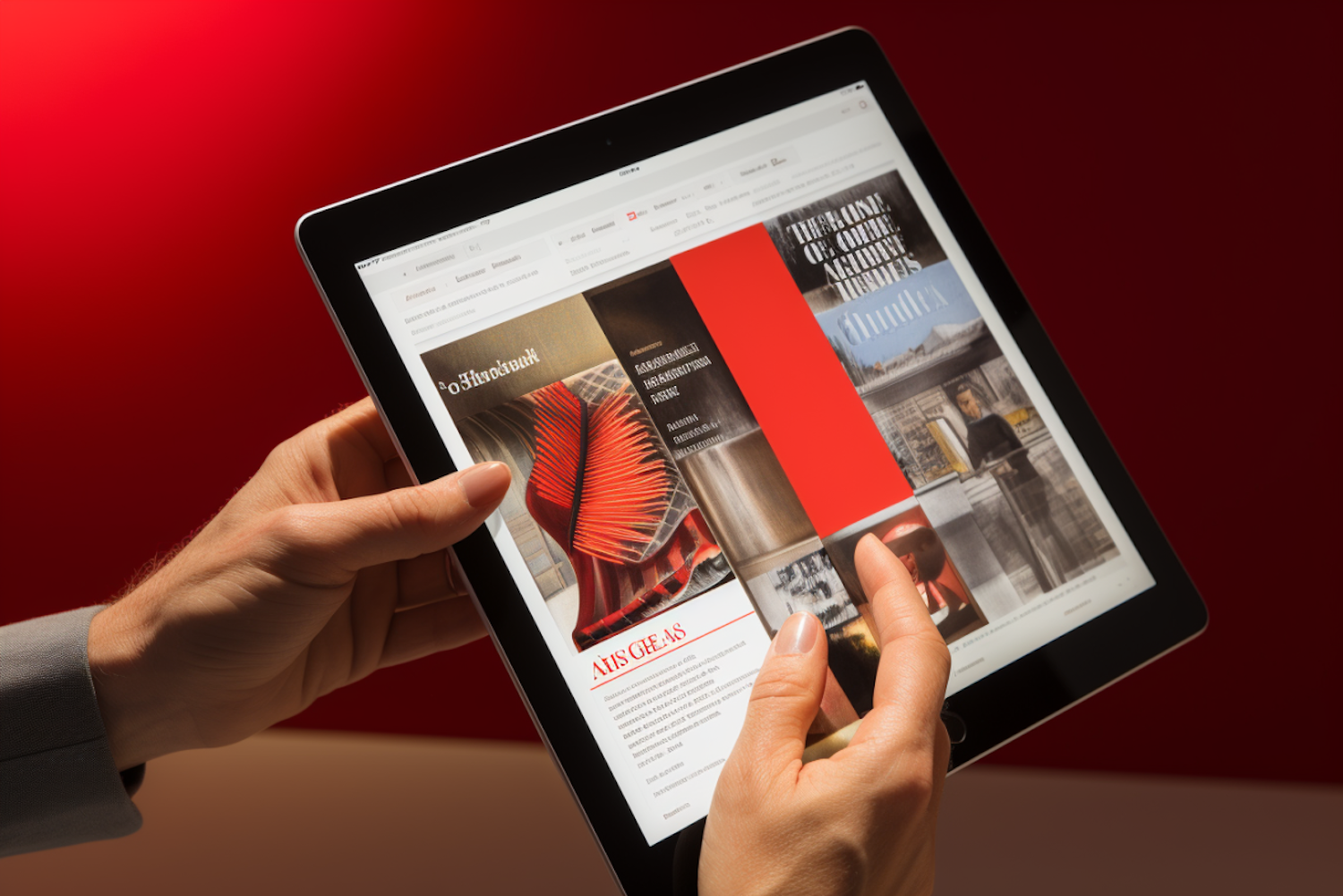
The good news is that the world of UX design is growing fast. Experts say the UI/UX market is worth billions of dollars in 2026 and will keep getting much bigger [1]. This shows that more and more companies understand how important good design is. In fact, many reports show the demand for designers is on the rise [2].
But for small and mid-sized businesses, finding the right help can be tricky. You need a website that works hard for you, turning visitors into loyal customers. If you’re struggling to make your website a lead-generating machine, a service like Weblish can help by providing expert web design and ongoing management. They focus on clear strategy and elegant design to boost your business.
This guide will help you understand the world of UX design jobs. We’ll look at the different kinds of UX designer roles, what it’s like to hire for these positions, and how much UX professionals typically earn. We’ll also give you simple steps, whether you’re a business owner looking for help or someone hoping to start a career in UX. You’ll learn what nobody tells you about your website experience in 2026 and how to make it work for you. Even though the UX job market can be competitive in 2026, with many people looking for roles [3], understanding these jobs is key for both companies needing good design and people wanting to become UX designers.
1. What are UX design jobs? Roles, specializations, and career paths
When you think about designing a website, you might first imagine bright colors and cool pictures. That’s usually the job of someone in "graphic design jobs." But UX design jobs are different. They’re all about making sure your website or app is easy and pleasant for people to use. Imagine a door. A graphic designer might make it look pretty, but a UX designer makes sure it opens easily and leads you where you want to go.
In 2026, UX (User Experience) designers are super important because they help businesses make sure customers have a good time using their digital products. A good experience means happy customers and more sales. Let’s look at the different kinds of UX design jobs you’ll find.
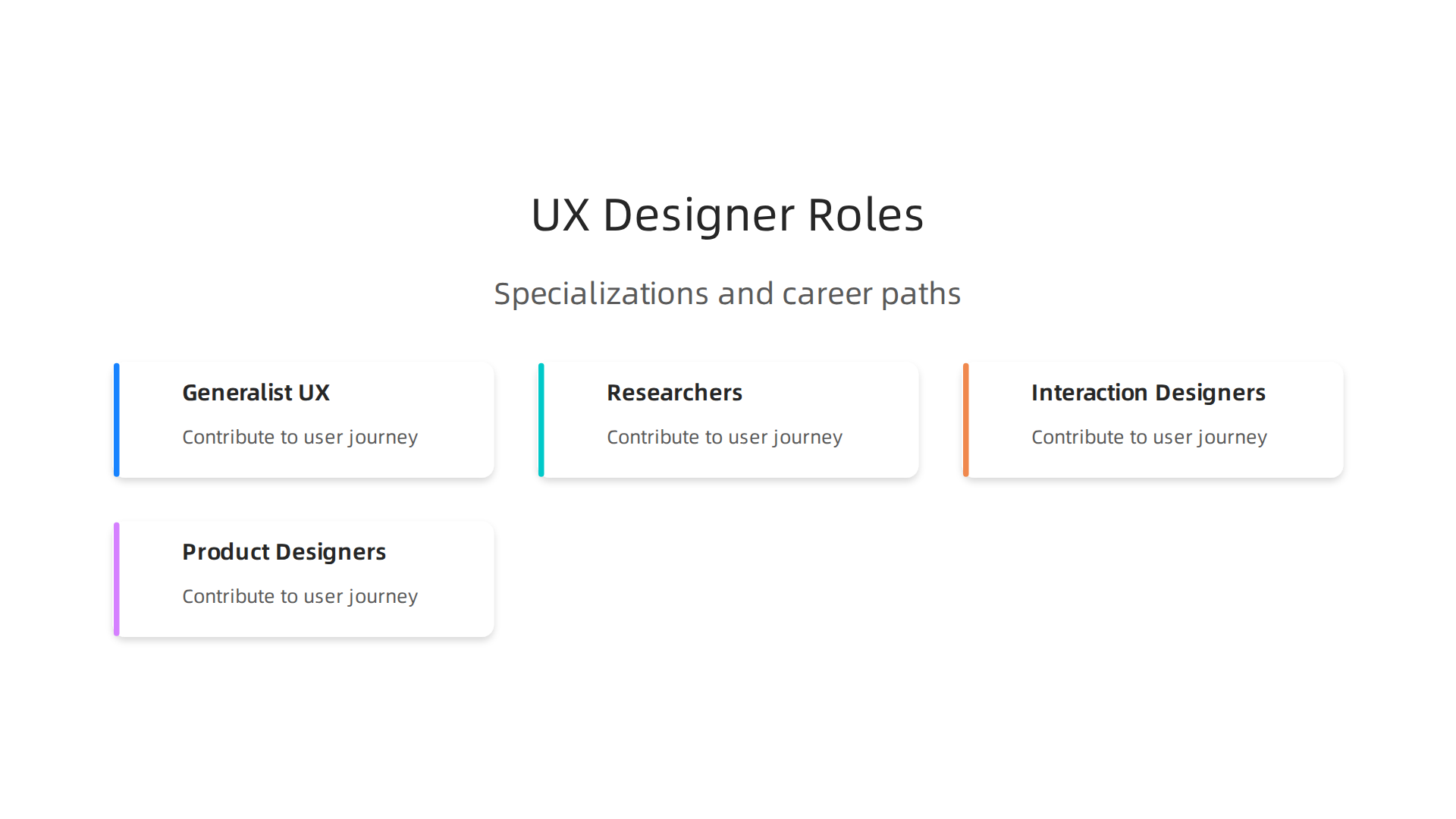
Different Kinds of UX Designer Roles
Not all UX designer roles are the same. Think of it like a sports team: everyone has a special job, but they all work together for the same goal.
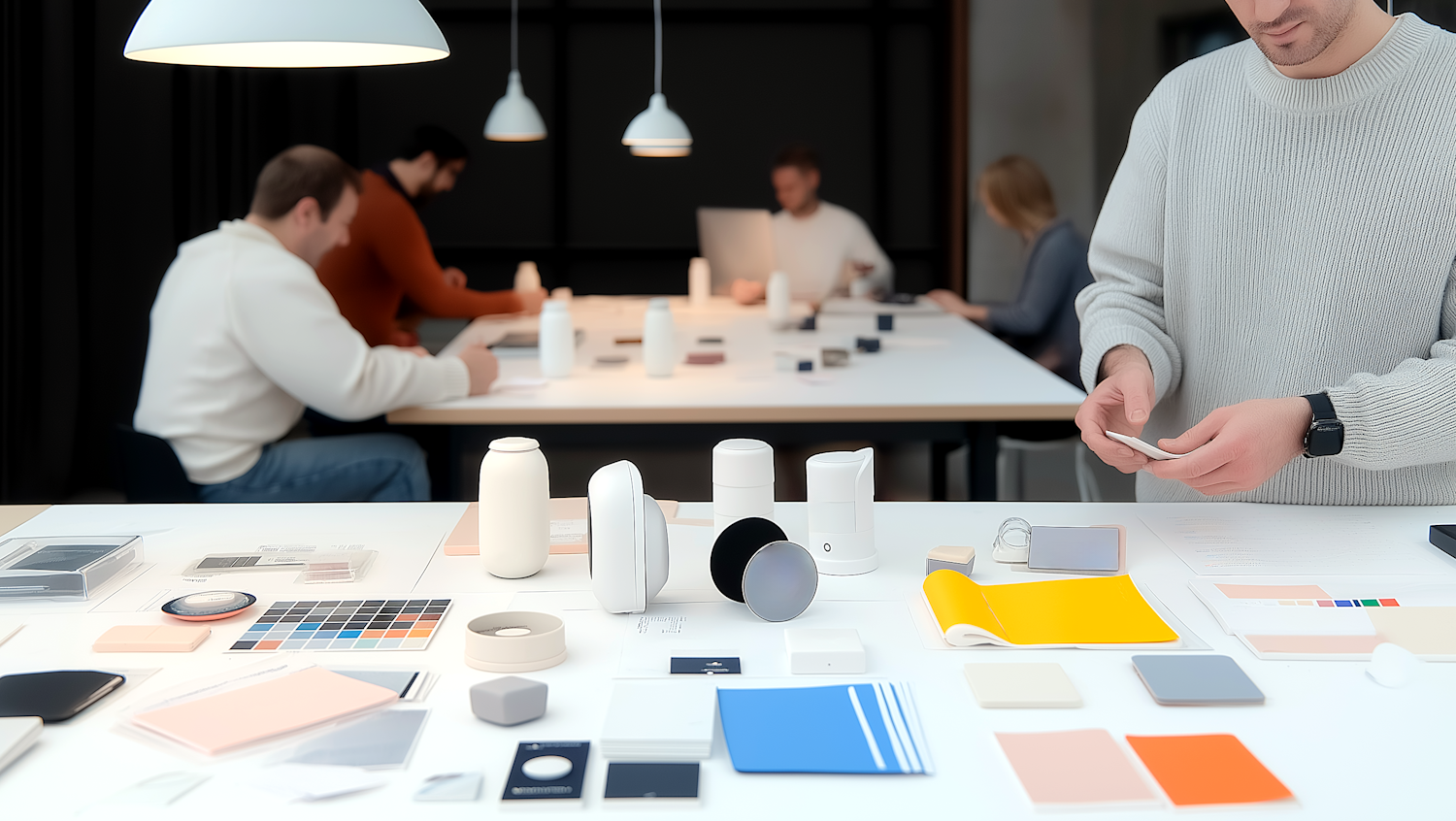
- UX Designer (Generalist): This is often the most common role. A generalist UX designer works on many parts of the user journey. They might research what users need, draw out ideas (called wireframes), and test if things are easy to use. They make sure the whole experience feels smooth. The skills needed today include understanding user research, making information easy to find, and testing out ideas [1].
- UX Researcher: These folks are like detectives. Their main job is to understand people. They talk to users, watch them use products, and collect information to figure out what users like, don’t like, and really need. This research helps guide the whole design process. Good research helps avoid making things that people won’t use. If you’re interested in this path, there are special courses for UX research skills [2].
- Interaction Designer: This type of UX designer focuses on how users interact with a product. They think about every click, swipe, and button press. They design the animations and feedback you get when you use an app or website, making sure it feels natural and responsive. It’s about how things move and react.
- Product Designer: This is often a broader role. A product designer usually handles everything from figuring out what product to build, to designing how it looks and works, and even thinking about the business side of things. They often combine skills from UX design, UI (User Interface) design, and even a bit of business strategy. Companies are looking for designers who can think about the whole picture in 2026 [3].
While "graphic design jobs" focus on the look, these UX roles focus on the feel and function. All these roles require a mix of skills, and many UX designers learn to do a bit of everything, especially in smaller companies.
Moving Up in UX Design Jobs
Just like in any job, you can grow your career as a UX designer. Here’s a common path:
- Junior UX Designer: When you first start out, you’re a junior. You’re learning the ropes, helping senior designers, and doing smaller tasks. You’ll learn about important tools like Figma and Adobe XD [4].
- Mid-level UX Designer: After some experience, you become a mid-level UX designer. You can handle projects more on your own, solve bigger problems, and contribute more ideas.
- Senior UX Designer: A senior UX designer has a lot of experience. They can lead projects, mentor junior designers, and make big decisions about design strategy.
- Lead UX Designer or Product Design Manager: At the top, these roles involve guiding entire teams, setting the vision for products, and working closely with business leaders.
The UX job market in 2026 is competitive, so gaining experience and showing what you can do is very important [5]. Many people looking for UX designer jobs choose to get special training or certificates to boost their skills [6].
If you’re a business owner looking for someone to make your website truly work for you, understanding these different UX design jobs helps you know what kind of help you need. A good UX team can make your website a lead-generating machine, turning visitors into loyal customers. If you’re struggling with your current website, a service that offers clear strategy and elegant design can make a big difference.
For businesses aiming to make their website a powerful tool for growth, getting expert web design that focuses on user experience is key.
Find out how professional design can boost your business growth. Learn more about Weblish.
2. Key skills, tools, and qualifications employers actually look for
So, you know what UX design jobs are all about. But what do you need to actually do one? Employers in 2026 are looking for a mix of practical skills and good people skills. It’s like building a strong house; you need good tools and smart planning.
Let’s break down what’s important for ux designer jobs.
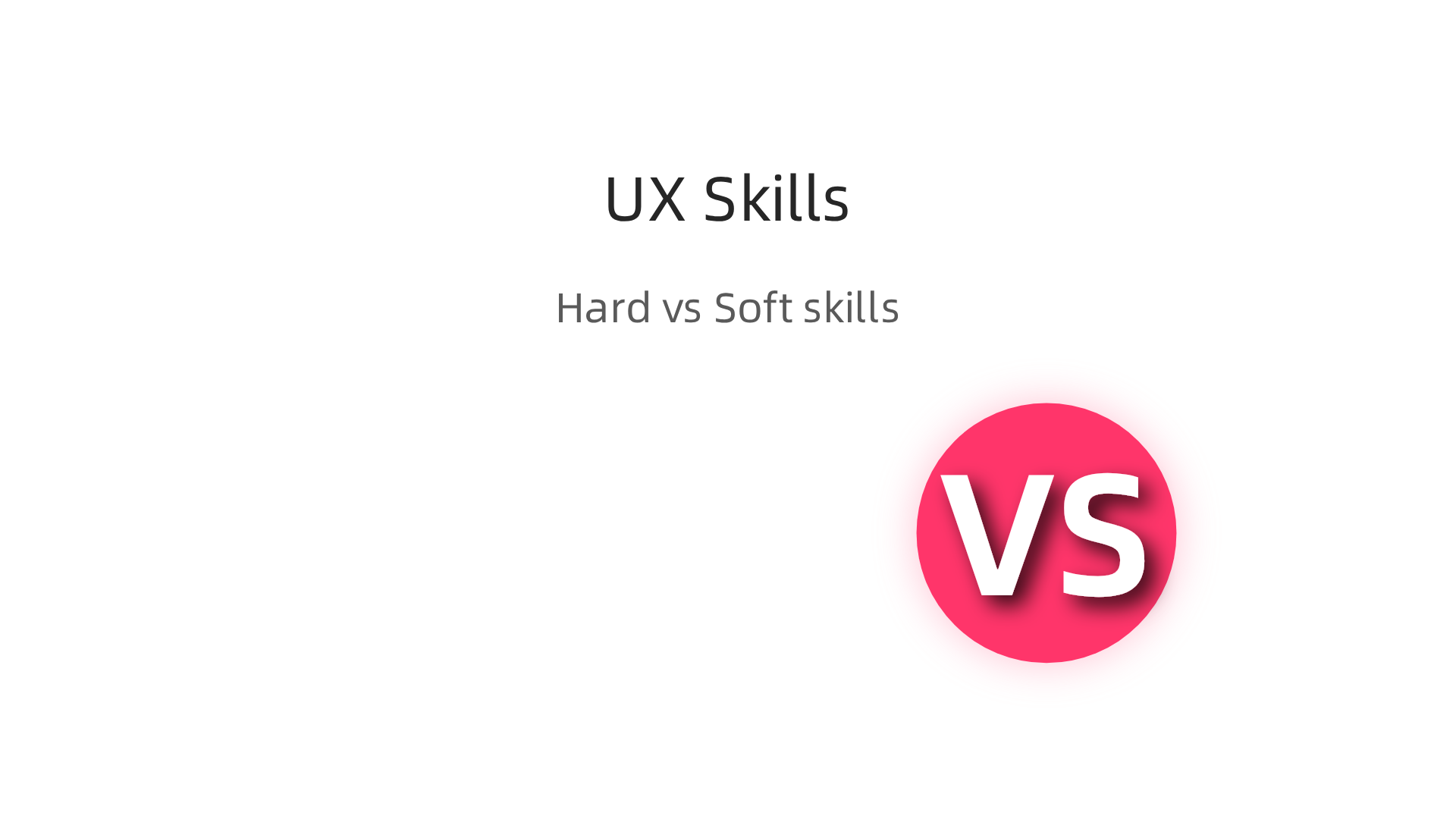
The "Hard" Skills Every UX Designer Needs
These are the learnable skills you use every day. They’re the building blocks of good UX design.
- UX Research: This is like being a detective. UX designers need to find out what real people want and need from a website or app. They do this by talking to users, watching them, and asking questions. This skill helps make sure what’s built is actually useful [8].
- Wireframing and Prototyping: Imagine drawing a simple sketch of a house before you build it. That’s a wireframe for a website. A prototype is a bit more detailed, like a pretend version you can click through. These help designers test ideas quickly before spending a lot of time building the real thing. You can learn these skills in various UX design courses.
- Usability Testing: Once you have a prototype, you need to see if it works well. Usability testing means watching real people use your design to see what’s easy or hard for them. It helps fix problems early on.
- Important Tools: In 2026, UX designers use special computer programs. Figma is one of the most popular tools right now for designing and prototyping. Adobe XD is another widely used tool [6]. Many training programs teach these exact tools.
The "Soft" Skills That Help You Shine
It’s not just about what you build; it’s also about how you work with others.
- Good Communication: UX designers need to explain their ideas clearly to teammates and clients. They also need to be good listeners to understand user problems and team goals.
- Working with Others (Stakeholder Management): Sometimes, designers work with different people in a business, like marketing teams or business owners. It’s important to understand everyone’s needs and help bring their ideas together for the best product.
- Problem-Solving: At its heart, UX design is about solving problems. You’re always looking for ways to make things easier, clearer, and more enjoyable for users.
What About School or Certificates?
You might wonder if you need a special degree for ux design jobs. Actually, while a degree can be helpful, many employers value practical skills and a strong portfolio just as much. The UX job market is quite competitive in 2026, so showing what you can do is key [1].
- For Small Businesses (SMBs): Many small and mid-sized businesses mostly care that you have the skills to get the job done. They want someone who can make their website or app work better to attract more customers. A good portfolio showing real projects and a relevant certificate often proves you have these skills. They want results, not just a fancy paper.
- For Larger Companies: Big companies might sometimes look for candidates with a bachelor’s degree, but even then, your actual experience and portfolio are super important.
Many people choose to get special training through online programs. Certificates like the Google UX Design Certificate are a popular way to learn these skills quickly and show potential employers you’re ready to work.
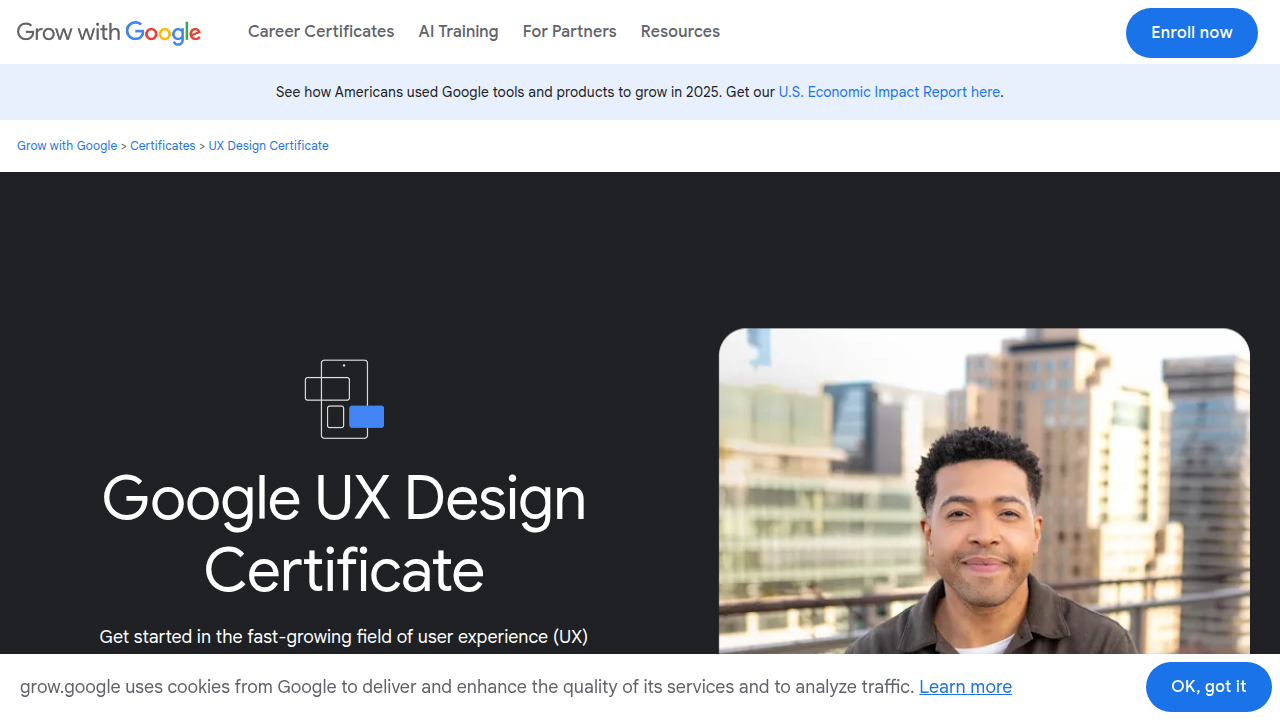
There are many other great online courses and certifications available today that teach user research, wireframing, and usability testing [7, 12, 13]. If you’re wondering more about this path, you might find our article on Is a UX Designer Degree Worth It? The 2026 Career Guide helpful.
For businesses looking to improve their online presence and conversion rates, finding someone with these skills is crucial. A great UX designer can turn your website into a powerhouse that truly works for your customers. If you’re a business owner seeking expert help with web design and user experience without the hassle of hiring, a comprehensive service can provide these skills. Weblish offers done-for-you growth services, combining expert design with ongoing support to help your business thrive online.
3. Building a UX portfolio and case studies that actually get interviews
So, you’ve learned about the skills and tools that are important for ux design jobs in 2026. Now, how do you show employers you have what it takes? This is where your portfolio comes in. Think of your portfolio as your personal art gallery for your best work. It’s the most important thing you have to get those all-important UX designer interviews [1].
What Hiring Managers Look For First
When someone is looking to hire a UX designer, they don’t spend a lot of time on each portfolio at first. They quickly scan for a few key things:
- How you think: They don’t just want to see pretty pictures. They want to understand your process. How did you solve a problem? What steps did you take? This shows them your brain at work [3].
- Clear and simple: Your portfolio itself should be easy to use. If it’s messy, it tells them you might make messy designs.
- Good stories (case studies): They look for well-written stories about your projects. These are called case studies. They want to see what challenge you faced and how you fixed it.
- Results: Did your work make things better? Did you use data or real feedback to show your design helped users or the business?
Experts suggest having three to five strong, detailed case studies in your portfolio. This is usually enough to show what you can do without overwhelming the hiring manager [5].
Common Mistakes to Avoid
Many people make small mistakes that can hurt their chances:
- Too many projects, not enough detail: It’s better to have a few really good, in-depth projects than a lot of quick ones with no explanation.
- Only showing the final design: If you only show the finished product, employers don’t see your thinking. They want to see the mess, the changes, and the learning.
- Not explaining "why": Don’t just show what you did. Explain why you made certain choices. Why did you pick that color? Why did you arrange buttons that way?
- A confusing portfolio: Make sure your portfolio is easy to navigate. If it’s hard to find your best work, they might just move on.
- Bad writing: Clear writing shows you can communicate well, which is a key skill for ux designer jobs.
Building Strong Case Studies: The Problem, Process, Outcome Story
Your case studies are the heart of your portfolio. They tell the story of how you tackled a design challenge.
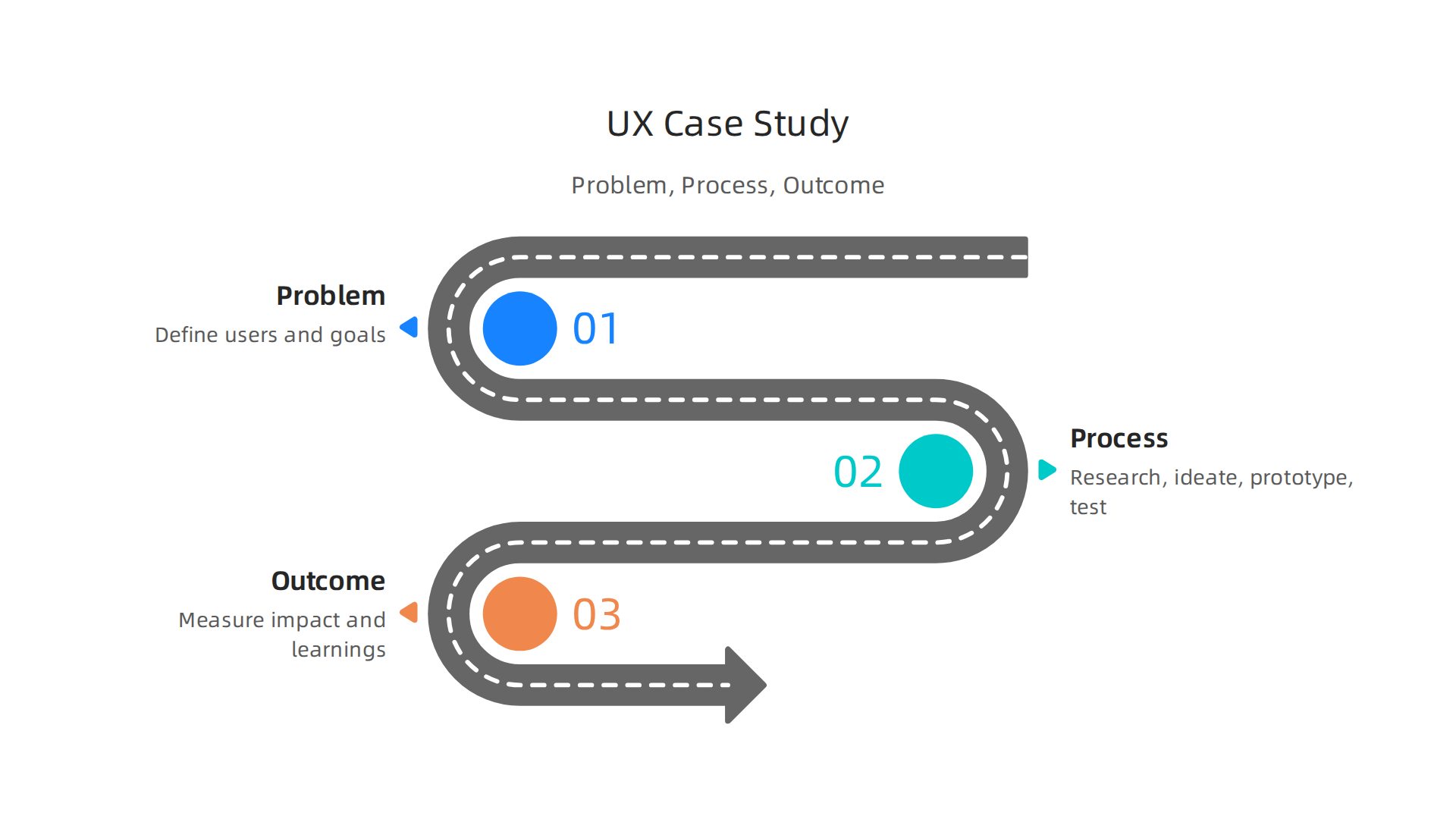
For many small and mid-sized businesses (SMBs) looking for a UX designer, they want to see how you can help them get real results. This simple structure works best:
- The Problem: Start by explaining the challenge. What was the user problem? What was the business trying to achieve? Who were the people you were designing for? What made this project hard?
- The Process: This is where you show how you worked. What research did you do? Did you talk to users? How did you sketch out ideas (wireframes)? What tools did you use to build a pretend version (prototype)? Did you test your ideas with real people? Show the steps you took to find a solution [4]. This part is crucial for showing your skills.
- The Outcome: What happened in the end? How did your design solve the problem? Did it make the website easier to use? Did more people sign up for something? Use numbers if you have them. Talk about what you learned. This helps businesses see the value you bring.
This way of telling your story shows potential employers you understand how to solve problems and deliver real value. If you’re a business owner needing help transforming your website into a lead-generating machine, understanding these steps can help you find the right talent. For businesses seeking a complete solution for their web presence and growth, Weblish offers done-for-you growth services that combine expert design with continuous support. You can explore how Weblish can help your business thrive online. To understand more about how good website experience helps businesses, you can check out our article on What Nobody Tells You About Your Website Experience in 2026.
There are many great examples of UX portfolios and case studies out there if you need inspiration [2, 7]. You can also find helpful videos, like "How I’d Build A JOB-READY UI/UX Portfolio In 2026" on YouTube, to guide you further. Remember, your portfolio is your chance to shine and show off your thinking process for ux design jobs.
Now that you have your amazing portfolio ready, you might be asking: "Where do I actually work as a UX designer?" Good question. UX design jobs come in different shapes and sizes, fitting different kinds of companies and people. Let’s look at the main types of places where you can find ux design jobs in 2026.
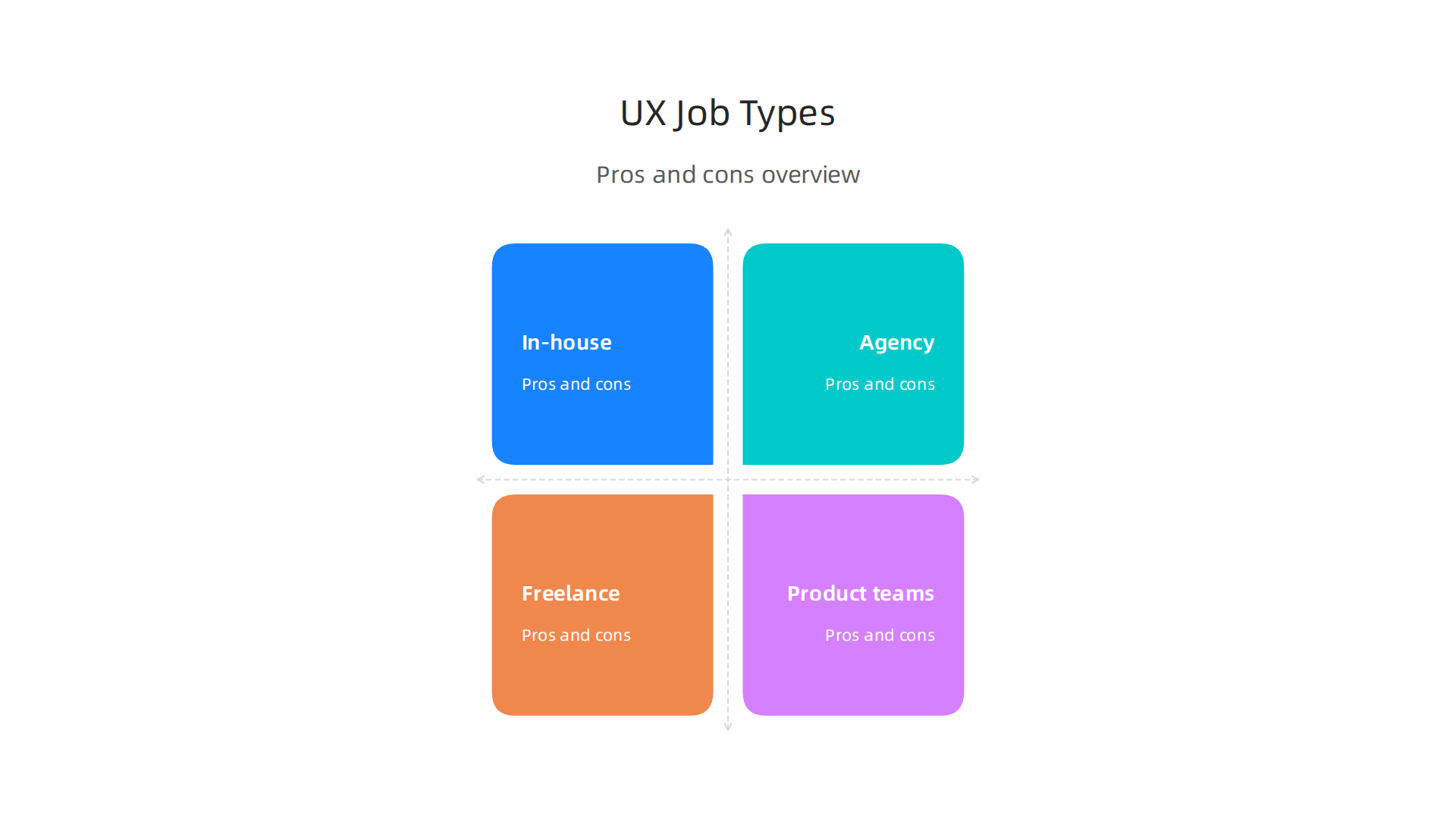
In-House UX Designer Jobs
Imagine working for just one company, like a big tech firm or a retail brand. That’s what an in-house UX designer does. You’re part of their team, helping to improve their own products or services every day.
- Pros: You get to know one product or service really well. You often have a stable job with good benefits. You work closely with the same team members.
- Cons: The work might feel less varied. Changes can sometimes happen slower than in other settings.
- Good for SMBs (Small and Mid-sized Businesses): If an SMB has a main product that always needs improving, like its own special app, an in-house UX designer makes sense. They become the expert for that one thing.
Agency UX Designer Jobs
Agencies are companies that work with many different clients. So, an agency UX designer might work on a website for a coffee shop one month and then an app for a bank the next.
- Pros: You get to work on many different types of projects and learn about various industries. It’s often a fast-paced and exciting place to be.
- Cons: You might jump between projects quickly, so you don’t always see a project through from start to finish. It can sometimes mean long hours.
- Good for SMBs: Many SMBs choose agencies when they need a new website, a quick redesign, or help with a specific marketing push. An agency gives them expert help without having to hire a full-time person.
Freelance UX Designer Jobs
As a freelance UX designer, you are your own boss. You find your own clients and projects. You could work for many different businesses at the same time, or just one big project. Many freelance ux design jobs are found on platforms like Upwork or Toptal [9, 11].
- Pros: You choose your own hours and projects. You can work from anywhere. You often have more control over your work and can earn good money if you’re skilled at finding clients. A UX designer in the US earns around $106,224 on average each year as of February 2026, though this can vary greatly based on experience and location [6].
- Cons: You don’t have a steady paycheck. You have to handle all the business parts yourself, like billing and finding new work.
- Good for SMBs: Freelancers are perfect for SMBs that need help with smaller projects, don’t have a big budget for a full-time hire, or need a specialist for a short time. They offer flexibility and can be very cost-effective. For businesses looking for a managed approach to their entire digital presence, not just one-off design, using a service like Weblish can provide a comprehensive, done-for-you solution that handles web design, SEO, and ongoing growth without the usual agency chaos. You can explore how Weblish can help your business thrive online.
UX Designer on Product Teams
Often, when you work in-house for a larger company, you’ll be part of a product team. This means you work very closely with product managers, engineers, and other designers to build and improve a specific product. This is a common way many ux designer jobs are structured.
- Pros: Strong teamwork and a direct say in how the product grows. You get to see your designs come to life.
- Cons: You need to be a great team player and communicator. Your focus will be very specific to that one product.
- Good for SMBs: If an SMB is building its own software or digital product, having a UX designer embedded directly into the product team ensures the user experience is thought about from the very beginning.
Choosing the right type of ux designer job depends on what you like. Do you prefer variety or deep focus? Do you like working alone or in a big team? For businesses, knowing these options helps them find the best way to get the design help they need. Whether it’s a dedicated in-house expert, a project-based agency, or a flexible freelancer, the goal is always to create great experiences for users.
Finding the right UX design jobs is great, but let’s be honest, you also want to know about the money. What can you expect to earn? And for businesses, how much should you set aside for good UX work? Let’s break down the money side of UX roles in 2026.
Compensation for UX Designer Jobs
The money you make as a UX designer can change a lot based on your experience, where you work, and what kind of job you have. But we can look at some helpful numbers for 2026.
Average UX Designer Salaries in the US:
In the US, the average yearly salary for a UX designer was around $106,224 as of February 2026 [6]. Other sources show the median total salary to be about $109,000 each year, which includes base pay and other money you might get [2].
By Experience Level:
- Entry-Level UX Designer: If you’re just starting, your salary might be lower, but it grows quickly. New UX designers often earn around $80,000 to $90,000 a year [2, 1].
- Mid-Level UX Designer: With a few years under your belt, your earnings go up. Mid-level UX designers in the US can expect to make closer to $100,000 to $130,000 annually [1].
- Senior UX Designer: Experienced UX designers who lead projects or teams often earn much more. They can make between $140,000 and $180,000, and sometimes even more, especially at bigger tech companies [1]. Total pay for top senior roles can even reach $250,000 to $400,000 or more with bonuses and stock options [1].
What about other places?
For those in the UK, the expected average salary for UX and UI design roles in 2026 is around £55,681 [4]. These numbers help you see the general picture for ux design jobs.
Full-Time vs. Contract UX Roles
The type of job also matters for your pay.
- Full-Time (In-House or Agency): When you’re a full-time employee, your salary is usually a set amount each year. On top of that, you often get important benefits like health insurance, paid time off, and maybe even a retirement plan. These benefits add a lot of value to your total compensation.
- Contract/Freelance UX Designer: As a freelancer, you get paid for each project or by the hour. You might charge more per hour than a full-time employee makes, but you have to pay for your own benefits. This means you need to put money aside for health insurance, taxes, and when you’re not working. Freelance UX designer jobs offer freedom, but they also mean you’re in charge of your own business side.
How SMBs Should Budget for UX Investment
For small and mid-sized businesses (SMBs), thinking about UX design jobs means more than just a salary number. Here’s what to consider:
- Direct Pay: This is the main salary or the project fees for a freelancer.
- Benefits (for full-time hires): If you hire someone full-time, remember to add costs for health insurance, paid holidays, and other employee perks. These can add a significant amount to the direct salary.
- Tools and Software: UX designers need special software for design, testing, and managing projects. You’ll need to budget for these subscriptions.
- Ongoing Investment: UX isn’t a one-time thing. You need to keep doing user testing, making updates, and improving your website or app. This ongoing work, maintenance, and testing are key to keeping your users happy and your business growing.
- Hidden Costs: Think about things like training, office space, or even legal costs for contracts.
Many SMBs find that trying to manage all these parts for UX design jobs can be overwhelming. They might have a website that just sits there, not bringing in new customers, or they face "agency chaos" with high upfront costs and little clear direction. Actually, a good website experience is vital for turning visitors into loyal customers, as we discuss further in what nobody tells you about your website experience in 2026.
Instead of hiring a full-time person with all the added costs, or dealing with many different freelancers, some SMBs choose a managed service. This can give them professional web design, SEO, and ongoing updates without the stress.
If your business needs a comprehensive approach to digital growth, a service like Weblish can handle your web design, SEO, and ongoing management. You get expert help without the usual hassle of hiring or managing many separate services. Take a closer look and get started with Weblish by signing up and claiming your free trial.
After understanding what UX design jobs pay and how to budget for them, the next big step for small and mid-sized businesses (SMBs) is finding the right person. Hiring a UX designer can feel tricky, but with a clear plan, you can find someone who truly helps your business grow.
Hiring UX Designers for SMBs: Job Descriptions, Interview Tasks, and Red Flags
Finding a great UX designer means knowing what you need and what to look for. It’s about more than just checking off skills; it’s about finding someone who fits your team and can make a real difference for your customers.
Building a Clear Job Description
A good job description is like a magnet for the right talent. It tells people exactly what the UX designer job is about at your company. Here’s a checklist of what to include:
- Job Title: Keep it clear, like "UX Designer" or "UI/UX Designer."
- About Your Company: Share a little about what your business does and why it’s a great place to work.
- Role Summary: Briefly explain the main goal of this UX design job. For example, "Help us make our website or app super easy and enjoyable for our customers."
- Key Responsibilities: List the main things the designer will do. This might include talking to users to understand their needs, drawing up ideas (like wireframes), making simple versions to test (prototypes), and watching users try out designs (usability testing) [3, 5]. They should also work well with others on your team.
- Skills and Experience: What specific talents do you need? Think about problem-solving, good communication, and knowing common design tools like Figma or Adobe XD [8]. Also, consider the level of experience, whether entry-level, mid-level, or senior [1].
- What We Offer: Mention if it’s a full-time or contract role and give a salary range if possible. This helps attract serious candidates.
You can find many helpful templates online to start your job description for UX design jobs, which you can then make your own [2, 4].
Smart Tasks for Interviews
Seeing a UX designer in action is key. These tasks help you understand how they think and work:
- Portfolio Review: This is super important. Ask them to show you projects and explain their thinking process. Don’t just look at pretty pictures; ask why they made certain design choices and what problem they were trying to solve.
- Small Design Challenge: Give them a small, real problem related to your business. For instance, "How would you make our website’s contact form easier to use?" See how they approach it, not just the final design.
- Walk-Through of Past Work: Have them pick a project from their past and tell you the story of it from start to finish. What challenges did they face? How did they get feedback? What did they learn?
- Whiteboard Session: Ask them to quickly sketch an idea for a simple problem. This shows how they think on their feet.
Red Flags to Watch Out For
While looking for the best UX designer, keep an eye out for these warning signs:
- In Portfolios:
- Only polished final designs: If a portfolio only shows "pretty" end results without explaining the user research, testing, or problem-solving behind them, it might mean they focus more on how things look than how they work.
- No user input: Watch out if there are no examples of talking to users, doing tests, or using feedback to improve designs. UX is all about the user [7].
- In Interview Answers:
- Only talking about tools: If they mostly talk about which software they use instead of why they use them or how they help users, that’s a red flag.
- Can’t explain choices: A good UX designer should be able to simply explain why a design works, not just that it works.
- Lack of curiosity: If they don’t ask good questions about your business, your customers, or the problems you’re trying to solve, they might not be a good fit.
- With References:
- Trouble providing references: If they can’t easily give you contacts for past managers or teammates, it could be a sign.
- Vague feedback: If references give lukewarm or unclear answers about their problem-solving skills or teamwork, pay attention.
Hiring for ux design jobs can be a lot for a small business to handle. If the idea of writing job descriptions, interviewing, and managing ongoing UX work feels overwhelming, remember there are other paths. Services like Weblish offer a complete digital growth solution, handling web design, SEO, and continuous management.
This can give you expert UX support without the stress of hiring or dealing with many different freelancers. You can get started with Weblish by signing up and claiming your free trial.
Finding a great UX designer is like finding a puzzle piece that fits perfectly with your business goals. After knowing what to look for, the next step is knowing where to look for ux design jobs in 2026. This is especially true for small and mid-sized businesses (SMBs) that might not have a big hiring team.
Where to Find UX Design Talent
There are many places to find talented people looking for ux design jobs. You just need to know which spots they visit!
Job Boards and Online Platforms
Think of these as online bulletin boards where people post jobs and look for them.
- General Job Boards: Sites like Indeed and LinkedIn are good starting points. They have many listings for UX design jobs and are well-known [1].
- Specialized UX Job Boards: Some websites are just for designers. Places like Dribbble, Uxcel, and AIGA Design Jobs focus only on design roles, including UI/UX positions
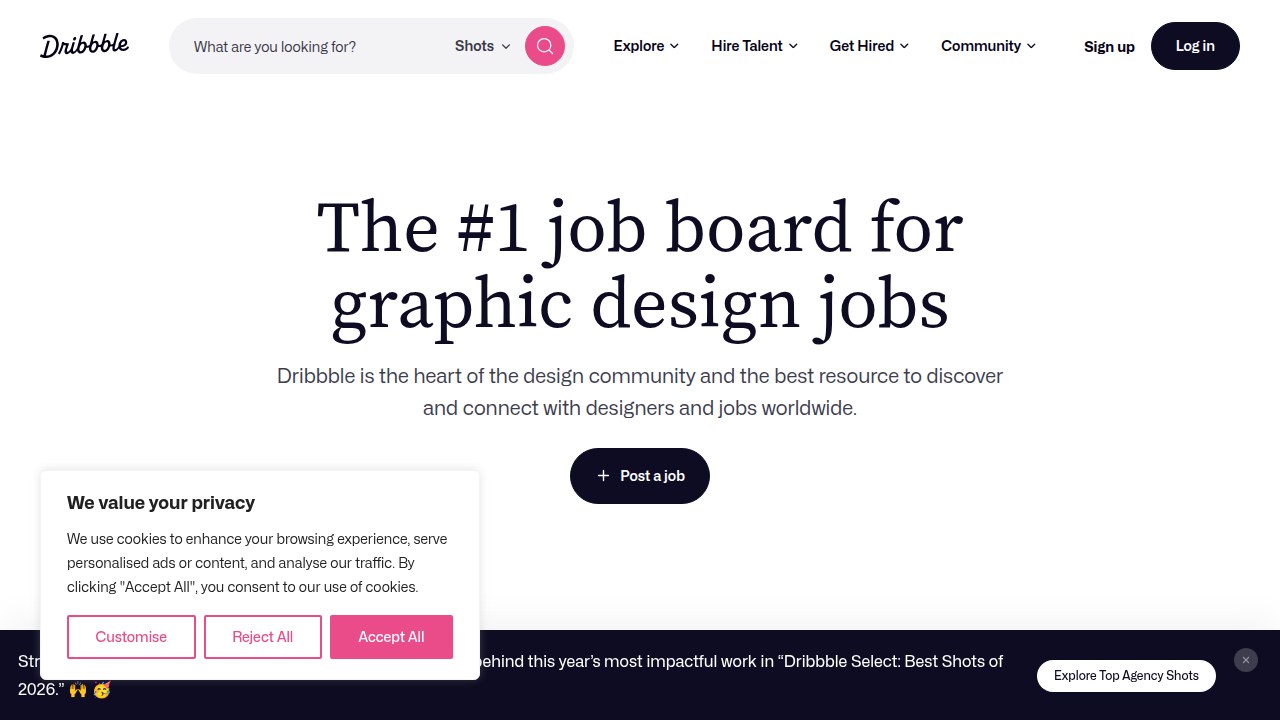
[1, 2]. These can be great for finding people who are serious about design.
- Remote Job Boards: If you’re open to hiring someone who works from anywhere, sites like Remote OK, We Work Remotely, and Working Nomads list many remote UX designer jobs [1, 2, 8]. This opens up a bigger pool of talent for you.
Freelance Marketplaces
If you need help for a specific project or don’t want to hire someone full-time, freelance platforms are perfect for ux design jobs.
- Upwork and Fiverr: These are popular for finding freelancers for all kinds of projects, including UX design. You can post your project and get bids from many designers [4, 6].
- Toptal: This platform is known for connecting businesses with highly skilled freelance UX designers [3, 4]. It’s a good choice if you’re looking for experienced professionals for complex projects.
These platforms let you pay for work as needed, which can be great for managing your budget.
Designer Communities and Networks
Sometimes, the best way to find someone is through word of mouth or by looking where designers hang out online.
- Design Communities: Websites like IxDA Jobs are communities for interaction design professionals [2]. Checking these can help you find people who are active in the UX world.
- Networking: Telling other business owners or people you know that you’re looking for a UX designer can also lead to good candidates.
How SMBs Can Attract Top UX Talent
Small businesses have a lot to offer, even if they can’t always match big company salaries. Here’s how to make your ux design jobs stand out:
- Craft a Great Job Description: We talked about this before, but it’s worth saying again. A clear and exciting job description is your first magnet for talent [9, 10, 11]. Tell them what makes your company special and how they’ll make a real impact.
- Highlight the Impact: UX designers want to know their work matters. As an SMB, you can offer them a chance to truly shape your product or service and see the direct results of their efforts. This is a huge draw for many professionals. You can talk about how their work will directly improve the website experience for your customers.
- Show Your Culture: What’s it like to work at your company? Do you have a friendly team? Flexible hours? Share these things. People want to work where they feel happy and valued.
- Offer Flexibility: Many UX designers, especially in 2026, value remote work options or flexible schedules [7]. If you can offer this, make it clear in your job posting.
- Be Honest About the Role: Clearly explain the types of projects they’ll work on. Will they do everything from research to visual design? Or will it be more focused? Honesty helps find the right fit.
- Consider Freelance or Contract: For many SMBs, hiring a full-time UX designer might not be the right first step. Looking for a freelance ux designer for specific projects can be a great way to get expert help without a long-term commitment.
Hiring for ux design jobs can seem like a lot of work. If you feel overwhelmed by the thought of writing job descriptions, interviewing, and managing ongoing design tasks, remember there are services that can handle all your digital growth needs, including web design and continuous management. This way, you get expert UX support without the hiring hassle.
Get started with Weblish by signing up and claiming your free trial to find out how they can help your business grow.
Summary
This guide explains why UX design jobs matter for small and mid-sized businesses and walks through everything owners and job-seekers need to know in 2026. It defines common UX roles (generalist, researcher, interaction and product designers), details the hard and soft skills employers want, and lists the primary tools used today. You’ll learn how to build a portfolio with 3–5 strong case studies using a problem–process–outcome structure, what interview tasks actually reveal, and common hiring red flags. The article also covers where to find talent (job boards, freelance marketplaces, communities), typical salary ranges by experience, and how SMBs should budget for UX work. Finally, it compares in-house, agency, and freelance options and suggests managed services as an alternative for businesses that want ongoing results without hiring overhead.