
Unlock High-Intent Leads with Meta Ads Search for Small Businesses
Meta Ads Search brings search-style intent to Facebook, Instagram and other Meta placements, letting small and mid-sized businesses reach people who are activel…

Why Meta Ads Search matters for SMB growth (and what this guide delivers)
Many small and mid-sized businesses, or SMBs, find it hard to get new customers online. They often spend money on social media ads, hoping to catch people’s attention. But here’s the thing: those ads don’t always connect with people who are actively looking to buy right now. It’s tough to turn a casual scroll into a solid lead that truly wants your product or service.

This challenge is about converting paid social efforts into consistent lead-generating search intent.
In 2026, the world of digital advertising marketing has changed. It’s not just about showing ads to people based on their interests anymore. Now, Meta Ads, which covers Facebook, Instagram, Messenger, and WhatsApp, also offers placements within search results. This means your ads can appear when someone is actually searching for something on these platforms. This new feature for Meta Ad Placements Quick Guide helps bridge the gap between social media browsing and active searching.
This is a big deal for SMBs. It allows you to reach potential customers when they’re already looking for solutions, making your digital advertising marketing more effective. Think of it this way: instead of just hoping someone sees your ad while they’re looking at cat videos, you can now show your ad when they specifically type something related to your business into Facebook or Instagram’s search bar. This combines the wide reach of social media with the direct intent of traditional search engine marketing, like Google Search Ads. It’s a powerful way to boost your online visibility and get more qualified leads.
Understanding and using meta ads search effectively can really help your business grow. This guide is here to help you do just that. We will give you a clear, step-by-step plan to use Meta Ads Search. You’ll get a strategic framework, a handy checklist to make sure you’re doing everything right, and a simple way to measure your results. All of this is made for businesses with small teams and limited money, so you can get agency-level results without the high costs.
Want to improve how your business attracts customers online?
- Ready to put this new power to work for your business? Grow Your Traffic on Autopilot.
- Learning more about What Search Engine Marketing Means for Small Business Success can also help you connect with more customers.
Strategy overview: Where Meta Ads Search fits in a small-business marketing mix
For small and mid-sized businesses, having a clear plan for your digital advertising marketing is key. It’s not enough to just put ads out there. You need to know what each part of your marketing is trying to do. Most often, we can break down marketing goals into three main jobs:
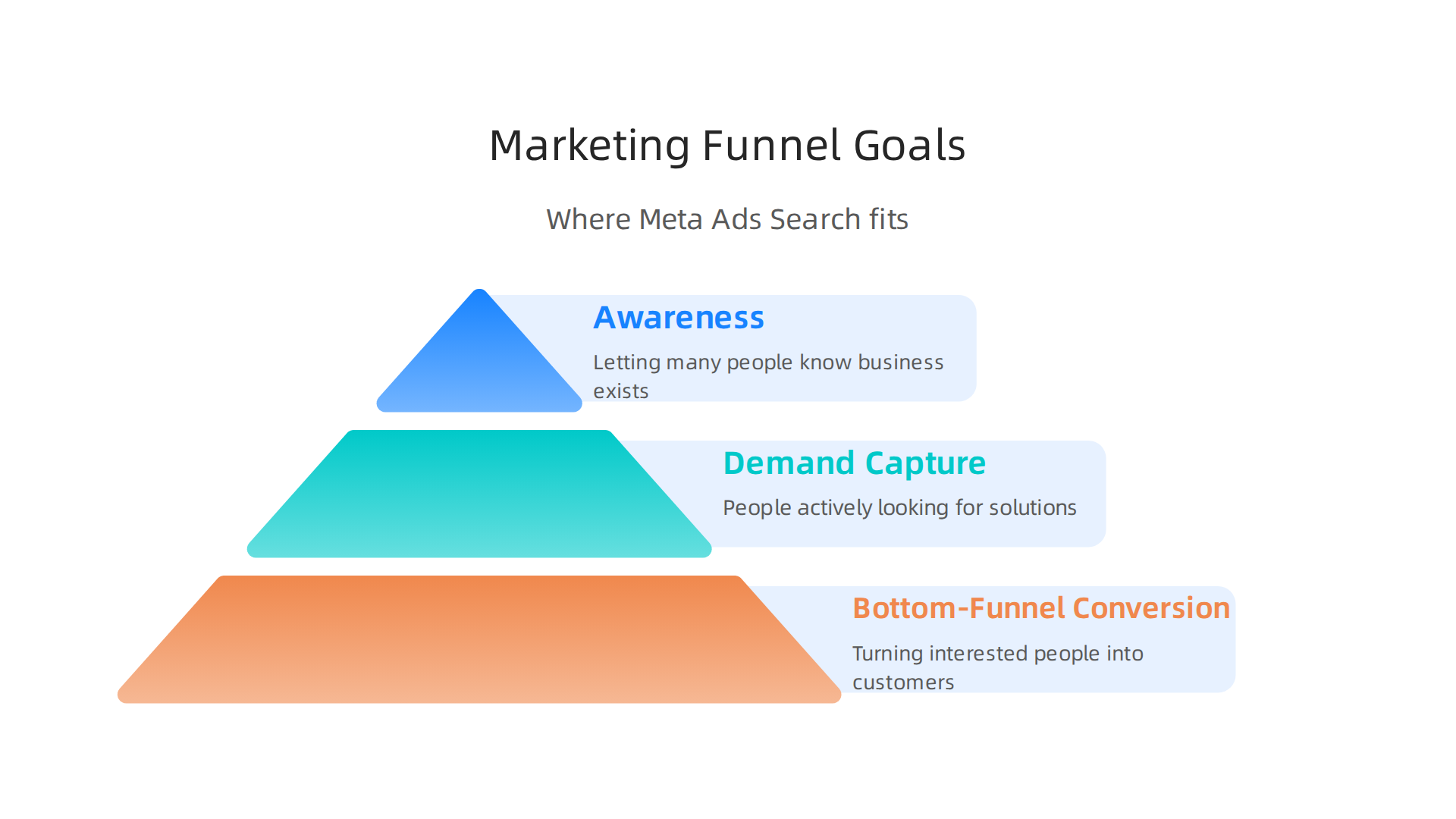
- Awareness: This is about letting many people know your business exists. Think of it as introducing yourself to a crowd. Traditional Meta Ads often work well here, showing ads to people based on their interests even if they aren’t looking to buy right now. As experts note, traditional Meta Ads are typically "push advertising" and "interest-driven" rather than "intent-driven," meaning they show your message to audiences who match certain profiles, not necessarily those actively searching for a product or service.
- Demand Capture: This is for when people start to know what they need and are actively looking for it. They might be searching for solutions.
- Bottom-Funnel Conversion: This is about turning those interested people into actual customers. They’re ready to buy, and your ad needs to be there to seal the deal.
So, where does Meta Ads Search fit into all this? It’s special because it helps with both demand capture and bottom-funnel conversion. While traditional Meta Ads often focus on awareness by showing ads in feeds and stories, Meta Ads Search lets your ads pop up when someone types a keyword into Facebook or Instagram’s search bar. This means you’re reaching people who are already looking for something specific, which is a powerful way to make your digital marketing online more effective.
For example, if someone searches for "local bakery near me" on Facebook, and you run a bakery, your ad could appear. This is a big step beyond just showing an ad to someone who likes "baking" in general. It connects social media’s wide reach with the direct intent of search engine marketing, like when you use Google Search Ads to capture people actively searching. Meta Ads search placements can include Facebook Search Results and Instagram Search Results, making your ads visible when people are most engaged in finding solutions on these platforms.
Before you launch any meta ads search campaigns, it’s really important to think about your business goals. What do you want to achieve? More leads? More sales? Then, look at your budget. How much can you spend without hurting your business? Also, think about how many leads you expect to get. Being clear about these things helps you set up smart campaigns that work for you. Having a good plan for your entire digital marketing strategy can ensure all your efforts work together.
Aligning your goals, budget, and expected lead volume is key. For example, if you have a small budget, you might focus more on bottom-funnel conversion to get quick sales rather than broad awareness. Understanding this helps you use your money wisely. Thinking about an integrated search engine marketing plan can really help your small business generate leads consistently.
Keyword and intent mapping for Meta Ads Search campaigns
When you use Meta Ads Search, it’s like using a special map. You need to know what people are searching for and why they are searching. This helps you show them the right ads. It’s different from regular Google Search Ads because on Meta, people are still in a social space, even if they are searching. So, your ads need to feel helpful and friendly, not just like a direct sales pitch.
Think about what keywords people type into Facebook or Instagram search bars. Then, you need to understand the "intent" behind those keywords. Intent means what someone hopes to achieve by their search. For your digital advertising marketing to truly work, you have to match that intent with your ad message, pictures, and the page they land on.
Here is a simple way to figure out what people mean when they search and how to make your ads fit:
Step 1: Find Keywords and Their Meaning
Start by thinking like your customer. What words would they use to find your business or a solution you offer?
For example, if you sell handmade jewelry:
- "unique gift ideas"
- "silver necklaces"
- "local jewelry shop"
- "how to clean silver jewelry"
For each keyword, guess what the person really wants. Are they just looking for information, or do they want to buy something?
Step 2: Figure Out Their Intent
We can put search intent into three main groups:
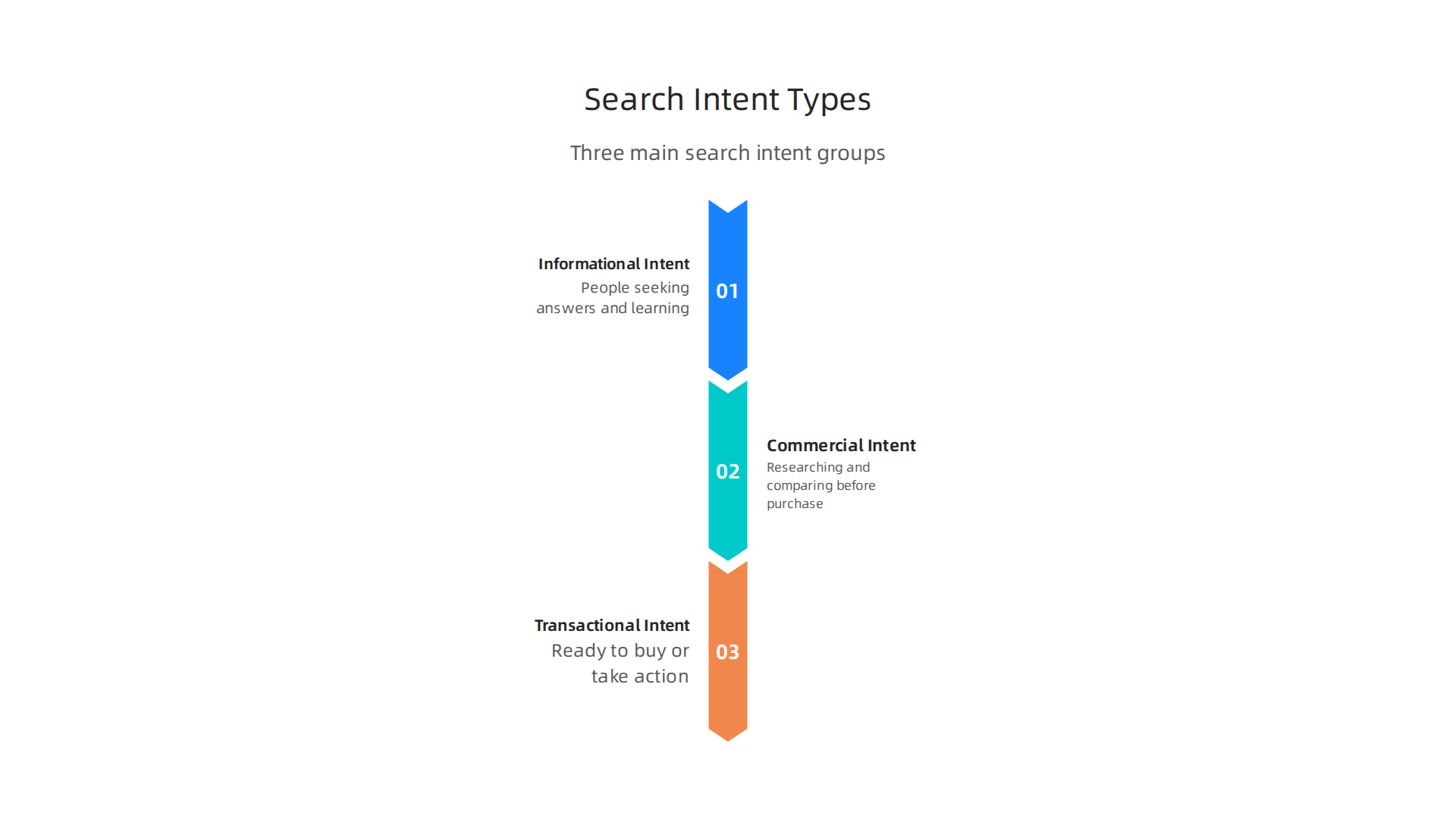
- Informational Intent: People with this intent are looking to learn. They want answers to questions or more details about something.
- Example keywords: "how to fix a leaky faucet," "best way to learn guitar," "history of local park."
- What they want: Guides, articles, videos, or blog posts.
- Commercial Intent: These people are researching before they buy. They know what they need but are comparing options, looking at reviews, or finding the best fit.
- Example keywords: "best smart TVs 2026," "reviews of local dentists," "affordable website design services."
- What they want: Comparison charts, product reviews, service details, testimonials.
- Transactional Intent: This means people are ready to buy or take a specific action right now. They often use very specific words.
- Example keywords: "buy running shoes online," "order pizza near me," "sign up for free trial."
- What they want: Product pages, checkout pages, booking forms, or contact pages.
Understanding what search engine marketing means for small business success fully helps you see how these different intents play a big role in your entire digital marketing online plan.
Step 3: Match Ads and Landing Pages
Once you know the intent for a keyword, you can make your Meta Ads Search campaigns much stronger.
- For Informational Searches: Your ad should offer helpful content. Your ad copy (the words in your ad) might say "Learn the secrets to a happy home!" The landing page should be a blog post, a guide, or a helpful article.
- For Commercial Searches: Your ad should highlight what makes you special. Your ad copy could say "Compare our top-rated services!" The landing page should show your products or services, maybe with customer reviews or a comparison chart.
- For Transactional Searches: Your ad needs to be direct and make it easy to act. Your ad copy might say "Shop Now and Get 10% Off!" The landing page should be the exact product page, a booking form, or a way to contact your business.
Making sure your ad and the page it leads to match the person’s intent is very important. This helps turn searches into real results for your business. Also, remember that tracking how well your ads work is key to making them better. Setting up proper Meta Ads Attribution Tracking Setup: Complete 2026 Guide can give you the insights you need.
Ready to make your website work harder for your business?
Grow Your Traffic on Autopilot
Now that you know what people are searching for and why, the next step in your Meta Ads Search journey is to find those people. This means picking the right audience and showing your ads in the right places. It’s not just about getting clicks; it’s about connecting with folks who are actually interested.
Building Your Audience for Meta Ads Search
To make your digital advertising marketing strong, you need to think carefully about who you want to see your ads.

On Meta platforms like Facebook and Instagram, you can use different ways to build your audience, almost like a superpower.
- Use Your Own Customer Lists: Do you have a list of past customers or people who signed up for your emails? You can upload these "first-party lists" to Meta. Meta then tries to find these exact people on its platforms. This is great because these folks already know you or have shown interest.
- Find "Lookalike" Audiences: Once you have a customer list, Meta can help you find new people who are very similar to them. These are called "lookalike audiences." Meta looks at what your current customers like, their interests, and how they behave online, then finds others with similar traits. This helps you reach new people who are likely to be interested in your business.
- Target Based on Intent: Remember those different types of search intent (informational, commercial, transactional) we talked about? You can use this knowledge to target audiences on Meta too.
- If someone is searching for "how-to guides" (informational intent) on Meta, you can target people with interests related to that topic.
- If they are looking for "reviews" or "comparisons" (commercial intent), you might target people who follow product review pages or shopping-related content.
- For those ready to "buy now" (transactional intent), you can reach people who have recently interacted with shopping ads or visited similar product pages. Meta’s system is pretty smart at picking up on these signals to help advertisers identify ideal customer segments. According to experts, the platform looks at things like clicks, comments, and how long people watch videos to figure out who might be interested in your ads in 2026 Facebook Ads Creative Testing Strategy 2026 Guide.
Choosing Where Your Ads Appear
Once you know who you want to reach, you also need to decide where on Meta’s platforms your ads will show up. These are called "placements." Think about where your audience hangs out and what they are doing there.
- Active Search Intent vs. Browsing: On Meta, even when people use the search bar, they are still usually in a social, browsing mindset. This is different from Google Search Ads where people often have a very specific goal.
- If someone is actively searching for something specific in the Meta search bar, your ad can be more direct, showing them exactly what they asked for.
- If they are just scrolling through their Facebook Feed or Instagram Stories, your ad needs to catch their eye and be interesting, even if they weren’t looking for it. It should feel like it belongs there, not like it’s interrupting their fun.
Common placements include:
- Facebook and Instagram Feeds
- Facebook and Instagram Stories
- Messenger
- Audience Network (apps and websites outside of Meta)
The key is to match your ad’s message and look (called "creatives") to the place it appears and what the user is doing. A short, fun video might work well in Stories, while a detailed image with text could be better for a Feed. Understanding how to connect with users on these platforms can greatly boost your digital marketing online efforts. To learn more about how small businesses can use Facebook for lead generation, check out this guide on how small businesses attract leads with Facebook marketing.
Now that you have a good idea of who to show your ads to and where they might see them, the next step is making your ads really good. This means thinking about the words you use, the pictures or videos you share, and how you test them to make sure they work. For Meta Ads Search, you want your ads to grab attention and get people to act.
Creative, copy, and A/B testing for high-intent responses
When someone is searching on Meta, even if they’re browsing, your ad needs to speak directly to what they’re looking for. This is where good creative and smart words (copy) come in. Think of your ad as a helpful answer to their question.
Making Your Ads Match What People Want
Creating headlines and main text for your ads is very important. You want them to match the "intent" of the person searching. Remember how people search for information, products, or things to buy? Your ad needs to fit that perfectly.
- For "how-to" searches: Your ad might say "Learn How To [Skill]" or "Get Our Free Guide." The picture could show someone doing that skill.
- For "best product" searches: Your ad could say "Top Rated [Product Name]" or "Compare [Product X] & [Product Y]." The creative could show the product clearly or a comparison chart.
- For "buy now" searches: Your ad should be direct: "Shop [Product Name] Now" or "Get 20% Off Today." A clear picture of the product with a price tag works well here.
Your headlines should be short, clear, and include keywords people might use. The main text can add a bit more detail, telling people why your offer is great. The goal is to make people feel like they found exactly what they were looking for. This approach is part of a strong overall search engine marketing strategy, helping your digital advertising marketing reach the right people.
Testing to Find Your Best Ads
How do you know which ads work best? You test them! This is called A/B testing. You create a few different versions of your ad and show them to similar groups of people. Then, you see which one gets the best results, like more clicks or sales. It’s like trying out different recipes to see which one tastes best.
When you’re testing your Meta Ads Search, here’s what you can try changing:
- Headline: Does "Get 20% Off" work better than "Save Big Today"?
- Offer: Is a "free trial" more appealing than a "free consultation"?
- Call to Action (CTA): Do people click more on "Shop Now" or "Learn More"?
- Landing Page: Does sending people to a product page work better than a sign-up page?
- Images/Videos: Does a bright, simple picture get more attention than a detailed one?
A good way to test is to change only one thing at a time. This helps you know what made the difference. For example, if you change both the headline and the picture, you won’t know if the new clicks came from the headline or the picture. Experts suggest focusing on testing one variable at a time under similar conditions, using comparable audiences and placements to ensure a fair test. Also, it’s important to decide what "winning" means before you start testing, like a certain number of clicks or sales. A strong creative testing framework helps you identify winning ads faster in 2026, often by looking at things like how many people stop scrolling to look at your ad (called "thumb-stop rate") or how long they watch your video Creative Testing Is the New Targeting on Meta Ads.
By testing different parts of your ads, you can slowly make them better and better. This means your ads will connect more with people, leading to more visits to your website and more customers for your business. To build a solid foundation for your online presence, it’s wise to consider professional help.
Grow Your Traffic on Autopilot
If you’re looking for an easy way to manage your website and marketing, you can get started with a free trial from Weblish. They offer help with web design, SEO, and social media, which are all key parts of successful digital marketing online.
For small and medium businesses (SMBs), using Meta Ads Search means not just making good ads, but also being smart about your money.

You want to get as many new customers as possible without spending too much. This involves understanding how to bid for ads and how to set your budgets wisely.
Picking the Right Bid Strategy for Meta Ads Search
Meta offers different ways to tell its system how to bid for your ads. Think of bidding as telling Meta, "I’m willing to pay X amount to get a customer or a click." The best strategy for you depends on what you want most: lots of actions (conversions) or actions that bring in a lot of money (value).
- Lowest Cost: This is often a good starting point for Meta Ads Search. Meta tries to get you as many results as possible for your budget at the lowest possible price. It’s like telling Meta, "Go find me the cheapest clicks or conversions." This approach has no special limits on how much Meta can bid for each result.
- Cost Cap: With this strategy, you tell Meta the average cost you want to pay for each key action, like a sale or a sign-up. Meta will try to stay around that cost, but it might bid higher for better chances to get a good customer. This helps keep your costs in check while still looking for quality.
When you’re first starting or have a smaller budget, focusing on "conversions" with a "lowest cost" or a sensible "cost cap" is usually best. You want to make sure you’re getting some results before trying to get the highest value results, which can sometimes cost more. According to experts, Meta offers five main bid strategy options, with "Lowest Cost" providing no bid limits and aiming for maximum results within budget, while "Cost Cap" lets you set an average target for your conversions Meta Bid Strategy Guide 2026: Lowest Cost vs Cost Cap ….
Managing Your Budget and Pacing
Setting your daily or lifetime budget for Meta Ads Search is more than just picking a number. You also need to think about "pacing," which means how Meta spends your budget throughout the day or over your campaign’s life.
Meta tries to spend your daily budget smoothly, spreading it out over 24 hours. But sometimes, it might spend a bit more or less on certain days to get you better results. For instance, Meta’s daily budget can sometimes be spent up to 125% of your set daily limit Marketing Budget Pacing Guide for 2026. For SMBs with limited budgets, this is important to know.
Here are some tips for managing your budget in 2026:
- Start Smart: Meta suggests a certain minimum daily budget, which has actually increased in 2026 for most objectives, sometimes up to $50 per ad set to exit the learning phase faster Meta Ads Budget Pacing: Why It Overspends & How to Fix It. For smaller budgets, this can be tough, so you might need to combine ad sets or start with fewer campaigns.
- Gradual Increases: Once your ads are doing well, don’t increase your budget too quickly. Many experts recommend raising your budget by no more than 15-20% every few days, like every 3-5 days. This helps Meta’s system adjust without messing up your ad performance Budget scaling rules for Meta app campaigns that actually ….
- Set Clear Targets: Before you start, decide what a good result looks like. This could be a "Return on Ad Spend" (ROAS), which means how much money you make back for every dollar you spend, or a "Cost Per Acquisition" (CPA), which is how much it costs to get one new customer. Setting conservative targets helps you learn what works without overspending. You can find benchmark reports for average ROAS to help set realistic expectations Silverback Marketing | 2026 Paid Media Benchmark Report.
Efficient customer acquisition on Meta Ads Search means constantly watching your spending and results. If you notice your ads are spending too fast, or not getting enough clicks, you might need to adjust your bids or budget. This is a continuous process of learning and fine-tuning your integrated search engine marketing efforts. While this advice focuses on Meta Ads Search, many of these budgeting and bidding ideas also apply to platforms like Google Search Ads for small business as part of your overall digital advertising strategy.
By carefully managing your bids and budgets, even small businesses can make their digital marketing online efforts count, turning visitors into loyal customers through effective Meta Ads Search campaigns.
After setting up your Meta Ads Search campaigns and choosing smart budgets, the next big step is to watch how they perform. This means looking at your tracking, understanding your data, and using what you learn to make your ads even better. For any small or medium business, knowing exactly what’s working (and what’s not) is key to making your digital advertising marketing money count.
Essential Tracking Setup for Meta Ads Search
To truly understand if your Meta ads are bringing in new customers, you need a good tracking system. In 2026, this setup is more important than ever because of changes in how data is collected.
-
Meta Pixel and Conversions API (CAPI)
Think of the Meta Pixel as a little helper on your website that tells Meta when someone does something important, like visiting a page or adding something to a cart. But sometimes, especially with new privacy rules, the Pixel can miss things. That’s where the Conversions API, or CAPI, comes in. CAPI sends information directly from your website’s server to Meta, making sure less data gets lost. For the best and most accurate tracking of your Meta ads, experts say you should use both the Meta Pixel and CAPI together Meta Ads Attribution Tracking Setup: Complete 2026 Guide. This dual approach helps you get a fuller picture of what your ads are achieving. -
Event Deduplication
When you use both the Pixel and CAPI, you might accidentally count the same action twice. For example, if someone buys something, both the Pixel and CAPI might report it. To fix this, you need "event deduplication." This is a fancy way of saying you make sure Meta only counts each action once. Setting this up correctly, often by giving each action a unique ID, is crucial for accurate data, as it helps recover lost conversion data and improves how Meta gives credit to your ads Facebook Ads Attribution in 2026: What Actually Works. -
Conversion Attribution Windows
An "attribution window" tells Meta how long after someone sees or clicks your ad to give that ad credit for a sale or sign-up. For example, a "7-day click" window means if someone clicks your ad and buys something within 7 days, your ad gets the credit. In 2026, Meta’s standard attribution window has become shorter, usually "7-day click + 1-day view." This means Meta credits ads for a click within 7 days or a view within 1 day Meta Ads Attribution Window Confusion Explained 2026 – Ryze AI. Understanding this helps you see how Meta measures your ad success.
Connecting your Meta ads efforts to your full online marketing plan, including strategies like how small businesses attract leads with Facebook marketing, ensures all your digital marketing online efforts are aligned.
Reporting Cadence and Key Metrics
Once your tracking is set up, you need to regularly check your ad performance. This isn’t a "set it and forget it" task.
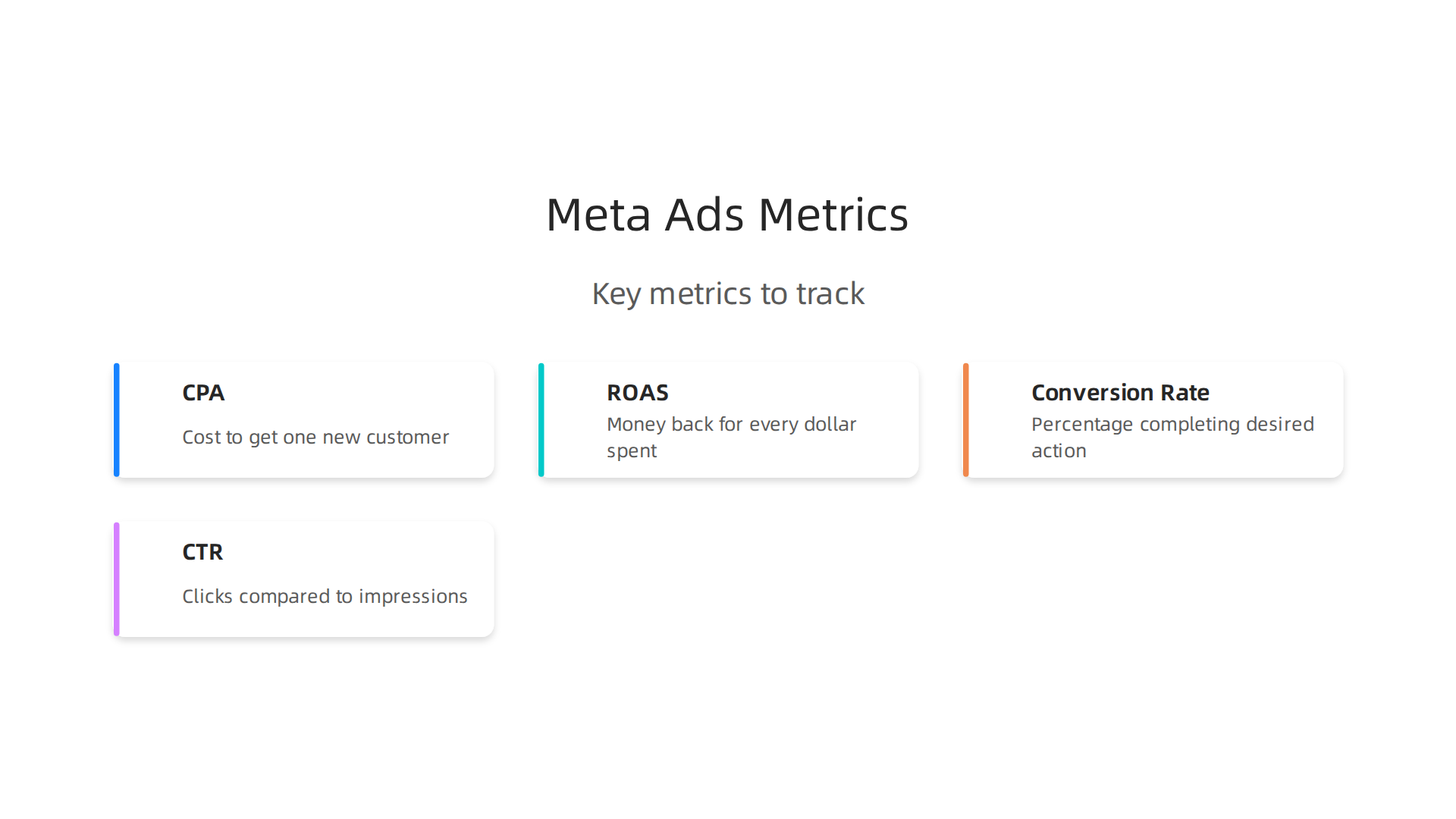
- **Key Metrics to Watch:
**
* Cost Per Acquisition (CPA): How much does it cost you to get one new customer or lead? Lower is usually better.
* Return on Ad Spend (ROAS): How much money do you make back for every dollar you spend on ads? This is vital for seeing if your ads are profitable.
* Conversion Rate: What percentage of people who click your ad actually complete your desired action (like a purchase or sign-up)? A higher conversion rate means your ads and website are doing a good job. You can learn more about improving your small business website conversion.
* Click-Through Rate (CTR): How many people click your ad compared to how many see it? A high CTR means your ad message is appealing.
- How Often to Check Your Ads:
- Daily: For early signals, especially when you launch a new ad or make big changes. Look for sudden drops in clicks or very high costs.
- Weekly: Review your overall performance. Are you hitting your CPA and ROAS goals? This is a good time to make small adjustments to bids, audiences, or ad creatives.
- Monthly: Do a deeper dive. Look at your long-term return on investment (ROI). Are your Meta Ads Search campaigns contributing to your business growth? This is also a good time to compare your Meta ad results with other types of search engine marketing or digital advertising marketing you might be doing.
Keeping a close eye on your numbers helps you make smart decisions quickly. If tracking and reporting feel too complicated for your small business, remember that many companies offer help with this. You can also get started with a free trial of a service that simplifies these aspects.
Ready to see how a professional service can transform your online presence and lead generation? Weblish — Get started with a free trial and let us handle the complexities of web design, SEO, and ongoing digital marketing for you.
For small and mid-sized businesses, managing all these aspects of digital advertising marketing, from setting up proper tracking to understanding complex reports, can be a lot. It’s often helpful to have a clear strategy and the right support to turn your website into a lead-generating powerhouse.
Ready for a website that attracts customers while you focus on your business?
Grow Your Traffic on Autopilot with Weblish and connect your website with our AI-powered platform to maximize lead generation.
For small and mid-sized businesses, mastering the basics of Meta Ads Search is just the start. Once your tracking is sound and you know your numbers, the next big step is to scale up what’s working, use automation wisely, and steer clear of common mistakes. This helps you get even more from your digital advertising marketing efforts without wasting money.
Scaling Your Winning Ads
When you find ad combinations (like a specific audience seeing a certain creative) that bring in great results, you’ll want to grow them. This is called scaling. But scaling isn’t just about putting more money into an ad. You need to do it smartly to keep your good results.
- Increase Budgets Slowly: Don’t suddenly double your daily spending. Meta’s system needs time to learn with new budgets. A good rule of thumb in 2026 is to increase your budget by no more than 10-20% every two to three days for stable campaigns that are already getting good results How to Scale Your Facebook (Meta) Ads in 2026. Sudden, large increases can actually make your ads perform worse. Meta itself often suggests a minimum daily budget for ad sets, and for most goals, it is around $50 in 2026 Meta Ads Budget Pacing: Why It Overspends & How to Fix It.
- Horizontal Scaling: Instead of only adding more money, think about expanding in other ways. This means trying your winning ads with new groups of people, in different places, or with slightly changed ad pictures or words. For example, if an ad works well for people in one state, try it in another. This type of scaling helps you reach more people without just spending more on the same group How to Scale Meta Ad Spend Without Breaking ROAS (2026 Playbook).
- Keep Creatives Fresh: Even the best ad will stop working as well over time because people get tired of seeing it. This is called ad fatigue. To avoid this, always have new images, videos, and texts ready to test. Meta recommends focusing on having many different creative ideas rather than splitting budgets across many small ad groups Ai-Powered Creative Tagging….
Automation and Smart Controls
Managing Meta ads search campaigns can be a lot of work. That’s why using automated rules is a smart move. These rules can help you keep your ads running well without constant checking.
- Automated Rules: You can set up rules that automatically change your budget or turn ads on and off based on how they are performing. For instance, you could tell Meta to increase your budget by a small amount if your Cost Per Acquisition (CPA) stays low for a few days. Or, if an ad starts costing too much per lead, a rule could pause it. It’s best to base these rules on results from the last 3 to 7 days, not just one day, to avoid making quick changes based on small ups and downs Meta Ads Automation Rules: 5 That Actually Work [2026].
- Bid Caps: This is a way to tell Meta the most you’re willing to pay for a specific action, like a click or a conversion. Using bid caps can help you control your spending, especially during times when people are less likely to buy. For example, you might set a lower bid cap for ads shown late at night Budget Pacing Facebook Ads — Complete Guide 2026. This helps keep your costs down. Meta offers different bid strategies, like "Lowest Cost" or "Cost Cap," which let you decide how much control you want over your bids Meta Bid Strategy Guide 2026: Lowest Cost vs Cost Cap ….
- Detecting Performance Decay: Even with automation, you need to watch for signs that your ads are getting tired. Watch for your Cost Per Mille (CPM), which is the cost per 1000 views, going up a lot. Also, if the "frequency" of your ads (how many times the same person sees your ad) gets too high, it’s a sign that your audience might be getting exhausted How to Scale Meta Ads Without Breaking Performance.
Avoiding Common Optimization Traps
Many small businesses fall into traps when trying to optimize their digital marketing online.
- Don’t Stop Too Soon: When you launch a new ad or make big changes, Meta’s system goes through a "learning phase." During this time, results can jump around a lot. Don’t pull the plug on a campaign too early just because it has a few bad days. Give it enough time to exit the learning phase and stabilize. Many campaigns fail to scale because people give up too soon Meta Campaign Scaling: The Complete 2026 Playbook.
- Don’t Forget About Your Website: Even the best Meta ads search campaign needs a great website to send people to. If your website isn’t easy to use or doesn’t make people want to buy, your ads won’t work as well. Making sure your website is always improving is a huge part of your digital marketing strategies for businesses.
By following these tips for scaling, automation, and avoiding traps, your small business can get much better results from its Meta ads. This steady effort will help your business grow.

Summary
Meta Ads Search brings search-style intent to Facebook, Instagram and other Meta placements, letting small and mid-sized businesses reach people who are actively looking for solutions. This guide explains where Meta search fits in your marketing mix, how to map keywords to informational, commercial and transactional intent, and how to match ads and landing pages for each intent. It walks through audience building with first‑party lists and lookalikes, creative and A/B testing approaches, and practical bidding and budget rules for tight SMB spend. You’ll also get step‑by‑step tracking advice — Pixel plus Conversions API and event deduplication — and a simple reporting cadence to judge performance. Finally, the guide covers scaling, automation rules and common optimization traps so you can grow leads without wasting budget.