Best Website Design to Generate Leads for Small Businesses
This article explains why

Why ‘best of website design’ matters for small and mid-sized businesses
Many small and mid-sized businesses (SMBs) work hard to get a website. They want it to look good and show off what they do. But here’s a common problem: lots of websites look pretty, but they don’t actually bring in new customers or make more money. They just sit there like a nice brochure, not helping the business grow.
Think about it. In 2026, the average website only turns about 2.35% of its visitors into leads or sales across all industries. That’s not very many, is it? This means most websites are not doing their main job. A big reason for this low number is how fast a website loads. If a page takes more than 1 second to load, fewer people will stick around. In fact, pages that load in just 1 second have a 3.05% conversion rate. But if a page takes 6 seconds to load, that number drops way down to just 1.08% [Website Speed & Performance Statistics 2026]. This shows how much a poorly performing website can hurt your chances of getting new customers.
This is why understanding the "best of website design" is so important. It’s not just about colors and pictures. It’s about building a website that truly works for your business. A website should be a helpful tool that brings in leads and helps you earn more. If your website is slow, hard to use, or doesn’t guide visitors to take action, it’s missing the mark. You need a website that not only looks great but also helps you reach your business goals, like getting more people to call you or buy your products.
In this guide, we’ll help you learn what makes for the "best in website design" for businesses like yours. You will find out:
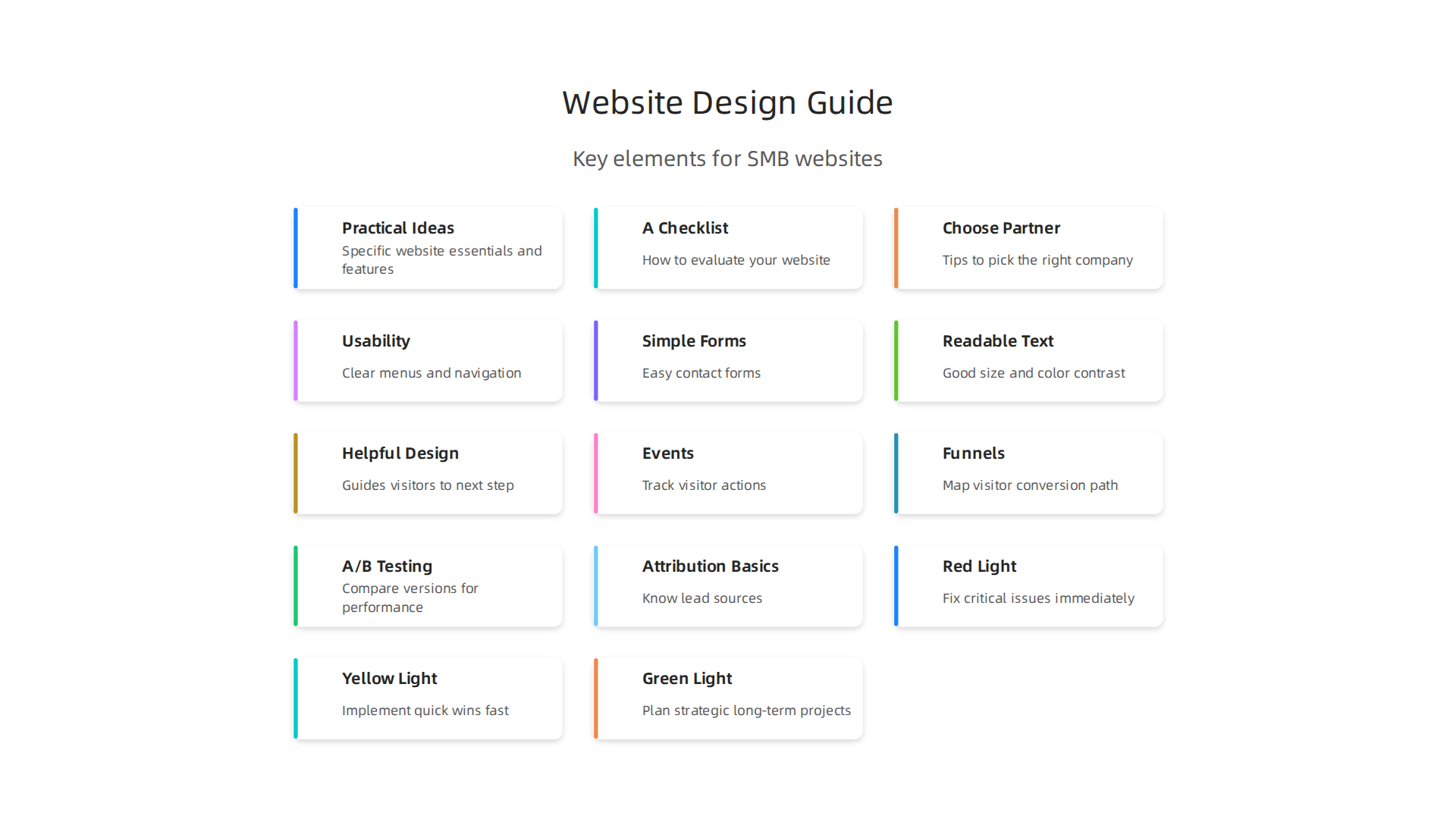
- Practical Ideas: What specific things should a top-notch website have?
- A Checklist to Help You: How to check if your current website is doing well, or how to pick a new design.
- How to Choose a Partner: Tips on picking the right company to build or fix your website so it works hard for you.
We want to help you turn your website into a powerful tool that helps your business grow.

You can learn more about how to make your online presence stronger by exploring how to build a lead generating website for small business growth.
Ready to boost your website’s performance and start attracting more customers today? Grow Your Traffic on Autopilot.
To turn your website into a powerful tool that helps your business grow, you need to understand the main things that make a website truly great. It’s not just about looking nice. The "best of website design" means a website that works well for everyone, loads fast, and helps people do what they came to do.

Let’s look at the key parts that make for the "best in website design":
Usability: Easy for Everyone to Use
Usability means how easy and pleasant your website is for people to use. A good website should be simple to navigate. Visitors should quickly find what they’re looking for, whether it’s your services, contact info, or products.
Think about these things for great usability:
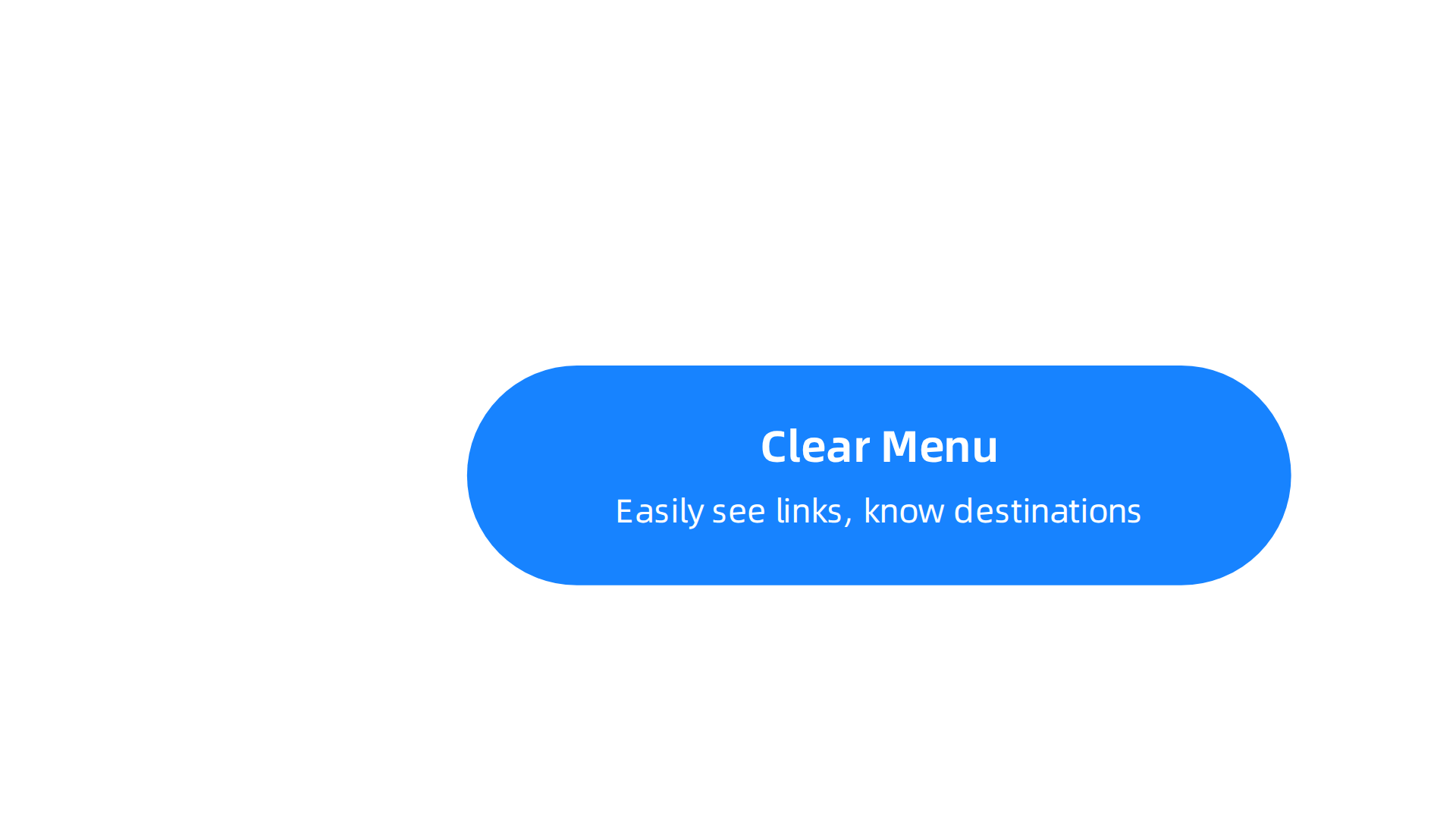
- Clear Menu: Can people easily see your menu and know where each link goes?
- Simple Forms: Are your contact forms easy to fill out? Too many steps or hard questions can make people leave.
- Readable Text: Is the writing easy to read, with good colors and size?
- Helpful Design: Does the website guide visitors to take the next step, like calling you or buying something?
When a website is easy to use, people stay longer and are more likely to become customers. If it’s hard to use, they’ll leave. This is why good usability is a big part of the "best for website design." You can learn more about how design can build trust by reading about designing UX for trust.
Accessibility: A Website for All
Accessibility means making sure your website can be used by everyone, including people with different abilities. This might include people who use screen readers to hear what’s on the page, or those who can only use a keyboard to click around.
Why is this important for businesses?
- Wider Audience: An accessible website reaches more potential customers.
- Good for Business: It shows you care about all your visitors.
- Better for SEO: Making your site accessible often helps it rank better in search engines too.
A truly top-notch, "best website page design" will make sure everyone can use it.
Technical Performance: Speed and Mobile Ready
Even if your website looks great and is easy to use, it won’t work well if it’s slow or broken on phones. Technical performance covers things like how fast your website loads and how well it works on mobile devices.
- Loading Speed: People don’t like to wait. In 2026, a website that takes just one second longer to load can make your conversion rate drop by 7% [Website Conversion Rate Statistics 2026]. This means fewer people will sign up, call, or buy from you. For every second of improvement in load time, conversions can go up by 2% to 7% [Page Load Time and Conversion Rates: Real Data for 2026].
- Mobile Performance: Most people use their phones to browse the internet. Your website must work perfectly on small screens. Sadly, mobile pages often load slower than on a computer. In fact, close to half of all mobile websites do not pass basic performance checks like Core Web Vitals in 2026 [Core Web Vitals Statistics 2026]. If your website isn’t fast and easy to use on a phone, you’re losing many potential customers. An improvement of just 0.1 seconds in mobile speed can raise retail conversion rates by over 8% [Web Performance Report 2026].
A fast, mobile-friendly website is key for the "best of website design" and for turning visitors into leads. If you want more tips on improving your website’s performance and turning more visitors into customers, explore small business website conversion.
After making sure your website is easy to use, works for everyone, and loads fast, the next big piece of the puzzle is how it looks and feels. This is all about visual design and brand consistency. A great looking website makes people feel good about your business and helps them trust you. It’s a key part of the best of website design.
Visual Design: What People See and Feel
Visual design is everything people see on your website. This includes the fonts, colors, pictures, and how all these parts are laid out on the page. Good visual design doesn’t just look pretty; it helps people understand your message quickly and feel connected to your brand. It can even make people trust your site more, which is important for turning visitors into customers [Impact of website visual design on user experience and website evaluation].
Here are the main parts of visual design:
- Typography (Fonts): The fonts you choose set the mood. Are they serious, fun, or modern? Easy-to-read fonts make your message clear. If fonts are too small or hard to read, people might leave.
- Color Scheme: Colors have feelings. Blue can mean trust, green can mean nature or growth. Using a few main colors that match your brand makes your website feel put-together and professional.
- Imagery (Pictures and Videos): High-quality photos and videos make your site attractive. They can show off your products, your team, or your services. Good images help tell your story. How you arrange these images also matters for how people "read" your page. This is called hierarchy.
- Layout and Space: How elements are spaced out on the page affects how easy it is to look at. Too much clutter can be confusing. Enough empty space, often called "white space," makes your content stand out and feel calm.
When these elements work together, they create a good user experience and help people want to learn more about you. Good graphical representation is one of the key elements that keeps users engaged with a website [A Literature Review: Website Design and User Engagement].
Brand Consistency: Showing Who You Are
Your website is a big part of your brand. Brand consistency means that your website’s look, feel, and message are the same across all your online and offline materials. This helps people remember you and know what to expect.
Think of it like this:
- Does your logo look the same on your website as it does on your business cards?
- Are you using the same main colors and fonts everywhere?
- Does the writing style on your website match how you talk to customers in person?
A website with strong brand consistency shows that your business is reliable and professional. It builds trust over time. This kind of thoughtful design is what truly makes for the best in website design. You can find some helpful ideas for your website’s visual appeal with these graphic design principles that turn your website into a lead generator.
What Makes a Visual Design Stand Out?
The best website page design isn’t about following every new trend. It’s about being clear, helpful, and true to your brand.
Here are some indicators of quality:
- Timelessness: A good design doesn’t look old quickly. It’s clean and functional, rather than just chasing the latest fad.
- Clarity: Is it easy to tell what your business does just by looking at the page? Do the visuals support the words?
- Purposeful: Every visual part should have a reason. It should help guide the visitor, build trust, or show off your brand.
- Reflects Your Business: The design should feel like your business, not just a generic template. It should tell your unique story.
Choosing a good design company can help you avoid trendy but ineffective visuals and instead focus on a design that truly works for your business. For any small business, building a strong online presence is key. If you are looking to make your website more effective at getting new customers, remember that a clear strategy and elegant design lead to fast-loading, conversion-optimized sites.
Connect your website with Weblish and Grow Your Traffic on Autopilot with AI.
The best of website design doesn’t just look good; it also works hard to bring in new customers. This is where "conversion-focused design" comes in. It’s all about making sure your website helps visitors take the right steps, like filling out a form, signing up for a newsletter, or buying something. When your website does this well, it helps your business grow.
Conversion-focused design: measuring lead generation and UX impact
For a website to be truly effective, it needs to turn visitors into leads. This is what we call conversion-focused design. It means every part of your website is made with a clear goal in mind: to get people to do something specific. It’s the core of what makes for the best in website design. A good user experience (UX) is key here, because if people enjoy using your site, they’re more likely to take action and become a customer [Impact of User Experience (UX) on Conversion Rates in E-Commerce Websites].
Here are important things that help your website get leads:
- Clear Calls to Action (CTAs): These are buttons or links that tell people what to do next. Think "Buy Now," "Sign Up," or "Get a Free Quote." They should stand out and be easy to find.
- Easy-to-Use Forms: If you want people to contact you, your forms must be simple. Ask only for the information you truly need. Long, confusing forms often make people leave.
- Strong Headlines: The words at the top of your page should grab attention and tell visitors right away what your page is about and how it helps them.
- Helpful Content: Give visitors the information they need to make a decision. This builds trust and shows you are an expert.
- Good Landing Pages: These are special pages made for marketing campaigns. They have a very clear goal, like getting people to download a guide, and focus only on that goal without distractions. They’re a prime example of the best website page design for a specific purpose.
To know if your conversion-focused design is working, you need to measure it. Here are some ways businesses check their website’s performance:
- Events: This means tracking small actions visitors take. For example, did they click a certain button? Did they watch a video? Did they scroll to the bottom of a page? Knowing these small steps helps you understand how people use your site.
- Funnels: Imagine a path visitors take on your site, from first visit to becoming a customer. A "funnel" tracks how many people move from one step to the next. If many people drop off at one step, you know there’s a problem to fix.
- A/B Testing: This is like trying two different versions of a webpage to see which one works better. You might show half your visitors one version and the other half a slightly different one. The version that gets more conversions is the winner! This helps you improve your site over time.
- Attribution Basics: This helps you understand where your leads come from. Did they find you through Google search? A social media post? An email? Knowing this helps you spend your marketing money wisely.
Measuring these things helps you see the impact of your best for website design choices.

It also ensures that your website is not just a pretty face, but a real lead-generating machine. For small businesses looking to transform their online presence and attract more customers, understanding how to measure these key design elements is vital. If you want to make your website turn more visitors into actual customers, explore how to get your small business website conversion numbers up.
To truly get the best out of website design and boost your conversion numbers, picking the right partner is super important.

It is not just about finding someone who can build a pretty site. You need a team that understands how to make a website work hard for your business, turning visitors into actual leads. This means looking closely at how they charge, what they include, and how clear they are about everything.
Choosing the right provider: transparency, pricing models, and scope
When looking for the best in website design, understanding pricing models is key for small businesses. There are a few main ways web design companies charge for their work. Each has its pros and cons.
-
Project-Based Pricing: This is when you pay one set price for the whole project. You agree on what will be built, and they give you a total cost.
- Pros: You know the full cost upfront. It’s great if your project has a clear finish line. About half of agencies use this model for their income in 2026 [Agency Pricing in 2026 — Real Rates, Formulas, and …].
- Cons: Changes during the project can cost extra. It usually doesn’t include ongoing support after the site is finished. A small project might cost anywhere from $5,000 to $30,000 [Top Web Design Service Providers (with Pricing) for Businesses].
-
Subscription or Retainer Models: With these, you pay a regular fee every month.
- Subscription: This often includes the website build and ongoing services like updates, security, and changes. It makes costs predictable. Many small businesses find this is the best for website design because it often includes continuous support and improvements. Subscription plans can range from $400 to $3,500 per month in 2026, and basic maintenance plans for small businesses are typically $75 to $200 per month [Website Maintenance Cost for Small Business (2026 Guide)].
- Retainer: You pay a monthly fee for a set amount of work or access to a team. This is good if you need regular updates and changes. Retainers make up 44% of agency revenue [Agency Pricing in 2026 — Real Rates, Formulas, and …].
- Pros: Steady, predictable costs. Ongoing support means your site stays current and secure. It offers a clear path to growth without big surprise bills.
- Cons: It’s a monthly commitment.
-
Hourly Rates: You pay for the time the designer or developer spends working on your site.
- Pros: You only pay for what you use. This can be good for small, specific tasks.
- Cons: Costs can quickly add up if the work takes longer than expected. Freelancers might charge $25 to $150 per hour, while agencies can charge $60 to $300 per hour [Web Design Pricing 2026 — Rates from 600+ Project Quotes].
Look for Transparency and Avoid Surprises
To ensure you’re getting the best website page design for your money, always look for transparency. Here are some red flags and what to ask for:
- Red Flags: Watch out for vague contracts, promises that sound too good to be true, or a lack of clear details on what you’re getting. Hidden fees are a big no-no.
- What to Ask For:
- A detailed work plan showing exactly what they will do.
- Clear deadlines for when things will be finished.
- Information about ongoing maintenance and support. Who owns the website files once it’s done?
- A breakdown of costs so you know what each part costs.
Choosing a partner with clear pricing and a strong focus on your business goals ensures you get the "best of website design" that truly drives leads. If you are looking to find a great partner, learn more about how to choose the best website design company for SMB lead generation.
For small businesses seeking a steady hand in web design and online growth, a reliable service can make all the difference. Get started with Weblish by signing up and claiming your free trial.
Connect your website with Weblish and Grow Your Traffic on Autopilot with AI.
Choosing a great web design partner is only the first step. To truly get the best of website design and ensure your site keeps bringing in leads, you need to think about what happens after the website is built. A website is not something you set up once and then forget. It needs ongoing care, much like a garden needs water and weeding to grow.
Ongoing value: maintenance, updates, SEO and conversion optimization
For your website to be the best for website design and a real lead-generating machine, it needs regular attention. This ongoing work makes sure your site stays fast, safe, easy to find, and great at turning visitors into customers. Think of it as four main areas: content, technical upkeep, SEO, and conversion rate optimization.
1. Content Updates
Your website needs fresh and helpful content to attract new people and keep old ones coming back. This means writing new blog posts, updating product or service descriptions, and adding new pictures or videos. Fresh content helps your site stay relevant and gives visitors a reason to explore more.
2. Technical Upkeep
This part is about keeping the "engine" of your website running smoothly. It includes:
- Security updates: Just like your phone or computer, websites need regular updates to protect against online threats.
- Backups: Making copies of your website data is super important. If something goes wrong, you can quickly restore your site.
- Speed checks: A slow website can make visitors leave before they even see your offerings. Checking and improving speed is key.
- Fixing broken links: Links that go nowhere make your site look messy and can hurt its standing with search engines.
- Monitoring: Keeping an eye on your site to make sure it’s always online and working right A Practical Website Maintenance Checklist for 2026.
Basic website maintenance for small businesses usually costs between $75 and $200 per month in 2026, though this can vary Website Maintenance Cost: A 2026 Budget Guide.
3. Search Engine Optimization (SEO)
SEO is all about helping your website show up higher in search results when people look for things you offer. For the best in website design, your site needs to be built in a way that search engines like Google can easily understand. Ongoing SEO tasks include:
- Keyword research: Finding the words people use to search for businesses like yours.
- On-page SEO: Making sure your website’s text, images, and headlines use those keywords smartly.
- Technical SEO: Ensuring your site’s structure helps search engines crawl and index it correctly. There are many checkpoints to consider for a full SEO Maintenance Checklist for 2026 Stay Ahead All Year.
4. Conversion Rate Optimization (CRO)
This is about making your best website page design as effective as possible at turning visitors into leads or customers. It means checking things like:
- Are your "Contact Us" forms easy to find and fill out?
- Are your calls to action clear?
- Does your website guide visitors naturally toward becoming a customer?
- Testing different versions of pages to see what works best.
Prioritizing for Small Businesses with Limited Budgets
Small businesses might not have huge budgets for daily maintenance, but a smart plan can help.
- Weekly Tasks: Check backups, update plugins, scan for broken links, and look at security alerts Website Maintenance Checklist 2026: Secure, Fast, SEO-Ready. If you can, add a new piece of content like a blog post.
- Monthly Tasks: Review your website’s performance using tools like Google Analytics. Check page speeds and review your SEO rankings. Fix any minor issues that pop up.
- Quarterly Tasks: Do a deeper check of your website’s content and design. Are there old pages that need updating or removing? Is the site still user-friendly? This is a good time to do a mini website audit.
- Annually Tasks: Once a year, consider a full website audit. This checks everything from your site’s technical health to its content and how well it helps users Complete Website Audit Checklist 2026: 50+ Points to Check. This is also a good time to plan your website budget for the coming year, splitting costs into different areas like platform, content, and growth initiatives Annual Website Budget Planning India SMB (2026) | Guide ….
An annual website audit, as we talked about earlier, is super important. It’s like giving your website a full health check. This helps you figure out what’s working well and what needs fixing to keep your site performing its best for website design and bringing in new customers.
A full website audit in 2026 is a careful look at everything on your site. This includes how it looks, what it says, if it’s fast, if it’s safe, and if people can easily find it when they search online. It helps you see what might be holding your website back from being the best website page design for your business.
Getting Started with Your Audit
Before you dive in, you’ll need a few things. Make sure you can get into tools like Google Analytics and Google Search Console. These free tools give you important clues about how people use your site and how search engines see it. For a step-by-step guide on how to do this, many experts offer clear advice for business owners Step by Step Website Audit for SMB Owners (2026).
Audit Workflow: What to Check and How to Decide
Think of your website audit as going through a checklist. You’ll look at different parts of your website and give each part a score or a color.
-
Areas to Check: A good audit covers these main things:
- Design and Layout: Is it easy to use and does it look good?
- Content Quality: Is your text helpful and clear?
- Technical Health: Does your site load fast? Are there broken links? Is it secure?
- SEO: Can search engines understand your site and rank it well?
- Mobile Use: Does your site work perfectly on phones and tablets?
- User Experience: Is it easy for visitors to find what they need and take action?
-
Scoring and Decision Rules: As you go through each item, you’ll decide how well your site is doing. You can use a simple scoring system, like a 10-point scale, to help you understand where you stand Small Business Website Audit: A 10-Point Checklist for 2026. Based on your findings, you can sort issues into three groups:
- Red Light (Go/No-Go Items): These are big problems that need to be fixed right away. Maybe your site is broken, or there are major security risks. If your website can’t be found or is not safe, it’s a "no-go" for bringing in business.
- Yellow Light (Quick Wins): These are easier fixes that can give you fast results. For example, making your pictures smaller so your page loads faster, or making your "Contact Us" button more noticeable. These are smart changes that don’t take a lot of effort but can make a big difference quickly.
- Green Light (Strategic Investments): These are bigger projects that might take more time and money but will help your business grow a lot in the long run. This could mean adding a whole new section to your website, revamping your content, or making your site much better for mobile users.
Using this process helps you decide where to put your time and money for the best in website design. It also helps you drive business growth with the right SEO audit tools.
If all this sounds like a lot, don’t worry. Many small businesses get help with their website audits and ongoing needs. It’s about finding the right partner to help you turn your website into a real lead-generating machine. You can even Get started with weblish by signing up and claiming your free trial to see how a dedicated team can transform your online presence.
Ready to see your website truly perform? Grow Your Traffic on Autopilot with smarter tools and expert support.
Summary
This article explains why