.png)
Why Your Website Needs ADA Compliant Website Design and Accessibility Audits
Discover why ADA compliant website design is essential for inclusivity and legal protection. Learn how a website accessibility audit prevents lawsuits and boosts your online presence. We also cover creating a GDPR compliant website a robust privacy policy for website and ensuring a HIPAA compliant website for healthcare. Protect your brand enhance user trust and reach every customer.

In today's digital landscape, where websites have transformed into the front door of various businesses and services, it is only correct that making them equally accessible to all is a top priority. The term 'ADA compliant website design' is used to describe the creation of web experiences that are fully compliant with the regulations of the Americans with Disabilities Act (ADA). These are sites that offer users with disabilities the ability to interact and transact through the site, like those with visual impairments, hearing loss, or motor difficulties. A website accessibility audit entails the systematic checking of your site against necessary standards to identify any contradictions and propose methods for fixing them. This method not only prevents possible legal challenges but also widens the customer base, thus being inclusive and building trust. Through this method of focusing on ADA-compliant websites, businesses have the opportunity to improve customer satisfaction and be in a good position amid emerging regulations.

Nevertheless, the gains from this course of action are considerable. An exclusively ADA compliant website design enhances search engine rankings since accessibility sites frequently excel in SEO because of their clean code and user-friendly navigation. Moreover, it raises the converse figure. Accessibility increases user engagement on the studied sites by as much as 20%. Who needs to comply? Public-facing businesses, governmental institutions, and schools, primarily, are the ones who fall under the ADA Title III premises of public accommodation. You may not be required to but implementing ADA compliant website design is a way of showing social responsibility, which can set your brand apart.
The platform, on which you can learn the essentials, is the one that provides a comprehensive guide to building an ADA-compliant website from Webstix, the guide that boasts of WCAG principles. The template of the ADA.gov resource page on new web rules clearly illustrates the requirements for web content and apps. Readers can also refer to Boia's description of what it means when a website is ADA compliant where they explain how people with disabilities have equal access on the internet.
ADA Compliant Website Design Standards Mapped to WCAG with a Practical Checklist
The Web Content Accessibility Guidelines (WCAG), which were created by the World Wide Web Consortium (W3C), are central to ADA compliant website design. The WCAG provides a measurable framework that is aligned to ADA standards, emphasizing the following four principles: perceivable, operable, understandable, and robust (usually abbreviated to POUR). Most businesses can achieve ADA compliant website design by targeting only for WCAG 2.1 Level AA because it covers the most common issues without becoming too demanding.
A quick overview of the process to run a website accessibility audit which involves the steps, tools needed, roles of involved parties, and the deliverables expected.
WCAG is a set of standards that directly addresses the accessible content of ADA. Failure to provide alt text and captioned videos would violate the ADA by preventing the visually impaired from accessing the information. The minimal requirement is Level A; the standard is additionally enhanced with AA which involves things such as color contrast (at least 4.5:1 ratio) and AAA is reserved for advanced needs.
Here's a practicable checklist for implementing ADA-compatible website design, which is dedicated to designers, developers, and content creators:
| WCAG Principle | Key Standard | Checklist Item | Why It Matters for ADA |
|---|---|---|---|
| Perceivable | 1.1 Text Alternatives | Add descriptive alt text to all images and form labels. | Allows users who use screen readers to have full understanding of visuals, thus preventing claims of ADA violation. |
- |
| Operable | 2.1 Keyboard Accessible | Test navigation without a mouse; use skip links. | Allows motor-impaired users to browse, aligning with ADA's equal access mandate. |
| Understandable | 3.3 Input Assistance | Provide clear error messages and labels on forms. | Less cognitive confusion, besides better usability for people with disabilities supporting the ADA. |
| Robust | 4.1 Compatible | Use semantic HTML and ARIA roles for compatibility. | Adds to the assistive tech workability, which is one of the broad accessibility goals of the ADA. |
This table is based on the guidance provided by the W3C's WCAG 2.1 guidelines, which offer numerous suggestions. Visit W3C's page for a full list, and WCAG.com's 101 guide will teach you how these are connected to the ADA compliance. Service from e9digital imparts the real-world application of ADA-compliant website design at WCAG 2.1 AA. It also provides the necessary accessibility audit tools like a site shift preview. Keywords: ada compliant website design, website accessibility audit, privacy policy for website, hipaa compliant website
A website accessibility audit is a painstaking assessment carried out to see if your website is in line with ADA compliant website design regulations. It is not a task to be done once but is an ongoing process to avoid issues. The first step is to scope the audit: determine the site's reach (e.g., homepage, key pages) and success criteria, for instance, adherence to WCAG AA. The matrix should include a role such as an accessibility specialist to do the testing, a developer to implement fixes, and a project manager to oversee the whole process.
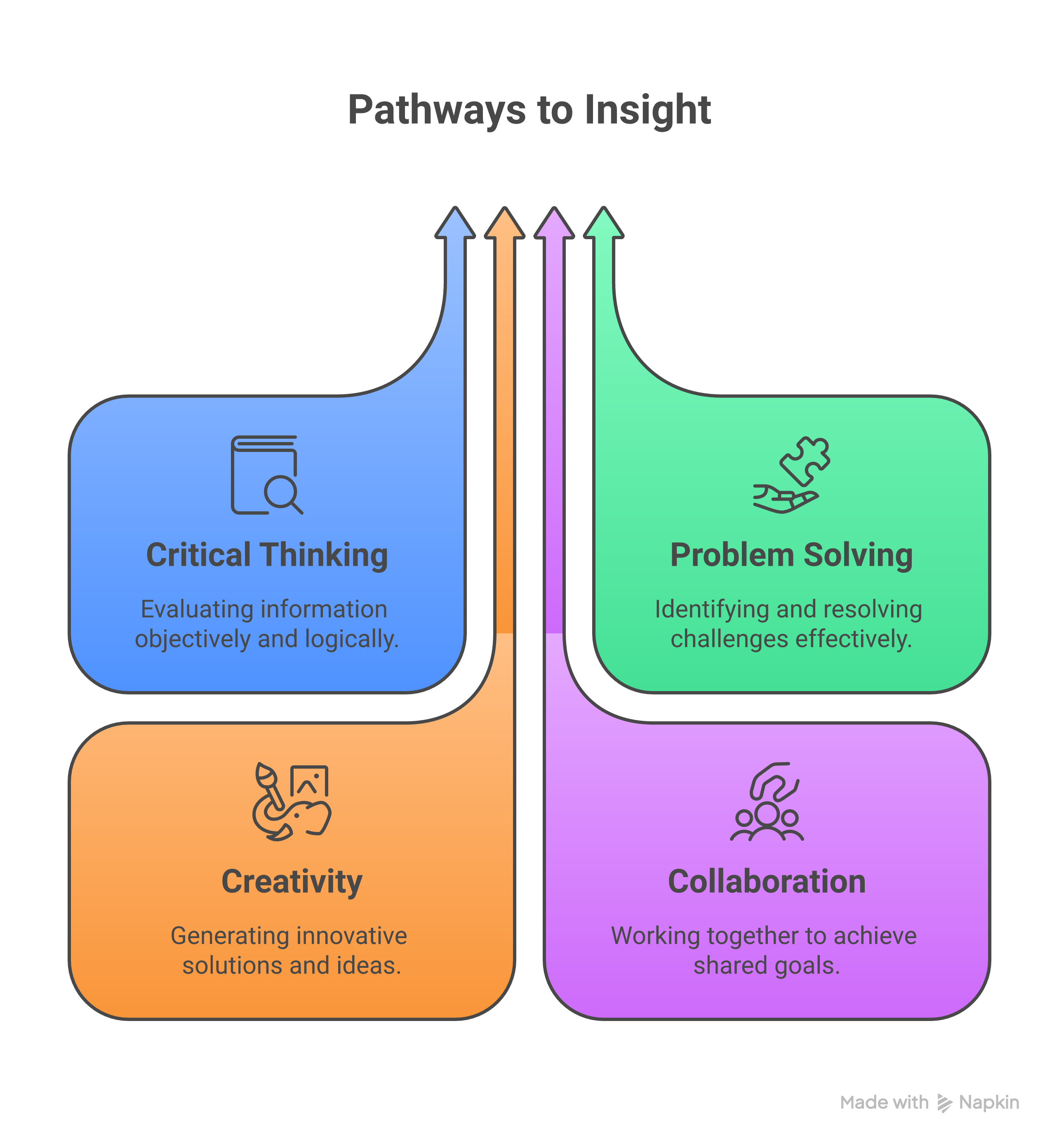
Step 1: Automated Testing. Apply tools to discover issues such as missing alt text and low contrast. Step 2: Manual Testing. Mimic disabilities—e.g., navigating with the keyboard or screen reader. Step 3: User Testing. Get feedback from people living with disabilities. Step 4: Reporting. Compile the findings into a prioritized list and formulate remediation plans. Deliverables will contain an audit report, issue tracker, and compliance roadmap.
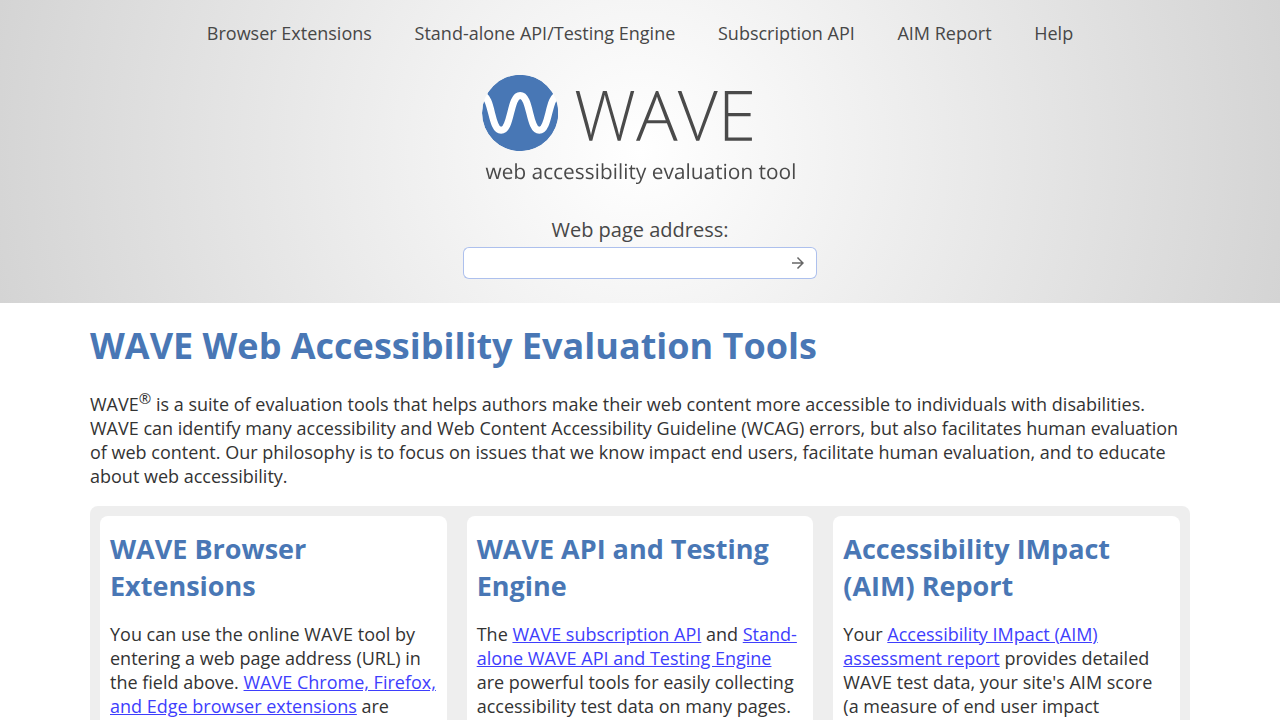
WAVE and Axe are tools that support automation, whereas NVDA is a screen reader that provides manual insights. The Section508.gov guide to accessible web design is a quick recap of the WCAG conditions for audits. For government-related counsel, ADA.gov's web guidance outlines how to create accessible web pages. Webstix’s blog on ADA compliant website design incorporates methods of auditing related to WCAG.
ADA Compliant Website Design Workflow from Discovery to QA and Maintenance
Creating an ADA compliant website design follows a naturally linear workflow to introduce accessibility from the very beginning. In the discovery phase, the initial website accessibility audit will ascertain the state of the current site with essential stakeholder input on user needs. After that, the design is done: wireframes should be the first to emphasize the POUR principles while using tools like Figma with accessibility plugins. Keywords: ada compliant website design, website accessibility audit, gdpr compliant website, privacy policy for website, hipaa compliant website

Semantic HTML reading and the iterative testing process are two key aspects of coding. QA (quality assurance) automated testing mostly, but encompasses both manual checks according to WCAG. The launch of the maintenance period, which covers tasks like quarterly website accessibility audits, changing content, and user feedback surveillance, is related to the maintenance mentioned in the previous sentence. Governance is, for instance, an accessibility policy that provides an assurance for the long-term commitment.
The costs are variable: the discovery stage may be $5,000–$10,000, mid-sized site development will be from $20,000 to $50,000, and annual maintenance costs will be in the range of $2,000–$5,000. The time investment trade-off includes time dedication; however, the other way is via the overlay widget, which is a quick solution. The W3C WCAG 2.1 document is the guideline for the workflow. Boia's ADA compliant website explanation emphasizes the importance of ongoing maintenance tasks, and ADA.gov's new rule fact sheet presents the norms required after launching the website.
GDPR Compliant Website with Privacy Policy for a Website to Align with Accessibility
Although ADA targets independence, there is also a natural overlap with the GDPR compliant website that handles data privacy and EU users, and its connection to ADA, which is designed to be used by people with disabilities. The GDPR is not only about the requirement of consent but also about transparency; therefore, a GDPR compliant website addresses data privacy for EU users and has a natural overlap with ADA compliant website design. The GDPR requires explicit consent mechanisms, like cookie banners, which must be accessible—e.g., keyboard-navigable and screen-reader friendly—to prevent the exclusion of the disabled. The privacy policy for the website should clarify data processing using simple language and a WCAG-compliant format. Keywords: ada compliant website design, website accessibility audit, gdpr compliant website, privacy policy for website, hipaa compliant website
Assimilating these denotes sympathy. It is only through the combination of these two procedures that privacy notices are integrated into accessible forms, and tracking tools are guaranteed not to create barriers. Take, for example, a GDPR compliant website with a robust privacy policy for website can create a similar trust or confidence as ADA does for inclusivity. e9digital's **ADA web design service** deals with privacy integrations. The W3C WCAG overview helps the user know what is meant by example interfaces being accessible for people with disabilities, and Section508.gov's development guide gives advice on design privacy issues.
HIPAA Compliant Website Considerations for Healthcare and PHI
A HIPAA compliant website is a crucial factor for healthcare providers when handling protected health information (PHI), including tools like portals. The HIPAA privacy and security rules require secure bases that are implemented, which in turn, are required by ADA accessibility website design, affected by the security of the system, and thus involves the user interface being secure and accessible. For example, login forms must be, besides ADA compliant, also secure by encrypting data (e.g., not using CAPTCHA barriers for disabled users to enter data).
When is it needed? If your site collects or stores PHI, like appointment bookings. Both security and accessibility require a strong, without compromise approach—e.g., using accessible two-factor authentication. Webstix's **ADA compliant website design** blog talks about how ADA applies to healthcare. ADA.gov web guidance provides secure access, and WCAG.com offers WCAG link health data compliance.
Comparison – ADA vs GDPR Compliant Website vs HIPAA Compliant Website – Overlaps and Gaps
Keywords: ADA compliant website design, website accessibility audit, GDPR compliant website, privacy policy for website, HIPAA compliant website
Websites that are ADA compliant website design, GDPR, and HIPAA compliant website share common goals of protecting user rights and freedoms; however, they differ in their approach. ADA compliant website design primarily addresses disabilities, GDPR emphasizes EU data privacy, and HIPAA is mainly concerned with healthcare data security in the U.S. Areas of mutual benefit include user consent interfaces that must be accessible and secure, as well as dual-eligibility practices from which an ADA compliant website design would benefit.
Contrasts: ADA compliant website design does not provide information regarding data, unlike GDPR, which imposes fines of up to 4% of revenue, or HIPAA's breach notifications. The comparison chart below serves as a helpful guide.
| Aspect | **ADA Compliant Website Design** | GDPR Compliant Website | **HIPAA Compliant Website** |
|---|---|---|---|
| Focus | Accessibility (e.g., WCAG) | Data privacy/consent | PHI security/encryption |
| Scope | U.S. public sites | EU/global data handling | U.S. healthcare entities |
| Overlaps | Accessible privacy notices | Consent forms must be operable | Secure, accessible portals |
| Gaps | No data breach rules | Less on disabilities | Limited non-health privacy |
| Penalties | Lawsuits ($10K+) | Fines (4% revenue) | Fines ($50K/violation) |
Boia's **ADA meaning post** presents a perspective contrary to privacy laws. W3C WCAG guidelines demonstrate a collective gain in usability. A valuable resource for website accessibility audit is the Section508.gov guide, which discusses security gaps.
ADA Compliant Website Design with Examples and Case Studies of Outcomes
The virtual reality experience exemplifies the power of ADA compliant website design. Target.com, after updating its website following a post-2019 lawsuit by incorporating alt text and keyboard navigation into its UI, observed a 12% increase in session duration and a reduction in complaints. Similarly, Beyoncé's site, designed with WCAG AA, positively engaged fans for visually impaired users and garnered positive media attention. Keywords: ada compliant website design, website accessibility audit, gdpr compliant website, privacy policy for website, hipaa compliant website
In medical facilities, a HIPAA compliant website that prominently features ADA saw 25% more portal logins by patients with disabilities. Theoretical scenarios indicate that ADA compliant website design largely improved the retention of patients. Webstix's accessibility blog observes results, e9digital's service page mentions redesign successes, and ADA.gov's rule sheet lists case impacts.
Bugs in Website Accessibility Audit and Quick Resolutions
In the process of a website accessibility audit, such common errors as overlooking mobile responsiveness, which is included in the operable WCAG criteria, or using auto-generated alt text that's vague. Readers often encounter another one: poor color contrast, giving rise to readability issues. Simple solutions: Before running manual tests, conduct automated scans; alt text should be more descriptive (e.g. instead of "button" use "Red submit button").
Bypassing forms with no labels could be a possibility of a user getting stuck in—fix should be ARIA attributes usage. For GDPR compliant website and HIPAA compliant website, make privacy policy for website accessible. Be warned of these issues by WCAG 101 from WCAG.com, W3C overview suggesting quick fixes, and Boia's ADA post listing audit errors.
Tools, Templates and Resources for ADA Compliant Website Design and Audits
Make the most of disability rights activists' website design by tapping into these tools: Axe DevTools for audits, UserWay for overlays (although prioritize native fixes) and NVDA for screen reading. Templates include WCAG checklists from W3C and audit report formats from AccessibilityOz.
A few essential resources available for you include the free WCAG quick reference, the ADA.gov webinars, and the courses available at Deque University. The OneTrust templates for the privacy policy for the website are to be used in those situations when your website has GDPR compliance issues. In the HIPAA contexts, the Compliancy Group's toolkit, which offers secure audits, will aid. As per Section508.gov's guide, there are templates available, ADA.gov guidance lists resources, and Webstix's blog writes about the tools.
FAQs – ADA Compliant Website Design, Website Accessibility Audit, GDPR Compliant Website, Privacy Policy for Website, HIPAA Compliant Website
- What does ADA compliant website design entail? Following the WCAG guidelines that cover text alternatives and navigation to ensure that visually impaired users can use the sites.
- How regularly should you run a website accessibility audit? At least once a year or every quarter for high-traffic sites to improve or maintain compliance.
- Is a GDPR compliant website compulsory for non-EU businesses? Yes, if they are handling EU data; they must integrate it with the ADA for accessible consents.
- What do you need to put in a privacy policy for website? Be honest about data practices and clearly state the information in an accessible format, for example, by linking it to the ADA standards.
- Is it a must to have a HIPAA compliant website? It becomes imminent for any website that is processing PHI, thus ensuring secure and accessible features.
- In what way do ADA and HIPAA coincide? Both demand unobstructed access to sensitive data, such as forms written in a readable way, which is health-related.
Additionally, visit W3C WCAG and e9digital's ADA page.
The next steps are to unite all stakeholders, spot the key pages, and program a website accessibility audit. Also, for further reading, consult ADA.gov resources for ADA, GDPR.eu for privacy, and HHS.gov for HIPAA. Keywords: ada compliant website design, website accessibility audit, gdpr compliant website, privacy policy for website, hipaa compliant website
Related Reading
- Guide to Website Design Pricing: 2025 Average Website Cost for Small Business Revealed
- Modern Website Design Guide 2025: Best Homepage Design and Mobile-Friendly Strategies
- Website Designer Near Me: Complete Guide to Finding Local Web Design Services in 2024
- How to Get Affordable Web Design for Your Small Business: Find Cheap Website Solutions and Packages
- What Are Custom Web Development Services and How Do They Drive Business Growth
- SEO Audit Services: Complete Guide with Free SEO Audit Benefits and Content Audit Strategies
- How to Fix My Website Fast: A Complete Guide