
What is a UI/UX Designer for Small Business Lead Generation
This article explains what UI and UX designers do and why small businesses should understand their roles to make websites that actually generate leads. It defin…

Why small businesses need to understand UI and UX designers
Many small businesses have a website, but it often acts like a pretty brochure. It shows what you do, but it does not really bring in new customers or leads. This is a common problem in 2026. If your website is not working hard for your business, you might be missing out on many sales. This is where understanding what is a UI/UX designer comes in handy. These design experts can turn a simple website into a powerful tool that brings in leads and helps your business grow.
So, what is a UI and UX designer? These two roles, often talked about together, are key to making a website both nice to look at and easy to use. While they work closely, they focus on different parts of your website.
First, let’s talk about UX. UX stands for User Experience. A UX designer focuses on the overall feeling a person gets when they use your website. They think about how easy it is to find information, how smooth the process is when a customer wants to buy something, and if using the site makes sense. It’s about making sure your website is helpful and not confusing. These pros make sure that using your website is a truly enjoyable journey, blending creativity with smart thinking to make technology simple and fun to use, according to What Is A Ui/Ux Designer.
Next, we have UI. UI stands for User Interface. A UI designer is all about how your website looks. They pick the colors, fonts, and buttons. They decide where pictures go and how things move on the screen. The UI designer makes sure everything on your website looks good and is easy on the eyes. This helps people feel good about using your site. Together, UX and UI design work hand-in-hand to create great digital products.
For small businesses, having a great UI/UX design means your website can do much more than just show information. It can actually become a strong part of your sales team. A well-designed website helps turn visitors into paying customers. It guides them through your products or services, making it simple to get in touch or make a purchase.

This means more leads and more growth for your business. If you are looking to truly transform your online presence, it might be time to find the best website design company for SMB lead generation.
Thinking about how to make your website better? Weblish offers a done-for-you growth service that provides great web design, development, and more.
It helps small businesses build premium websites that work like lead-generating machines. You can even get started with Weblish by signing up and claiming your free trial.
Want your website to start working harder for you?
Grow Your Traffic on Autopilot
Now, let’s look closer at what each type of designer really does. Knowing the difference between them will help you understand what is a UI/UX designer and how they work together to make a great website.
What UI designers do vs. what UX designers do
While UI and UX designers both make digital products better, they focus on different parts of the work. Think of it like building a house. The UX designer makes sure the house plan works well and is comfortable to live in. The UI designer then chooses the paint colors, furniture, and decorations to make it look beautiful.
What UX designers focus on
A UX designer thinks about the whole journey a user takes with a website or app. Their main job is to make sure using the product makes sense and feels good. This means they spend time understanding the people who will use the website.
They ask questions like:
- What do users need to do?
- What problems are they trying to solve?
- How do they like to interact with things online?
To figure this out, UX designers often do a lot of research. They might talk to real users or watch how people use similar websites. This helps them learn what works and what does not. They also plan out the path a user will take on a website. This is called "information architecture," which just means making sure information is easy to find. They create simple drawings called "wireframes" and models called "prototypes" to show how the website will work before it is fully built. These professionals are the architects of the user journey, making technology simple and fun to use, according to What Is A Ui/Ux Designer.
A good UX designer ensures that finding a product, clicking a button, or filling out a form is smooth and easy. They want every step to be logical and clear. This makes people happy and keeps them on your site longer. In fact, a UX designer’s job includes making sure the website is intuitive and easy to use, as noted in a PDF from the State of Texas.
What UI designers focus on
On the other hand, a UI designer focuses on how the website looks and feels. UI stands for User Interface. This designer is the artist of the digital world. They choose all the visual parts you see on a screen.
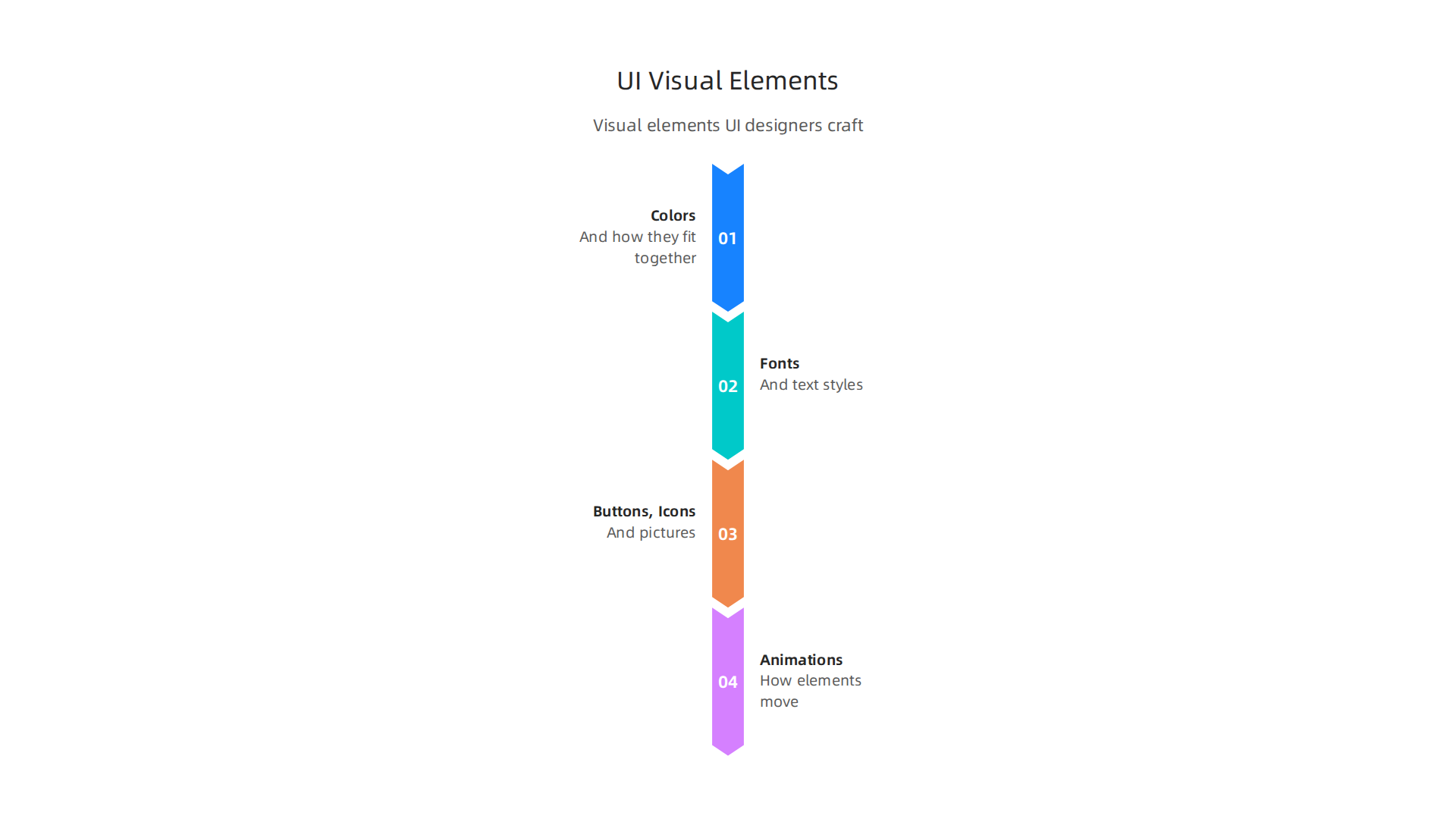
This includes:
- Colors and how they fit together.
- Fonts and text styles.
- Buttons, icons, and pictures.
- How elements move or animate when you click them.
A UI designer makes sure everything on your website is pretty and easy on the eyes. They want it to look professional and inviting. Their goal is to create a visually pleasing experience that also guides the user. For example, they make sure a "Buy Now" button stands out, or that navigation menus are clear and easy to read. They design all the screens and individual elements that make up a digital interface, as explained by the UX Design Institute.
When a website looks good, users trust it more and feel better about using it. This is a big part of why you need to know what is a UI and UX designer. To learn more about how design impacts your business, you can check out what is UI design.
Where responsibilities overlap
Sometimes, especially in smaller businesses or teams, one person might do both UI and UX design. When someone asks "what is a UI UX designer," they are often thinking of this combined role. These designers blend both parts to create digital products that are both pretty and easy to use. They might research users, plan the website flow, and then also design all the colors and buttons. This combo role is common because UI and UX naturally go hand-in-hand. They work together to make sure that a product is not just functional, but truly enjoyable, as highlighted by What Is UX/UI Design? Skills Explained for Aspiring Designers.
It’s easier to understand what is a UI and UX designer when you see real examples. Let’s look at how changes to a website can be either UI or UX work. Thinking about these examples can help you recognize what makes a website great, and where yours might need some help.
UI vs UX: practical examples you can recognize on your website
Imagine you have a website where people can buy clothes. Both UI and UX designers want to make this website better, but they would change different things.
UX Design in Action (Making it Easier to Use)
A UX designer thinks about the whole shopping trip.
- Problem: People come to your website, but they can’t find the size chart. They leave without buying anything.
- UX Solution: The UX designer might do some research. They learn that users expect the size chart to be right next to the size options.
- Change: They move the size chart link. Now, it’s a small, clear button directly under where you pick your size.
- Result: More people find the right size and complete their purchase. This makes the shopping journey smoother.

Another UX example could be about how easy it is to find what you want.
- Problem: Your website sells many different types of clothes, but users get lost in the menus.
- UX Solution: The UX designer reorganizes the menu. They might group items differently or add a search bar that works better. They want to make sure the "information architecture" or how things are organized, makes sense. These pros aim to make digital products intuitive and easy to use, as highlighted by a PDF from the Department of Labor.
- Change: Instead of one big menu, they create categories like "Men," "Women," and "Kids," and then smaller groups like "Shirts," "Pants," and "Dresses" under each.
- Result: Users can quickly click through to the section they need, saving time and frustration. This kind of change is often a bigger project, requiring research to understand how users think.
Good UX design ensures that customers can easily find products and finish buying them, which is a major part of making websites that generate leads. If you want to dive deeper into making your website a lead machine, consider learning about some helpful tools. Explore the 12 Best UX UI Designer Tools to Master in 2026.
UI Design in Action (Making it Look Better)
A UI designer focuses on the looks. They make sure the website is pretty and inviting.
- Problem: Your website has too many bright, clashing colors. The buttons are hard to see.
- UI Solution: The UI designer picks a new color scheme. They use colors that look good together and make important buttons pop out.
- Change: They change the background to a soft gray, use a calm blue for links, and make the "Add to Cart" button a bright, friendly green. They also pick a font that’s easier to read.
- Result: The website now looks professional and pleasant. Users feel more comfortable and find it easier to see where to click.
Think about a small fix on a website, like a button.
- Problem: The "Sign Up" button blends into the background and nobody clicks it.
- UI Solution: The UI designer makes the button stand out.
- Change: They might make the button bigger, give it a brighter color, or add a subtle animation so it wiggles a little when your mouse goes over it. UI design focuses on the visual appearance of websites, according to experts. For instance, UX Designers: who they are, what they do and how to become one talks about optimizing interfaces to improve usability.
- Result: More people notice and click the button, which can improve how many visitors turn into customers. These are often quicker fixes than big UX projects.
The difference between a UI and UX designer is clear in these examples. One makes the path easy, and the other makes the path look good. Both are very important for a successful website in 2026. If your website isn’t bringing in enough business, it might be time to look at both its UI and UX.
Ready to improve your website’s performance?
Grow Your Traffic on Autopilot with AI.
Now that we’ve seen how UI and UX designers make websites better in different ways, let’s look at what a typical day might be like for them. Understanding their work steps helps explain exactly what is a UI and UX designer. They follow a path to create and improve digital things like websites and apps.
A day in the life: typical workflows and deliverables
For a UI or UX designer, their day is often part of a bigger plan called a product design cycle. This cycle has several steps to make sure a new website or app works well and looks good. Think of it like building a house; you don’t just start nailing boards together. You plan first.
Here are the usual steps a team might follow:
- Discovery (Research): This is where UX designers start. They try to understand who will use the product and what problems they have. They might talk to real people, send out surveys, or look at how other websites work. This helps them figure out what needs to be built or fixed.
- Wireframing: After understanding the problems, designers sketch out basic ideas for how the website or app will look and work. These sketches are simple, like blueprints, and don’t have many colors or fancy pictures. They just show where things will go.
- Prototyping: Next, designers turn those basic sketches into something more interactive. A prototype is like a simple, clickable version of the website or app. It doesn’t fully work yet, but you can click buttons and move between pages to get a feel for it.
- Testing: This is a very important step. Designers ask real people to try out the prototype. They watch to see if people can easily use it or if they get stuck. This helps them find problems before the website is fully built. This whole process of research, sketches, prototyping, and testing is often written about in a UX/UI design case study.
- Handoff: Once the designs are well-tested and approved, the UI and UX designers give their detailed plans and finished artwork to the people who write the computer code, called developers. This way, the developers know exactly how to build the website or app to match the design.
How small teams or solo designers work
Sometimes, a small team or even just one person is the only UI UX designer. In these cases, they might combine some of these steps. For example, they might do quick sketches and then jump straight into a more detailed prototype without making a separate wireframe first. They might also do less formal testing, perhaps just asking a few friends or family members to try out an idea.
This can make things faster and cost less money, but it also means the designer needs to be very good at many different things. They might handle tasks that usually need several people. Because of this, what is a UI and UX designer really means someone who needs more than just design skills. They also need to understand business goals, how people think, and how to make smart choices when things aren’t clear. In 2026, many designers are also using new AI tools to help them with parts of these steps, making the work faster. If you’re looking to hire someone for these tasks, knowing these steps can help you see their skills. You can learn more about how to spot a great UIUX designer for your team.
When you think about what is a UI and UX designer, it’s not just about drawing pretty pictures. These roles need a mix of different skills, both technical and personal. If you’re looking to hire someone for these tasks or just trying to understand the job better, knowing these skills is key.
Important Skills for UI and UX Designers
Designers need many skills to do their job well. We can think of these as "hard skills" and "soft skills."
Hard Skills (Things They Do with Tools)
These are the technical skills that help designers create and build.
- Wireframing and Prototyping: As we talked about, designers need to create basic plans (wireframes) and clickable models (prototypes) of websites and apps. They use special tools for this. Making these is a core part of what a UI/UX designer does, helping bring ideas to life before any code is written. Tools like Figma are very popular for this, and many designers consider it a key skill in 2026 for creating, testing, and sharing designs quickly with teams. Other tools like Sketch or Penpot are also used, but Figma is often seen as the industry standard, combining design, prototyping, and teamwork in one place.
- Visual Design Systems: This means being able to set up clear rules for how a website or app looks. This includes choosing colors, fonts, and how buttons or icons are shaped. A good UI UX designer makes sure everything looks consistent and on-brand.
- User Research and Testing: Understanding who will use a product and how is very important. This involves doing research to find out what users need and then testing designs with real people to make sure they are easy to use. This makes sure the product solves real problems.
- AI Tool Use: In 2026, many designers are using Artificial Intelligence (AI) to help them work faster. About 60% of designers now use AI in their daily work, much more than last year. AI can help with creating basic designs, generating images, and even automating parts of the design process. This means a good designer today also needs to know how to use these new AI tools wisely. Some popular AI tools can even help turn sketches into interactive designs.
Soft Skills (How They Work with People and Ideas)
Beyond the technical abilities, how a designer thinks and works with others is super important.
- Communication: A UI and UX designer must be able to talk clearly about their ideas and explain their design choices to teammates and clients. This helps everyone stay on the same page. They also need to listen well to understand feedback.
- Working with Others (Stakeholder Alignment): This means making sure that the design goals match the overall goals of the business and that everyone involved in a project agrees on the direction. This takes good judgment and the ability to work together as a team.
- Problem-Solving: Designers are always solving problems. They need to figure out why users might be struggling with a website and then come up with clever solutions.
- Strategic Thinking: The job of a UI/UX designer is not just about making things look good. It’s about thinking strategically about how the design helps the business reach its goals. With AI helping with many tasks, strong skills in business strategy, understanding how people behave, and making smart decisions are more important than ever for a UI/UX designer in 2026.
Knowing these skills helps when you are looking for a UI UX designer for your team. You want someone who can use the right tools and also work well with others to create great digital products. If you are a small or mid-sized business looking to hire the right talent, you can read more about UX Designer skills in 2026 to see what companies are looking for.
Key Tools Designers Use
To carry out their tasks, UI and UX designers rely on a range of tools.
- Design and Prototyping Software: Tools like Figma, Sketch, and Adobe XD are very common. Figma, in particular, is widely used for creating designs, building interactive prototypes, and letting teams work together at the same time. Many job openings in 2026 ask for Figma skills. Other tools like Framer are also popular for making quick prototypes.
- Usability Testing Tools: After a design is made, it needs to be tested. Tools like Maze help designers get feedback from real users quickly. This is where designers find out if their design ideas really work well for people.
- Collaboration Tools: Programs like Miro or FigJam help teams brainstorm ideas, map out user journeys, and plan projects together before diving into detailed design work.
- AI-Powered Design Tools: Newer tools that use AI are changing how designers work. For example, some AI tools can help generate UI elements or even turn simple prompts into full layouts. Companies report that AI is helping speed up design workflows.
Picking the right tools depends on the specific job, but understanding these common tools helps define what is a UI UX designer in today’s digital world. If you’re looking for help with your website, a team that understands and uses these tools can make a big difference. Discover how to build a lead generating website that works for your business.
Now that you understand the many skills and tools a UI/UX designer uses, the next step is figuring out how to bring one onto your team. Deciding between a freelancer, a contractor, or a full agency can seem tricky, but it really depends on what your business needs and how big your project is.
Choosing Your UI/UX Partner: Freelancer, Contractor, or Agency?
When you need design help, you have a few options, each with its own benefits.
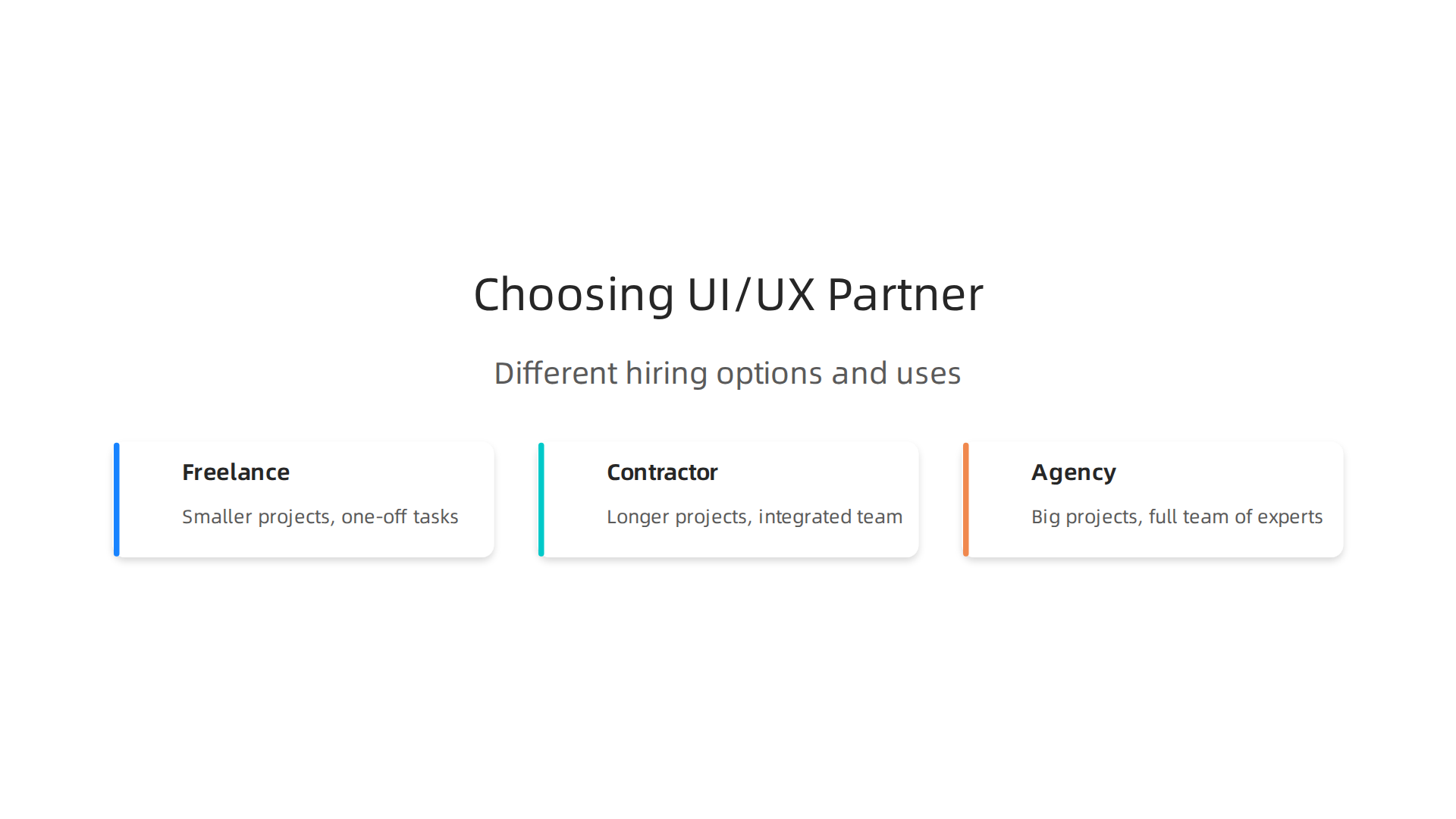
- Freelance UI/UX Designer:
- Best for: Smaller projects, one-off tasks, or when you have a clear idea of what you need. Think of it like hiring someone for a specific repair. They are usually budget-friendly and quick to start.
- What to expect: They often work alone and can be very focused on the design task at hand. This is great for making a new landing page or redesigning a specific part of your website. If you’re looking to hire someone for specific design tasks, you can learn how to hire a freelance graphic designer to help transform your site.
- Contractor UI/UX Designer:
- Best for: Longer projects where you need someone to work closely with your team for a set amount of time. They are often more integrated into your daily work than a freelancer.
- What to expect: A contractor acts almost like a temporary employee. They can join meetings, understand your company culture, and help guide a project from start to finish. They still have a specific end date or project scope.
- UI/UX Design Agency:
- Best for: Big projects, when you need a full team of experts, or if you want someone to handle your entire design strategy. They bring a lot of different skills to the table.
- What to expect: An agency can offer a complete package, including research, design, testing, and even working with developers. They often have processes in place to handle complex work and can be a good choice if you don’t have an in-house design team. They can also help you find the best website design company for small to mid-sized business lead generation.
Many businesses, especially small and mid-sized ones, find it helpful to have a partner that handles all their web needs, combining design, development, and marketing. This can be a smart way to get high-quality work without the hassle of hiring different people or agencies.
Writing a Clear Brief and Setting Goals
No matter if you hire a freelancer, a contractor, or an agency, you need to tell them exactly what you want. This is called a "design brief." A good brief helps your designer understand your business goals, not just what you want it to look like.

Here’s what a good brief includes:
- Your goals: What do you want the design to achieve? Do you want more people to buy something? Sign up for a newsletter? Read more articles? A UI/UX designer helps create user interfaces that are easy to use and navigate, with clear paths to help users complete tasks, as described in many UI/UX Designer Job Description for 2026 guides.
- Who your users are: Who will use this website or app? Knowing their needs helps the designer create something just for them.
- Your brand style: What colors, fonts, and feelings represent your company? Share examples of designs you like and don’t like.
- Budget and timeline: How much money do you have to spend, and when do you need the work finished? Be clear about these things from the start.
Setting Clear Acceptance Criteria
It’s not enough to just say "make it look good." You need to define what "good" means for your business. These are your acceptance criteria. They tell the designer exactly how you will measure if the work is successful.
For example, instead of "make the checkout process better," you could say: "The new checkout process is successful if 80% of users complete their purchase without issues, and it takes them less than 60 seconds." This helps the designer focus on real business results, not just pretty pictures.
Your UI/UX partner should deliver things like:
- Wireframes (basic layouts)
- Prototypes (clickable models)
- User flow diagrams (showing how a user moves through the site)
These deliverables should meet the goals you set in your brief. By being clear and upfront, you help your designer do their best work and ensure the final product helps your business grow.
Do you want to grow your website traffic and convert more visitors into customers without the usual agency headaches?
Grow Your Traffic on Autopilot
After you have clearly told your design partner what you want, it helps to understand who these designers are and where they come from. The world of UI/UX design is always changing, and many designers grow their skills over time, moving through different roles.
Career paths and growth: where UI/UX designers come from and common titles
Many people who become a UI UX designer start out in related fields. A common path begins with visual or graphic design, where they learn about colors, fonts, and making things look good. From there, they often move into UI (User Interface) design, focusing on the visual parts of a website or app that users interact with. They learn how to make buttons, menus, and layouts easy to understand.
Next, a designer might grow into a product design role. This job is broader, looking at the whole journey a user takes with a product and how it fits with business goals. Some designers then specialize in UX research. This is where they really dig deep to understand user needs, doing interviews and tests to see how people use products. The goal is to make sure the user experience is smooth and helpful.
So, when you ask what is UI and UX designer, it’s often someone who has learned to blend these skills. They might focus more on one area, but they understand both the look and feel (UI) and the overall usability and user journey (UX). In 2026, the most important skills for UX designers go beyond just knowing design tools. Experts say that understanding business strategy, how people think, and making smart decisions are now key future skills in UX. Also, more designers are using AI in their daily work, with almost 60% saying AI is integrated into their workflows this year, according to a 2026 Survey Report on AI in UX and Product Design.
How Job Titles Change with Company Size
The actual job title for what is a UI/UX designer can differ a lot depending on the size of the company.
- Small Businesses: For a small business, a designer might wear many hats. You might hire someone simply called a "UI/UX Designer" who handles everything from making things look pretty (UI) to figuring out how users move through your website (UX). They might also do some basic research or even help with branding. For small business owners looking to hire, understanding these combined roles is important. You can find out more about expected pay and hiring tips in UI UX designer jobs 2026 and 2026 UI and UX designer salary benchmarks.
- Larger Companies: Big companies usually have larger design teams with very specific roles. You might find titles like:
- UX Researcher: Focuses only on understanding users and their needs.
- UI Designer: Works mostly on the visual elements of the interface.
- Interaction Designer: Shapes how users interact with the product.
- Product Designer: Takes a broader view of the product’s overall success and user experience.
- UX Engineer: Bridges the gap between design and development.
No matter the title, every good designer needs a strong portfolio to show off their skills. This helps potential employers or clients see their past work and how they solve design problems. If you want to learn how to build a UI UX designer portfolio, it’s important to showcase detailed case studies of your projects. Many good examples of such portfolios exist, like these 11 UX Portfolio Examples for 2026. This is especially true for junior UX designers who should aim to include 2-3 detailed case studies in their portfolio, defining the challenge and showing user research.
Understanding these career paths and different job titles helps you know exactly what kind of expertise you’re looking for when bringing a UI/UX professional onto your team.
Summary
This article explains what UI and UX designers do and why small businesses should understand their roles to make websites that actually generate leads. It defines UX as the planning and research that makes a site easy and useful, and UI as the visual design that makes it attractive and clickable, then shows clear examples of each. You’ll read practical fixes (like moving a size chart or restyling a CTA), the common product design workflow from discovery to handoff, and the typical deliverables you should expect. The guide also covers the most important hard and soft skills, the tools designers use (including Figma and newer AI tools), how to hire—freelancer, contractor, or agency—and how to write an effective brief with measurable acceptance criteria. After reading, you’ll be able to spot UI vs UX issues on your site, brief a designer properly, and choose the right partner to turn your website into a lead-generating asset.