
Master Advanced UI/UX Design Course for Business Leads and Growth
This article explains why treating your website as a lead-generating tool—rather than a brochure—is essential for small and mid-sized businesses in 2026. It wal…


Your business website should be more than just an online flyer. Yet, for many small and mid-sized businesses (SMBs), their website acts more like a pretty brochure than a tool that brings in new customers. This is a big problem in 2026, because customers expect websites to be easy to use and helpful. If your site isn’t doing that, you’re missing out on real growth.

Think about it this way: User Interface (UI) is how your website looks, and User Experience (UX) is how it feels and works for someone visiting it. If a site is hard to use or looks messy, people leave quickly. This means lost chances to sell your products or services. Actually, studies show that every $1 you put into making your website’s UX better can return up to $100, which is a huge gain for your business UX Statistics 2026: Key Metrics, Benchmarks & Business ….
That’s why learning advanced UI & UX skills matters so much right now. When you improve your website’s design and how people use it, you can turn more visitors into actual customers. A strong UI UX design course can teach you how to make your website a lead-generating machine, not just a static page. For example, companies that keep testing and improving their user experience see much higher conversion rates, meaning more sales from the same number of visitors.
This guide will help you understand how important advanced UI/UX topics are for your business goals. We’ll show you how improving your website’s look and feel can lead to more leads and sales. You’ll also learn about practical training steps, like finding the right ui and ux designer course, to gain these valuable skills. Understanding what is a UI/UX designer for small business lead generation is the first step toward transforming your online presence.
Ready to stop leaving money on the table?
Get started with weblish by signing up and claiming your free trial and discover how better design can bring you more business.
Okay, so you’re ready for your website to do more than just look nice. You want it to actually bring in new customers, right? To make that happen, we need to understand how good design and user experience directly help your business grow. It’s all about looking at specific numbers and fixing common problems on your site.
What Numbers Matter for Your Business?
When we talk about how good a website’s user experience (UX) is, we look at certain things called "metrics." These metrics then link up to your business’s main goals, which are called "Key Performance Indicators" or KPIs. For a small or mid-sized business (SMB), some important UX metrics are:
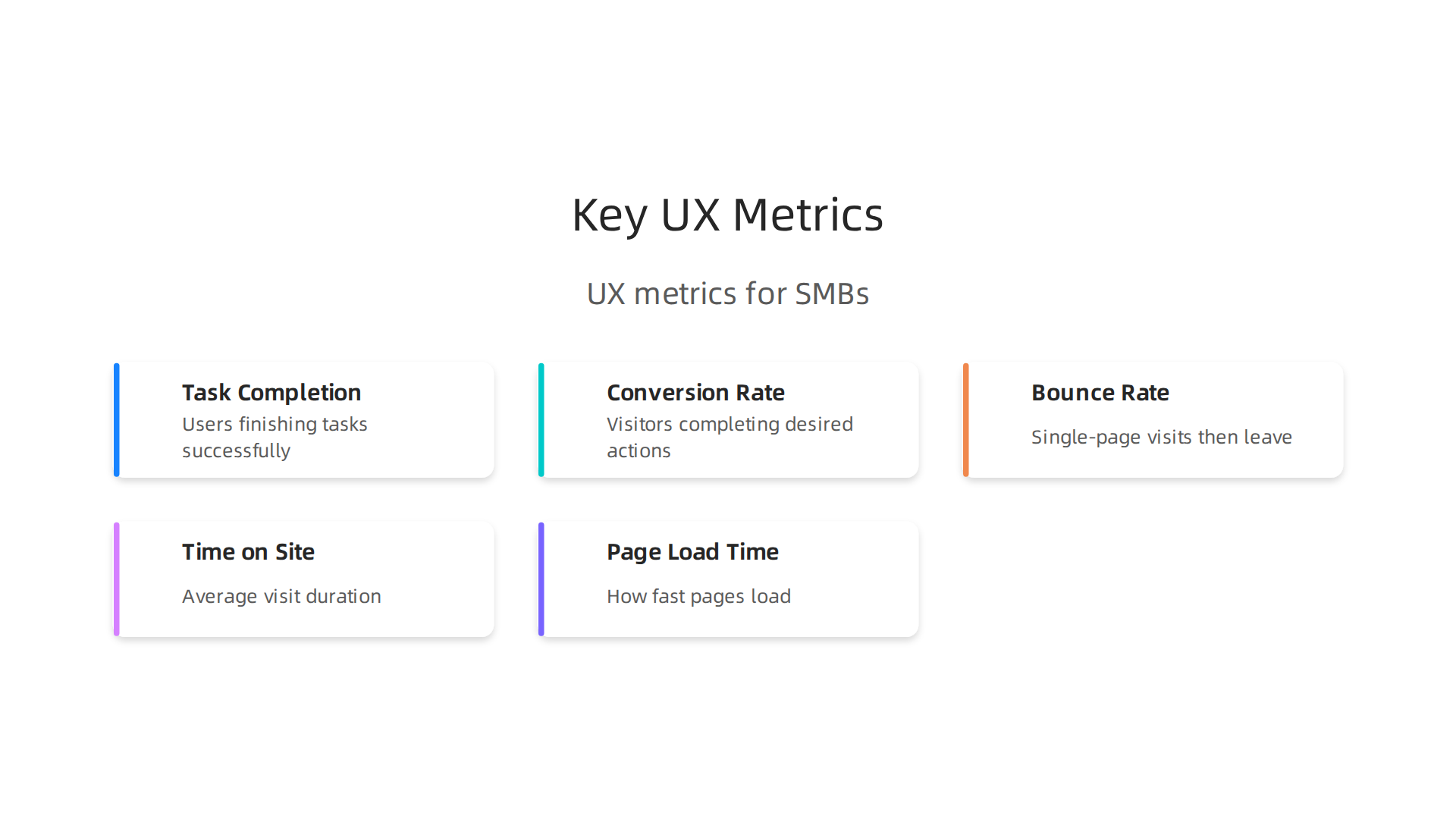
- Task Completion Rate: This checks how many people actually finish what they set out to do on your site. For example, if someone clicks on "contact us," do they fill out the form and send it? If they want to buy something, do they finish the purchase?
- Conversion Rate: This is a big one. It’s the percentage of visitors who take a desired action, like filling out a lead form, signing up for a newsletter, or making a purchase. A strong UX makes this number go up Why UX Design is the Secret Weapon for Business Growth in 2026.
- Bounce Rate: This is how many people visit just one page on your site and then leave without doing anything else. A high bounce rate means people aren’t finding what they want, or your site is hard to use.
- Time on Site: How long do people stay on your website? If they stick around longer, it often means they are engaged with your content and offerings.
- Page Load Time: How fast does your website show up on a screen? If a page takes even one extra second to load, it can cause many people to leave, which means lost chances to make a sale UX & UI Design Statistics 2026.
These metrics directly affect your business goals like getting more leads, increasing sales, and keeping customers happy. For example, businesses that regularly check and improve their user experience can see a lot more customer retention over a few years, which keeps revenue steady 45 UX Statistics That Define 2026. Understanding these numbers is a key part of any good ui and ux designer course.
Common Website Problems That Block Leads
Many SMB websites have problems that stop people from becoming customers. These "friction points" make it hard for visitors to do what they want.
Here are some typical issues:
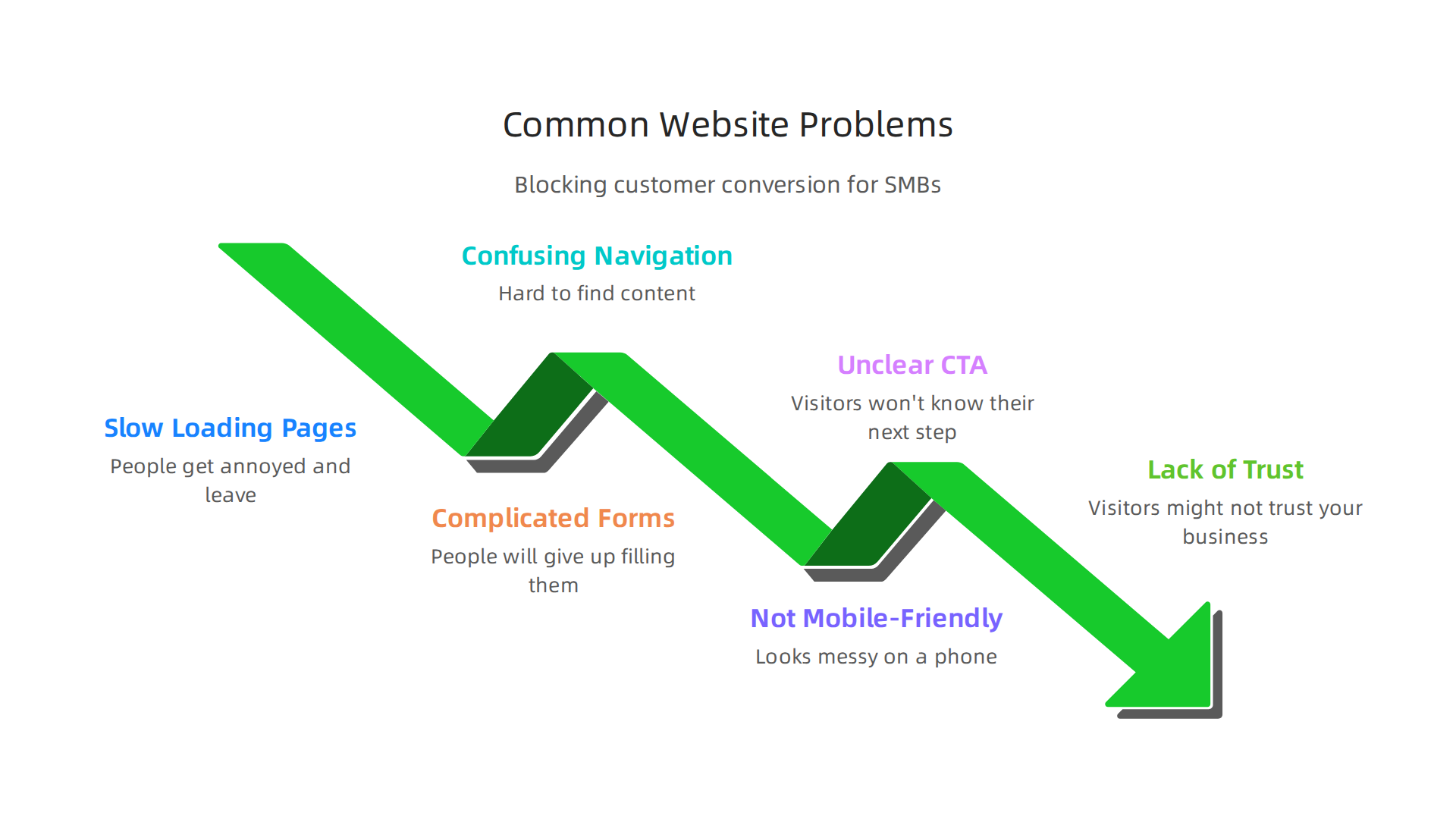
- Slow Loading Pages: If your website takes too long to load, people get annoyed and leave. You lose potential customers before they even see your products or services.
- Confusing Navigation: Imagine a store with no signs, where nothing is in the right place. That’s what a website feels like if it’s hard to find things. Clear menus and easy paths are a must.
- Complicated Forms: If your contact form or checkout process asks too many questions, or is hard to fill out, people will give up. Simple forms are better.
- Unclear Call-to-Action (CTA): A CTA tells visitors what to do next, like "Buy Now," "Sign Up," or "Get a Free Quote." If these are hard to see or understand, people won’t know their next step.
- Not Mobile-Friendly: Most people use their phones to browse the internet. If your website looks messy or is hard to use on a phone, you’re missing out on a huge number of potential customers.
- Lack of Trust Signals: Does your website clearly show reviews, security badges, or contact information? If not, visitors might not trust your business enough to buy from you. Learning to build trust through design is a core skill in any effective ui and ux design course.
These problems create a bad user experience. When you fix them, your website becomes a smooth path for customers, leading to more leads and sales. If you want to dive deeper into making your website a lead magnet, check out our guide on how to build a lead generating website for small business growth. Fixing these issues is a big part of what you learn in a good ui ux design course.
Now that we understand what makes a website successful and what common problems to avoid, let’s look at the next steps for anyone wanting to truly master web design. A top ui and ux designer course goes beyond the basics. It dives into advanced topics that help designers create amazing digital experiences and deliver real value to clients.

Core Curriculum: Advanced Topics Every UI/UX Designer Should Master
To truly stand out in 2026, a ui and ux designing course needs to cover these important areas:
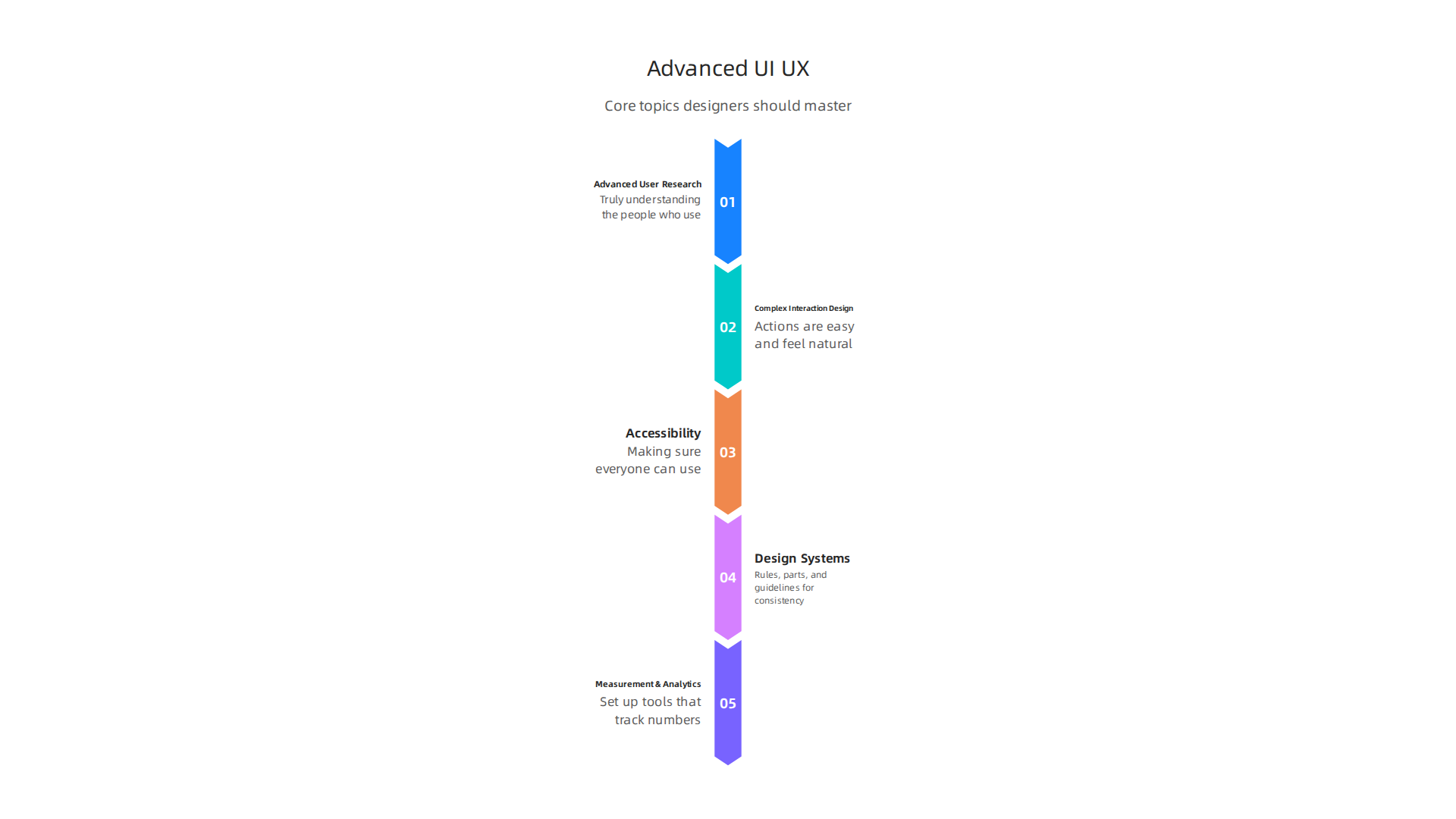
- Advanced User Research Methods: This is all about truly understanding the people who use a website or app. It goes deeper than just asking a few questions. Advanced methods include things like usability testing with different groups, looking at how users move their eyes on a screen, and studying their behavior closely. This helps designers know exactly what users need and want.
- Client Outcome: This means clients get designs based on solid proof, not just guesses. They receive detailed reports and user profiles that show who their customers are and how to best serve them.
- Complex Interaction Design Patterns: Think about all the ways you can click, swipe, and tap on a website or app. Interaction design makes sure these actions are easy and feel natural. Advanced topics include designing for new types of inputs like voice commands or gesture control, and creating smooth, helpful animations. It also covers making sure designs work for everyone, including those with different abilities CSCI 5849: Input Interaction and Accessibility.
- Client Outcome: Websites and apps that are a joy to use. Visitors stay longer and are more likely to do what the business wants, like buying a product or signing up for a service.
- Accessibility and Inclusive Design: This is about making sure everyone can use a website, no matter their abilities. This means designing for people who are blind, have trouble hearing, or have other challenges. It’s a huge focus in 2026. Learning how to apply global accessibility rules like WCAG is a key part of an inclusive UX Design Course from Elevify. Many advanced ui ux design course options now emphasize this as a core skill Redesigning a UI/UX Curriculum to Emphasize Accessibility.
- Client Outcome: A website that serves the widest possible audience. This opens up a business to more customers and helps them avoid legal problems. It also shows the business cares about all its users.
- Design Systems and Scalability: Imagine a big box of LEGOs where all the pieces fit together perfectly. A design system is like that for a website. It’s a set of rules, parts, and guidelines that make sure every part of a website looks and acts the same. This makes designing new pages much faster and keeps everything consistent. Tools like Figma and Zeplin are often used for managing design systems and making sure designers and developers work well together Best Design Handoff Tools in 2026.
- Client Outcome: Faster updates, lower costs over time, and a brand that looks professional and consistent everywhere.
- Measurement and Analytics Integration: Remember how we talked about website numbers like conversion rate and bounce rate? An advanced ui and ux design course teaches how to set up tools that track these numbers. It also shows how to use this data to make smart design choices, constantly improving the website. Knowing how to use tools like Hotjar or UserTesting is very important here We Reviewed the Top 19 UX Tools for 2026.
- Client Outcome: A website that continuously gets better, leading to more leads and sales because decisions are based on real user behavior and data.
These advanced topics are what turn a good designer into a great one. They show how a designer can provide clear benefits to any business. If you’re looking to dive deeper into these skills, you might explore options like an is a ux designer degree worth it to see how formal education can help you master them.
Ready to make your website work harder for you? Discover how AI can boost your efficiency and lead generation. Get your Free AI Efficiency Audit.
Learning advanced UI/UX topics is one thing, but showing what you can do is another. This is where project-based learning comes in. It helps you build a strong portfolio that gets the attention of small and mid-sized businesses (SMBs).

In 2026, a great portfolio doesn’t just show pretty pictures; it tells a story of how you solve real business problems. Many designers use platforms like Behance to showcase their UI UX Portfolio Case Study Projects.
A good ui and ux designer course will make sure you work on projects that directly help businesses grow. Here are a few project types that can win clients:
Website Redesign Projects
Many businesses have old websites that don’t work well anymore. A website redesign project means taking an existing site and making it better. This can involve making it easier to use, look more modern, or work faster.
- Business Problem Solved: An outdated website can scare away customers or make it hard for them to find what they need. A redesign can lead to more visitors staying on the site and doing business. You can find many examples of successful UI UX Portfolio Examples & Website Redesign cases. Learning how to choose website redesign services is also a key skill.
Conversion Optimization Case Studies
This type of project focuses on improving a specific part of a website to get more people to take action. For example, making more visitors sign up for a newsletter or buy a product.
- Business Problem Solved: Businesses want their website to turn visitors into paying customers. By tweaking buttons, forms, or page layouts, you can help them achieve this. These projects often show clear numbers that prove how much your design helped. This is crucial for small business website conversion.
Design System Builds
As we discussed earlier, a design system is like a toolkit for a website. Building one for a pretend client or a real small business shows you can think big picture. It means you can create rules and parts that keep a website looking and feeling consistent.
- Business Problem Solved: Without a design system, a website can look messy and take a long time to update. A good system saves time and money, making future design work much easier and faster.
Prototype-Led Feature Development
This involves designing a new part of an app or website from scratch, like a new shopping cart feature or a tool for booking appointments. You would create detailed prototypes (working models) to show how it works.
- Business Problem Solved: Businesses often need new features to stay competitive or meet customer demands. Showing you can design these features from idea to a working prototype proves your problem-solving skills.
How to Structure Winning Case Studies
It’s not enough to just show your designs. You need to tell the story behind them. A strong case study follows a clear path to highlight your skills and the value you bring. Experts recommend focusing on 2-3 detailed case studies rather than many shallow ones, structured like this: Problem, Approach, Process, Results, and Learnings UI/UX Portfolio Guide: Presenting Case Studies.
- Problem: Start by explaining the business problem you were trying to fix. What challenge was the client facing?
- Approach: How did you decide to tackle this problem? What was your plan?
- Process: Show your steps. Did you do user research? Create wireframes or prototypes? This highlights your advanced skills from your ui and ux designing course.
- Impact and Results: This is the most important part. Show what changed because of your work. Did sales go up? Did more people sign up? Use numbers whenever you can to show how your design helped the business make more money or save time. Data-driven case studies are key to showing real value 10 Most Inspirational UX Design Portfolio Examples.
- Learnings: What did you learn from the project? This shows you can grow and improve.
A good ui ux design course will teach you how to build a portfolio website design that generates leads by showcasing these types of projects effectively.
Want to learn how to make your website an even stronger lead generator?
Grow Your Traffic on Autopilot
Moving beyond just showing projects, a truly effective UI/UX designer also masters the modern tools and smart ways of working. This is especially true when helping small and mid-sized businesses (SMBs). A good ui and ux designer course will teach you how to use these tools and methods to make your work smooth and efficient.
Modern Design Tools for Remote Teams
In 2026, most design work happens remotely. This means using tools that help everyone work together, no matter where they are.
- Design and Prototyping Tools: Programs like Figma are very popular because they let many people work on the same design at once. Other great tools include Sketch, Adobe XD, Uizard for quick ideas, and Justinmind for detailed interactions Best UI and UX design tools of 2026. These tools help designers create everything from simple sketches to fully working models of a website or app.
- Collaboration Tools: For brainstorming and teamwork, tools like FigJam and Miro are super helpful. They act like digital whiteboards where designers, clients, and developers can share ideas and give feedback in real-time Best Product Design Tools to Add to Your Toolkit in 2026.
- User Research and Testing Tools: To make sure a design works well, you need to test it with real people. Tools like Maze, Hotjar, and UserTesting help gather feedback quickly. They let you see how users interact with your designs and find areas to improve Usability testing platform comparison: top tools for 2026.
Smooth Design-to-Development Handoff
Once a design is ready, it needs to be built by developers. This step, called "handoff," needs to be clear and easy.
- Handoff Tools: Tools like Figma’s Dev Mode, Zeplin, and Storybook help bridge the gap between designers and developers. They turn your designs into code snippets and clear guidelines, making it easy for developers to build exactly what you designed Best Design Handoff Tools in 2026 | Designer-Developer Guide. This saves time and avoids mistakes, which is a big deal for SMBs who often have smaller budgets and tighter deadlines. An effective ui ux design and development services provider will focus heavily on this.
Designing for Everyone: Accessibility
A key part of being a great UI/UX designer today is making sure your designs can be used by everyone, including people with disabilities. This is called accessibility.
- A modern ui and ux designing course will stress that accessibility should be a core part of your design process, not an afterthought. Experts say that accessibility should be a basic building block in UI/UX education Redesigning a UI/UX Curriculum to Emphasize Accessibility. This includes understanding guidelines like WCAG (Web Content Accessibility Guidelines) to make sure websites and apps are easy to navigate for all users. Learning what is UI design also means understanding how design choices affect accessibility.
Workflows for Small Business Clients
Working with SMBs means being smart about how you manage projects and costs.
- Scoped Sprints: Instead of doing everything at once, break projects into small, focused periods called "sprints." Each sprint has clear goals and a set time, usually a few weeks. This helps keep the project on track and within budget.
- Prioritized MVPs (Minimum Viable Products): SMBs often need to see results quickly. Focus on building the most important features first to create a "minimum viable product." This lets them launch something useful fast and then add more features later.
- Measurable Experiments: Show the client how your designs are actually working. Set up small tests to measure if a new design helps more people sign up or buy something. This proves your value and helps the business grow. Learning to build a lead generating website for an SMB means understanding these efficient workflows. This is often why a why your small business needs a design team that is familiar with these practices can be so valuable.
After you understand how to work smarter with small and mid-sized businesses (SMBs) using modern tools and workflows, the next step is to show what you can do. This means putting your skills into services that SMBs want to buy and pricing them clearly. A good ui and ux designer course will help you learn how to turn your design know-how into real business offerings.
Packaging Your Skills: Services and Pricing Models That SMBs Buy
When working with SMBs, it is important to offer services in ways that make sense for their budgets and goals. Here are common ways designers package their work:
-
Fixed-Scope Projects: This is when you agree on a clear set of tasks and a total price before starting. For example, redesigning a homepage or creating a new mobile app flow. This model is good for SMBs because they know exactly what they will get and how much it will cost. Designers often find that a clear project brief helps them deliver better results. Learning how to present your past work in a strong way is key, and an excellent
ui ux design coursewill teach you how to build a portfolio that showcases your problem-solving abilities and design skills. In fact, many experts suggest focusing on just a few strong examples in your portfolio to show your impact The Ultimate Guide to UI/UX Design Portfolios & Case Studies (With Examples). -
Retainer Agreements: With a retainer, clients pay a set amount each month for a certain number of hours or ongoing design support. This is great for SMBs that need regular updates, small improvements, or continuous help with their website or app. It gives them a predictable cost and ensures they have a designer ready when needed. For you, it means a steady income. Many design agencies use retainers, with monthly rates often ranging from a few thousand dollars up to much more, depending on the services included UX Agency Pricing Models Explained: Retainer, Project and Hourly ….
-
Conversion Optimization Engagements: This type of service focuses on making a website or app better at getting visitors to take a desired action, like buying something or signing up for a newsletter. You might analyze the current site, suggest changes, and then test those changes to see if they improve results. SMBs love this because it directly links your work to their business growth.
-
Productized Services: This is when you offer specific, well-defined design packages at a fixed price. For example, a "website audit package" or a "landing page design package." These are easy for SMBs to understand and buy because the service and price are very clear. This approach can help a freelance designer package their offerings more effectively. You can learn more about how to present your past work by checking out how to build a UI/UX designer portfolio that wins clients in 2026.
Pricing Your Services for SMBs
Pricing for SMBs needs to be simple and show value. Here are some tips:
- Be Transparent: SMBs often have tight budgets. Be clear about your pricing structure from the start. Explain what is included in each service and what might cost extra.
- Show Value, Not Just Hours: Instead of just saying your hourly rate, explain how your design work will help their business grow, save them money, or attract more customers. This is called value-based pricing.
- Offer Different Tiers: Give SMBs options. You could have a "basic," "standard," and "premium" package for a service. This lets them pick what fits their budget and needs best.
- Case Studies are Key: Show how your designs have helped other businesses. Use real numbers if you can. For example, "My design boosted sales by 15% for Client X."
Understanding these service models and pricing strategies is a big part of being a successful UI/UX designer, especially when aiming to help small businesses. Finding the right ui and ux design course can give you the tools and knowledge to turn your creative skills into a thriving business helping others grow.
Want to make your website work harder for you?
Grow Your Traffic on Autopilot
When you know how to package your design skills, the next step is to pick the right path for your career. UI/UX design offers many ways to grow, whether you want to work for yourself, join a team, or be part of a company. Each path lets you earn more and help small and mid-sized businesses (SMBs) succeed.
Career Ladders: Freelancing, Agency Work, and In-House Roles That Scale
Let us look at the main paths for UI/UX designers and how you can grow in each one.
A good ui and ux designer course often prepares you for all of these options.
-
Freelancing: As a freelance UI/UX designer, you are your own boss. You find your clients, set your prices, and manage your projects. This path offers a lot of freedom and the chance to work with many different SMBs. To grow as a freelancer, you need to build a strong list of past projects and happy clients. This helps you get bigger and better-paying jobs. Many freelancers find that specialized training, like a quality
ui and ux design course, helps them stand out. -
Agency Work: Joining a UI/UX agency means working with a team on projects for many different clients. Agencies often handle bigger, more complex jobs for SMBs. This path is great for learning from others, getting steady work, and climbing a career ladder within the agency. You might start as a junior designer and move up to a senior role or even a team leader. Agencies also help you build your network and see many types of design challenges.
-
In-House Roles: An in-house UI/UX designer works for one company, focusing only on that company’s products or services. This path offers stability, regular pay, and the chance to dive deep into a single brand. For SMBs, an in-house designer ensures their digital products stay consistent and grow over time. As you gain experience, you can move into leadership roles, like Head of Design or Product Design Manager, helping to shape the company’s future. To explore common roles and salaries, you might look into UI/UX designer jobs 2026 salary benchmarks and hiring tips for SMBs.
How to Build Your Credibility and Grow
No matter which path you choose, building trust and showing your skills are key to growing your income and helping more SMBs.
-
Get Certified: Getting a certificate from a trusted
ui and ux designing courseshows that you have learned the right skills and tools. It gives clients and employers a clear sign of your knowledge and hard work. When choosing a program, pick one that focuses on practical skills that clients need. If you’re wondering which program is right for you, learn how to choose your best UI UX design course for career and business in 2026. -
Show Your Work with Case Studies: Your portfolio should not just show pretty pictures. It needs to tell stories about how you solved problems for past clients. These are called case studies. They explain the problem, what you did, and the good results that came from your work. For example, "My design made a website 15% easier to use, leading to more sales." Experts suggest focusing on just a few very strong case studies in your portfolio, showing measurable results when you can. For some ideas, check out these 11 UX Portfolio Examples + How to Build Yours in 2026.
-
Collect Client Testimonials: Good words from happy clients are like gold. Ask clients to write short reviews about their experience working with you. These testimonials build trust and show new clients that you deliver great results. They help you build a good name for yourself in the design world.
By taking these steps, you can climb the career ladder in UI/UX design, whether you prefer the freedom of freelancing, the teamwork of an agency, or the stability of an in-house role, all while bringing great value to small businesses.
Summary
This article explains why treating your website as a lead-generating tool—rather than a brochure—is essential for small and mid-sized businesses in 2026. It walks through the UX metrics that matter (like conversion rate, task completion and page load time), common friction points that block leads, and the advanced UI/UX topics designers must master to deliver measurable business results. You’ll learn which project types (redesigns, conversion optimization, design systems, prototypes) make compelling portfolio case studies and how to structure those case studies to show impact. The guide also covers the modern tools and workflows that speed remote collaboration and handoffs, accessibility and analytics integration, and service packaging and pricing models that SMBs can buy. Finally, it lays out career paths and credibility-building steps so designers can turn skills into steady income while helping businesses grow. Read this to understand what to measure, what to fix, which skills to learn, and how to present your work to win clients.