
How to Spot a Great UI/UX Designer Before You Hire One
This article explains what small business owners need to know before hiring a UI/UX designer, focusing on the traits and skills that actually drive conversions…


Every day, potential customers land on your website. They look around for a few seconds. Then they click away without buying anything.
This happens more often than you think. And the reason is usually not your product or your price. It is your design.
Good design does not just make things look pretty. It guides people through your site. It builds trust. It makes it easy for visitors to take action. That is where a skilled ui/ux designer comes in. The way your site looks and works directly affects how many visitors turn into paying customers. For small businesses, this connection between design and revenue is huge.
But here is the problem. Most business owners do not know how to tell if a designer is actually good. You can look at a portfolio, but without understanding what makes great UX design, it is hard to separate real talent from flashy work. A lot of business owners end up hiring someone who makes things look nice but does not consider how users actually behave. The result? A pretty website that still does not bring in leads.
So what should you look for when you hire? Studies show that the strongest designers share certain personality traits and habits. They are problem solvers first and artists second. They ask questions and listen before they start designing. They care about how real people interact with a website, not just how it looks on a screen. Understanding these traits can help you avoid costly hiring mistakes. If you want to dig deeper into what separates top performers from the rest, check out this list of 12 traits of a great UX designer.
In this article, we will walk through the key characteristics every small business owner should know before hiring a designer ux ui. You will learn what skills matter most, what red flags to watch for, and how to spot a designer who can actually grow your business.
Ready to turn your website into a real lead generation tool? Grow Your Traffic on Autopilot and let the experts handle your design and conversion strategy.
The Core Mindset of a High-Performing UI/UX Designer
So what really separates a good designer from a great one? It is not just their portfolio or the tools they use. It is their mindset. The best ui/ux designer thinks about people first. Every decision they make starts with one question: "How will this help the user?"
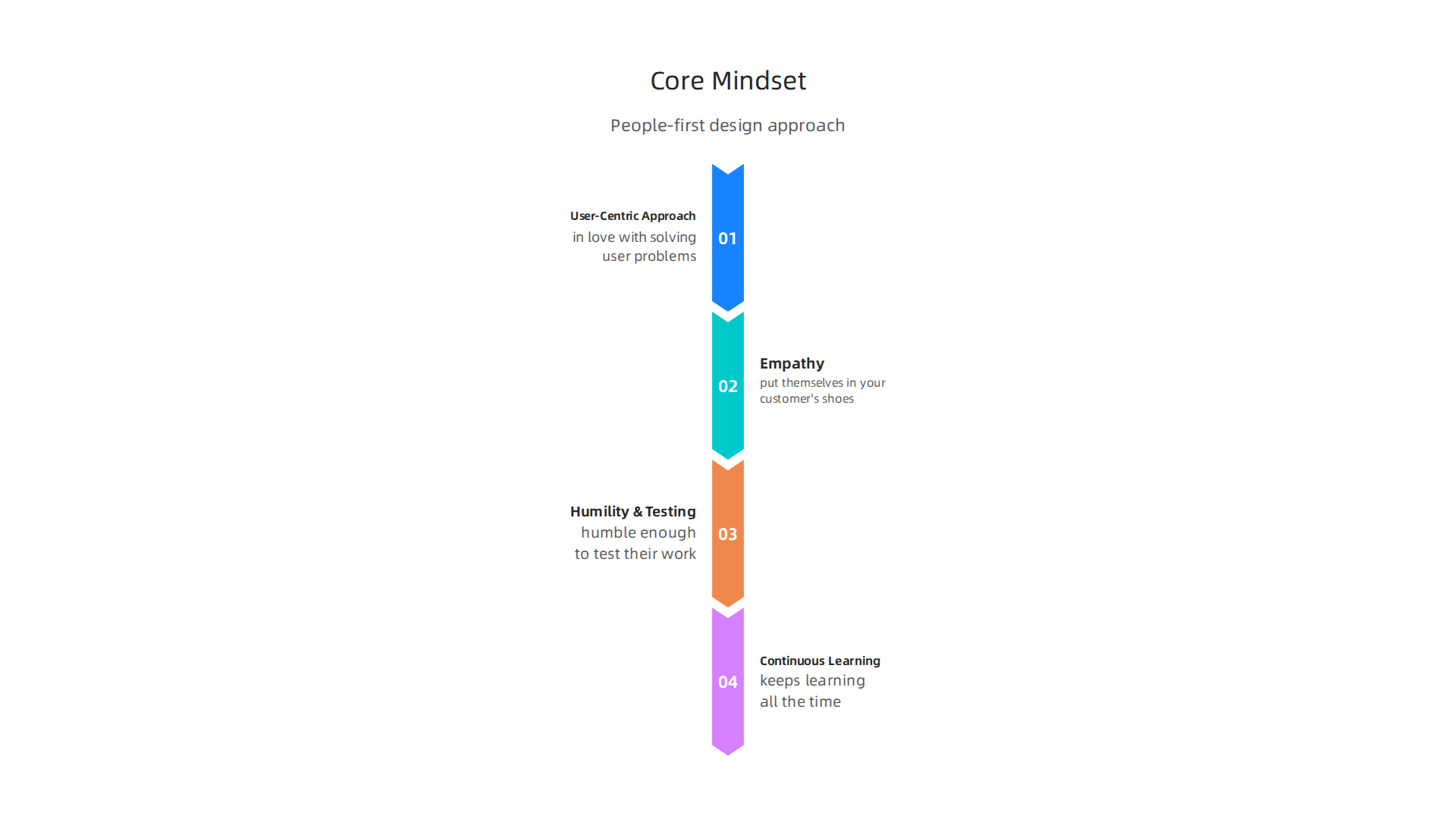
This is called a user-centric approach. Great designers do not fall in love with their own ideas. They fall in love with solving user problems. They will ask to talk to your customers. They will want to see analytics. They will push back if a design choice looks nice but confuses people. A designer with this mindset chooses function over flash every time.
Empathy is at the heart of this. A top ux designer ui can put themselves in your customer’s shoes and feel the friction they experience. According to a detailed look at 8 personality traits a UX designer must have, empathy is one of the most critical traits for success. Without it, a designer makes guesses instead of informed decisions.
Here is the thing. A great designer also knows they do not know everything. They are humble enough to test their work with real users. They run usability tests. They watch where people get stuck. They go back and improve. This cycle of learning and adapting is what makes a real professional.
The field changes fast. By 2026, new tools and best practices show up every year. A high-performing designer ux ui keeps learning all the time. They take courses, read case studies, and experiment with new methods. If you are still learning what makes a strong designer, reading up on what is UI design can give you a solid foundation.
When you interview someone for a designer ux/ui role, listen for these signs. Do they ask questions about your customers? Do they talk about testing and data? Do they admit when they do not know something? Those answers matter more than a flashy resume. The right mindset turns a good website into a machine that brings in leads.
Technical Skills That Drive Results
Mindset gets you started, but technical skills finish the job. A great ui/ux designer needs a toolbox full of practical abilities to turn ideas into real, working products.
These are the skills that help you move from thinking about user problems to actually solving them.
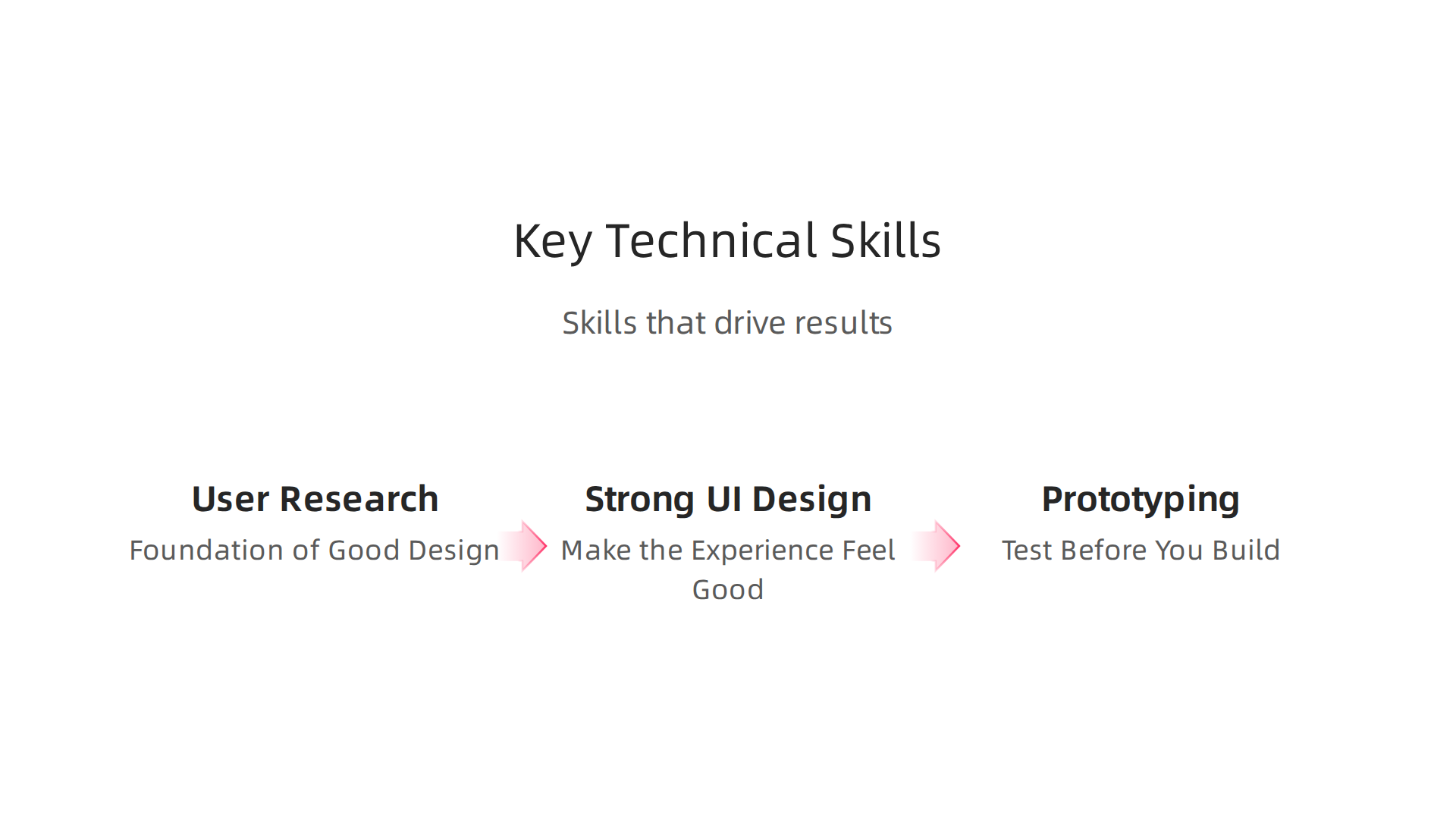
User Research: The Foundation of Good Design
Before you design anything, you need to understand your users. This is where UX research comes in. Skilled designers know how to run user interviews that uncover real pain points. They watch people struggle with a site and note exactly where they get stuck. Usability testing is a non-negotiable part of this process.
As the Discover the Essentials of UI UX Design in 2026 guide explains, user research activities like understanding user needs, behaviors, and motivations are the foundation of everything that follows. A ux designer ui who skips this step is essentially guessing. And guessing leads to products that frustrate your customers.
Strong UI Design Skills Make the Experience Feel Good
Once you understand what users need, you have to present it in a way that feels clean and intuitive. That means mastering typography, color theory, and layout. These are not just nice to have. They directly impact whether a visitor stays on your page or leaves.
A strong designer ux ui knows how to use contrast to guide the eye. They choose font sizes that are easy to read. They space elements so the user never feels crowded. These choices create trust and make your business look professional. If you want to dig deeper into how these principles boost real results, check out this breakdown of graphic design principles that drive conversions.
Prototyping: Test Before You Build
You do not have to wait until the final product is coded to see if it works. A good designer ux/ui creates interactive prototypes that let you click through the experience before a single line of code is written. This saves time and money.
Prototyping tools like Figma let designers create clickable mockups in hours. You can show these to real users and watch how they interact. If something is confusing, you change it right away. Even a ui ux designer intern can learn to prototype quickly and bring huge value to your team.
When your designer has these technical skills, your website stops being a static brochure. It becomes a tool that actively brings in leads.
And once you have a high-performing site, the next step is driving traffic to it. Connect your website with Weblish and Grow Your Traffic on Autopilot using AI that works while you focus on your business.
Why Business Acumen Matters for UI/UX Designers
Technical skills get your designer in the door. But business acumen? That is what makes them truly valuable to your company. A ui/ux designer who understands profit, conversion, and stakeholder goals will build solutions that actually move the needle.

Think about it. A designer can create a beautiful interface that users love. But if that design does not help your business make money, what is the point? The best ux designer ui professionals know that every pixel should serve a purpose. They do not just make things look good. They make things that work for your bottom line.
Aligning Design Decisions with ROI
When a designer ux ui understands business metrics, they start asking better questions. How will this button affect our conversion rate? Does this layout reduce drop-off during checkout? Can we speed up this page to lower bounce rates?
According to research on how UX design drives revenue and reduces costs, strategic UX improvements can boost conversion rates by up to 400%. A designer who knows this will prioritize changes that directly impact revenue. They will not waste time on flashy features that confuse users or slow down performance.
Speaking the Language of Stakeholders
Here is something many designers miss. Business leaders do not care about design jargon. They care about numbers. A skilled designer ux/ui learns to translate design choices into measurable results.
For example, instead of saying "we need more whitespace," they say "this layout improves readability and can increase time on page by 20%." Instead of "this animation is cool," they say "this micro-interaction reduces user error and saves support costs."
When your designer can speak the language of ROI, they earn a seat at the strategy table. They stop being just a vendor and become a partner in your growth.
Even Interns Need Business Sense
You might think business acumen is only for senior roles. Not true. Even a ui ux designer intern who learns to connect design choices to business goals will outperform a peer who only focuses on aesthetics. That intern will ask smarter questions, prioritize better, and deliver work that actually solves problems.
So when you hire or train a ui/ux designer, look for someone who asks about your revenue model. Someone who wants to see your analytics. Someone who cares about your bottom line right alongside your brand identity.
Want to learn more about turning your website into a real lead generator? Check out this guide on how to make your small business website convert visitors into customers. A designer with business acumen will help you get there.
Soft Skills: Communication, Collaboration, and Problem-Solving
Business sense is huge. But without strong soft skills, even the most data-savvy ui/ux designer will struggle to deliver. These human abilities are what make technical work actually stick inside your company.
Think about the last time a project went sideways. Chances are, poor communication was the culprit. A ux designer ui who cannot clearly explain their choices will cause confusion between developers, marketers, and leadership. That confusion leads to rework, missed deadlines, and frustrated teams.
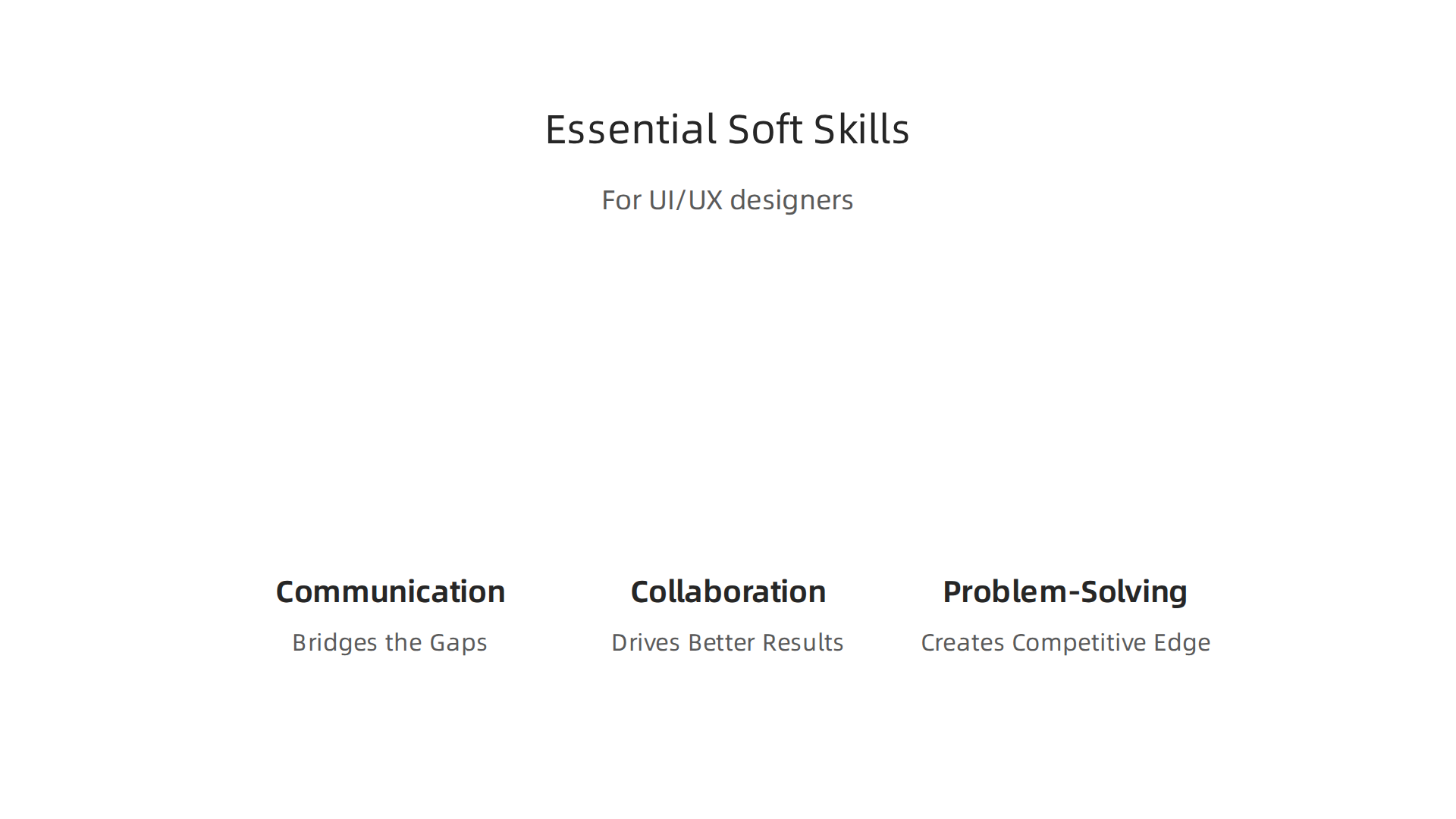
Communication Bridges the Gaps
Clear communication is the glue that holds design, development, and marketing together. When a designer ux ui can explain their wireframes to a developer and then turn around and present the same concept to a sales director, magic happens.
According to the guide on essential soft skills for UI UX designers, effective communication and collaboration are critical for success. A designer ux/ui who listens carefully to marketing’s lead generation goals and translates those into design decisions will build pages that convert. They ask questions like "What action do you want users to take here?" instead of just guessing.
Communication also means presenting your work well. Storytelling and presentation are two soft skills that hiring managers look for most in 2026. A designer who can walk stakeholders through their thinking builds trust quickly.
Collaboration Drives Better Results
No designer works alone. Your ui/ux designer needs to collaborate with sales teams to understand customer objections. They need to work with developers to make sure designs are buildable. They need to sync with marketing to align on brand voice and campaign goals.
A designer who hides in a corner and only sends finished mockups will miss critical input. Collaboration means inviting feedback early and often. It means running quick usability tests with real users and sharing those findings with the whole team. When everyone feels heard, the final product works better for everyone.
Problem-Solving Creates Competitive Edge
Every project throws up unexpected challenges. Maybe a key feature is too complex to build on time. Maybe user testing reveals a major flaw. A skilled ui ux designer intern or senior pro alike must pivot and find creative solutions.
Problem-solving in design is not just about making things pretty. It is about finding the simplest way to solve a real user problem while hitting business targets. A designer who can reframe a tricky constraint as an opportunity will produce work that stands out in crowded markets. They do not panic. They iterate.
Want to see how these soft skills translate into a portfolio that wins clients? Check out this guide on how to build a UI/UX designer portfolio that wins clients. It shows exactly how communication and problem-solving shine through your work.
If you are ready to turn your design and marketing efforts into real traffic without the guesswork, grow your traffic on autopilot with Weblish. Their team handles the design, SEO, and ongoing optimization so you can focus on running your business.
How to Evaluate a UI/UX Designer’s Portfolio
Now that you know what soft skills to look for, it is time to examine the designer’s actual work. A portfolio reveals more than just final screens. It shows how a ui/ux designer thinks, solves problems, and delivers value to a business.

Here is what you need to check.
Look for Case Studies That Show the Problem-Solving Process
A portfolio full of pretty mockups tells you almost nothing. What matters is the story behind each design. Did the ux designer ui start with user research? How did they turn a vague request into a finished product? A strong case study walks through the problem, the constraints, the iterations, and the final solution.
Hiring teams evaluate portfolios across three core areas: clarity of reasoning, ownership and scope, and measurable impact. This is exactly what the guide on evaluating UI designer portfolios explains. Look for case studies that show wireframes, user testing clips, and notes on what changed after feedback. That is how you know the designer thinks deeply, not just decorates pages.
Check for Measurable Results
Pretty designs do not pay the bills. A designer ux ui should be able to show how their work moved the needle. Did the conversion rate go up? Did bounce rate drop? Did time on page increase? Numbers prove that the designer cares about outcomes, not just pixels.
Good UX can boost conversion rates by up to 400%, and solid UI design can lift them by 200%. When a designer includes "increased signups by 30%" or "reduced checkout abandonment by 15%" in their case study, you know they focus on what matters for your business. If a portfolio has no numbers at all, that is a red flag.
Evaluate Diversity of Projects and Industries
A designer ux/ui who has only worked on e-commerce sites might struggle with a B2B SaaS product. Look for variety. A portfolio that includes a mobile app, a dashboard, a marketing site, and maybe even a physical product interface shows adaptability. It means the designer can learn new domains quickly and apply their skills to different user problems.
Also check the quality over quantity. Three deep case studies are better than ten shallow ones. Each project should feel complete and show a different challenge.
Once you know how to evaluate a portfolio, you are ready to start hiring. The guide on UX design jobs and hiring strategies for 2026 can help you match the right ui ux designer intern or senior pro to your specific needs.
The Role of Data and Analytics in Modern UI/UX Design
Now that you know how to evaluate a portfolio, it is time to look under the hood. The best designs today are not based on gut feelings. They are based on data.

A modern ui/ux designer relies on analytics to make smarter decisions.
Why does data matter so much? Because what you think users will do often differs from what they actually do. Heatmaps and A/B testing remove the guesswork. A resource like this guide on how heat maps and A/B testing enhance UX research shows how these tools reveal real user behavior. Heatmaps show you where people click, scroll, and hover. A/B testing lets you compare two versions of a page to see which one drives more action.
This approach directly impacts conversion rates. When a designer ux ui tests two button colors and one gets more clicks, that is a win you can measure. Portfolios that show A/B test results prove the designer cares about outcomes. You want a designer ux/ui who can say "this change increased signups by 15%" instead of just saying "this looks better."
A strong ui/ux designer is also comfortable with session recordings and Google Analytics. These tools help answer the "why" behind user actions. Even a ui ux designer intern can add value by showing they understand data from day one.
To see how to present this kind of data in a portfolio, read this article on building a UI/UX designer portfolio that wins clients. It shares practical tips for showing your analytical side.
If you want to bring this data-driven approach to your own website, consider a service that helps you grow. Grow Your Traffic on Autopilot with Weblish and turn insights into real results.
Common Red Flags When Hiring a UI/UX Designer
You are looking through portfolios, and something feels off. Maybe the designs look beautiful but tell you nothing about why they were made that way. Or the ui/ux designer cannot explain how they got from a messy problem to a clean final screen. These are not small issues. They are red flags that can cost you time, money, and lost customers later.
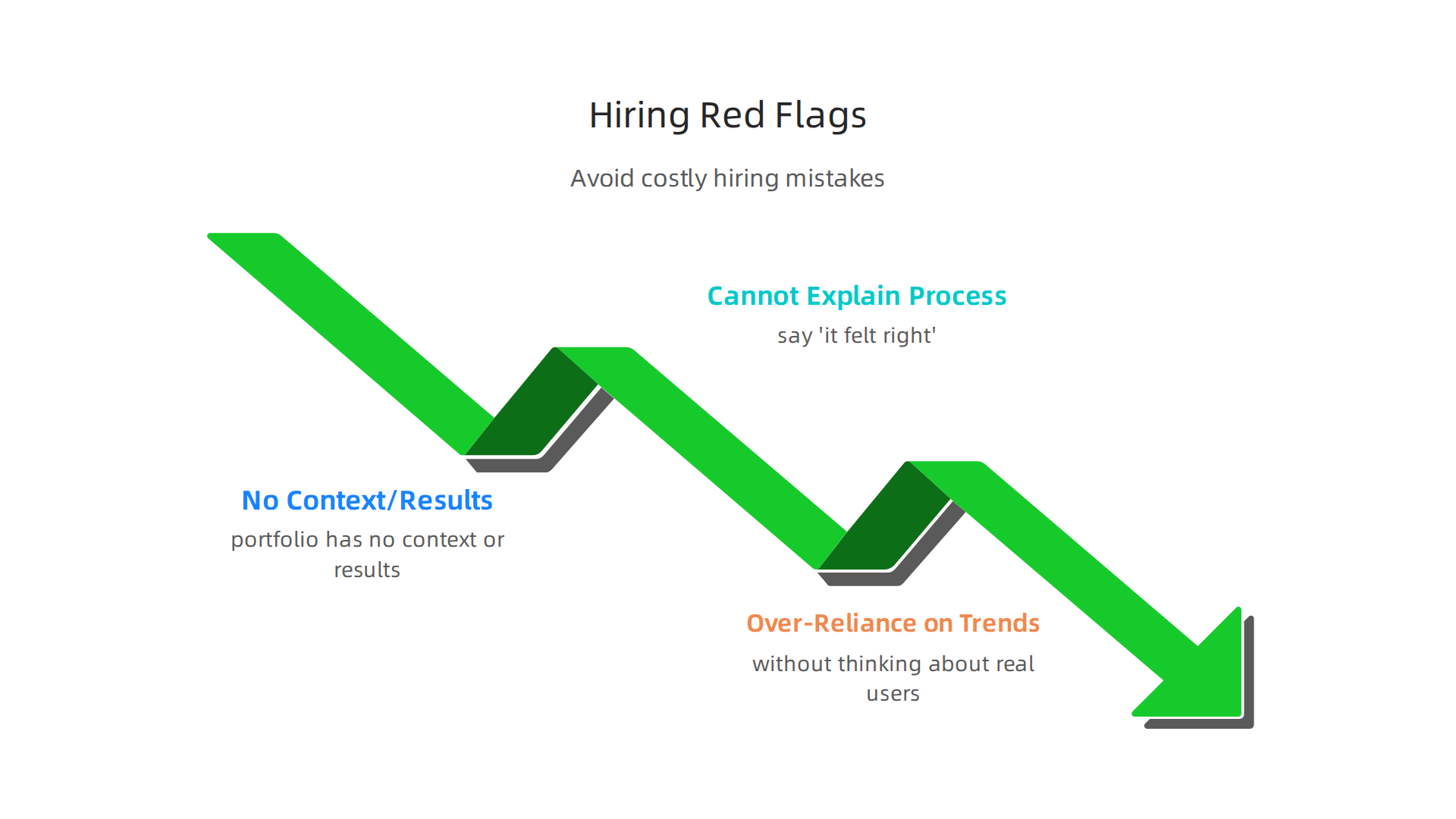
A portfolio that has no context or results is a major warning sign. You see pretty screenshots but no story. Who was the user? What was the goal? Did anything improve? Hiring managers look for clear connections between research, design choices, and outcomes, as explained in this guide on evaluating UI designer portfolios. If the case study is just an image dump, the ux designer ui might not understand how design connects to business value.
Another red flag: a designer ux ui who cannot walk you through their process. You ask "how did you decide on this layout?" and they say "it felt right." That is not good enough. A strong designer ux/ui can explain their steps, from research to wireframes to testing. If they skip the process, they may struggle in a team where collaboration and clear reasoning matter. Portfolios that show iterations and mistakes actually prove maturity. Hiding mistakes suggests the designer does not learn from failures.
The third warning sign is over-reliance on trends without thinking about real users. You see a lot of glassmorphism, bold gradients, or trendy animations. But do those choices help the user complete a task? Research shows that a well-designed interface can boost conversion rates by up to 200%, while strong UX can push that number even higher. A designer who follows trends blindly may create something that looks cool but does not convert. That hurts your bottom line.
When you are hiring, pay attention to how a ui ux designer intern or experienced pro talks about their work. If they cannot connect design decisions to user needs and results, keep looking. For more tips on what to look for, read this article on UI UX designer jobs and hiring tips for small businesses. It will help you spot the right talent faster.
Summary
This article explains what small business owners need to know before hiring a UI/UX designer, focusing on the traits and skills that actually drive conversions and revenue. It covers the core mindset of top designers—user‑centric thinking and continual testing—alongside the technical skills that matter (user research, UI fundamentals, prototyping) and why business acumen multiplies design impact. You’ll learn which soft skills (communication, collaboration, problem‑solving) keep projects on track, how to evaluate portfolios for process and measurable results, and which data tools (A/B tests, heatmaps, analytics) reliable designers use. The guide also lists common hiring red flags and gives practical signs to look for in interviews so you can hire someone who turns your website into a lead‑generation tool.