How to Choose the Best SEO Reporting Tools for Your Business
Unlock measurable success with the right seo reporting tools. Discover what seo reporting tools are, how to pick the ideal seo reporting dashboard for your needs, compare top options, and build powerful reports. Learn essential metrics and avoid common mistakes for maximum SEO growth.

With the existing digital ecosystem, where search engine optimization (SEO) is an indispensable asset to the growth and expansion of any utility, it is necessary to be fully aware of your performance. SEO reporting tools offer businesses a straightforward way to record, analyze, and visualize their SEO results, transforming the raw data into meaningful reports through visualization. As a small business owner or member of a marketing team, you will be able to turn stagnant traffic into growth and success only if you learn and apply these tools. The article elaborates on SEO reporting tools; their meanings, the criteria for their selection, and how to implement them effectively so that your business can design successful strategies that are realigned with your goals.
What are SEO Reporting Tools and Why SEO Reporting Matters
SEO reporting tools are applications that are designed for the collection, processing, and display of data from different SEO channels to provide site performance time trends. These instruments extract, for example, search rankings, organic traffic, and backlink profiles, and transform them into reports in a user-friendly manner. For businesses, the significance of SEO reporting is that it connects your online activities to real business outcomes, be it increase in leads or sales. Without proper SEO reporting, it is quite difficult to single out the working strategies, this leads to wasting of resources on wrong tactics.
A representative feature of SEO reporting tools is their functionality in dealing with different components. Data sources are the places where the information comes from, such as Google Analytics for traffic or Google Search Console for impressions. Connectors are the channels through which these sources arise and help the tool link the channels, thus ensuring the smooth running of the data. Next, the SEO reporting dashboard presents all this data in visually interpretable graphs and charts while the automation schedules the updates so that you do not need to compile reports weekly by hand. Thus, it is achievable to multi-task a process which previously used to take a whole day, in just a few minutes of review.
Automating SEO reporting with the help of the mentioned tools undeniably has a set of advantages. Such tools not only bring to your attention the trends, for example, a dip in the rankings that has occurred as a result of the algorithm changes, but also help you with the forecast approach of the strategies, therefore enabling your proactive adjustment. According to industry insights, for example, businesses that employ automated SEO reporting tools usually experience a speedy decision-making process that is about 20-30% faster. The kind of tools with those mentioned in the Top SEO Tools for 2026: 50+ Best Tools Ranked & Reviewed exhibit how automation is a good way of cutting down mistakes and freeing up resources for creative work. Likewise, the Best SEO Software: The Ultimate Guide for 2026 – Botsify example further showcases these functions promoting business objectives via the proper alignment of SEO with revenue growth. Whereas for agencies, the 13 Best SEO Tools for Agencies (My 2026 Stack) | Rankability Blog emphasizes integrations that save time and make SEO reporting a simple task.
How to Choose an SEO Reporting Dashboard and SEO Reporting Tools
Selecting the appropriate SEO reporting dashboard is to start with a reminder of what is it that you actually need. Gathering information about the data source links you are going to use, for instance, Google Analytics for user behavior's stats or SEMrush for the enemy's data, should be your first step too. Assess what each SEO reporting tool has in terms of integration, for example, should it link natively to your CRM or email platform? This will sort the previous steps, that is, the tool will be a piece of cake to your workflow process with no extra effort.
After that, assess vendor options on the most relevant factors: business size alignment, user-friendliness for non-dedicated teams, the price for features available, the potential for expansion, and support like chat widgets or tutorials. For usability, prefer SEO reporting dashboards with drag-and-drop interfaces. About costs, consider free tiers comparable to premium plans that offer automations. Scalability is the capacity of the tool to add more data as your site expands, while a good support system can prevent downtime frustration.
SEO reporting dashboards can be evaluated with the following checklist: Initially, sign up for a trial and import sample data- is it fast? Next, prepare a simple report; see whether customizations are easy. Then, pretend you are sharing it with a team-make sure permissions are working fine. After that, check if mobile access is available for doing quick checks. Finally, check the options for export like PDF or CSV files. Sources like the The 7 Best Local SEO Reporting Tools in 2026 – AgencyAnalytics are beneficial, as they are related to the local businesses, which can get help from the tips. The The 11 Best SEO Ranking Reporting Software Options for 2026 also presents vendor comparisons concerning scalability. Usability is discussed exhaustively in the 19 Best SEO Reporting Tools In 2026 – Indie Media Club which also detailed quick evaluations on usability checklists.

Comparison of Major SEO Reporting Tools and Dashboards
For the main SEO reporting tools to choose from in the SEO reporting apps, the focus should be on the features that really mean the most for the particular case. Google Looker Studio comes first because it is totally free and it is tightly integrated into the external Google ecosystem, therefore it is perfect for beginner programmers wanting to create a custom SEO reporting dashboard utilizing it. Though it is mainly visual-based, it doesn't have built-in SEO-specific metrics, which means users have to set them up manually.
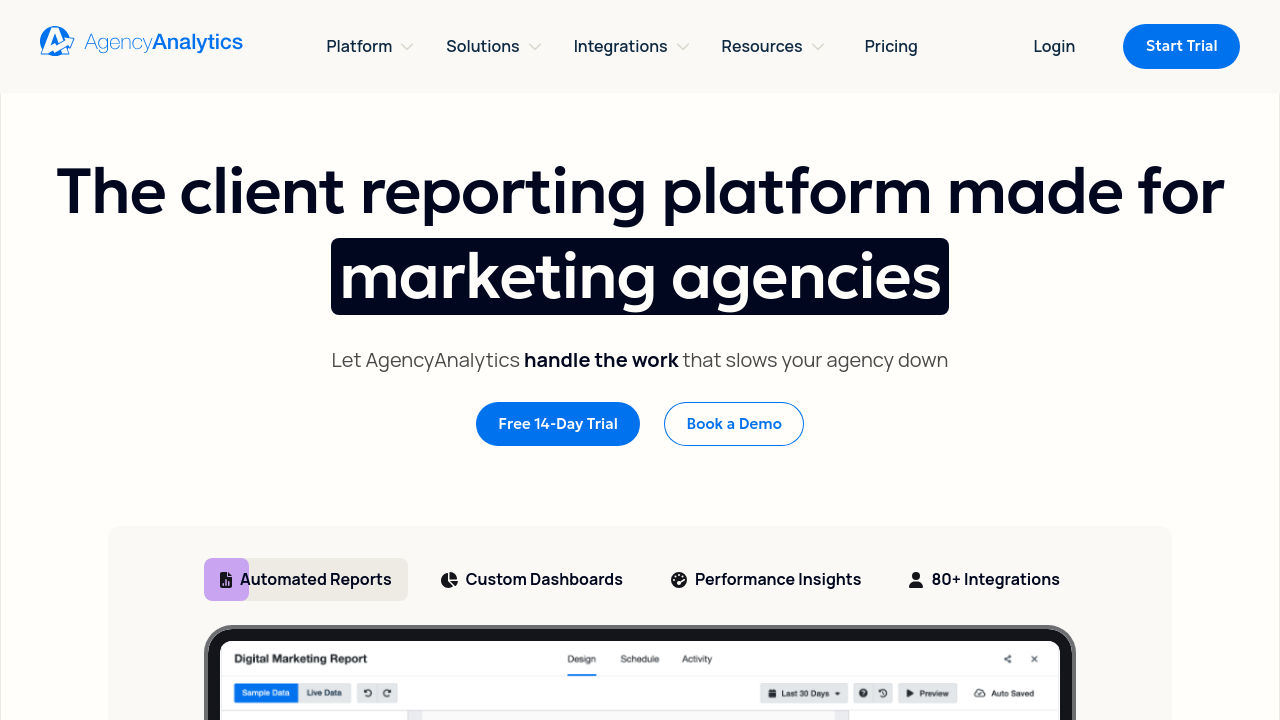
AgencyAnalytics definitely takes the lead for agencies, boasting an impressive white-label reporting feature while also providing over 80 integrations, including traffic and ranking SEO reporting tools. For client presentations, it is easy to use, but it can become quite costly for individual users. DashThis, on the other hand, presents an attractive drag-and-drop dashboard for SEO reporting, which autonomously updates from more than 50 sources. It focuses on simplicity while discarding advanced analytics—this makes it ideal for quick overviews, but less sturdy for intricate inquiries.
Furthermore, Databox is the simple solution for mobile-first SEO reporting tools, complementing it with real-time data syncing and goal tracking, perfect for teams that want to have alerts. Nonetheless, it is harder to navigate as it comes with a longer learning curve for custom-built apps in contrast to its counterparts.
The below table summarizes the key offers of the best SEO reporting tools:
| Feature/Tool | Google Looker Studio | AgencyAnalytics | DashThis | Databox |
|---|---|---|---|---|
| Pricing (Starting) | Free | $59/month | $39/month | $72/month |
| Integrations | 800+ (Google-focused) | 80+ | 50+ | 100+ |
| Automation Level | High (scripts) | Full | Full | Real-time |
| Best For | Custom visuals | Agency clients | Quick reports | Mobile teams |
| SEO Metrics Coverage | Basic (needs add-ons) | Comprehensive | Good | Strong |
Expert reviews in the SEO Reporting Tools 2026 – Behamics have been used for this comparison, ranking the tools on integrations, and in the Best Software for SEO: Top Tools to Boost Your Rankings in 2026, where the authors also highlight the benefits of automation. The comparison article Top SEO Tools for 2026: 50+ Best Tools Ranked & Reviewed further elaborates on the price trade-offs for every single tool.
Step by Step: Build Your First SEO Reporting Dashboard
Keywords: seo reporting, seo reporting dashboard, seo reporting tools
Establishing the primary function of the seo reporting dashboard is the vital first step in its construction. Determining business needs will be the basis for this. A survey question to the effect: What goals will you track—traffic increase, lead conversion, or top rankings? For a content site, organic traffic is a top priority; for e-commerce, the main priority is revenue from SEO. A rough design plan should be made: KPIs on top, trends in the middle, breakdowns on the bottom.
Afterward, you will need to link your data sources. This can be done through native integrations in the selected seo reporting tools, for instance, by linking Google Analytics directly in AgencyAnalytics. Meanwhile, in case of custom needs, you can use connectors via APIs—most of the tools guide you through OAuth authentication. You should conduct a test run: pull in 30-day data and compare it with the source to confirm the accuracy of the reports.
Mandatory elements consist of: the title for the date range selector, KPI cards that display metrics like sessions and bounce rate quickly; line charts for traffic trends; bar graphs for top pages or keywords; and a table for rankings. Incorporate device-type filters for segments. Google Looker Studio runs, as elaborated in 13 Best SEO Tools for Agencies (My 2026 Stack) | Rankability Blog, walkthroughs. Along with the 19 Best SEO Reporting Tools In 2026 – Indie Media Club, DashThis connector steps are presented. Templates for basic layouts are offered by The 11 Best SEO Ranking Reporting Software Options for 2026. This content is about seo reporting.
A successful seo reporting dashboard is primarily a key metrics dashboard that groups metrics by category. For measuring traffic and user engagement, you can track organic sessions, page views, and bounce rate – these metrics show how good SEO is in attracting and retaining visitors. The other two e-commerce indicators, goal completions and e-commerce revenue from organic search, link SEO to the company’s financial performance. Visibility and rankings expose the performance of search with impressions, click-through rates (CTR), and average position. Even technical SEO metrics such as speed scores, mobile usability errors, and indexation status make for a site health check.
Analyst dashboards in Google Looker Studio, for example, are capable of using heatmaps alongside cohort analysis. This allows the reports not only to be more informative but also to be more visually created to engage the audience. These help in making small changes on a tactical level. Examples found in the Top SEO Tools for 2026: 50+ Best Tools Ranked & Reviewed contain different templates designed for clients, while the Best Software for SEO: Top Tools to Boost Your Rankings in 2026 page illustrates the use of executive visuals. The 19 Best SEO Reporting Tools In 2026 – Indie Media Club gives analyst report previews.
Checklist: Maintain and Improve SEO Reporting
Preserving an SEO reporting dashboard alongside automated procedures for accuracy will ensure its regular upkeep. Use data refreshes per day, or weekly via automation settings in your SEO reporting tools. Monthly, you could spot-check metrics that get repeated, e.g., traffic figures against the originals, so as to notice any inconsistencies which API limits are responsible for.

Beyond that, the dashboard must be modified according to strategic direction changes—e.g., by incorporating different KPIs after a site has gone through a redesign, or taking out old ones. Solicit planning team feedback on a quarterly basis and reduce clutter through an audit. The The 11 Best SEO Ranking Reporting Software Options for 2026 lists recommended routine refresh methods, and the 13 Best SEO Tools for Agencies (My 2026 Stack) | Rankability Blog talks about growth strategy. The SEO Reporting Tools 2026 – Behamics comes with audit checklists.
Common Mistakes and Fixes with SEO Reporting Tools
A common mistake in SEO reporting tools is to overcrowd the dashboards with too many metrics, which results in the so-called "analysis paralysis." A solution to that is to start with just 5-7 central KPIs and then, if the situation requires, extend from there. Keywords: seo reporting, seo reporting dashboard, seo reporting tools
Another issue is overlooking data silos and interconnecting sources. Kite: Search and incorporate devices with robust connectors and experiment with integrations as a priority. Conceiving of total visits as a stand-alone metric can also lead to misinterpretation; include a conversion measure for a more objective analysis in your SEO reporting.
Last but not least, one of the principal causes of missing data is the non-inclusion of mobile optimization in reports. For better visibility on your SEO, utilize an all-device responsive SEO reporting dashboard. The Best SEO Software: The Ultimate Guide for 2026 – Botsify talks about overload fixes, while the The 7 Best Local SEO Reporting Tools in 2026 – AgencyAnalytics tries to identify siloing. The Top SEO Tools for 2026: 50+ Best Tools Ranked & Reviewed ranges from trap pitfalls to vanity metrics.
Frequently Asked Questions on SEO Reporting and SEO Reporting Dashboard
What does a good SEO reporting dashboard look like? It ought to be respectfully personalized, incorporate a multitude of data sources, and refresh the reports automatically for the latest updates.
Are free SEO reporting tools actually good? Sure, Google Looker Studio is one of them, but you may need to install add-ons for advanced SEO capabilities.
How often should I check my SEO reporting? You should check it weekly for trends, personally for deep dives, to stay nimble.
Can SEO reporting tools detect competitors? A great many of them, like AgencyAnalytics, are furnished with dashboards containing competitor benchmarking.
What is the Return of Investment (ROI) of employing SEO reporting tools? The return above cost by employing these SEO reporting tools may range from 25 to 40 percent, according to industry figures, because they effectively make better decision-makers.
To enhance your knowledge, today I will present to you the most comprehensive SEO reporting tools of 2026. You can also take a look at the SEO reporting dashboard inspiration page for 19 Best **SEO Reporting Tools** In 2026 – Indie Media Club or the tool integrations page for Best Software for **SEO**: Top Tools to Boost Your Rankings in 2026. For those who are solely interested in ranking, the The 11 Best **SEO Ranking Reporting Software** Options for 2026 is perfect as it talks about only those software that focuses on this topic.
Appendix: Templates, Integrations, and Resources for SEO Reporting
Basic SEO reporting dashboards designed using templates from Google's Looker Studio Gallery are introduced in a free copy. For the integrations, you can check the list of connected devices by AgencyAnalytics which contains around 80+. The **SEO Reporting Tools** 2026 – Behamics is the first relevant resource that covers metrics & guidelines and the 13 Best **SEO Tools** for Agencies (My 2026 Stack) | Rankability Blog that has templates for agencies. The Best **SEO Software**: The Ultimate Guide for 2026 – Botsify provides a checklist for the integrations available.
Related Reading
- Which Best SEO Tools For Small Business Will Boost Your Online Traffic
- SEO Audit Services Complete Guide with Free SEO Audit Benefits and Content Audit Strategies
- Local Rank Tracker Guide How to Track Keyword Rankings for Better Local SEO Results
- Affordable SEO Guide 2025: Best Monthly SEO Packages and Cheapest Options That Actually Work
- 11 Best AI SEO Tools to Supercharge Your Search Rankings
- How to Track Keyword Rankings Master Local SEO with a Local Rank Tracker