
Designing UX for Trust Transforms Website Visitors into Customers
This article explains why a trust-first approach to UX is the growth engine many small businesses are missing and walks through practical ways to fix it. It cov…


Why trust-first UX is the growth engine your site is missing
Many small business websites look really good. They have nice pictures and fancy layouts. But here’s the thing: just looking good isn’t enough anymore in 2026. A lot of these sites fail to get new customers or make sales. Why? Because they don’t build trust. Visitors come, they look around, but then they leave without doing anything important.
Think about it. When you visit a new website, do you feel safe giving your email? Or buying something? If not, you’ll probably leave.

This feeling of safety and confidence is what we mean by trust. It’s built through good UI UX design. What is a good UX design definition? It’s about making a website easy and pleasant to use, yes. But even more, it’s about making visitors feel secure and understood.
For your website to truly grow, you need to focus on designing UX for trust. This means adding clear signs that tell your visitors they can rely on you. Research shows that good website design helps build trust, while things like confusing layouts or pop-ups that interrupt can actually make people distrust your site. Things like real customer reviews or clear descriptions of what you offer are key, as trust is mainly shaped by social elements and a website’s content Trust and distrust on the web: User experiences and website characteristics.
For small businesses, this focus on trust is super important. You want your website to be a place where visitors feel good and want to become customers. It means using a human centered design approach, putting the user’s needs and feelings first to guide every choice you make.
This guide will help you understand what makes a website trustworthy. We’ll show you simple steps and easy-to-use ideas for designing UX for trust, even if you have a small team or not much time. You’ll learn how to measure if your changes are working and get a checklist to roll out new ideas smoothly. Our goal is to turn your website into a real engine for growth, bringing in new leads and customers consistently.
If you’re looking for help with building a website that truly converts and grows your business, you might want to consider Weblish. It’s a service designed to help small and mid-sized businesses with web design, SEO, and more, all focused on getting you leads. You can Get started with weblish by signing up and claiming your free trial today to see how we can transform your online presence.
Ready to stop losing potential customers and start building a website that works for you?
Grow Your Traffic on Autopilot
How trust impacts conversion: the business case for SMBs
When visitors come to your website, they’re often asking themselves, "Can I trust this business?" This question sits quietly in their minds. If they don’t get good answers quickly, they’ll leave. This is why trust is so important for making sales and getting new customers. It truly helps turn website visitors into buyers or leads.
Think of it like this: when you trust a website, you feel comfortable. This comfort takes away worries. Researchers found that things like good website design, clear service quality, and a good reputation make people trust an online business more, and this trust then builds confidence Online Signals, Consumer Trust and Confidence in …. When someone trusts you, they feel less risk.

They don’t have to think hard about whether your site is safe or real. This makes it easier for them to focus on what you offer. If they’re not spending time worrying, they can spend more time seeing how your product or service helps them. This smoother path, without worries or too much thinking, leads to more people taking action, like buying something or signing up for a service. In fact, many studies show that trust directly helps a website convert visitors into customers Trust and website conversion in consumer responses to green ….
For small and mid-sized businesses (SMBs), this is a big deal. You might be losing potential customers every day because your website isn’t building enough trust. Here are some common ways SMB websites fail to build trust:
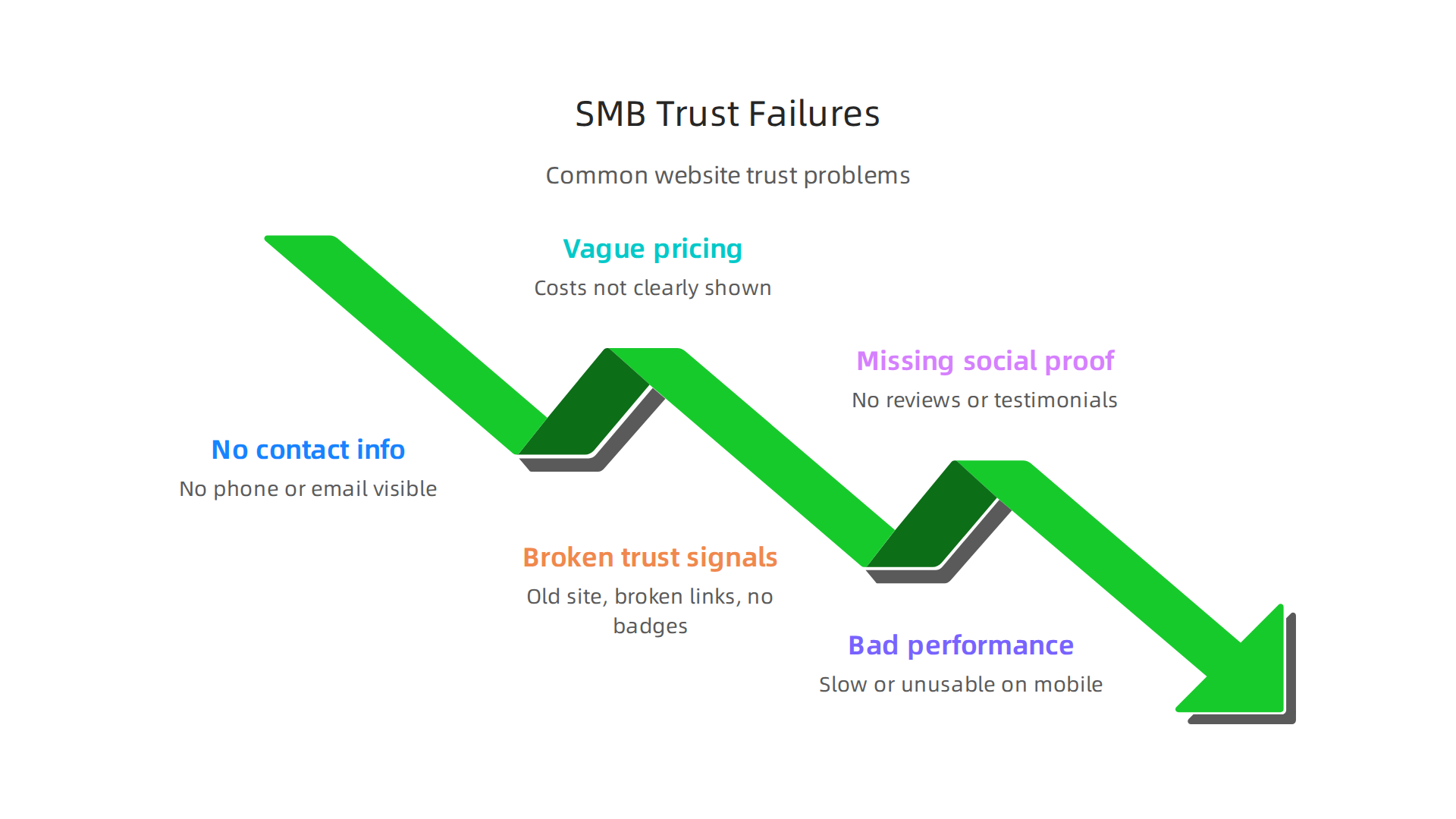
- No clear contact info: Visitors can’t easily find a phone number, email, or physical address. This makes your business seem less real or reliable.
- Vague pricing: Not showing clear costs or how your service is priced. People get nervous when they don’t know what they might have to pay.
- Broken trust signals: Maybe your website looks old, has broken links, or doesn’t show important security badges. Outdated design can make visitors feel your business isn’t professional or up-to-date Website Trust Signals That Actually Convert: A Small Business Guide.
- Missing social proof: No customer reviews, testimonials, or mentions of past happy clients. People trust what others say.
- Bad website performance: If your website is slow or hard to use on a phone, it feels unprofessional.
When these things happen, visitors get a bad feeling. They might think your business isn’t trustworthy, or that you don’t care about their experience. They then leave your site and go to a competitor. This means lost leads, lost sales, and all the effort you put into getting them to your site is wasted.
This is why designing ux for trust is not just a nice idea; it’s a must-have for growing your business. It means carefully planning your website so every part helps visitors feel secure and confident, leading them to become valuable customers. To truly make your website work hard for you and get more customers, it’s key to make your small business website convert visitors to customers.
Psychology of trust: cognitive biases and UX patterns that help
It’s not just about what your website looks like; it’s also about how people’s minds work when they visit it. Our brains have shortcuts, called cognitive biases, that help us make quick decisions. When you understand these, you can use certain website design (designing ux for trust) ideas to build trust naturally. This is what we call human centered design.
Here are some key ways people think that you can use on your website:
Social Proof
People often do what others do. If they see that many other people trust your business, they are more likely to trust it too. This is called social proof. On your website, you can show social proof by:
- Customer reviews and ratings: Displaying honest feedback from happy customers. Research shows that social elements like what other people say strongly affect how much a website is trusted Trust and distrust on the web: User experiences and website characteristics.
- Testimonials: Short quotes from clients talking about their good experiences.
- Case studies: Stories showing how you helped other businesses or people solve their problems.
- Mentions in the news: If your business has been featured in a well-known newspaper or online article, show it.
- Social media shares: High numbers of likes or shares on social media posts can show popularity.
Authority
We tend to trust people and organizations that seem like experts or leaders. Your website can show authority by:
- Awards and certifications: Displaying any special awards your business has won or important certifications you hold.
- Expert content: Sharing helpful blog posts, guides, or videos that show you really know your stuff.
- Team bios: Introduce the people behind the business, especially if they have strong backgrounds or degrees. This can make your business feel more real and skilled. Things like a strong brand also play a role in building trust Impact of Signals and Experience on Trust and Trusting Behavior | Cyberpsychology, Behavior, and Social Networking.
Scarcity and Reciprocity
These are two other powerful ideas:
- Scarcity: People want things more when they think those things are limited. For example, "Only 3 spots left!" or "Offer ends tonight!" Use this carefully and honestly, never to trick people.
- Reciprocity: When you give something valuable for free, people often feel like they want to give back. This could be a free guide, a useful tool, or a free trial.
How Microcopy Builds Trust
Part of designing ux for trust is paying attention to the tiny words on your website. This is called microcopy. Think about the small bits of text next to a form, on a button, or in an error message. Good microcopy explains things clearly and makes visitors feel safe.

- Clear Instructions: Instead of just "Name," a form field could say, "What’s your full name?" This feels more personal and less like a robot is talking to you.
- Reassurance: When someone is signing up or buying, you can add small notes like "Your information is safe with us" or "No spam, we promise." These tiny words can make a big difference in how much someone trusts you Microcopy, UX, and Trust: Writing for the Web That Sells.
- Error Messages: Instead of a simple "Error," a helpful message could say, "Oops! Please check your email address again. It looks like something is missing." Being clear and kind even when things go wrong builds trust.
- Confirmation Messages: When someone completes an action, a clear "Success! We got your message and will be in touch soon" makes them feel heard and valued.
This attention to detail in ui ux design shows care. It helps visitors feel like a real person is behind the website, not just a faceless company. Understanding what what is UI design means and how it applies to these small details can truly help your business grow.
Thinking about the small words and clever designs is important for designing ux for trust. But there’s another big part of trust that your website must get right: the technical stuff. This includes how safe your website is, how it handles private information, if everyone can use it, and how fast it works. These are the concrete signals that tell visitors your business is reliable and cares about them.

Security: Keeping Your Website Safe
When people visit your website, they want to know their information is safe. This means protecting their personal details and making sure no one can snoop on their actions.
- HTTPS (The Lock Icon): Look at the web address bar in your browser. Do you see "https://" and a little lock symbol? That "s" means "secure." It shows that your website uses special protection to keep information private when it travels between your website and the visitor’s computer. Every page, form, and checkout on your site should have this. It’s a basic rule for building trust online in 2026
Small Business Website Compliance Checklist 2026.
- Data Protection: If you collect any information, like names, emails, or payment details, you need strong security measures to protect it from bad actors.
Privacy: Being Open About User Data
People are more aware than ever about their privacy. They want to know what information your website collects and what you do with it.
- Privacy Policy: Your website should have a clear, easy-to-understand privacy policy. This document explains what data you collect, why you collect it, how you use it, and how people can ask you to remove their data. Don’t hide this information. Make it easy to find.
- Cookie Consent: Many websites use cookies to remember visitors or track their actions. If your site uses cookies, especially ones that track personal data, you need to tell visitors and get their permission.
Accessibility: Making Your Website Usable for Everyone
Human centered design means thinking about all kinds of people who might visit your website. This includes those with disabilities. Making your website accessible helps everyone use it easily, which also builds trust and shows you care. In 2026, accessibility is not just a nice-to-have, it’s becoming a must-have.
- Rules for Everyone: The government is making new rules for website accessibility. While some rules starting in April 2026 are for public places, private businesses are also expected to follow similar guidelines. Many businesses aim to meet standards like WCAG 2.1 Level AA ADA Compliance for Small Business Websites in 2026.
- What Accessibility Looks Like:
- Alt Text for Images: Providing written descriptions for images so screen readers can describe them to visually impaired users.
- Good Color Contrast: Making sure text colors stand out enough from background colors so everyone can read them easily.
- Keyboard Navigation: Allowing people to use your entire website just with a keyboard, not just a mouse.
- Clear Forms: Making sure all forms have clear labels and instructions.
- Why It Matters: When your website is accessible, it sends a strong message: "Everyone is welcome here." This is a key part of
designing ux for trustthat many businesses overlook. To better understand these concepts, you might want to learn what is UI design.
Performance: How Fast Your Website Works
Nobody likes a slow website. If your pages take too long to load, visitors might get frustrated and leave. A fast website shows efficiency and professionalism.
- Quick Loading Times: Make sure your website loads quickly on both computers and phones. Fast speeds make people happier and build trust that your business is on top of things.
- Mobile-Friendly: Your website should look good and work well on small phone screens. Most people use their phones to browse the internet in 2026!
Simple Checklist for Small Businesses
Here’s a quick checklist to help your small business build technical trust:
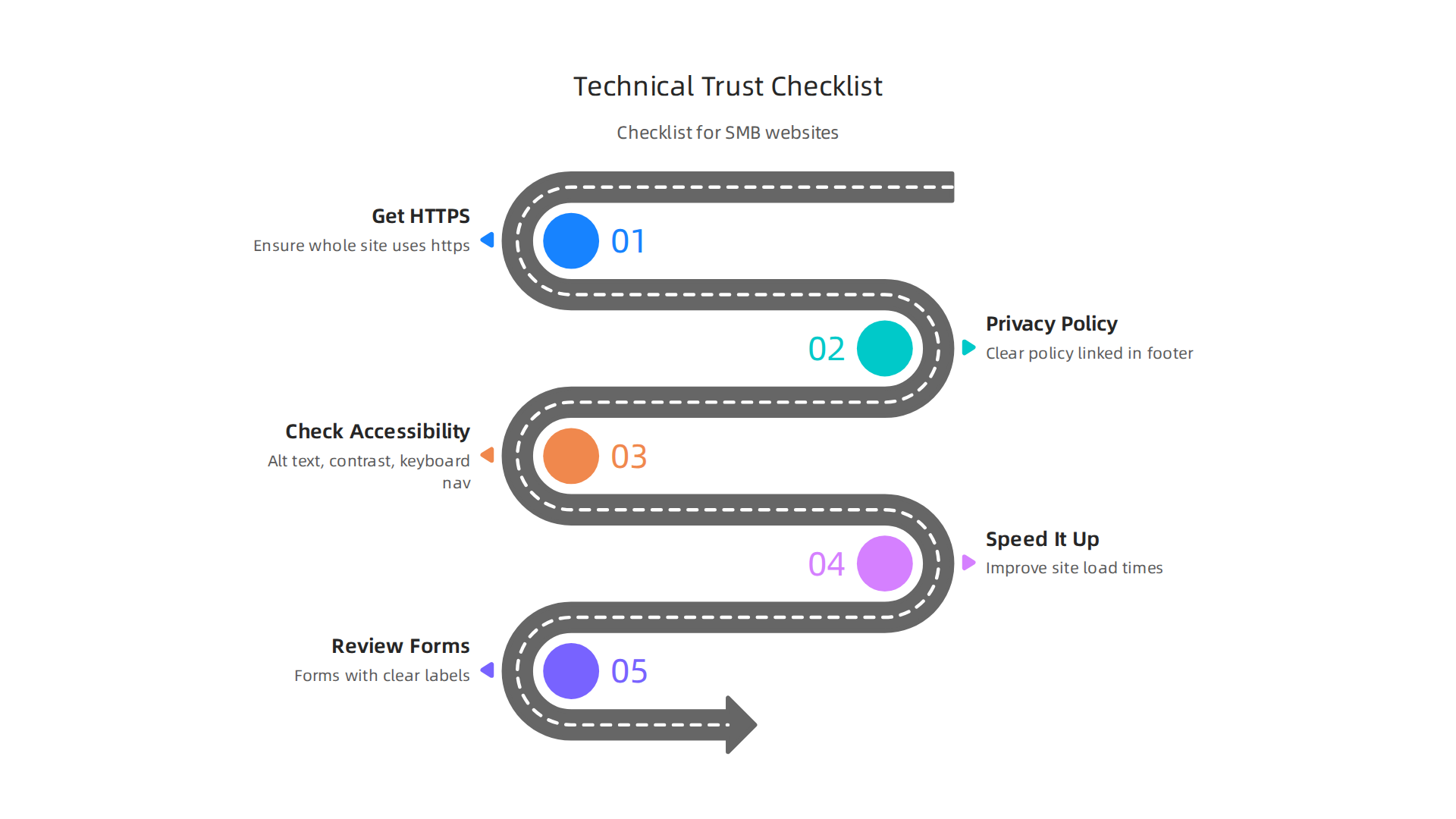
- Get HTTPS: Make sure your entire website uses "https://" and shows a lock symbol.
- Write a Privacy Policy: Create a clear policy and link to it from every page footer.
- Check Accessibility Basics:
- Add "alt text" to all your images.
- Make sure your text colors are easy to read against the background.
- Test navigating your site using only your keyboard.
- Speed It Up: Talk to your web designer about making your website load faster.
- Review Forms: Ensure all forms have clear labels and helpful messages for users.
By paying attention to these technical parts of your website, you’re not just following rules; you’re actively designing ux for trust. It’s how you show your customers that you are a serious and caring business. When done well, ui ux design focused on these details can help make your small business website convert visitors to customers.
Ready to make sure your website isn’t just pretty, but also trustworthy and brings in customers? Connect your website with Weblish and grow your traffic on autopilot with AI.
Grow Your Traffic on Autopilot
When visitors land on your website, they also look at how it looks and what other people say about your business. These are called visual and social trust signals.

They are super important for designing UX for trust because they speak to people’s feelings and help them decide if your business is real and honest.
Visual Signals: Does Your Website Look Trustworthy?
Think of your website as your store’s storefront. If it looks messy, old, or unclear, you might not want to go inside, right? The same is true online.
- Professional Photography: People trust what they can see. Using high-quality, real photos of your team, your office, your products, or happy customers makes your business feel much more real. Instead of generic stock photos, show the actual people behind your company. This helps visitors connect with you and builds trust, because people tend to trust other people more easily Trust Signals in Web Design. It makes your brand feel authentic and caring Building Trust Online | Website Trust Signals That Convert Visitors ….
- Consistent Branding: This means using the same colors, fonts, and overall style across your entire website. When everything looks neat, organized, and matches, it shows you pay attention to detail. A clean, modern, and consistent design makes your site look professional and helps build trust Website Trust Signals That Actually Convert: A Small Business Guide. This consistency in your UI UX design helps visitors feel confident they are on a well-cared-for site.
- Clear and Modern Design: An outdated website can make your business look old-fashioned or even unreliable. A website that’s easy to use and looks good on any device, like a phone or tablet, shows you care about the user experience. This focus on what helps the user is part of
human centered design.
Social Signals: What Do Others Say About You?
Once your website looks good, you also need to show proof that other people trust you. This is called "social proof."
- Validated Testimonials and Reviews: Real reviews from happy customers are powerful. Show short quotes, star ratings, or even full case studies. Make sure these are easy to find, especially near places where people make decisions, like a "buy now" button or a contact form. These signals can appear on your homepage or near key calls to action to build credibility quickly Homepage Trust Signals: 4 Elements That Drive Sales (2026).
- Recognizable Logos and Awards: If you’ve worked with well-known clients, won awards, or been featured in the media, show off their logos. These act as "authority signals" that tell new visitors that credible organizations trust you. Placing these logos on your homepage can help set a trusting tone from the start 11 Website Trust Signals That Help Build Your Credibility.
Design Dos and Don’ts for Small Businesses
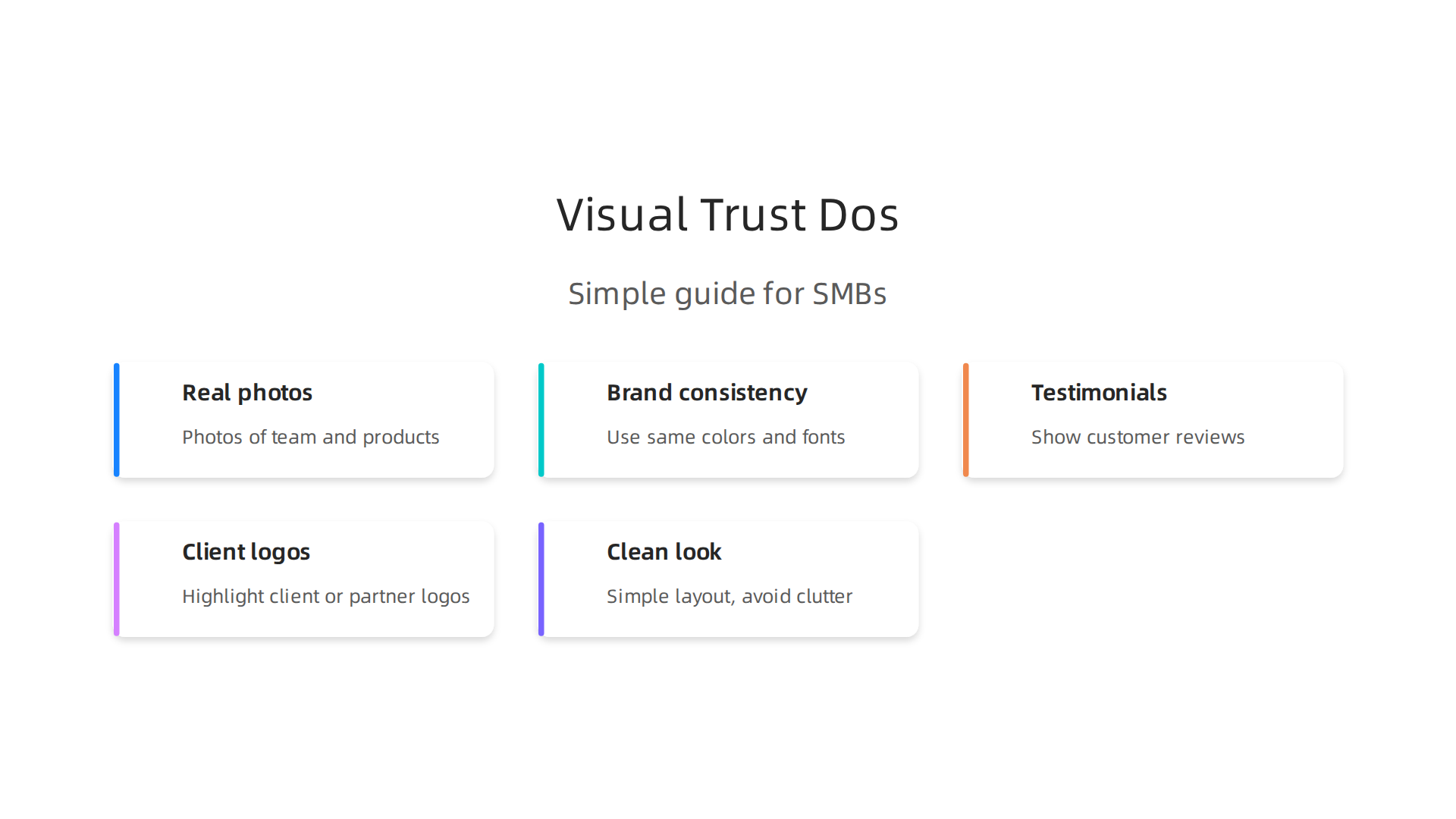
Here’s a simple guide to help your small business with visual and social trust:
- DO:
- Use real photos: Take pictures of your team, your office, and your actual products or services.
- Keep your brand consistent: Use the same colors and fonts across your website and social media.
- Display real testimonials: Ask happy customers for reviews and show them clearly on your site.
- Show client logos: If you serve other businesses, highlight their logos.
- Aim for a clean look: Simple is often best. Avoid too much clutter.
- DON’T:
- Use blurry or generic stock photos: These can make your business look less authentic.
- Have an inconsistent design: Different fonts and colors on every page confuse visitors.
- Hide your social proof: Make sure reviews and testimonials are easy to find.
- Forget to update: An old-looking website suggests your business isn’t active.
By paying attention to these visual and social cues, you are actively designing UX for trust. This approach is about making visitors feel welcome and secure, encouraging them to take the next step with your business. For more great ideas to improve your site, consider these graphic design ideas for small business websites.
While how your website looks and what others say are important, the words you use are just as key. Good writing can clearly tell visitors what you offer, how you help them, and why they should trust you. This focus on clear and helpful language is a big part of designing UX for trust.
Words That Build Trust: Headlines, Microcopy, and Social Proof
Think about the words on your website. Are they easy to understand? Do they answer questions clearly? If your words are confusing or unclear, people might get frustrated and leave. This is why good writing is so important for building trust.
1. Clear Value and Concrete Claims
Your website needs to quickly tell people what you do and how it helps them. This is your value proposition. Use headlines that are straight to the point. Instead of vague statements, make clear claims.
- Say what you offer: "We help small businesses get more leads."
- Explain the benefit: "Our service saves you 10 hours a week."
- Be specific: Give examples or numbers if you can.
Being upfront helps reduce any doubt a visitor might have. When you spell things out, people feel more confident about your business. Jakob Nielsen, a web design expert, noted that "up-front disclosure" is one of four main ways a website builds trust

Trustworthiness in Web Design: 4 Credibility Factors.
2. Transparent Pricing
No one likes hidden fees or surprises. If you offer products or services, be clear about how much they cost.
- Show prices plainly: Don’t make people search for pricing information.
- Explain what’s included: Break down what customers get for their money.
- Avoid jargon: Use simple words for pricing terms.
When pricing is clear, it shows honesty and builds a strong foundation for trust. This transparency is a key part of good small business website conversion.
3. Microcopy: The Small Words That Make a Big Difference
Microcopy refers to the small bits of text on your website that guide users. These can be:
- Button labels (e.g., "Add to Cart" or "Sign Up")
- Form instructions (e.g., "Enter your email here")
- Error messages (e.g., "Password too short")
- Help text or tooltips (e.g., "Your information is safe with us")
These tiny words have a huge impact on trust and user experience (UX). Good microcopy should be:
- Clear and concise: Get straight to the point. Less is more Microcopy: Top Tips for Increasing Your Conversion Rates.
- Helpful: Tell users what to do or what will happen next.
- Friendly: Sound like a real person, not a robot.
- Reassuring: For example, when asking for personal details, a small note like "We’ll never share your email" can ease worries Microcopy and User Trust with Words | Julia Clementson.
By using thoughtful microcopy, you can reduce confusion and make visitors feel safe and confident as they move through your site. It’s an important part of human centered design, focusing on the user’s feelings and needs. For instance, instead of just "Email," try "Where can we send updates?" on a form. This makes the interaction feel more personal and trustworthy Optimizing Microcopy for Conversion.
4. Ethical Social Proof: Showing Real People
We talked about reviews and testimonials earlier. Now, let’s think about how to display them ethically and use other forms of social proof.
- Gather reviews honestly: Ask customers for feedback naturally after they’ve used your service or product. Never make up reviews.
- Display real quotes: Use actual words from your customers. Showing their name and photo (with permission) makes it even more powerful.
- Case blurbs: Short summaries of how you helped other businesses, highlighting their success.
- User counts: If many people use your service or buy your product, showing numbers can build trust. For example, "Join 10,000 happy customers" or "Trusted by over 500 businesses." This shows that other people find value in what you offer, which makes new visitors more likely to trust you too Trust Signals in Web Design: The Best Places to Add ….
By combining clear language with strong social proof, you help visitors feel secure and ready to engage with your business. Ready to make your website work harder for you?
Grow Your Traffic on Autopilot
After putting in the effort to make your website trustworthy with clear words and real customer stories, how do you know if it’s actually working? You can’t just set it and forget it! Smart small businesses need to test their changes, see what works, and then roll out the best ideas. This helps you keep improving the way your website makes people feel safe and ready to buy.
Test, measure, and roll out: a practical checklist for SMBs
Testing doesn’t have to be hard or cost a lot of money. Even small businesses can find simple ways to check if their website changes are building trust. This is a key part of good human centered design, where you always put the user first.
1. Simple Ways to Test Your Website
- A/B Tests (Trial and Error for Websites): This is when you show two different versions of a web page to visitors to see which one works better. For example, you might show half your visitors a page with a security badge and the other half the same page without it. Then, you see which page gets more sign-ups or sales. The key is to test only one thing at a time, like a headline, a button color, or where you put a customer review. You should run these tests for at least two weeks to get clear results. A good resource for this is an Ultimate Guide to Trust Signals for CRO.
- Ask for Feedback: Sometimes, the easiest way to know if something works is to simply ask! Talk to a few trusted customers or even friends and family. Show them your website and ask:
- "What’s unclear here?"
- "Does this make you feel safe?"
- "What would stop you from buying or signing up?"
Their honest answers can give you big clues on how to improve your site.
- Check Your Website Numbers: Tools like Google Analytics can show you how long people stay on a page, where they click, and where they leave your site. If people are quickly leaving pages where you added new trust elements, it might mean those changes aren’t working as you hoped.
2. A Checklist for Rolling Out Trust Fixes
Once you know what changes will build trust, it’s time to put them into action. Here’s a simple checklist:
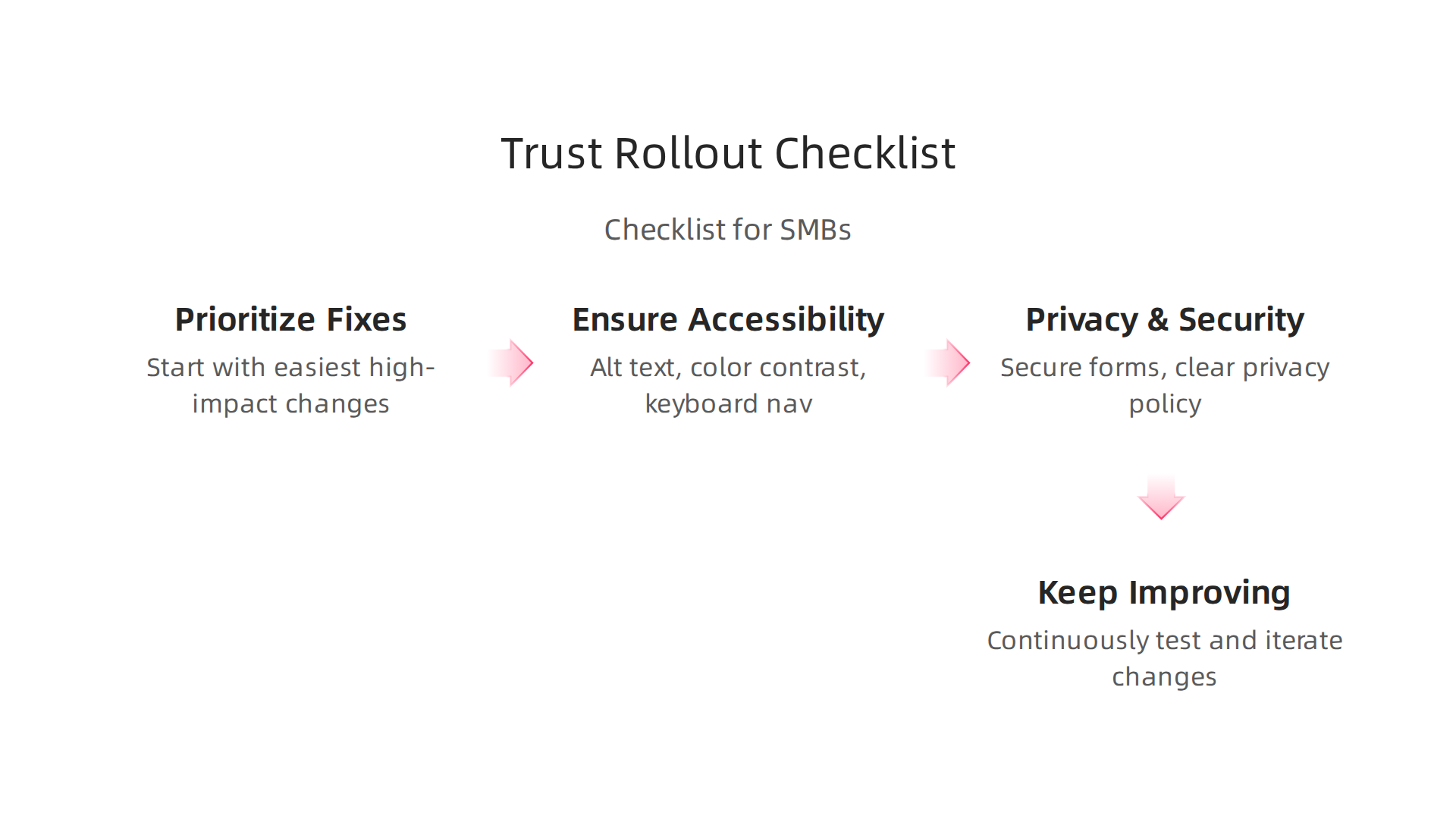
- Prioritize What to Fix: Start with the changes that are easiest to do and will make the biggest difference. For example, fixing a broken link is easy and immediately builds more trust.
- Ensure Accessibility: In 2026, it’s more important than ever to make sure your website can be used by everyone, including people with disabilities. While rules mostly apply to government sites, private businesses are expected to follow similar guidelines. Fixing things like image descriptions or text contrast is crucial. You can find help with an ADA Compliance Checklist for Small Businesses 2026. This helps show you care about all your visitors, which boosts trust.
- Review Privacy & Security: Double-check that all your forms and checkout pages are secure. Make sure your privacy policy is easy to find and understand. People want to know their information is safe. You can check out a Small Business Website Compliance Checklist 2026 for data collection best practices.
- Keep Improving: Building trust is not a one-time job. Your website should always be getting better. Keep an eye on new trends in UI UX design and keep asking for feedback. This continuous care is what truly makes your website a lead-generating machine.
If you’re looking for help with your website, you can get started with Weblish by claiming your free trial. It provides affordable web design and ongoing marketing help, focusing on turning your site into a consistent lead generator.
Summary
This article explains why a trust-first approach to UX is the growth engine many small businesses are missing and walks through practical ways to fix it. It covers the psychology behind trust, the visual and social signals that persuade visitors, and the tiny bits of copy (microcopy) that reassure people at key moments. The guide also lays out the essential technical pieces — HTTPS, privacy policy, accessibility and performance — that prove your site is secure and professional. You’ll find a clear checklist of common trust mistakes, simple quick wins you can roll out with limited resources, and low-cost testing methods to measure impact. Taken together, these tactics help turn casual visitors into leads and customers rather than letting them leave uncertain and unconverted.