
Boost Leads Choosing Portfolio Website Templates That Convert
This article explains why a portfolio website must do more than display past work: it should actively generate leads and grow your business. It outlines what ma…


Why a portfolio website still matters and how templates change the game
In 2026, many small businesses have websites that look nice. They might have pretty pictures and well-written words. But here’s the thing: often, these websites just sit there, like a fancy brochure no one picks up. They don’t actually bring in new customers or help the business grow. For many business owners, this is a big problem.

Think about it this way: your website should be working for you, not just existing. Most marketers, about 90.7% of them, use their websites to get new customers and make sales, according to reports from 2026. However, even with a lot of effort, studies show that only about 2% to 5% of people visiting a business website actually turn into a lead, meaning they show interest in buying something Lead Generation Statistics 2026: Benchmarks & Trends. This means a lot of visitors aren’t taking the next step.
This is where good portfolio website design comes in. A portfolio website needs to do more than just show off your past work. It needs to be a tool that actively finds and attracts new clients, making sure those visitors actually want to learn more about what you offer. When a website doesn’t do this, it’s often because it wasn’t built with the goal of getting leads in mind.
You might be thinking, "But building a great website is expensive and takes so much time!" That used to be true. But today, the way we create websites is changing, especially with smart tools and portfolio website templates. These templates make it easier and more affordable to get a website that works hard for your business. They help you avoid high costs and long waits, giving you a professional site much faster.
This guide will show you how to pick and set up the right portfolio website templates. We will look at practical steps for choosing designs that really drive leads, all while keeping costs clear and predictable. Getting a website that truly brings in customers doesn’t have to be a guessing game. If you’re looking for a service that can help you create a lead-generating website with clear costs and expert help, consider exploring Weblish — AI Website Growth. This service is designed to give small and mid-sized businesses the tools they need for growth.
Ready to make your website a magnet for new customers?
Grow Your Traffic on Autopilot
A great portfolio website design is much more than just a place to put your past projects. For small and mid-sized businesses, especially those that offer services, it acts as a very important tool. It helps build trust, shows you know your stuff, and makes it easy for new customers to find you. Think of it as your best salesperson, working 24/7.
Building Trust and Showing You’re Good
When people look for a service, they want to be sure they are picking someone reliable and skilled. A good portfolio website lets you show off your best work, proving what you can do. It’s not just about pretty pictures; it’s about showing the results you got for others. This helps new visitors feel confident in choosing your business. In fact, a good portfolio should answer a key question right away: "Are you any good at it?" according to a 2026 design portfolio guide The Complete Design Portfolio Guide for 2026.
A simple "brochure site" just lists what you do. But a portfolio that works to get new leads tells a story. It explains the problem a client had, what you did to fix it, and what good happened because of your work. This is how you build real credibility.
Helping Customers Find You (Discovery)
Beyond trust, your portfolio website helps new customers find you in the first place. When someone searches online for a service you offer, your site needs to pop up. This is where smart portfolio website design and good content come together. If your site is built with the right words and is easy for search engines to understand, more people will discover your business.
Many businesses still have websites that are like those old brochures. They look nice but don’t actually do much to bring in new work. These sites often fail because they don’t focus on what a potential customer needs to see to take the next step. They don’t clearly show the results of your work, making it hard for visitors to imagine you solving their problems.
What Makes a Portfolio Page Conversion-Ready?
A website that turns visitors into real leads needs certain things:
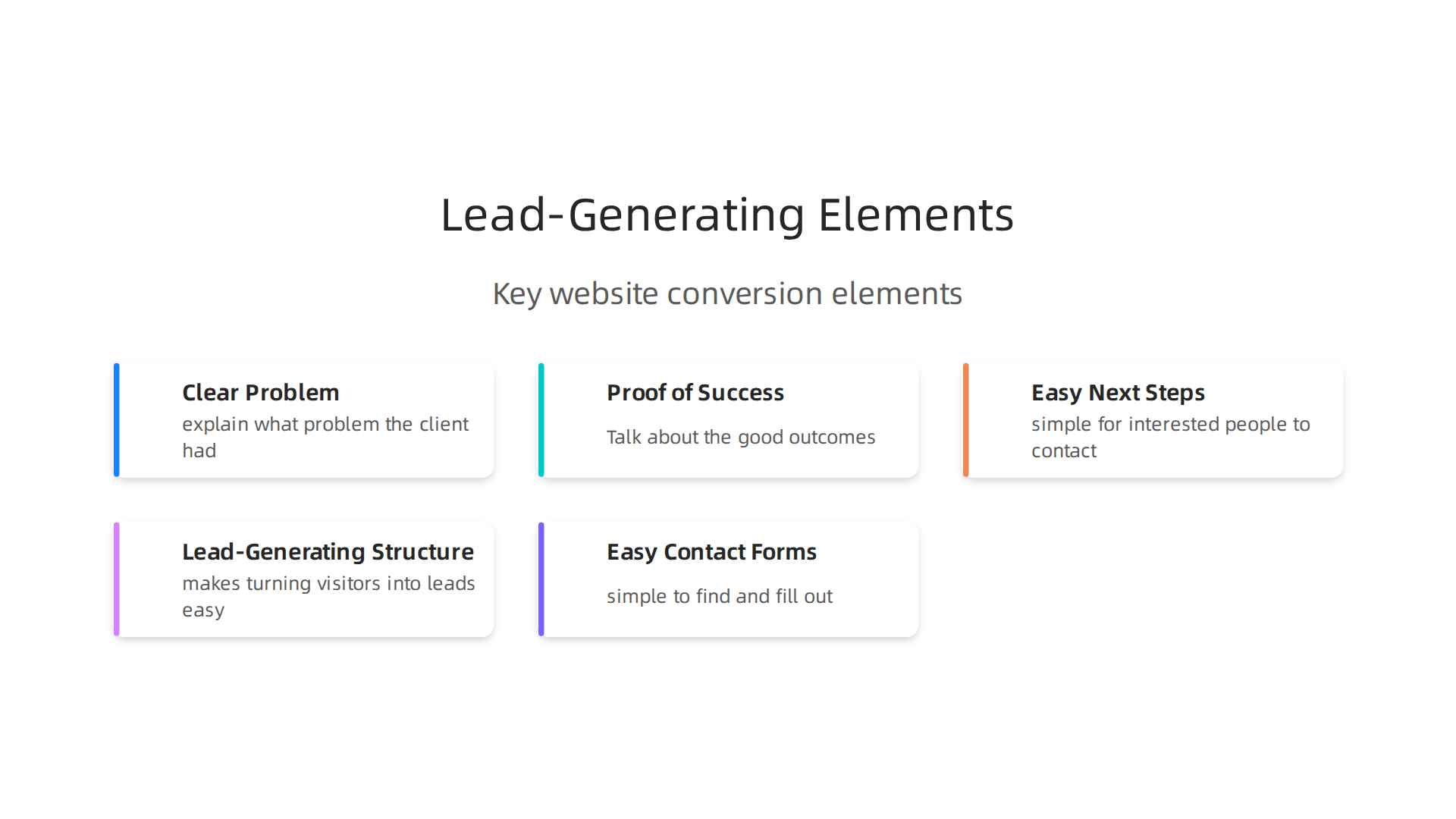
- Clear Problem and Solution: For each project you show, explain what problem the client had and how your work solved it.
- Proof of Success: Don’t just show what you made. Talk about the good outcomes. Did it save money? Make things faster? Attract more customers for them? This is super important. Experts say you should put these outcomes right at the top of your project descriptions, not hide them at the end 12 Portfolio Mistakes That Cost Designers Interviews.
- Easy Next Steps: Your website should make it simple for interested people to contact you or learn more. This might be a contact form, a button to call you, or a way to download helpful information.
- Good Design: Even simple portfolio website templates can look professional and be easy to use. This makes a good first impression.
By focusing on these points, your website stops being a static display and starts being a dynamic tool. It becomes one of the best portfolio websites for getting leads, helping small and mid-sized businesses grow steadily in 2026.
Now that you know what makes a good portfolio website, the next big step is choosing the right design. It’s not just about what looks pretty. It’s about picking a starting point, often called a template, that helps your business get new customers. Many good portfolio website templates are out there, but you need one that works for your goals.
Here’s a simple checklist to help you choose the best template for your business:
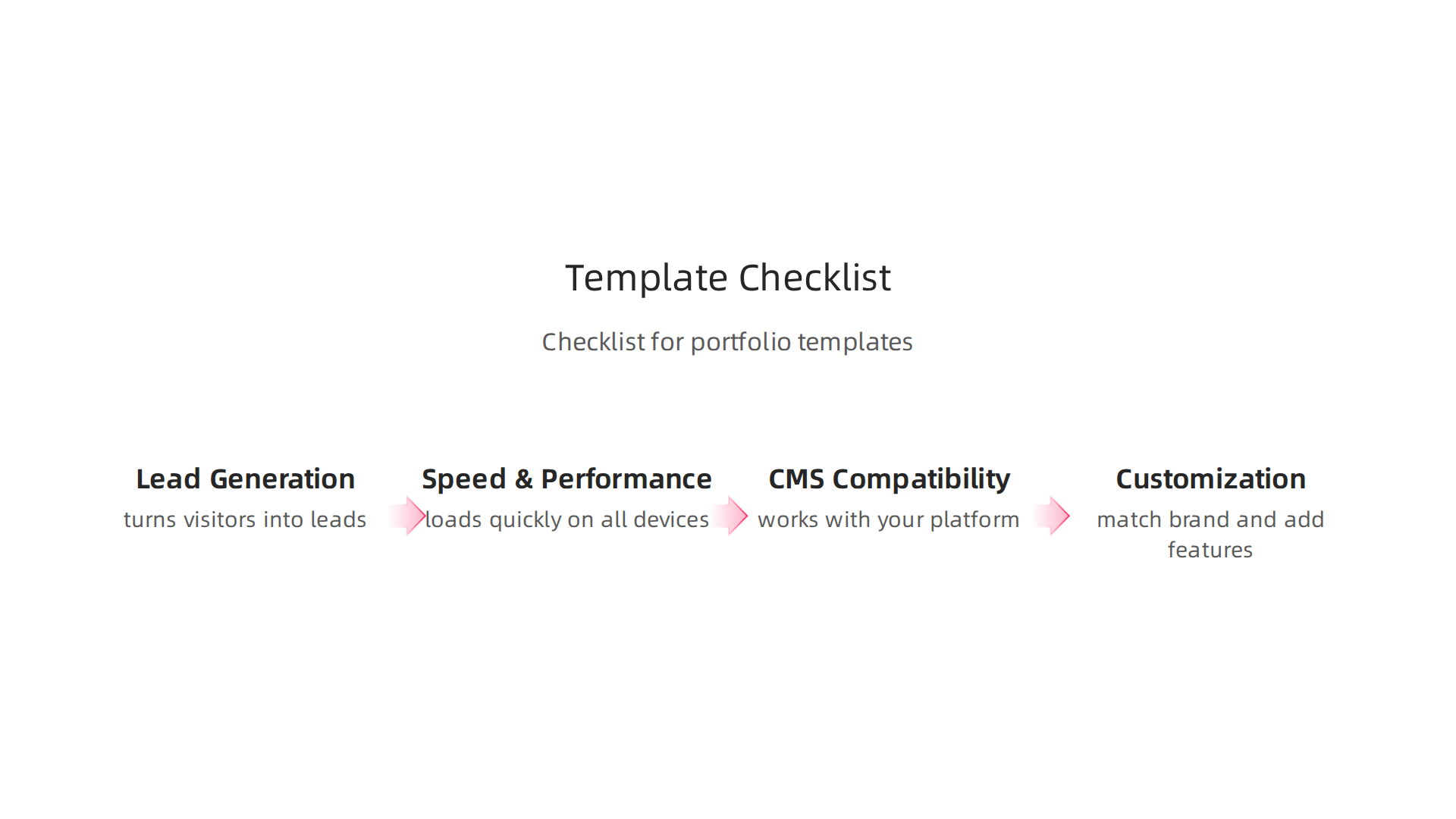
1. Focus on Lead-Generating Structure
The main goal of your portfolio website is to turn visitors into leads. So, the template must make this easy.
- Showcases Your Work Clearly: Can you easily put your best projects right where people can see them? Each project should have space to tell its story: the problem, your solution, and the great results.
- Clear Call-to-Action Spots: Does the template have easy places to put "Contact Us" buttons or forms? These should stand out so visitors know what to do next.
- Easy-to-Read Layout: Is the text easy to read? Are there too many fancy things that make it hard to focus? Simple and clean is usually best for getting leads.
Many businesses look for free portfolio website templates to start. While these can be a good option, make sure they still offer a professional look and feel, according to a 2026 guide on free templates.
2. Speed and Performance
Nobody likes a slow website. If your site takes too long to load, people will leave before they even see your amazing work.
- Quick Loading Times: Test how fast the template loads. A fast website keeps visitors happy and helps you show up higher in search results.
- Mobile-Friendly: Most people look at websites on their phones. Your chosen template must look great and work perfectly on all screen sizes, from big computers to small smartphones.
3. CMS Compatibility
A Content Management System (CMS) is the tool you use to build and manage your website. Think of it as the engine behind the car.
- Works with Your Chosen Platform: Are you using WordPress, Squarespace, Wix, or another builder? Make sure the template works well with your choice. For example, many free portfolio website templates for WordPress are available.
- Easy to Update: Can you easily add new projects, change text, or update pictures yourself? You don’t want to need a developer for every tiny change.
4. Room to Make It Your Own (Customization)
While a template gives you a head start, you still need to make it feel like your business.
- Match Your Brand: Can you easily change colors, fonts, and add your logo? Your website should reflect your unique brand.
- Add Your Own Features: Do you need a blog, a special contact form, or a different kind of gallery? Make sure the template lets you add or change these things as your business grows. The best templates offer a good balance of ready-made design and flexibility for graphic design portfolio websites, as shown by some of the best portfolio website templates of 2026.
Evaluating for Your Business Needs
When you look at different portfolio website templates, think about your specific business goals, how much money you want to spend, and what you’re good at with computers.
- What are your goals? Do you want to show off your art, get design clients, or find new customers for your service business? This will guide your template choice.
- What’s your budget? Some templates are free, others cost money. There are also powerful AI website builder for small business options that can help speed up the process.
- How good are you with tech? If you’re not a tech expert, choose a template that’s very easy to use and manage.
If you’re looking for a service that combines expertise with smart technology to continuously manage and grow your website traffic and leads, Weblish offers AI Website Growth solutions to help your business thrive.
Choosing the right template is a big step in making your portfolio website design a powerful tool for getting leads. Take your time, use this checklist, and pick a template that will serve your business well for years to come.
Connect your website with Weblish and Grow Your Traffic on Autopilot with AI.
Choosing the right template is just the start. Now, let’s talk about the parts of your website design that truly help you get new customers. These are the visual choices, the words you use, and showing off your happy clients. They all work together to make your portfolio website design a lead-generating machine.
Visual Choices: Layouts That Get Results
How your website looks and feels can make a big difference. Think about it like a helpful salesperson.

You want your website to guide people easily.
-
Clear Headlines: The very first thing people see when they land on your site is super important. This is called the "hero section." Your main headline here needs to be clear about what you offer and how it helps visitors. It should tell them what problem you solve or what good thing they will get. Studies show that how well your headline works can make a huge difference in getting people to stay and act on your page. The main section that visitors see first on a page can make up to 70% of their decision to continue engaging with your website, according to Hero Section Statistics 2026. Make sure your headline clearly matches what visitors were looking for when they clicked to your site, as this helps conversion rates go up according to a guide on Landing Page Hero Section.
-
Smart CTA Placement: Your "Call to Action" buttons are like helpful signs telling people what to do next. Things like "Contact Us," "Get a Free Quote," or "See My Work" should be easy to find. Place them where they make sense, usually after you explain something important or show a project. Many websites find that having two clear calls to action in the main viewing area can actually work better than just one, as shown by analyzing 25,000 A/B tests. The words on these buttons matter too. Be clear about what will happen when someone clicks, like "Get my free audit" instead of just "Learn more," as specific CTAs do better.
-
Showing Off Your Work: For graphic design portfolio websites or any service business, how you show your past projects is key. Don’t just show pictures. Tell a story for each project. What problem did you solve for the client? How did you solve it? What great results did they get? This format helps visitors see the value you bring and imagine you doing the same for them.
Strong Copy That Connects
The words you use on your website are like your voice. They need to be clear, friendly, and convincing.
- Keep it Simple: Use easy words. Get straight to the point. People usually just skim websites, so make your message quick to grasp.
- Focus on Benefits: Instead of just saying what you do, talk about how it helps your customer. For example, instead of "I design logos," say "I create logos that help businesses get noticed and make more sales."
- Action-Oriented Language: Use words that make people want to do something.
If you need help making your website copy and design work together to attract more customers, consider reading about small business website conversion.
Social Proof: Showing You Can Be Trusted
People trust other people. When visitors see that others have had good experiences with you, they are more likely to trust you too. This is called "social proof."
- Client Logos: If you’ve worked with well-known companies, show their logos. It instantly builds trust.
- Testimonials and Reviews: Ask happy clients to write a few words about working with you. Put these glowing reviews on your website. Placing a good testimonial right next to a button like "Book a Call" can really help encourage clicks, as found in a study on Social Proof on Landing Pages. Customer stories can increase how many visitors take action by as much as 34%, according to Landing Page Social Proof Element Performance Statistics.
- Case Studies: These are like longer, more detailed testimonials. They tell the full story of a project, from problem to amazing result. This is especially good for showing measurable outcomes.
- Numbers Talk: If you can, use numbers to show your success. "Helped Client X increase sales by 30%" is much more powerful than "Helped Client X with sales."
Placing these trust signals correctly is important. Put them near your main call-to-action buttons or forms, so people see them right when they might be thinking about reaching out, which can boost sign-ups for things like demos, according to tips on Landing Page Trust Signals That Lift Enterprise Demo Rates. Overall, businesses that work with other businesses see a typical conversion rate of about 3.6% on their landing pages, while lead generation and webinar funnels can be much higher, based on a 2026 study on Landing Page Conversion in 2026. This shows how important it is to optimize your portfolio website design for conversions.
Beyond great design and clear messages, your portfolio website needs a strong technical backbone. Think of it like a beautiful car. It might look amazing, but if the engine isn’t working right, it won’t take you anywhere. The same goes for your online presence. Good technical choices help your website show up in searches and work smoothly for everyone, turning visitors into new customers.
Picking the Right Website System (CMS)
First, let’s talk about the tool you use to build and manage your website. This is called a Content Management System or CMS. Many people choose platforms like WordPress or Webflow. These systems let you build a great portfolio website design without needing to be a computer expert.
When you choose a system, and especially a template, some are better for SEO than others. SEO stands for Search Engine Optimization. It’s how search engines like Google find and show your website to people looking for services like yours. A good CMS helps your site be "SEO-ready" from the start, making it easier for potential clients to discover your work. For a small business, choosing an AI website builder for small business might also offer built-in advantages for lead generation in 2026.
Make Your Website Super Fast
No one likes a slow website. If your portfolio site takes too long to load, people will leave before they even see your amazing work. This is bad for getting leads and bad for how search engines see your site. In 2026, website speed is more important than ever.
Key things that matter for speed are called Core Web Vitals. These include how fast the biggest part of your page loads (Largest Contentful Paint or LCP) and how quickly your site reacts when someone clicks on it (Interaction to Next Paint or INP). You want your LCP to be under 2.5 seconds to keep visitors happy and search engines smiling, according to SEO Best Practices 2026: What to Do & What to Avoid.
Ways to speed up your site include:
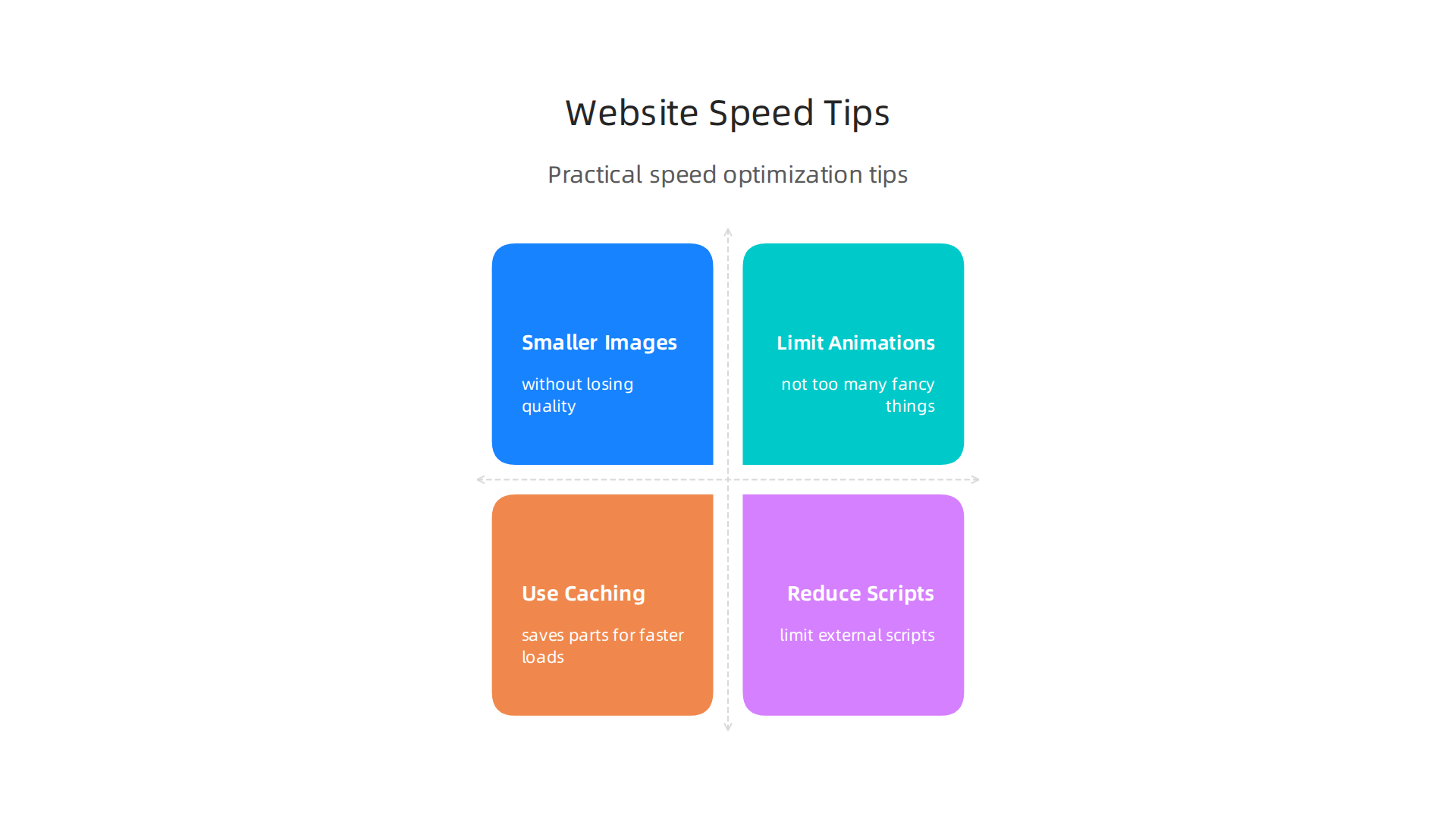
- Making images smaller in file size without losing quality.
- Not using too many fancy animations or extra code.
- Using smart tricks like "caching" which saves parts of your website so it loads faster next time.
- Reducing how many scripts from other companies run on your site, like chat widgets, as they can slow things down, states a guide on Google Algorithm 2026 & Core Web Vitals.
You can also use a Content Delivery Network (CDN) to make your site load faster for people all over the world. Improving your site speed is a top SEO practice for 2026, as noted in 47 SEO Best Practices That Actually Work in 2026.
Mobile Matters: A Great Experience Everywhere
Most people look at websites on their phones. So, your graphic design portfolio website needs to look and work perfectly on a small screen. This means buttons are easy to tap, text is easy to read, and everything flows nicely. A website that isn’t mobile-friendly will chase away potential clients and can hurt your ranking in search results. Making sure your site works well on mobile is a core SEO strategy for 2026, highlighted in SEO Strategy Best Practices for 2026.
SEO Basics: Getting Found Online
Beyond speed and mobile design, there are simple SEO steps you can take for your portfolio website.
- Good Titles and Descriptions: For each page, have a clear title and a short description that tells people and search engines what the page is about. Use keywords people might search for, like "best portfolio websites" or "freelance graphic designer."
- Schema Markup: This is like a secret code you can add to your website that helps search engines understand what’s on your page even better. For example, you can tell Google "this is my business address" or "this is a review from a client." This helps your site show up in richer ways in search results. Keeping your data consistent, including schema, is one of the Top SEO Tips For 2026.
- Check for Broken Links: Sometimes links on your site break. This means they lead nowhere. Fixing these helps both your visitors and search engines.
- Crawlability: Make sure search engines can easily "read" and understand all the important pages on your website.
To really make your portfolio website design work for you, combine great design with these technical must-haves. This way, your site won’t just look good; it will perform well and attract more clients.
Ready to see your website climb search rankings and bring in more business?
Grow Your Traffic on Autopilot
A well-optimized website is a powerful tool for consistent lead generation, turning your online portfolio into a client-attracting magnet.
Once your portfolio website design is fast and easy to find, the next big step is to make it actively work for you. It’s not enough for people to just visit; you want them to reach out and become clients! This means making your website personal and having good ways to catch new leads.
Making Your Site Personal and Capturing Leads
Think about making your website feel special for each visitor. You want to make it easy for them to take the next step, whether that’s asking a question or hiring you.
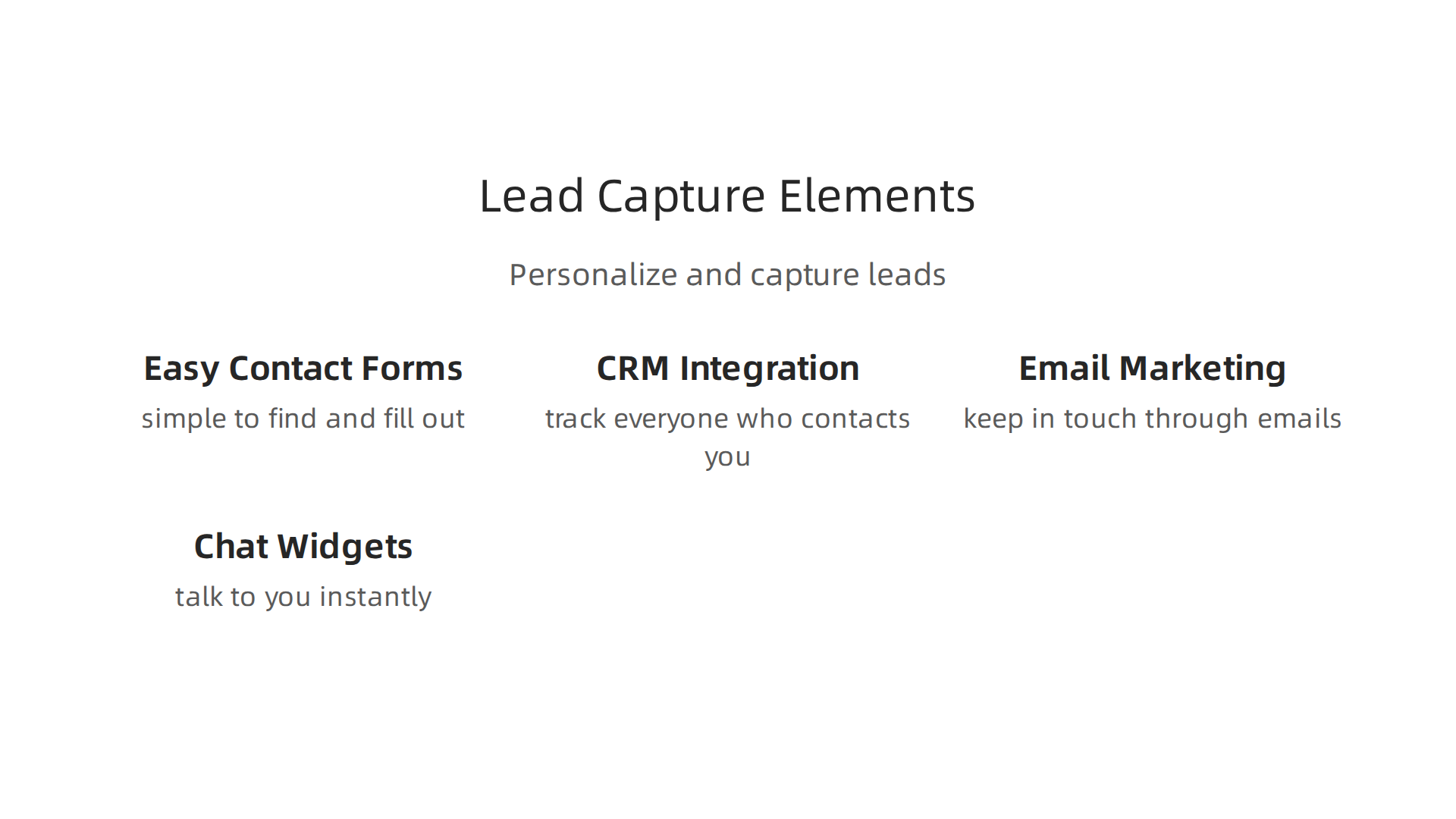
- Easy Contact Forms: Your website needs simple forms where people can ask about your services. These should be easy to find and fill out. Make sure the forms ask for just enough information, not too much.
- CRM (Customer Relationship Management): This is a fancy name for a system that helps you keep track of everyone who contacts you. When someone fills out a form, their details should go into this system. This helps you remember who they are and what they talked about. It’s like a helpful digital assistant for your client list.
- Email Marketing: After someone visits or signs up, you can keep in touch with them through emails. This lets you share new projects, helpful tips, or special offers. Many website templates and platforms make it easy to connect with tools for sending emails to groups of people. If you’re wondering how to choose a company to help with this, you can find guidance on how to choose the best email marketing agency in 2026.
- Chat Widgets: Sometimes, people have quick questions and want answers right away. A little chat box on your website lets them talk to you instantly. This makes your site more welcoming and helpful.
- Analytics: This is like a special tool that tells you how people are using your website. You can see which pages they visit, how long they stay, and where they might get stuck. Knowing this helps you make your site even better.
Adding special "trust signals" to your website can also help turn visitors into clients. These are things like testimonials, which are good reviews from past happy customers. Placing these near your contact forms can really make a difference. Studies show that customer testimonials can increase how many people fill out a form by a lot, and where you put them on the page truly matters, according to findings on Landing Page Social Proof Element Performance Statistics. Making sure these trust signals are honest and clear, like showing logos of well-known clients or star ratings, builds confidence, as noted in expert advice on Landing Page Trust Signals That Lift Enterprise Demo Rates.
If you want to create a website that truly converts, learning how to build a lead-generating website for small business growth is key.
Always Making Your Website Better (Optimization)
Even after your portfolio website design is up and running, your work isn’t done. You should always be looking for ways to make it better at getting leads. This is called "optimization."
- A/B Testing: This is a smart way to test changes on your website. You show half of your visitors one version (A) of a page and the other half a slightly different version (B). Then, you see which version works best. For example, you might test two different headlines to see which one makes more people click a button. Even small changes, like the color or words on a "Contact Us" button, can make a big difference, sometimes changing results by as much as 17%, according to data on How to Create High-Converting Landing Pages for Your Products.
- Simple Analytics Check-ups: Regularly look at your website analytics. See if people are finding what they need. Are they spending time on your project pages? Are they clicking your contact button? If many people leave a certain page without doing anything, maybe that page needs a change.
- Conversion Rate Optimization (CRO): This is the ongoing effort to make more of your visitors take the action you want, like filling out a form. It’s all about small improvements based on real numbers. In 2026, many businesses are finding that even a small change can lead to big gains. For example, the very top part of your website, called the "hero section," is super important because it accounts for about 70% of whether someone will convert or not. You can find a useful guide that goes through many points to check for website improvements in a Conversion Rate Optimization Checklist.
By paying attention to these details, your graphic design portfolio websites won’t just be pretty. They will be active tools that help you find and connect with new clients consistently. While average conversion rates for landing pages can vary, from about 2.3% for direct-to-consumer businesses to 4.1% for B2B, continuously testing and improving your pages can help you achieve even better results, as shown in a 2026 study on Landing Page Conversion in 2026: 2000 Pages Tested. This means your website truly acts like a client-attracting magnet, rather than just an online brochure.
Even after your portfolio website design is a client-attracting magnet, the big question is often about cost. How do you get a powerful website without breaking the bank? This is where understanding pricing models comes in. You need to know when using templates can save you money and when a custom website build is worth the extra investment.
Comparing Costs: Templates vs. Custom Websites
When thinking about your graphic design portfolio websites, you usually have two main choices for how they’re built:
- Using Templates and Managed Services:
- Upfront Costs: This is often the cheapest way to start. Many platforms offer free portfolio website builder options or affordable portfolio website templates. These can be great for getting your site up quickly. You might find many free portfolio website templates for designers in 2026 that are ready to use.
- Ongoing Costs: You will still pay for things like website hosting (where your website lives online), a domain name (your website’s address), and possibly monthly fees for premium template features or website builder services. If you choose a managed service, they handle updates, security, and sometimes even content changes for a regular fee. This can be a smart way to get a professional look and ongoing help without huge upfront expenses.
- Fully Custom Website Builds:
- Upfront Costs: This is the most expensive option initially. You hire a designer and developer to create a unique website from scratch, built just for you. This means they write all the code and design every single part.
- Ongoing Costs: After the initial build, you’ll still have hosting costs and may pay for updates, maintenance, and new features as your business grows. The upside is full control and a truly unique site.
For many small and mid-sized businesses, the cost of a fully custom site can be too high at first. But a professional portfolio website design is still important. Services that offer affordable web design and ongoing management, like Weblish, can provide a great middle ground. They build premium websites without the large upfront fees, often working with platforms like WordPress or Webflow.
How to Decide: A Simple Checklist for Your Website
Choosing between templates and custom work for your portfolio website design depends on what your business needs. Here’s a simple way to think about it:
- Your Budget: How much money do you have right now to spend on your website? And how much can you spend each month? If your budget is tight, starting with a free portfolio website builder or a quality template is a smart choice.
- Your Timeline: How quickly do you need your website to be ready? Templates can be set up much faster than a custom site, which can take many months to build.
- Special Tools You Need (Integrations): Do you need your website to connect with very specific tools, like a complex booking system, a special online store, or a custom customer database? Basic portfolio website templates might not offer all these connections, making a custom build or a more advanced managed service a better fit.
- What You Expect Back (Expected ROI): How much new business do you believe your website will bring in? If you’re confident a top-tier website will attract high-paying clients, investing more in a unique, custom solution might make sense in the long run.

On the other hand, if you’re just starting, getting a lead-generating site up quickly and affordably to prove the concept might be better.
Many businesses are finding success by choosing companies that combine good design with smart strategy. For instance, if you’re looking for help deciding the best approach for your online presence, learning how to choose a website development services company for real business growth can be a great next step. By carefully thinking about these points, you can pick the best path for your graphic design portfolio websites to attract more clients without unnecessary spending.
Want to turn your website into a powerful client-getting machine?
Grow Your Traffic on Autopilot
Summary
This article explains why a portfolio website must do more than display past work: it should actively generate leads and grow your business. It outlines what makes a portfolio conversion-ready—clear problem/solution case studies, social proof, strong headlines, smart CTAs—and shows how templates now make professional, lead-focused sites faster and cheaper to launch. You’ll learn a practical checklist for picking templates (structure, speed, CMS compatibility, customization), technical SEO and performance priorities like LCP under 2.5s, and ways to capture and nurture leads with forms, CRM, email and chat. The guide also compares template-based and custom builds so you can match choices to budget, timeline and integrations. Finally, it walks through ongoing optimization tactics—A/B testing and analytics—to improve conversion rates over time. After reading, you’ll be able to choose a template and setup that turns your portfolio into a working sales tool rather than a static brochure.