
Best Online UI UX Course for Business Owners Who Want More Leads
This article helps small and mid-sized business owners cut through the noise of online UI/UX courses and pick training that actually moves the needle for their…


Introduction
Every day, potential customers land on your website. They look at your design. They click around. Within seconds, they decide if they trust you or not.

Here’s the thing. That split-second judgment is costing small business owners real money.
According to Key UX benchmarks for business impact, 94% of first-impression assessments are design-driven. And 88% of online users say they won’t return to a site after a bad experience. On the flip side, a well-designed user interface can boost conversion rates by up to 200%.
That’s the difference between a website that feels like a digital brochure and one that works like a sales machine.
For small and mid-sized business owners, this matters more than ever in 2026. The user experience design services market is expected to hit $20.32 billion by 2033. Smart business owners are paying attention. They know that every dollar invested in UX can return up to $100.
But here’s the problem. Hundreds of online UI UX courses promise to teach you these skills. Some are great. Most are not. And if you’re running a business, you don’t have time to waste on the wrong one.
That’s exactly why this guide exists. We wrote it for business owners like you who want to understand which online UI UX course will actually help your bottom line. Not just theory. Not just design trends. Real, practical skills that turn your website into a lead generation engine.
Most course reviews focus on curriculum and instructor credentials. This one is different. We look at courses through a business lens. Does the UI/UX design online course teach you how to increase conversions? Does it cover real-world testing? Does it help you understand what drives customer behavior on your site? These are the questions that matter when you are investing your time and money.
In this guide, you’ll learn what separates a valuable UI/UX course online from a time-waster. You’ll discover the key features to look for, the common red flags to avoid, and how to pick a course that delivers measurable return on investment for your business. We also have a detailed resource on choosing a UI/UX designer course for lead generation if you want to dig deeper into how design skills connect directly to customer growth.
If you’ve ever wondered whether investing in a UI UX designing course online is worth your time and money, you’re in the right place. Let’s cut through the noise and find the course that actually moves the needle for your business.
And once your design skills are sharp and your team is ready to build a better customer experience, you will need a website that puts those skills to work. Grow Your Traffic on Autopilot by connecting your site with Weblish and letting AI handle the heavy lifting.
Why UI/UX Design Is a Business Imperative for SMBs
Here’s something every small business owner needs to hear. Your website’s design is not just decoration. It is a direct driver of revenue. Or a direct driver of lost revenue.

Let’s look at the numbers. According to UX statistics from 2026, 52% of customers have stopped buying from a brand after a bad experience. And 70% of consumers will abandon a brand after just two bad experiences. Two. That is a very small window to make a good impression.
Now think about what happens after a customer does decide to buy. If your checkout process is clunky or confusing, you lose them there too. Studies show that fixing checkout UX can boost conversions by 35%. That’s not a small tweak. That is thousands of dollars in recovered revenue for most SMBs.
The cost of poor design goes beyond lost sales. It also drives up your support costs. When customers cannot figure out how to use your site, they call or email your team. Every one of those calls costs you money. Companies that invest in UX see a 37% reduction in support costs. That is money you can put back into growing your business.
And here is the part that really matters for your bottom line. Companies that invest in continuous UX testing improve revenue retention by up to 10.8% over three years. That is not a one-time boost. It is a compounding advantage that grows every year you keep your customers happy.
This is why choosing the right online UI UX course is not just about learning design theory. It is about understanding how to build a website that works as a lead generation engine. A smart investment in a UI/UX design online course teaches you how to reduce friction, build trust, and guide visitors toward taking action.
If you want to see exactly how to turn your current website visitors into paying customers, check out our guide on small business website conversion tactics. It walks through practical steps that work in 2026.
When you understand that UX design is a business imperative, not a creative afterthought, you start making smarter choices about where to invest your time and training budget.
The Direct Impact on Lead Generation and Sales
Let’s zoom in on the specific ways good design creates real sales. It starts with your checkout process. Simplified checkout flows that use just a few steps can cut cart abandonment by a huge amount. Every abandoned cart is a lost sale you could have kept.
Your call-to-action buttons matter just as much. Clear, high-contrast CTAs with simple language guide visitors toward taking the next step. When combined with intuitive navigation, more people fill out your forms and request quotes. The UX and UI design statistics for 2026 show that strong UI can increase conversion rates by up to 200%.
And we cannot ignore mobile. Over half of your traffic likely comes from phones and tablets. If your site is not optimized for those small screens, you lose a massive chunk of potential leads. Mobile-responsive design ensures visitors can browse, click, and buy no matter what device they use.
This is exactly why taking an online ui ux course makes such a difference for your business. You learn how to design checkout flows that do not confuse customers and how to place CTAs that actually get clicked. If you want help picking the right training, check out our guide on choose the right UI UX designer course. It helps you find a program focused on real business outcomes, not just theory.
Common Design Pitfalls That Cost You Customers
Even a great product can fail if your website gets in the way. One of the biggest mistakes is slow load times. Research shows that slow-loading sites cost businesses billions every year. Cluttered pages with too much text or too many buttons also drive people away. Visitors just leave.
Another common pitfall is an unclear value proposition. If people cannot tell what you offer within seconds, they will bounce. Your headline and first paragraph must make your benefit obvious.
Then there is mobile optimization. Many sites still look terrible on phones. Buttons are too small. Text is unreadable. More than half of your traffic likely comes from mobile devices, so ignoring them is a huge mistake. According to UX Statistics 2026: Key Metrics, Benchmarks & Business Impact, 88% of users will not return to a site with poor UX.
The good news? These problems are fixable. Taking an online ui ux course teaches you how to avoid these exact mistakes. And if your current site already has these issues, you can learn how to fix your bored website and stop losing customers today.
How to Evaluate an Online UI/UX Course: A Framework for Business Owners
But how do you find the right course for your needs? Here is a simple framework for business owners who want to learn practical skills without wasting time or money.
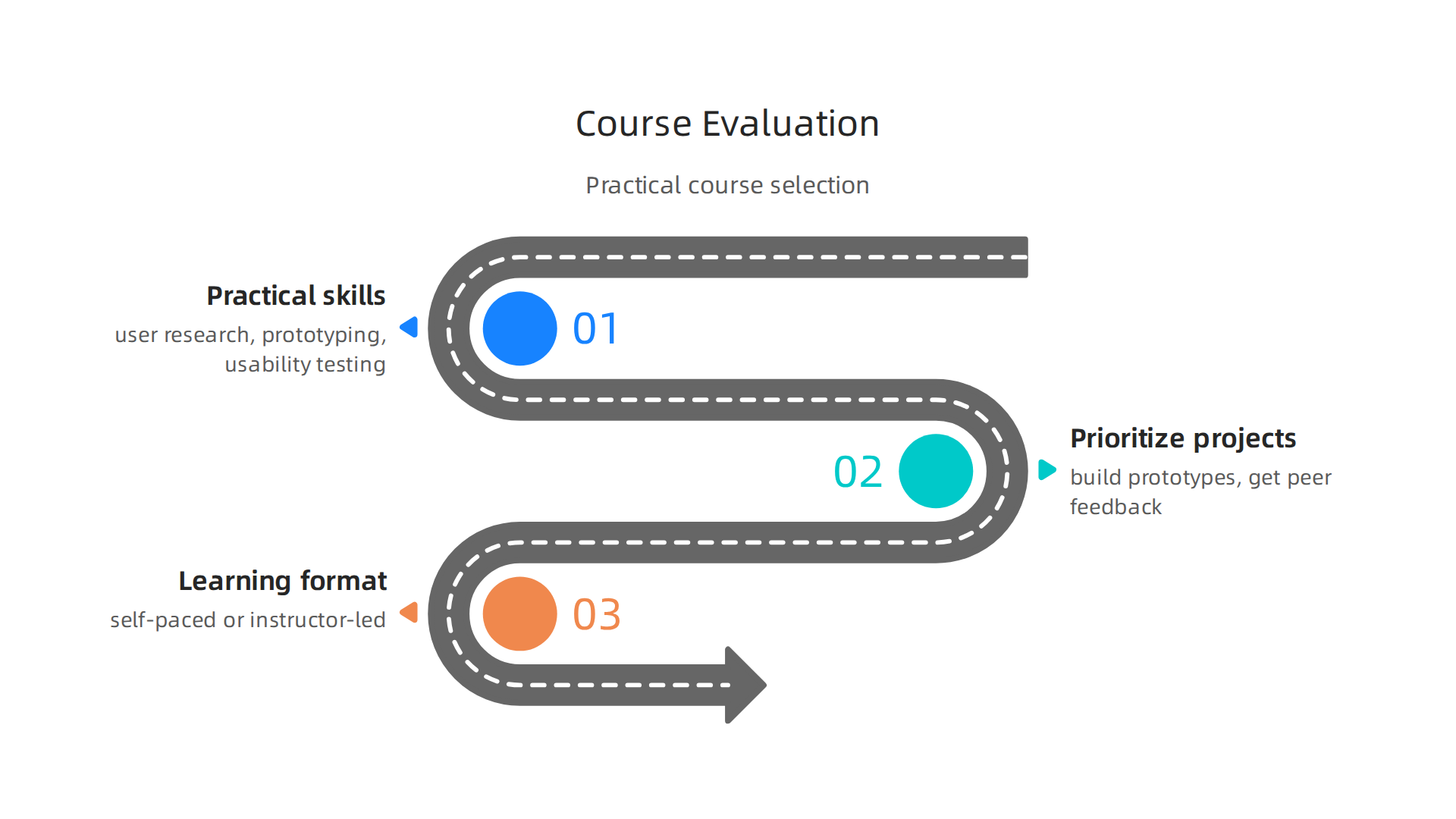
Focus on practical skills. Look for courses that teach user research, wireframing, prototyping, and usability testing. These are the skills that directly improve your website’s performance. The best online UX design courses in 2026 emphasize hands-on work over theory.
Prioritize projects and peer reviews. You learn best by doing. Courses that include real projects let you practice building prototypes. Peer feedback helps you see what works and what does not.
Choose the right learning format. Self-paced courses give you flexibility to learn around your schedule. Instructor-led programs provide structure and accountability. Pick the one that matches your availability.
For more on using design training to grow your business, check out our guide on choosing the right UI/UX designer course to boost your lead generation.
Curriculum: What Skills Should a Quality Course Cover?
A quality online UI UX course should teach you a set of core skills that directly apply to improving your business website.
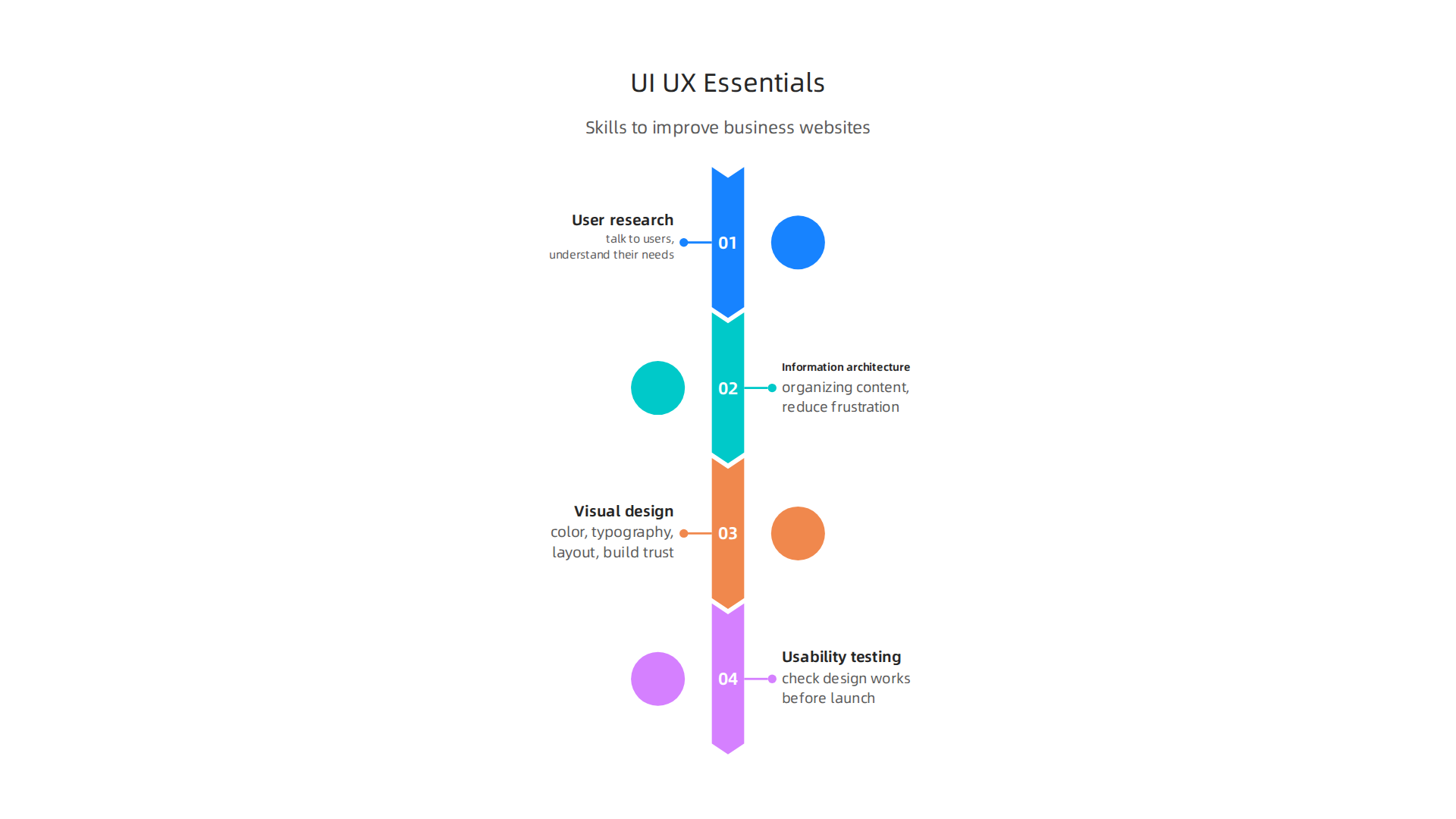
Look for these essential topics.
User research. You need to learn how to talk to users and understand their needs. Good research helps you build products people actually want to use.
Information architecture. This is about organizing content so visitors can find what they need quickly. It reduces frustration and keeps people on your site longer.
Visual design. Color, typography, layout. These elements shape first impressions and build trust with your audience.
Usability testing. This skill lets you check if your design works before you launch it. It saves you from costly mistakes.
Most top-rated UI/UX design online courses also include training on industry-standard tools. Figma is the most popular choice today. Many courses also cover Sketch or Adobe XD. The Top UX and UI Design Tools for 2026 guide explains why these tools matter for collaboration and efficiency.
Real-world case studies are another sign of a strong curriculum. They show you how professionals solve actual design problems. Courses that include case studies help you bridge the gap between theory and practice. The 7 Best UI/UX Design Courses for Beginners in 2026 list highlights programs that include hands-on projects and mentor support.
When you understand these skills yourself, you can also better evaluate designers you might hire later. Learn what to look for in our guide on how to spot a great UI/UX designer before you hire one.
Learning Format: Self-Paced vs. Live Instructor-Led
Now that you know what skills to look for, the next big choice is how you learn. Most online UI UX course options fall into one of three formats.
Self-paced courses let you learn on your own schedule. This is great if you run a business and can’t commit to a fixed class time. You can watch lessons at night or on weekends. But you need strong self-discipline. It is easy to fall behind without a teacher pushing you. The Best Online UX Design Courses in 2026 comparison shows that many top programs like the Interaction Design Foundation offer self-paced formats with unlimited access.
Live instructor-led courses give you real time feedback. You can ask questions during class and get answers right away. You also get to network with other students. This format works well if you learn better with structure and accountability.
Hybrid models combine recorded lessons with live sessions. You get the flexibility of self-paced learning plus the support of live feedback. Many beginners find this mix the most effective.
Before you choose, think about how you learn best. If you need help evaluating your website’s current design,

check out our guide on how to fix a bored website and stop losing customers. It can help you see where design improvements matter most.
Top 5 Online UI/UX Courses and Platforms Compared (2026)
Now it is time to compare specific platforms. The best online UI UX course for you depends on your budget, goals, and how much support you want.
Below are five leading options that stand out in 2026.
Coursera offers the Google UX Design Professional Certificate.
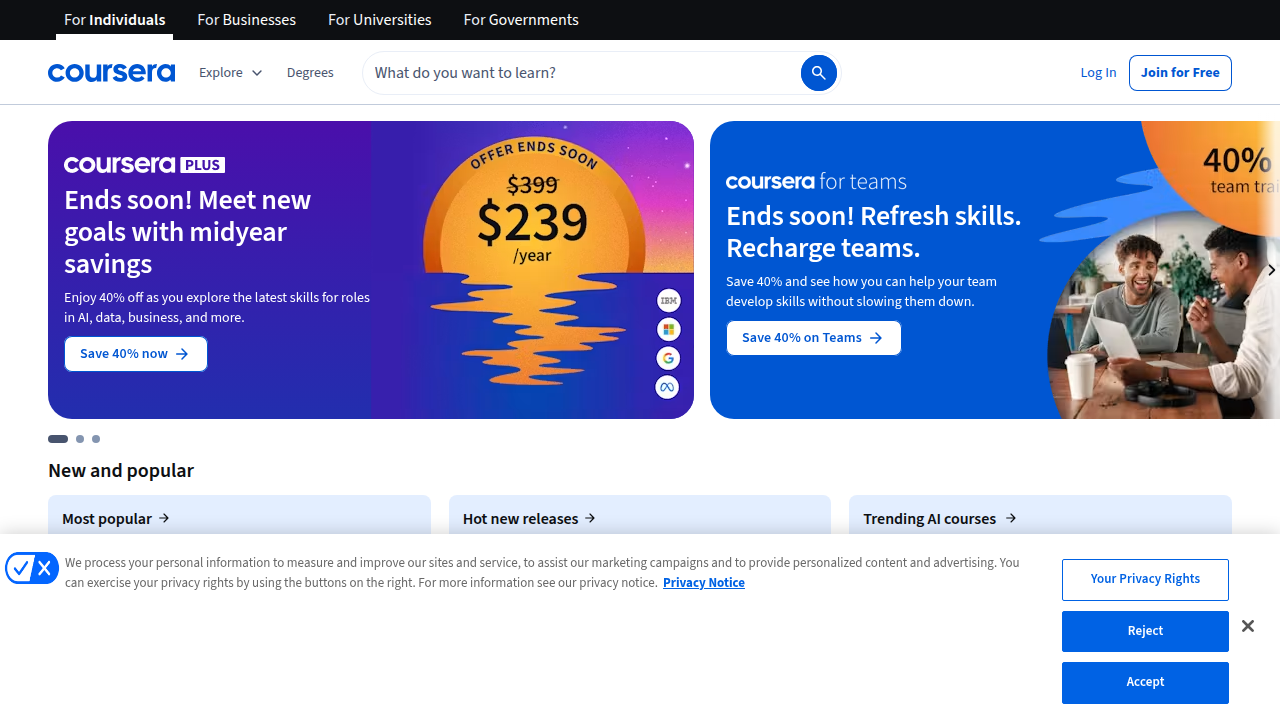
This program includes seven courses covering user research, wireframing, and prototyping. You build three portfolio projects along the way. It costs about $49 per month, and most people finish in three to six months. You get a shareable Google Career Certificate at the end.
Interaction Design Foundation gives you unlimited access to dozens of courses for one annual fee.
Their content covers the full UX process from research to usability testing. It is ideal if you want to explore many topics without paying per course. The platform is well respected among professionals.
Skillshare provides a different approach. You pay a monthly membership and can take classes on UI design, Figma, and prototyping. Many courses are short and project based. It is a good choice if you want to learn specific tools quickly without a long commitment.
Udemy offers individual courses at low prices, often during sales for $10 to $20. You get lifetime access once you buy. This works well if you just need to learn one skill, like Figma or wireframing, without a full certificate.
Springboard runs a mentorship driven bootcamp. You get weekly one on one sessions with a mentor. The program includes a job guarantee. It costs more, around $8,000 to $10,000, but it is designed for career changers who want a structured path.
When comparing these platforms, focus on hands on projects. The best online UI UX course will let you build a real portfolio. If you want help narrowing down options for your business needs, read our guide on how to choose the right UI UX designer course to boost lead generation.
As the 7 Best UI/UX Design Courses for Beginners in 2026 ranking points out, the top programs all include portfolio work and practical exercises. That matters more than flashy promises. Pick the one that fits your learning style and budget, then start building.
Free vs. Paid Options: Which Is Right for You?
Not sure if you should pay for an online UI UX course or start with free stuff? It depends on your goals. Free resources like YouTube tutorials and Figma’s own guides let you try the field with zero cost. As many designers share on Reddit, YouTube is a great free place to begin learning the basics.
Paid courses cost money but offer structure. You get mentor feedback, clear lesson plans, and a certificate you can use in your portfolio. Platforms like Designlab or Springboard guide you step by step. If you want a fast track to a job, paid is often better.
Think about your budget and time. A free online UI UX course is perfect for exploring. A paid course works if you want serious results. Once you finish learning, the next step is a strong portfolio. Learn how to build a UI/UX designer portfolio that wins clients to land your first design role.
Accreditation and Certification: What Employers Actually Value
Not all certificates carry the same weight. When you finish an online ui ux course, employers notice names like Google, CalArts, and the Interaction Design Foundation. The Google UX Design Professional Certificate is one of the most widely recognized entry-level credentials today. It proves you understand user research, wireframing, and prototyping. According to a roundup of the best online UX design courses, this program alone has over 1.6 million enrollments.
But here is the thing: many small and mid-sized businesses care more about what you can build than what badge you earned. They want to see real projects. A strong portfolio often beats a fancy certificate. Some courses do offer job guarantees or career coaching, which can speed up your first hire. If you are picking a ui/ux course online, look for one that includes hands-on projects. That is what actually gets you hired. To dive deeper into what to look for, read our guide on how to choose the right UI/UX designer course to boost your business lead generation.
From Learning to Doing: Applying UI/UX Knowledge to Your Business Website
You finished an online ui ux course and now you want to see real results on your own business website.

The smartest move is to start with small, high-impact fixes. Focus on improving your calls-to-action and navigation. Use action words like "Start Your Free Trial" instead of "Learn More." Place CTAs in spots where visitors already pay attention. According to a 12-step guide for small business web design, these simple changes can lift conversion rates.
Next, bring in tools like Hotjar to see where people click and Google Optimize to run A/B tests. Figma lets you prototype new layouts fast. Test one change at a time, measure the results, and keep what works.
Want more hands-on steps? Read about how to make your small business website convert visitors to customers. It walks you through practical tactics that turn your ui ux designing course online knowledge into real growth.
If you prefer to hand off the heavy lifting, Get started with weblish and claim your free trial. Their team will apply everything you learned and keep your site optimized.
Once your site is performing, Grow Your Traffic on Autopilot with AI-powered support from Weblish.
Practical Steps After Completing a Course
You finished your online ui ux course and now it is time to put that knowledge to work. Start with a full audit of your current website. Look at how users move through your site. Check your navigation, page load speed, mobile layout, and button placement. Identify every place where a visitor might get confused or stop. This step helps you see the gaps between what you learned and what your site actually does. You can use a beginner’s guide to developing a website to structure your review.
After the audit, make a list of all the improvements you found. Sort them by effort and impact. Put the easy wins at the top. For example, fixing a broken link or changing a low-contrast button takes minutes but can improve user flow right away. Save bigger changes like redesigning your checkout page for later. This priority list keeps you from feeling overwhelmed.
Once you have your short list, make one change at a time. Then run an A/B test to see if it actually helps. Measure the conversion rate before and after. If the change works, keep it. If not, try something else. Small, tested adjustments add up fast.
If you want a detailed walkthrough for spotting problem areas, check out how to fix your bored website and stop losing customers. It gives you a clear audit framework to follow.
When to DIY vs. Hire a Professional
After finishing your online ui ux course, you might feel ready to redesign your entire website yourself. That confidence is great. But knowing when to do it yourself and when to call in a pro will save you time, money, and frustration.
DIY works best for small updates. Adjusting button colors, fixing broken links, or changing page layouts are perfect tasks to practice your new skills. These changes have low risk and can improve user experience quickly.
On the flip side, complex redesigns, custom features, or scaling your site for more traffic often need professional help. A skilled designer brings experience in user research, accessibility standards, and conversion optimization. They can spot problems you might miss and build a site that truly works for your business.
Before you decide, weigh the cost, time, and outcome. A DIY fix might take an afternoon but might not improve results. Hiring a designer costs more upfront but can pay off through higher conversions and fewer mistakes.
If you decide to hire, learn how to spot a great UI/UX designer before you hire one so you choose someone who fits your needs. And for a broader overview, check out this web design guide for small businesses that covers both DIY steps and when to partner with experts.
Measuring the ROI of Your UI/UX Improvements
You spent time on your online ui ux course, redesigned a few pages, and made things look cleaner. But did it actually help your business? That is where measuring ROI comes in. You need to know if your changes made a real difference.
Start by tracking three key metrics: conversion rate, bounce rate, and average session duration. Your conversion rate tells you how many visitors complete a desired action like buying or signing up. Bounce rate shows how many people leave without clicking anywhere. Average session duration reveals if people actually stick around to read.
Use free tools to gather this data. Google Analytics tracks all three numbers easily. How user experience metrics drastically improve your e-commerce site explains how these metrics connect to better design choices. Heatmaps from tools like Hotjar show you exactly where people click and scroll. Simple surveys can also give you direct feedback on what feels confusing.
To calculate ROI, compare your baseline numbers before your redesign with the numbers after. For example, if your conversion rate went from 2% to 3%, that 50% improvement directly translates to more revenue. If you want to boost those numbers even further, check out these simple ways to turn website visitors into leads.
Tracking your progress proves your ui/ux design online course was worth every minute.
Grow Your Traffic on Autopilot
Key Metrics to Track for Continuous Improvement
Once you have a baseline, keep an eye on a few key numbers over time.
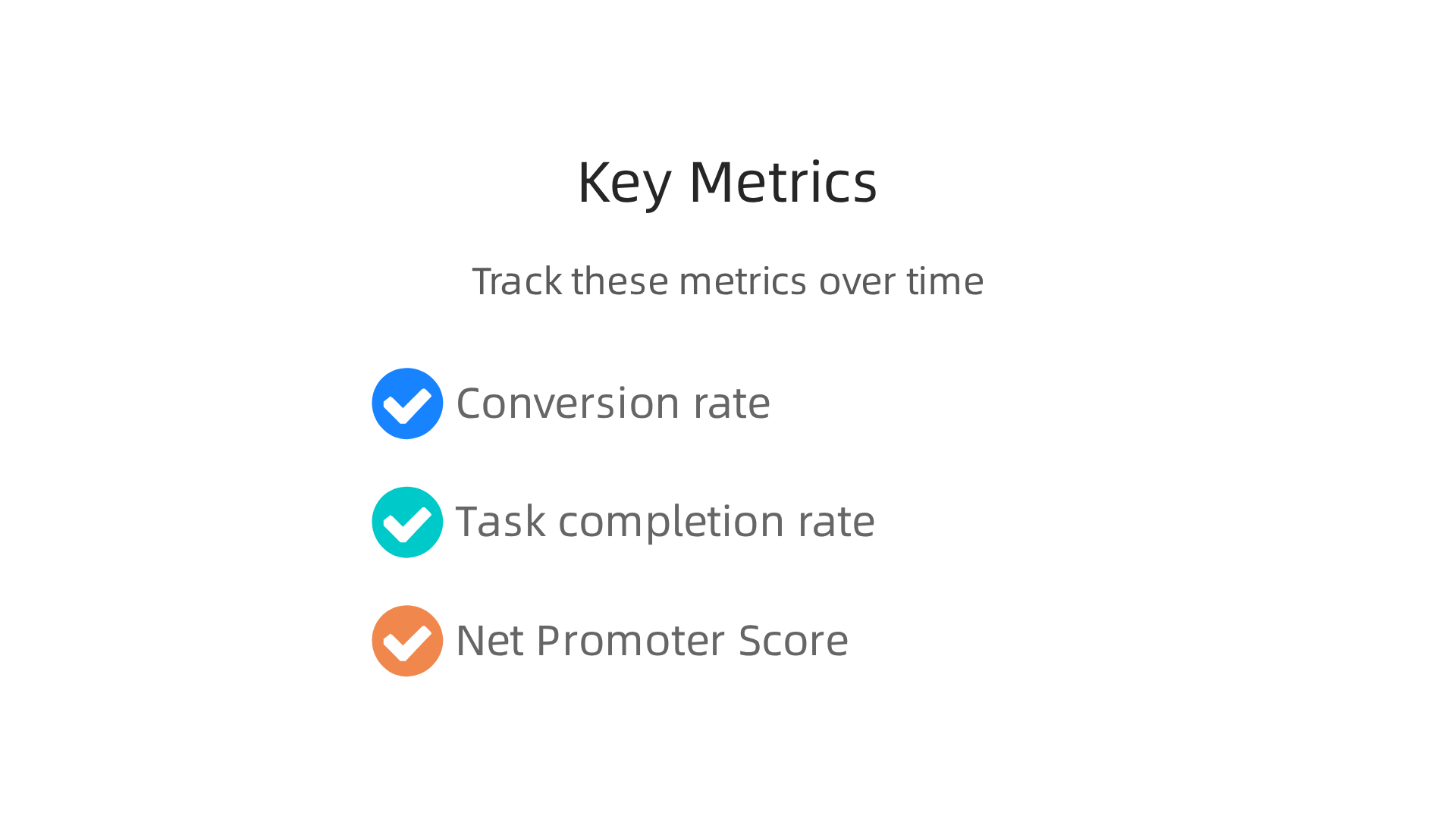
Conversion rate is the big one, but it only tells part of the story. Task completion rate shows how many users finish a specific action, like checking out or filling out a form. A low rate usually means something in the design is confusing or broken. According to the UX KPIs overview from IxDF, a good task success rate to aim for is around 78%. If yours is lower, dig into where users get stuck.
Another valuable measure is Net Promoter Score (NPS). This simple survey asks users how likely they are to recommend your site. It directly reflects satisfaction and loyalty. You can find a full breakdown of NPS alongside other key numbers in the 21 key ecommerce metrics list from Sendbird.
Tracking these metrics helps you see exactly where your online ui ux course knowledge pays off. When something drops, you know exactly where to focus your next improvement. For more on fixing common design issues, check out how to fix your bored website and stop losing customers.
Tools for A/B Testing and User Feedback
You have the metrics, but how do you know which change actually works? That is where A/B testing tools come in. Google Optimize, Optimizely, and VWO let you show two versions of a page to see which one performs better. These tools help you test button colors, headlines, or entire layouts without guessing. The ecommerce UX metrics guide from Funnel suggests using A/B testing to refine design choices based on real data, not opinions.
User feedback tools add the human side to your numbers. Hotjar shows you heatmaps of where people click. UsabilityHub runs quick surveys to catch confusion early. SurveyMonkey gathers broader opinions after a purchase.
The trick is to pick tools that fit your existing tech stack. If you use Shopify or WordPress, look for plugins that connect directly. This saves time and keeps your data in one place. For more ideas on turning insights into action, check out these proven small business website conversion tactics.
Overcoming Time and Budget Constraints as an SMB
You do not need a big budget or a full design team to improve your website’s user experience. Start with the fixes that give you the biggest return. For example, simplifying your checkout flow or making your call-to-action buttons more obvious. Those small changes cost little but can lift conversions right away.
The real game changer? Learning the skills yourself or through a team member. A quality online ui ux course does not have to cost thousands. Many courses under 500 dollars teach you the same principles that big agencies use. You can learn wireframing, prototyping, and usability testing without breaking the bank. For help picking the right training, check out this guide on choosing the right UI UX designer course.
Also, use automation and AI tools to speed things up. Tools like Figma’s AI features help you generate design variations in seconds. Hotjar’s recordings show you exactly where users get stuck. This cuts down the time you spend guessing and testing.
If you want to grow your traffic without more work, consider a service that handles the heavy lifting. Grow Your Traffic on Autopilot with a team that builds and optimizes your site while you focus on your business.
Affordable Learning Paths for Busy Entrepreneurs
Your schedule is packed, and your budget is tight. That is okay. You do not need a full semester course to start improving your site. Micro-courses and short tutorials fit right into the gaps between meetings. Many platforms offer lessons you can finish in 10 minutes.
Community college certificates and online platforms give you real training without a big price tag. For example, the Google UX Design Professional Certificate costs about $39 per month on Coursera. That is less than a dinner out for a whole month of learning. Other options like the Best Online UX Design Courses in 2026: Ranked and Compared show you free tiers and trials so you can start without paying a dime.
The best part? You learn by doing. Each lesson can go straight onto your website. Try a new wireframe or a better button layout right after you watch the tutorial. This hands-on approach speeds up your progress. And once you have built a few real projects, you can use them to attract clients or prove your skills. Learn more about building a UI UX designer portfolio to turn your work into your best sales tool.
Leveraging AI and Automation in UI/UX
AI is changing how designers work, and your online UI UX course can help you stay current. Many modern programs now include modules on tools that do the heavy lifting for you. For example, AI can generate wireframes from a simple text prompt, suggest color palettes based on your brand, and even test usability by predicting where users might click. Automation also handles repetitive tasks like resizing design assets for different screen sizes. This saves you hours each week.
But here is the thing: you still need your creative judgment. AI gives you a starting point, but you decide what feels right for your audience. The best ui/ux design online course will teach you how to use these tools without losing your personal touch. To understand the full picture, check out the simple definition of UI design and see how it fits with automation. Many top-rated programs like the 14 best UX design courses for 2026 now include dedicated lessons on AI and workflow automation. The goal is to use technology to speed up your process while keeping human insight at the center. That balance is what makes a great designer.
Summary
This article helps small and mid-sized business owners cut through the noise of online UI/UX courses and pick training that actually moves the needle for their websites. It explains why UX is a business imperative—showing how better design reduces support costs, raises conversions, and improves customer retention—and then gives a practical framework for evaluating courses from a revenue perspective. You’ll learn which core skills (user research, wireframing, prototyping, usability testing) matter, what learning formats work for busy owners, and which platforms are worth your time and money. The guide compares free and paid paths, highlights common design mistakes that cost customers, and lists tools and testing methods to prove impact. It also walks through post-course steps: auditing your site, prioritizing fixes, measuring ROI with clear metrics, and deciding when to hire a pro. By the end, you’ll know how to pick a course, apply new skills to increase leads, and measure the business value of your UX work.