
Apa Itu UI/UX Designer Pengertian Tugas dan Perbedaan yang Jelas
Artikel ini menjelaskan secara lengkap apa itu UI/UX designer, perbedaan antara UI (antarmuka visual) dan UX (pengalaman pengguna), serta mengapa peran ini pent…

Pendahuluan
Have you ever visited a website or used an app that just felt right? Everything was easy to find. The buttons were in the right place. You did not have to think about how to get something done.
That kind of smooth experience does not happen by accident. It comes from skilled design work. And the people behind it are called UI/UX designers.
UI/UX designer adalah a professional who creates digital products that look good and work well. The term might sound technical, but the job is really about making life easier for users. UI stands for User Interface, which covers the visual side: colors, fonts, buttons, and layout. UX stands for User Experience, which focuses on how a person feels when using the product. Is it confusing? Frustrating? Or effortless and satisfying?
Many small and mid-sized business owners do not realize how much a strong UI/UX designer can impact their bottom line. A site that is hard to use drives visitors away. One that is intuitive and pleasant keeps them engaged. According to a UI UX designer definition from Purwadhika, this role is responsible for designing websites or apps to ensure comfort and clarity for the user. That comfort directly translates into trust, loyalty, and more conversions.
In this article, we will break down exactly what is UI and ux designer, the difference between the two roles, and why every business needs to care about good design. Whether you are hiring a designer or learning the basics to improve your own site, you are in the right place.
By the end, you will understand what does a ux designer do and how that work can help your business grow. And if you want to take action right away, you can Grow Your Traffic on Autopilot with Weblish, a service that combines expert design and marketing to turn your website into a real lead generator.
Let us start with the core question: what exactly is a UI/UX designer?
What Is a UI/UX Designer? A Complete Definition
So let us answer the question directly. A UI/UX designer is a professional who makes digital products like websites and apps both beautiful and easy to use. The title combines two different jobs that work side by side. Think of it this way: the UI designer shapes how the product looks, and the UX designer shapes how it feels to use.
UI designer stands for User Interface designer. This person focuses on the visual side. They pick the colors, fonts, button styles, and layout. They make sure every screen is clean and consistent. As one source explains in its UI/UX designer roles and responsibilities, the UI designer handles the "face" of the product. If a website looks polished and professional, a UI designer did their job well.
UX designer stands for User Experience designer. This person focuses on the whole journey a user takes. They ask questions like: Is it easy to find what you need? Does the flow make sense? Do users get stuck anywhere? The UX designer does research, makes wireframes, and runs tests to remove confusion. In short, a UX designer makes sure the product feels smooth and helpful.
Both roles are essential. A beautiful site that is hard to navigate will frustrate people. A useful site that looks ugly will not build trust. Together, UI and UX create a product that people enjoy using and want to come back to.
If you are thinking about hiring or working with a designer, it helps to know what to look for. You can learn more in our guide on how to spot a great UI/UX designer before you start looking. That way you can find someone who truly understands both sides of the craft.
Perbedaan UI Designer dan UX Designer
So what really sets these two roles apart? Let us break it down simply.
A UI designer focuses on the visual layer. They decide the colors, fonts, button shapes, spacing, and layout of every screen. Their goal is to make the interface look clean, consistent, and attractive. If you open an app and think "Wow, this looks great," that is the UI designer’s work.
A UX designer focuses on the flow and feel. They figure out how users move through a product. They ask questions like: Does this button make sense here? Is the checkout process confusing? Their job involves user research, creating wireframes, building prototypes, and testing ideas with real people. If you use an app and think "This just works," that is the UX designer’s contribution.
A helpful table from a detailed article on perbedaan UI/UX dan pentingnya dalam desain digital sums it up like this:
| Aspect | UI Designer | UX Designer |
|---|---|---|
| Focus | Visual design and aesthetics | Overall user experience |
| Main tasks | Choose colors, fonts, layout | Research, wireframes, testing |
| Examples | Button styles, typography | Navigation flow, ease of use |
Here is the thing. These two roles are different but they need each other. A product with amazing visuals but a confusing flow will frustrate users. A product that works perfectly but looks messy will not earn trust. The best digital products combine both. That is why the term ui/ux designer adalah a hybrid professional who understands both sides.
If you want to learn more about the visual side of this role, check out our guide on what is UI design and how it directly impacts your bottom line.
Mengapa UI/UX Designer Penting untuk Bisnis SMB?
You might be wondering: does a UI/UX designer really matter for a small or mid-sized business? The short answer is yes. Very much.
Here is why. Your website or app is often the first place people meet your brand. If that experience feels confusing or looks messy, visitors leave. And they may never come back.
Studies show that 88% of users are less likely to return after a bad experience. That is according to data from a detailed look at the ROI of UX design and its impact on business growth. Losing nearly 9 out of 10 visitors because of poor design hurts your bottom line directly.
On the flip side, good design pays off big. Research shows that every dollar spent on UX brings back up to $100. That is a 9,900% return.
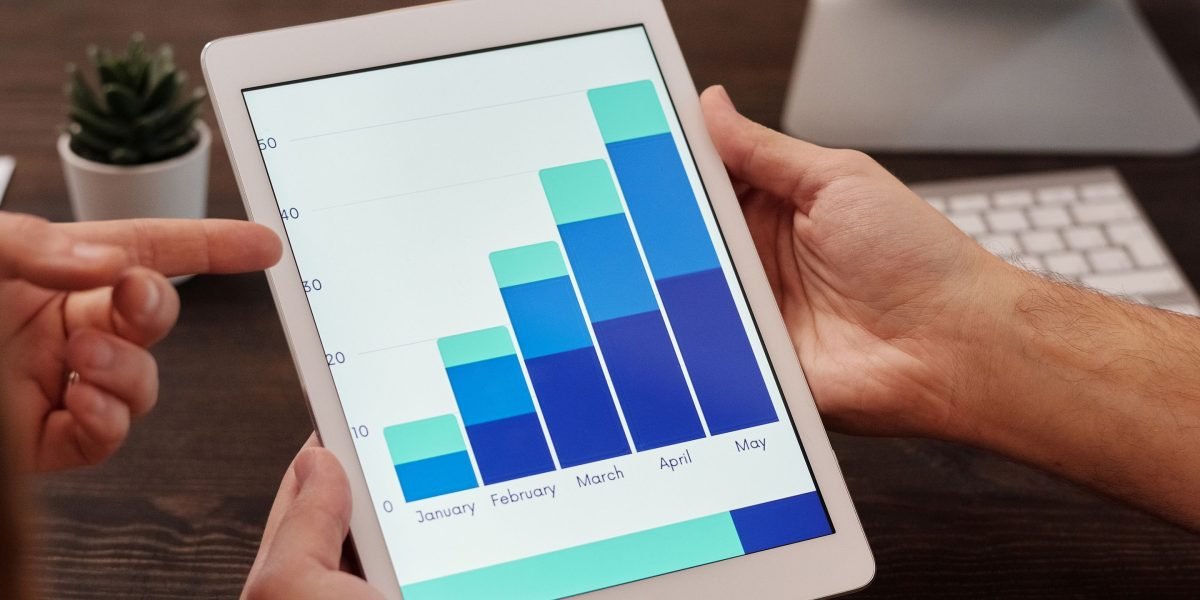
A well-designed interface can boost conversion rates by 200%. And a smooth overall experience can lift conversions by 400%. These numbers come from the same UI Design Statistics for 2026 report.
For SMBs, this matters even more. You do not have unlimited marketing dollars. Every visitor counts. When your site is easy to use, people stay longer, buy more, and come back. That is how you turn a small team into a growth machine.
The concept of a ui/ux designer adalah someone who brings both visual polish and smooth functionality to your digital presence. A strong UX designer removes friction. They make it easy for customers to find what they need and complete actions like signing up or buying.
A bad experience does the opposite. It frustrates people and pushes them to competitors.
If you are ready to invest in design that drives real results, start by learning how to spot a great UI/UX designer before you hire one.
And once your site is built well, keep the momentum going. Grow Your Traffic on Autopilot by connecting your website with Weblish.
Keterampilan Utama yang Harus Dimiliki UI/UX Designer
Sudah paham kenapa UI/UX designer penting untuk bisnis Anda? Sekarang, bagaimana cara mengenali yang benar-benar andal? Seorang UI/UX designer yang hebat tidak cukup hanya bisa membuat tampilan cantik. Mereka harus menggabungkan dua jenis keterampilan: hard skills dan soft skills.
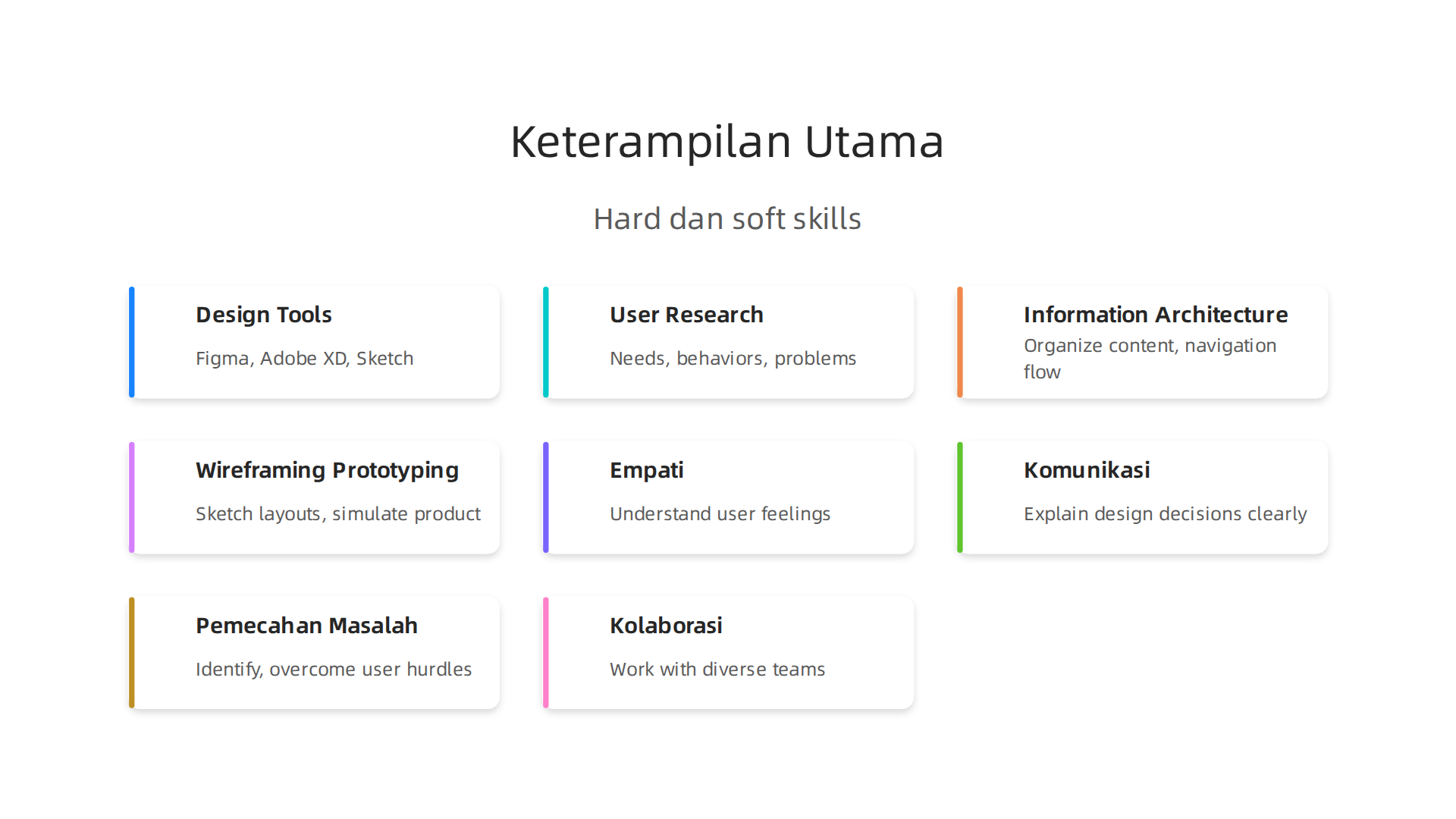
Tanpa keduanya, hasil desain bisa terlihat bagus tapi tidak berfungsi dengan baik.
Hard Skills yang Wajib Dikuasai
Ini adalah kemampuan teknis yang bisa dipelajari dan diukur. Beberapa yang paling penting meliputi:
- Menguasai alat desain seperti Figma, Adobe XD, Sketch, atau Framer. Tools ini digunakan untuk membuat wireframe, prototipe, dan mockup.
- Riset pengguna (user research). Seorang UI/UX designer harus bisa menggali kebutuhan, perilaku, dan masalah pengguna. Tanpa riset, desain hanya berdasarkan tebakan.
- Information architecture – kemampuan mengatur konten dan alur navigasi agar mudah dipahami.
- Wireframing dan prototyping – membuat kerangka dan simulasi produk sebelum dikembangkan.
- Pengetahuan tipografi, warna, dan tata letak untuk menciptakan antarmuka yang konsisten dan mudah digunakan.
Menurut IDstar, seorang UI/UX designer juga perlu memiliki keterampilan riset pengguna dan pemecahan masalah yang kuat. Semua itu menjadi fondasi hard skills yang tidak bisa dilewatkan.
Soft Skills yang Sama Pentingnya
Selain kemampuan teknis, ada sisi manusiawi yang justru sering membedakan designer biasa dengan designer luar biasa.
- Empati: Mampu merasakan apa yang dirasakan pengguna. Ini membantu menciptakan solusi yang benar-benar relevan.
- Komunikasi: Designer harus menjelaskan keputusan desain ke klien, pengembang, dan tim lain. Komunikasi yang jelas menghindari kesalahpahaman.

- Pemecahan masalah: Inti dari UX adalah menyelesaikan masalah pengguna. Designer harus jeli melihat hambatan dan menemukan cara mengatasinya.
- Kolaborasi: Bekerja sama dengan developer, pemasar, dan pemilik bisnis. UI/UX designer tidak bekerja sendiri.
Jika Anda ingin mempekerjakan UI/UX designer, perhatikan apakah mereka memiliki keseimbangan antara hard skills dan soft skills. Anda bisa mulai dengan melihat portofolio mereka.
Portofolio Adalah Bukti Nyata
Portofolio yang kuat jauh lebih penting daripada ijazah atau sertifikat. Dalam portofolio, calon designer harus menunjukkan proses lengkap: dari riset, wireframe, hingga hasil akhir. Ini membuktikan bahwa mereka tidak hanya mendesain asal-asalan. Untuk memahami lebih dalam, baca panduan tentang build a UI/UX designer portfolio yang memenangkan klien.
Itulah keterampilan utama yang harus dimiliki UI/UX designer. Di bagian selanjutnya, kita akan bahas bagaimana cara menemukan dan merekrut yang tepat untuk bisnis Anda.
Popular Tools and Software for UI/UX Designers
So you know what a UI/UX designer does and what skills to look for. Now let’s talk about the actual tools they use. The right tools help a designer turn ideas into real products. And in 2026, the toolkit has grown a lot.
Design Tools: The Big Three
Most UI/UX designers start with one of these three tools:
- Figma is the most popular right now. It runs in the cloud, so teams can work together in real time. It has built‑in prototyping and a huge library of plugins. Many freelancers and agencies use Figma because it works on any computer.
- Adobe XD connects well with other Adobe apps like Photoshop and Illustrator. If you already use Adobe products, XD feels familiar. It is great for interactive prototypes.
- Sketch has been around for years and is still popular with Mac users. It has a strong plugin ecosystem and a loyal community.
For a deeper look, check out this list of 21 best UI/UX tools for 2026.
Prototyping Tools
Prototyping lets designers test how a product works before building it. Two popular choices are:
- InVision – good for creating clickable prototypes and getting feedback.
- Marvel – simple and beginner‑friendly. You can make wireframes and basic prototypes fast.
Research and Analytics Tools
Design is not just about making things look good. Good designers study how people actually use a website or app. Tools like Hotjar and Google Analytics help with this. Hotjar shows heatmaps of where users click. Google Analytics tells you what pages people visit and where they leave.
These tools give real data. That data helps the designer make smarter decisions. Without research, you are just guessing.
If you want to learn more about spotting a great designer, read our guide on how to spot a great UI/UX designer before you hire one. And when you are ready to build a website that actually generates leads, Grow Your Traffic on Autopilot with Weblish. Our team handles design, development, and ongoing optimization so you can focus on running your business.
Proses Kerja UI/UX Designer: Dari Riset Hingga Prototype
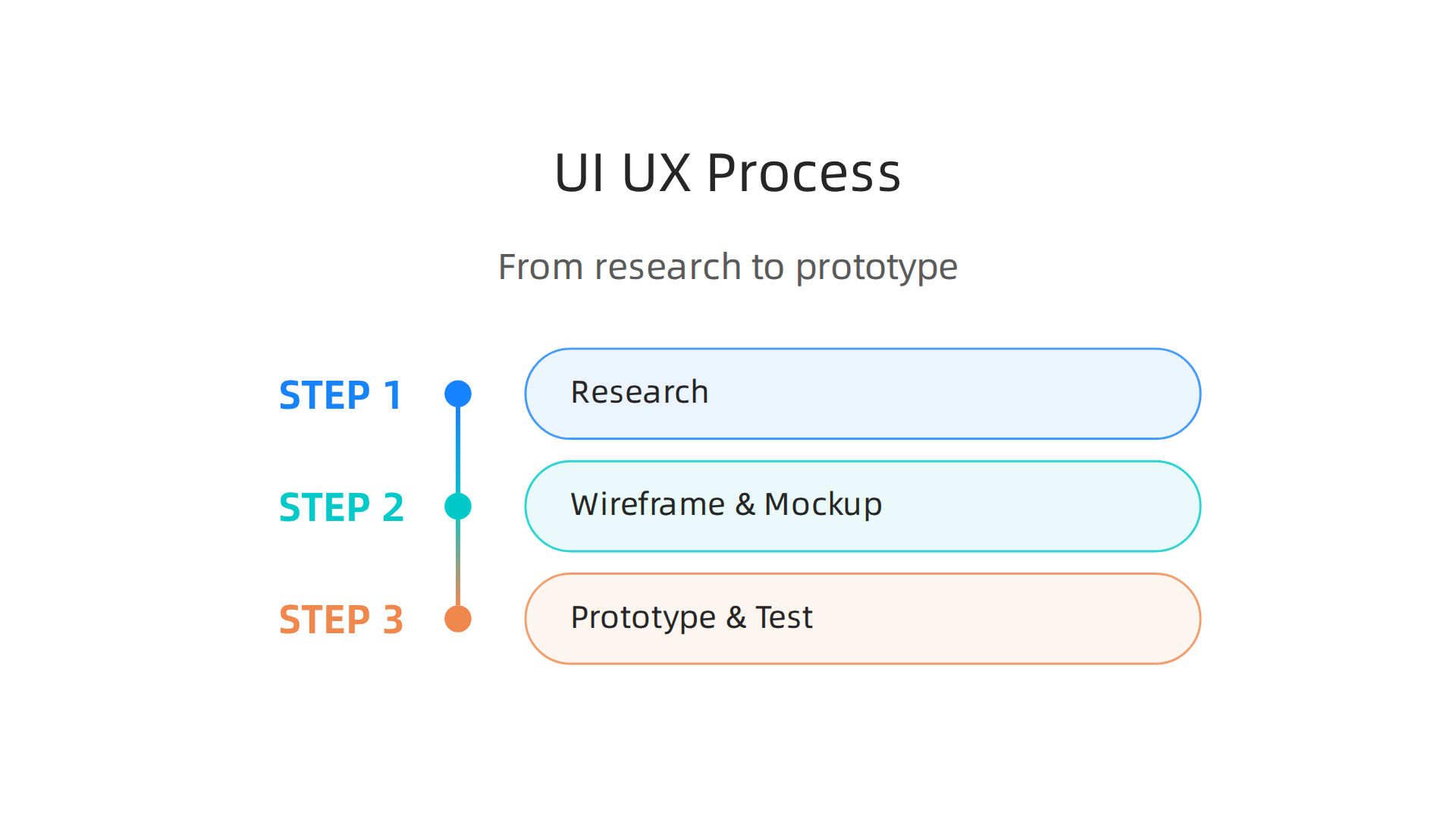
So now you understand the tools. But knowing which buttons to press is only part of the story. The real value of a UI/UX designer comes from the process they follow. Understanding what is a ui and ux designer means understanding this workflow.
It is not about making things look pretty first. It is about solving real problems for real people.
Step 1: Research First
A good designer never starts designing right away. They start with research. They study the users. Who are they? What do they need? What frustrates them? The designer also looks at competitors. What works for them? What does not?
This research phase is the foundation. Without it, you are just guessing. Many designers follow a structured approach to stay relevant in 2026, as explained in this guide on what designers need to learn to survive. The best insights come from talking to actual users, not from assumptions.
Step 2: Wireframe and Mockup
After research, the designer sketches rough layouts called wireframes. These are simple black and white boxes. They show where content, buttons, and images will go. No colors or fancy fonts yet. This step is about structure.
Next comes the mockup. This is a more polished version with colors, typography, and actual images. The mockup looks like the final product but is not clickable yet. It helps everyone visualize the design before building.
Step 3: Prototype and Test
Now the designer creates a prototype. This is a clickable version of the design. Users can click buttons and navigate screens. The designer then watches real people use it. They note where users get confused or stuck.
Testing leads to iteration. The designer goes back, fixes problems, and tests again. This cycle repeats until the experience feels smooth. That is the core of what does a UX designer do: they keep refining until the product works for users.
If you want to understand the difference between UI and UX more deeply, read this simple explanation of what is UI design and how it boosts your bottom line. It clears up the confusion many business owners have.
Studi Kasus: Dampak UI/UX Design pada Pertumbuhan Bisnis
You might still wonder: does investing in design actually move the needle for a real business? The numbers say yes. And they are not small numbers.
Take Staples as one example. After a UX-focused site redesign, the company saw a 500% revenue increase. The fix was not complicated. They simply made it easier for customers to find products and finish their purchases. That is the real power of understanding what is a ui and ux designer.
For smaller businesses, the impact is just as real. A redesigned checkout experience can lift conversion rates by more than 35% on average. Many SMBs report a 30% conversion boost after a full website redesign. That means more sales from the same number of visitors without spending extra money on ads.
UX improvements also keep customers coming back. When an app or website feels smooth and intuitive, people stay longer and return more often. Companies that fix the user experience often see retention rates climb by 25% or more. Loyal customers spend more over time and bring in new customers through word of mouth.
The overall business case is hard to ignore. According to the latest How Design Drives Business Growth report, every dollar invested in UX returns up to $100. Design-led companies also outperform the S&P 500 by 228% over a decade.
If you want practical ways to improve your own site, read this guide on small business website conversion strategies. It covers simple changes that boost results.
The bottom line is clear. Investing in good UI/UX design is one of the highest-return moves a business can make. If you are ready to turn your website into a consistent lead generation machine, you can Grow Your Traffic on Autopilot with Weblish and see the impact for yourself.
Bagaimana Memulai Karir sebagai UI/UX Designer?
Now that you see how powerful good design can be, you might want to become the person creating it.

So, what exactly is a UI/UX designer? The simplest ui/ux designer adalah a professional who makes digital products both useful and beautiful. They research what users need, design how screens look and work, and test everything to make sure it’s easy to use. Understanding what does a ux designer do is the first step.
Build a Portfolio with Real Projects
You don’t need a fancy degree to start. What matters most is showing what you can do. Pick a problem you care about maybe redesign a local restaurant’s takeout app or create a budgeting tool for students. Document every step: your user research, sketches, wireframes, and final mockups. Then publish it online. For a complete walkthrough, read this guide on how to build a UI/UX designer portfolio that wins clients in 2026.
Take Online Courses and Certificates
Courses help you learn the tools and methods the industry uses. Look for ones that include hands-on projects, not just theory. Platforms like Dicoding offer a detailed 7-step guide to becoming a UI/UX designer that covers everything from basics to portfolio building. A good course fast-tracks your learning and gives you confidence.
Join Design Communities
You do not have to learn alone. Communities are full of people who share tips, give feedback, and even help you find your first job. Join groups on social media or attend local meetups. To speak the same language as other designers, start with this list of 9 design terms every small business owner needs to know in 2026. Even if you are not a business owner, those terms are the foundation of how designers communicate.
Start small. Redesign one app. Finish one course. Talk to one designer. That is how every career begins.
Summary
Artikel ini menjelaskan secara lengkap apa itu UI/UX designer, perbedaan antara UI (antarmuka visual) dan UX (pengalaman pengguna), serta mengapa peran ini penting terutama untuk bisnis kecil dan menengah. Anda akan menemukan uraian tentang keterampilan teknis dan interpersonal yang perlu dimiliki desainer, alat-alat populer seperti Figma dan Adobe XD, serta langkah kerja dari riset pengguna sampai prototipe dan pengujian. Artikel juga memaparkan dampak bisnis nyata—peningkatan konversi, retensi, dan ROI—serta contoh studi kasus dan angka pendukung. Selain itu ada panduan praktis untuk membangun portofolio, memulai karir, dan tips merekrut desainer yang tepat agar situs atau aplikasi Anda jadi mesin penghasil leads. Bacaan ini memberi gambaran yang jelas sehingga Anda bisa menilai kebutuhan desain bisnis, mengevaluasi kandidat, dan mengambil langkah pertama untuk perbaikan pengalaman pengguna.