9 B Design Terms Every Small Business Owner Needs to Know in 2026
This article explains the essential


Introduction
Let’s talk about design. Not as a fancy art project. But as a real tool to grow your small business in 2026.

You have heard the terms before. "B design." "Branding." "Balance." They sound nice, but what do they actually mean for your bottom line? Here is the thing: understanding these basic ideas is how you build a website that works. Strong branding helps you stand out and build customer loyalty, which directly influences buying decisions Branding 101: What Every Small Business Must Know. It is how you turn a visitor into a paying customer.
Why start with the letter "B"? Because these words are the foundation of good digital marketing. Good line design and smart object design start with these core rules. Balance makes your site feel trustworthy. Branding tells your story and builds a connection with your audience. Great design works when you understand these principles. If you want to create a more effective site, start by mastering these graphic design principles that turn your website into a lead generator.
This listicle is your simple guide. We will break down the most important "B" design terms every business owner needs to know. You will learn what they mean, why they matter, and how to use them to get more leads and sales. If you ever feel stuck or want a professional touch, you can Get started with Weblish for expert help that fits your budget.
Ready to put these ideas to work? Connect your website with Weblish and grow your traffic on autopilot with AI. Let’s get started.
Balance in Design – Why Symmetry and Asymmetry Matter for Your Website
Ever landed on a website and felt something was just … off? Maybe the text was squished to one side. Or the images felt heavy on the right. That is a balance problem. And it can make visitors leave before they even read a word.
Balance in design is about creating visual stability. Think of it like a seesaw. When both sides feel even, your eyes relax. When they don’t, you feel uneasy. That unease hurts your lead generation.
In 2026, your website design works hard to keep people interested. If the layout feels uneven, visitors bounce. And you lose a chance to turn them into customers. That is why balance is one of the most important B design terms to master.
Symmetric vs. Asymmetric: Which One Should You Pick?
Here is the simple breakdown.
Symmetric balance means both sides of the page mirror each other. It looks formal and trustworthy. Law firms, banks, and conservative brands often use it. It says, "We are stable and safe."
Asymmetric balance uses different elements on each side to create a dynamic feel. A large image on one side balanced by a block of text on the other. It feels modern and energetic. Many creative agencies and tech startups love this look.
Both work. The key is matching the balance style to your brand personality. A funeral home should probably stick with symmetry. A fitness app can go asymmetric.
Why Balance Boosts Engagement and Leads
Proper balance improves user engagement. When your page is well balanced, visitors stay longer. They scan content naturally.

They find your call-to-action buttons without effort. That directly impacts your lead generation metrics.
A balanced layout guides the eye. It creates a clear path from headline to offer. Without it, visitors get confused and click away. That is why understanding your line design and object design is important. Every element needs a place that feels right.
A Simple Tool to Get Balance Right
You do not need to be a designer to apply balance principles. Use a grid tool. A grid acts like a skeleton for your page. It helps you place text, images, and buttons in positions that feel stable. This is where baseline grids come in. They keep your typography aligned and your spacing consistent. Baseline grids are a powerful way to maintain visual order across your entire site.
Even simple tricks help. Use a two-column layout for symmetry. Or pair a large photo on one side with a bold headline on the other for asymmetry. Experiment until it feels right.
Want a Perfectly Balanced Site Without the Guesswork?
You have learned how balance makes your site more trustworthy and engaging. That is a big step. But applying it to every page takes time and skill. If you want a professionally balanced website that turns visitors into leads without the hassle, let the experts handle it.
Connect your website with Weblish and grow your traffic on autopilot with AI.
Branding Basics – The B-List of Brand Identity Elements Every Business Needs
Your logo is not your brand. I know, that sounds strange. But here is the truth: your brand identity is way bigger than a single image. It is the whole feeling people get when they interact with your business. And in 2026, that feeling matters more than ever for lead generation.
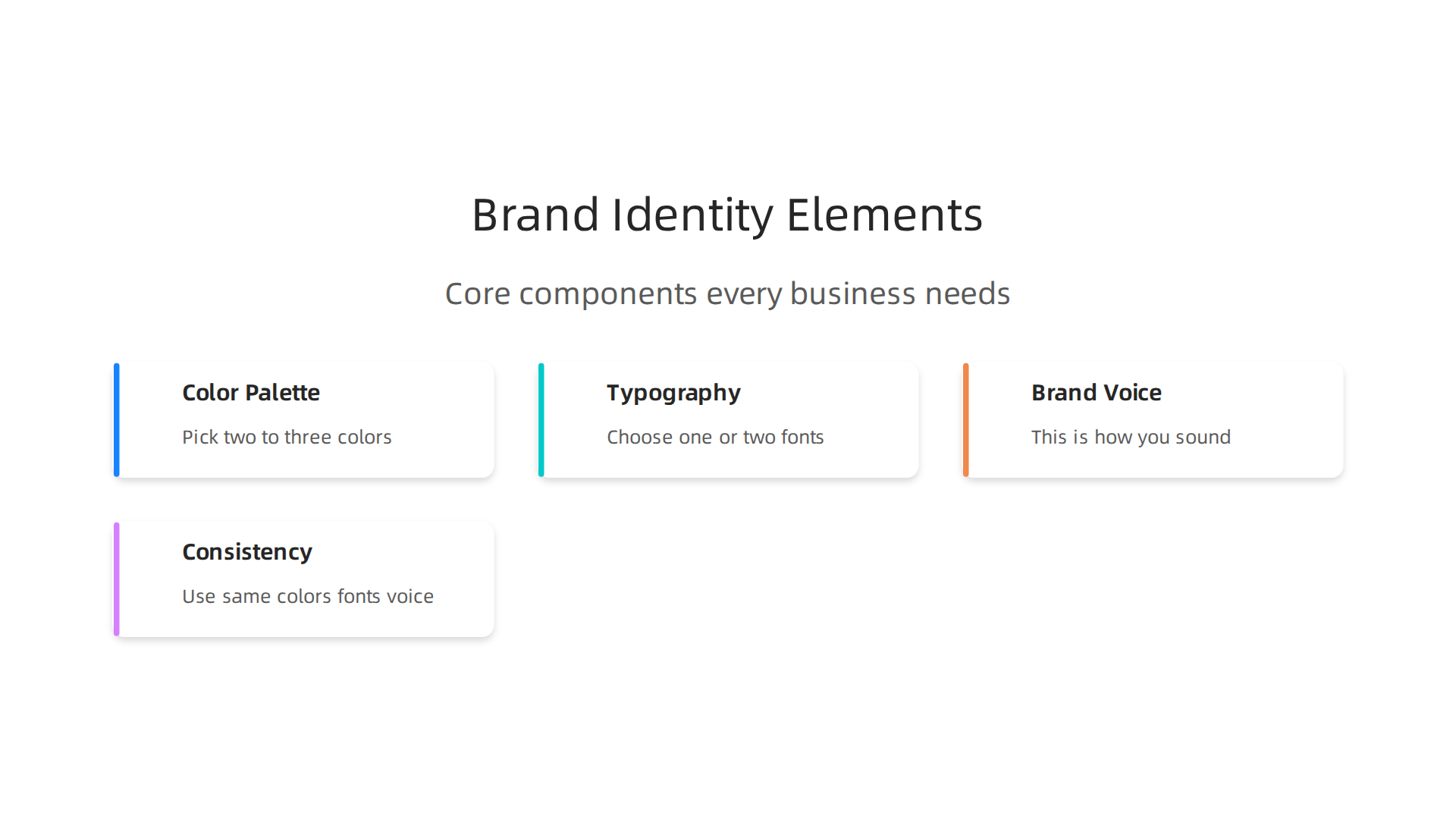
So what actually goes into a strong brand identity? Think of it as a toolkit with four core pieces: color palette, typography, brand voice, and consistency.
These are the basics of what we call the B-List of branding essentials. And they connect directly to your overall b design strategy.
The Core Elements of Brand Identity
Color Palette – Pick two to three main colors. These appear on your website, your social media, your emails. They help people recognize you in a split second. Keep it simple.
Typography – Choose one or two fonts. Use one for headlines and one for body text. This makes your content easy to read and gives it a consistent look. Good typography is a key part of your line design and object design choices.
Brand Voice – This is how you sound. Friendly? Professional? Playful? Write all your content in that same tone. Voice is often overlooked, but it builds trust faster than any visual trick.
Consistency – This is the glue. Use the same colors, fonts, and voice everywhere. On your site, your Instagram, your email newsletters, even your navigation breadcrumbs. Breadcrumbs are a small but powerful way to support wayfinding and reinforce your brand identity at every click.
Build a Strong Brand on a Small Budget
You do not need a big agency to get this right. Start with one color palette and one pair of fonts. Write your tagline and key messages in a consistent voice. Apply those to your website and your social profiles. That alone will boost recognition and trust.
If you want expert help pulling it all together without the high cost, Weblish can build and manage your entire brand identity. Get started with Weblish and claim your free trial to see how easy it can be.
Grow Your Traffic on Autopilot – connect your website with Weblish today and let AI handle the heavy lifting.
Baseline Grid – The Hidden Secret to Professional Typography
You picked your fonts and settled on a color palette. Good. But here is the thing. Even the best typeface looks messy if your text does not line up across the page. That is where a baseline grid comes in.
Think of a baseline grid as invisible horizontal lines running across your website. Every line of text sits on one of those lines. Headlines, body copy, captions, everything. When they all align, your layout looks clean and professional. When they do not, readers feel a subtle unease.

They may not know why, but something feels off.
This matters more than you think. A proper baseline grid reduces visual fatigue, especially on mobile screens where people scroll fast. Studies on typography best practices show that consistent vertical rhythm helps the eye move smoothly from one line to the next. It is one of those small details that separates amateur design works from polished, professional layouts.
Most website builders offer basic grid options today. But here is the secret. Letting the tool handle it automatically rarely gives you the best result. Adjusting your baseline manually gives you much tighter control. You can set your line height to match the grid unit, then make sure every element snaps to it. That includes headlines, body text, and even buttons and images.
In 2026, with so many devices and screen sizes out there, getting this right takes some effort. Body text should never go below 16 pixels, and line height should sit between 1.4 and 1.6 times your font size for comfortable reading. That baseline becomes the backbone of your entire layout.
When you combine a strong baseline grid with the brand colors and fonts we talked about earlier, your site looks intentional. It feels solid. And that builds trust with every visitor who lands on your page.
Want to learn more about design principles that actually convert visitors into leads? Check out our guide on graphic design principles for a deeper look at what makes layouts work.
Grow Your Traffic on Autopilot – connect your website with Weblish today and let AI handle the heavy lifting of design and optimization.
Behance – The Ultimate Inspiration Hub for SMB Design Projects
You have your baseline grid and fonts ready. But where do you find the right creative fuel for your small business website or marketing materials? That is where Behance comes in. Think of it as the world’s largest gallery of professional design works, all in one place.
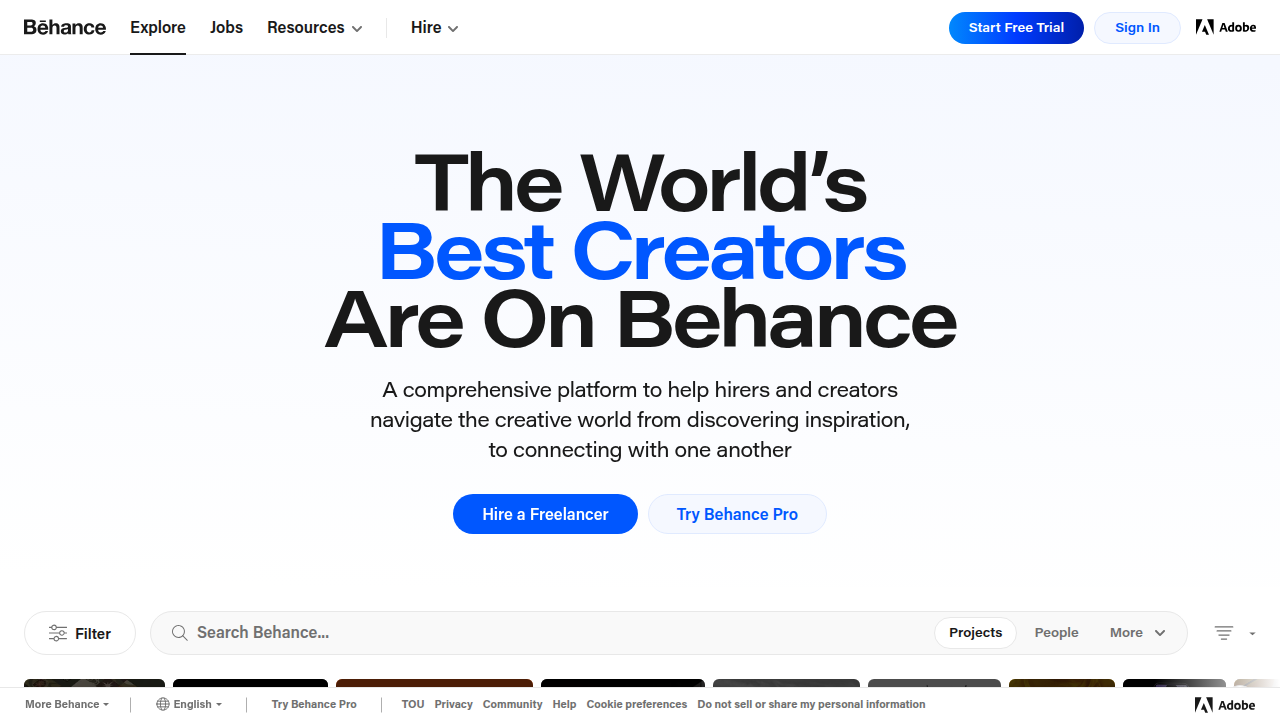
Behance lets you browse thousands of projects from designers around the globe. You can search for terms like "brand identity," "web design," or "packaging" and instantly see real-world examples. It is a goldmine for SMBs because you get to see what works without hiring an agency first. You can spot trends, understand color combinations, and study line design and object design choices that make a layout pop.
A practical guide on branding for small businesses emphasizes that color psychology influences how customers perceive your business. Behance brings that lesson to life. You can see how a brand uses blue to communicate trust in a logo, or how a bold red creates urgency in a call-to-action button. It is one thing to read about it. It is another to see dozens of examples side by side.
Following top designers on Behance can spark ideas for your own website and marketing materials. You can save projects to mood boards and share them with your team or a design partner. This helps you communicate what you want without guessing.
For instance, if you run a local coffee shop and want a warm, inviting look, you can search for "coffee brand b design" on Behance and find packaging, menus, and store signage that match your vision. You can even take note of how designers handle baseline alignment in their mockups.
When you combine this external inspiration with the solid design principles we have covered, your projects get a huge head start. To dive deeper into what makes a layout truly convert visitors into leads, check out our full guide on graphic design principles.
Grow Your Traffic on Autopilot – connect your website with Weblish today and let AI handle the heavy lifting of design and optimization.
Bootstrap – The Responsive Framework That Powers Millions of SMB Sites
After browsing Behance for inspiration, the next step is actually building your site. But that sounds like a technical chore, right? It does not have to be. Bootstrap, the world’s most popular front-end framework, makes it possible for small business owners to create professional, mobile-friendly websites without writing a ton of code.
Think of Bootstrap as a giant box of ready-made building blocks. It comes with pre-built CSS and JavaScript components like navigation bars, buttons, forms, cards, and carousels. All you have to do is pick the pieces you need and snap them together. The framework is designed to be mobile-first, which means your site will look great on phones, tablets, and desktops right out of the box. In 2026, when most of your traffic comes from mobile devices, that is a huge advantage.
For SMBs, Bootstrap’s themes and templates are a game changer. You can download a free small business template from places like Start Bootstrap and instantly have a layout that already handles responsive behavior. Colorlib maintains a massive collection of 200+ Bootstrap templates for every industry, from restaurants to consulting firms. Many of these templates are free or very affordable, so you can launch a polished site with a fraction of the usual budget.
The magic behind Bootstrap is its grid system and utility classes. The grid lets you create columns that automatically stack or reorder based on screen size. Say you want a three-column layout on desktop that collapses into a single column on mobile. Bootstrap handles that with a few simple class names like col-md-4. You do not need to understand complex CSS. The utility classes give you shortcuts for spacing, colors, and alignment. That means you can spend less time fixing layout bugs and more time on the parts that matter, like your b design strategy.
Of course, even with Bootstrap, you still need a clear plan for your line design, object design, and overall visual hierarchy. The framework gives you the structure, but your content and branding fill it with life. If you want to learn more about how to arrange those elements to drive conversions, check out our guide on graphic design principles that turn your website into a lead generator.
While Bootstrap can get you 80% of the way there, managing a fully optimized website takes ongoing work. That is where a done-for-you growth service like Weblish steps in. Instead of fiddling with themes yourself, Weblish builds and maintains a high-performing site on platforms like Shopify or WordPress. You get professional b design, SEO, social media marketing, and lead generation all in one subscription. No upfront fees, no agency chaos.
Grow Your Traffic on Autopilot – connect your website with Weblish today and let AI handle the heavy lifting of design and optimization.
Breadcrumb Navigation – A Simple UX Win for Lead Generation
Have you ever clicked deep into a website and had no idea how you got there? That confusion is a lead killer. When visitors feel lost, they bounce. And a bounce is a lost opportunity.
Breadcrumb navigation fixes that. It’s a small trail of links that shows people exactly where they are on your site. Think of it like a path of crumbs leading back to your homepage. This simple b design pattern reduces friction and keeps visitors moving deeper into your content. According to the Nielsen Norman Group, breadcrumbs help users understand site structure and navigate faster without replacing the main menu.
The best part? Breadcrumbs also boost your SEO. Search engines use breadcrumb markup to understand your site’s hierarchy. That means clearer signals for Google and better rankings for you. A 2026 guide from Eleken calls breadcrumbs “a must-have for modern UX.”
For small business owners, adding breadcrumbs is easy. If you built your site with Bootstrap (like we covered earlier), you can use its built-in breadcrumb component with just a few lines of HTML. No custom coding needed. Plugins for WordPress and Shopify also do the trick in minutes.
But breadcrumbs aren’t just a technical trick. They are part of your design works strategy. Every element on your page, from the line design of the trail separator to the object design of the clickable links, should guide the user toward a conversion. When done right, breadcrumbs act like a map that leads straight to your best offers.
To learn more about structuring your site for conversions, check out our guide on how to turn your website into an epic user web portal that drives revenue.
Grow Your Traffic on Autopilot – let Weblish handle your navigation and design for consistent lead generation.
Body Copy Typography – How Font Choices Affect Readability and Trust
Now that your visitors can find their way around your site, can they actually read your content? If your body text is too small, too cramped, or too light, people will leave before they ever become leads.
Here is the thing. The fonts you choose for your body copy do more than just look good. They directly affect how fast people read, how much they understand, and whether they trust your business. A 2026 guide from adoc Studio explains that body text should always be left aligned and set to at least 16px on the web. That is the baseline for readability across all devices.
Many small business owners skip this step. They pick a pretty heading font and forget about the paragraphs. But that is a mistake. When your body text is hard to read, visitors feel frustrated. They bounce faster. And your credibility takes a hit.
So what makes body copy readable? Three things matter most.
First, font size. The industry standard in 2026 is 16px for body text, according to Design Edge. Never go smaller than that. Your visitors are reading on phones, tablets, and laptops. Tiny text does not work on any of them.
Second, line height. A Complete Guide to Web Typography in 2026 recommends a line height of 1.4 to 1.6 times your font size. For a 16px font, that means line spacing between 22px and 26px. This breathing room makes paragraphs flow smoothly. Your eyes can track from line to line without getting tired.
Third, contrast. Light gray text on a white background looks modern but hurts readability. Go for high contrast between your text color and background. Dark text on a light background is still the gold standard.
Choosing between sans-serif and serif fonts depends on your brand tone. Sans-serif fonts like Arial or Open Sans feel clean and modern. They work great for tech startups and professional services. Serif fonts like Georgia or Merriweather feel more traditional and trustworthy. They fit law firms, financial advisors, and established brands.
The key is to match your font personality to your business. This is where your b design strategy comes in. Every typography choice is a design works decision that shapes how people feel about your brand. The line design of your text spacing and the object design of your font shapes all work together to build trust.
Want to see how this applies to your own site? Check out our guide on how to turn your website into an epic user web portal that drives revenue for more on aligning design with conversions.
Grow Your Traffic on Autopilot – let Weblish handle your typography and design for better readability and lead generation.
Button Design – Turning Clicks into Conversions with the Right B-Design
So you have readable body copy. Great. But now comes the moment of truth. Does your visitor click the button or leave? Button design is where your b design strategy either wins or loses.

Get it right, and your button becomes a conversion machine. Get it wrong, and all your typography work goes to waste.
Three elements make a button work: size, color, and text.
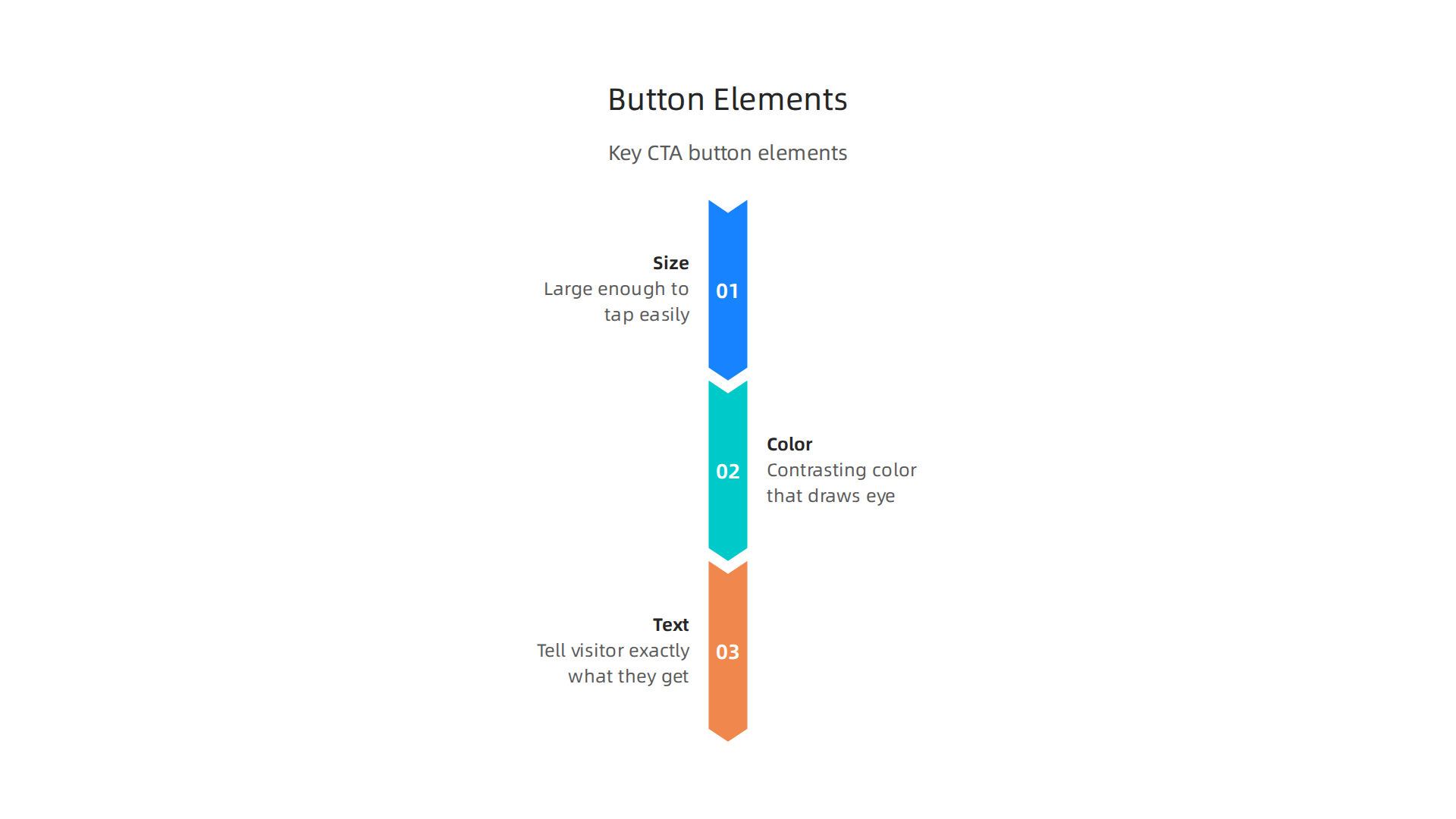
Size matters more than you think. A button that is too small gets missed. One that is too big looks clumsy. The sweet spot is large enough to tap easily on a phone. With over 60% of web traffic now coming from smartphones, you need buttons that work on every screen size. Frameworks like Bootstrap are built for this. Many of the best Bootstrap business templates for 2026 already include mobile-optimized buttons that are easy to tap with a thumb. Using a reliable template can save you from guessing the right dimensions.
Color is your silent salesman. Your button should stand out from everything else on the page. Use a contrasting color that draws the eye. If your site uses blue tones, an orange or green button will pop. This is a fundamental design works principle. The contrast between the button and its background creates a clear call to action. The object design of the button shape also matters. Rounded corners feel friendly and clickable. Sharp corners feel more formal. Match the shape to your brand personality.
The text on the button decides the click. Never use generic words like "Submit" or "Click Here." Instead, tell the visitor exactly what they get. "Get Your Free Guide" or "Start My Trial" work much better. This is microcopy and it has a huge impact on conversions. The line design of your button text should be short and action oriented.
Place your button where people expect it. After explaining a benefit, give them the button. Do not hide it below the fold. Do not make them hunt for it.
Putting all this together takes time. If you want a button that converts without the guesswork, our done-for-you service at Weblish handles the button design, color testing, and placement. Think of it as having a senior designer on your team for a predictable monthly price.
Ready to turn your buttons into lead generators?
Grow Your Traffic on Autopilot – Let Weblish optimize your button design for better conversions and more leads.
Summary
This article explains the essential